OFT File Converter
4.7
A user-friendly application with an intuitive design for beginners to navigate effortlessly.
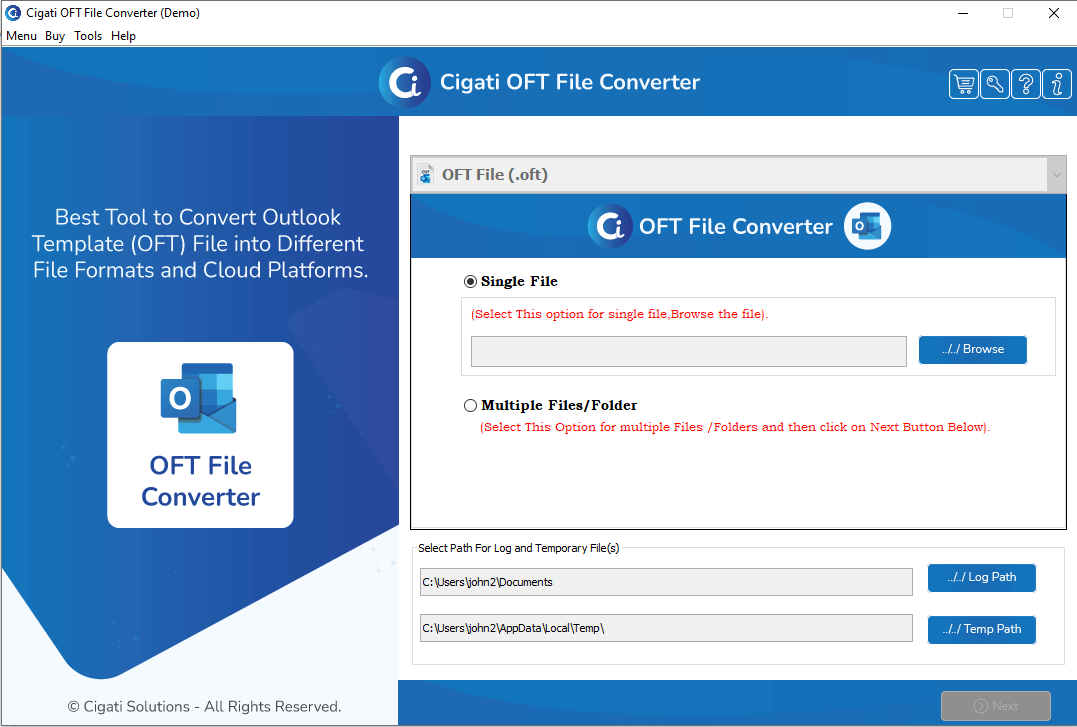
Install and run the Cigati OFT File Converter on your PC.
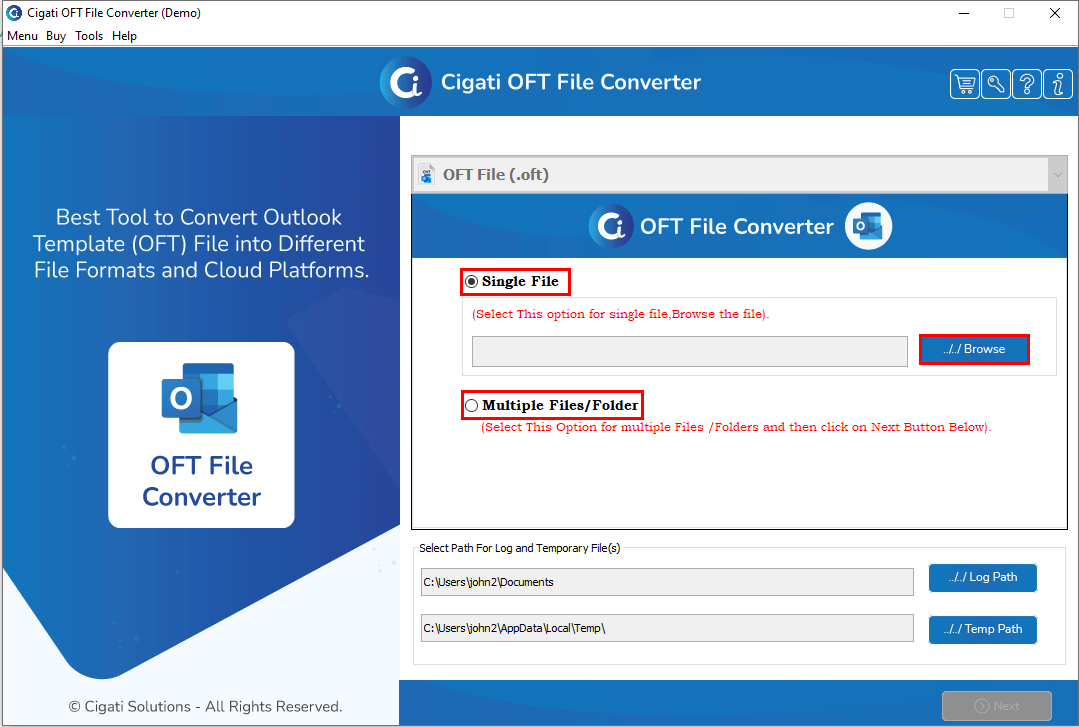
Select either the Single File or Multiple Files/Folders option, then click the Browse button to add a file from your system.
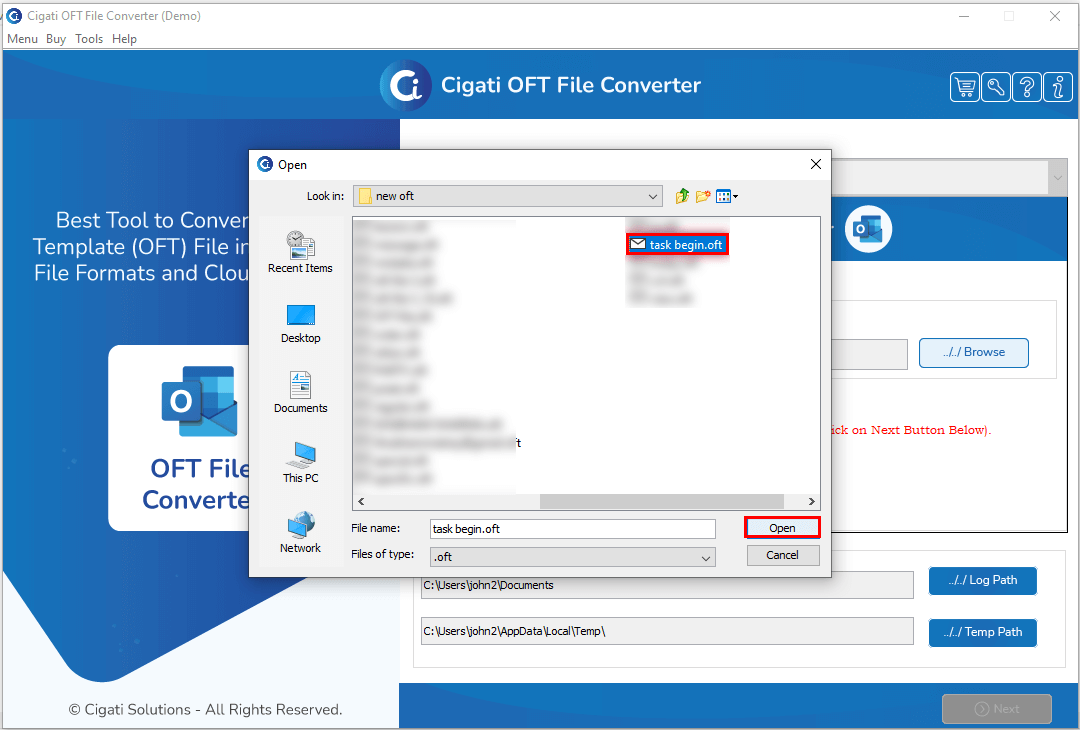
Select the OFT file from your system and click the Open button to add it.
Select the folders you wish to convert, then click Next to proceed.
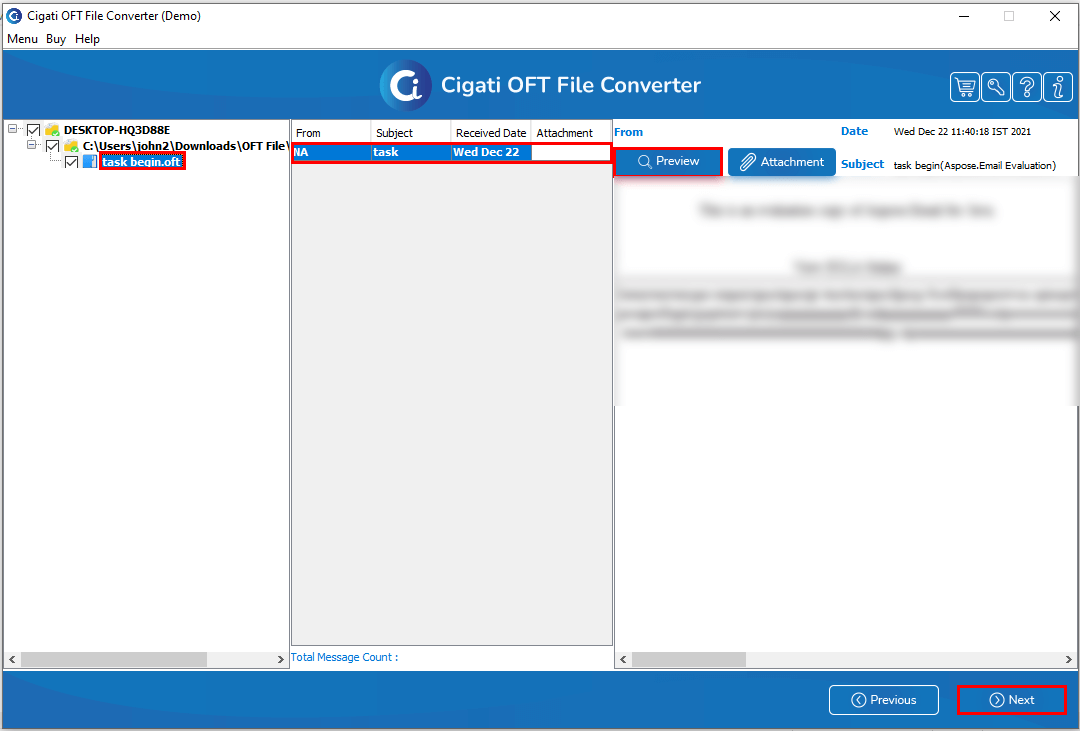
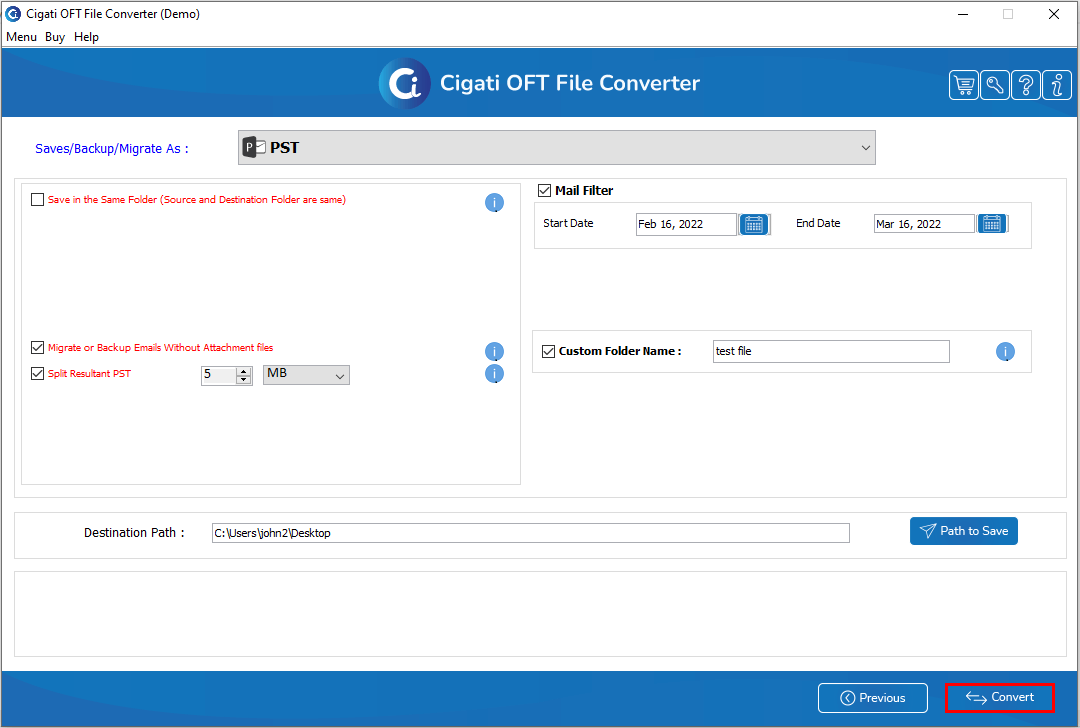
Select the PST format from the Output drop-down menu.
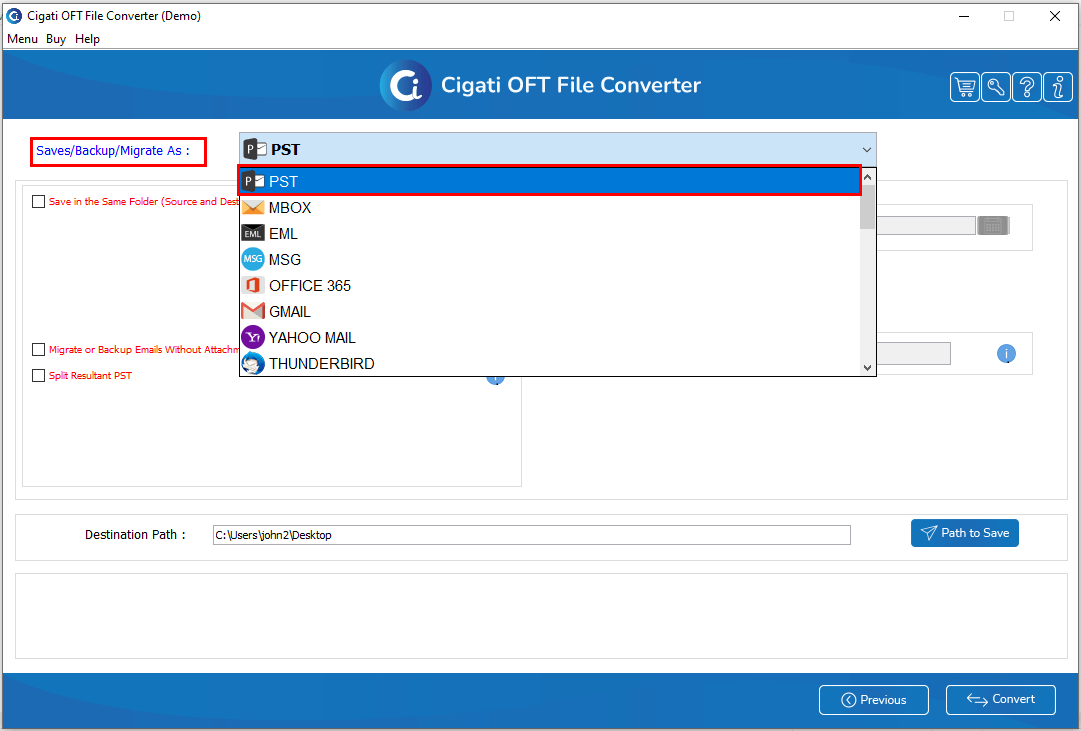
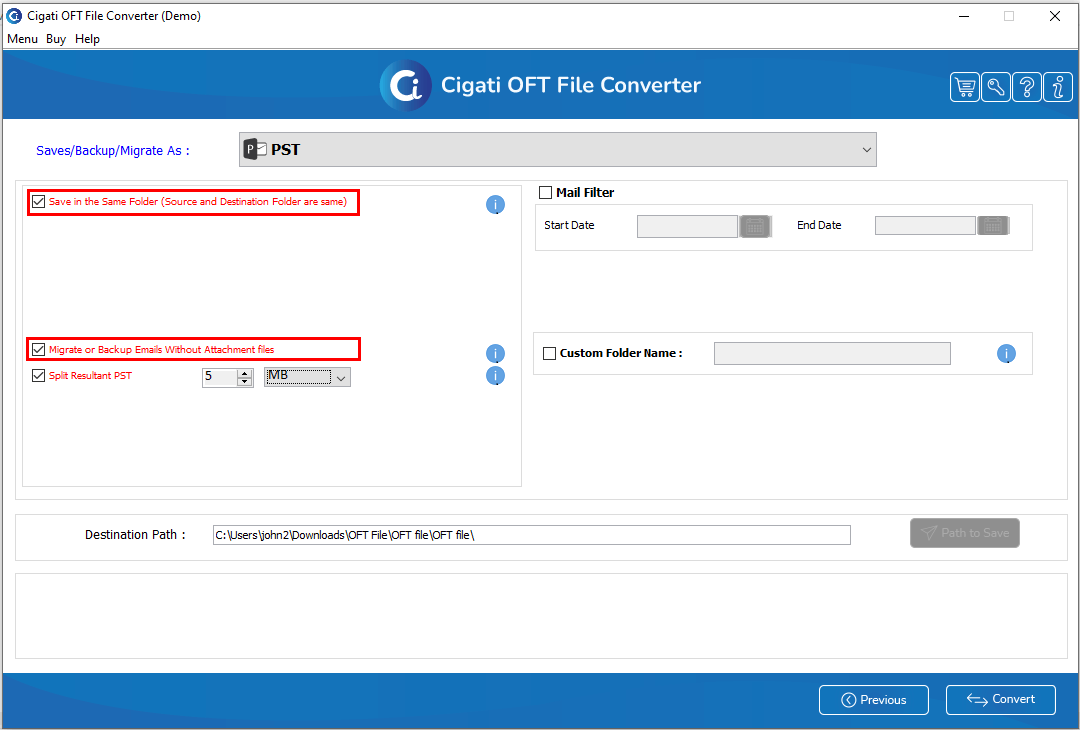
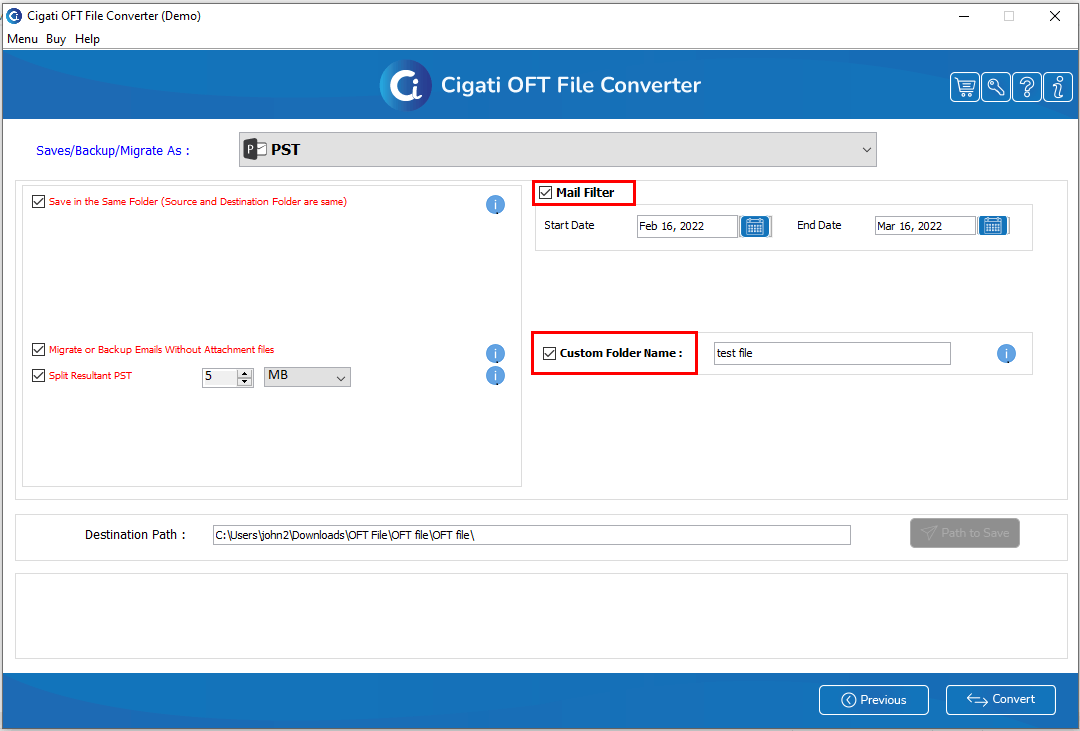
In this wizard, you can also select the desired options:
Tick the Split Resultant PST option to divide the resultant PST file into smaller, more manageable PST files.
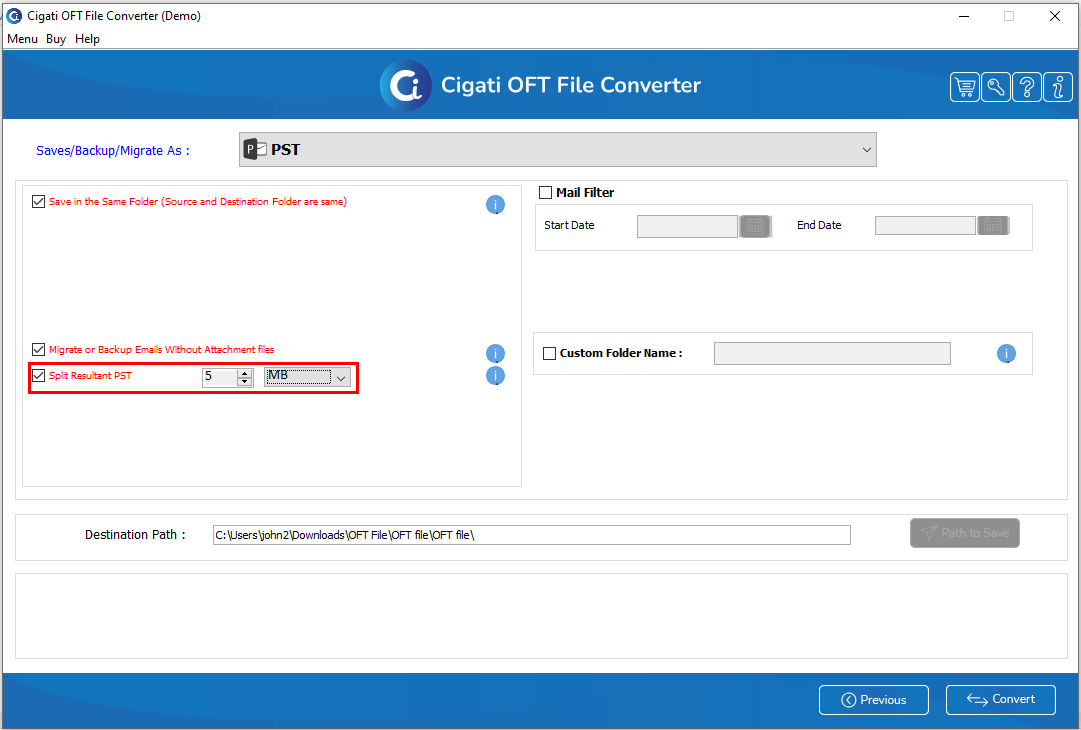
Additionally, you can use the following features to optimize the conversion process:
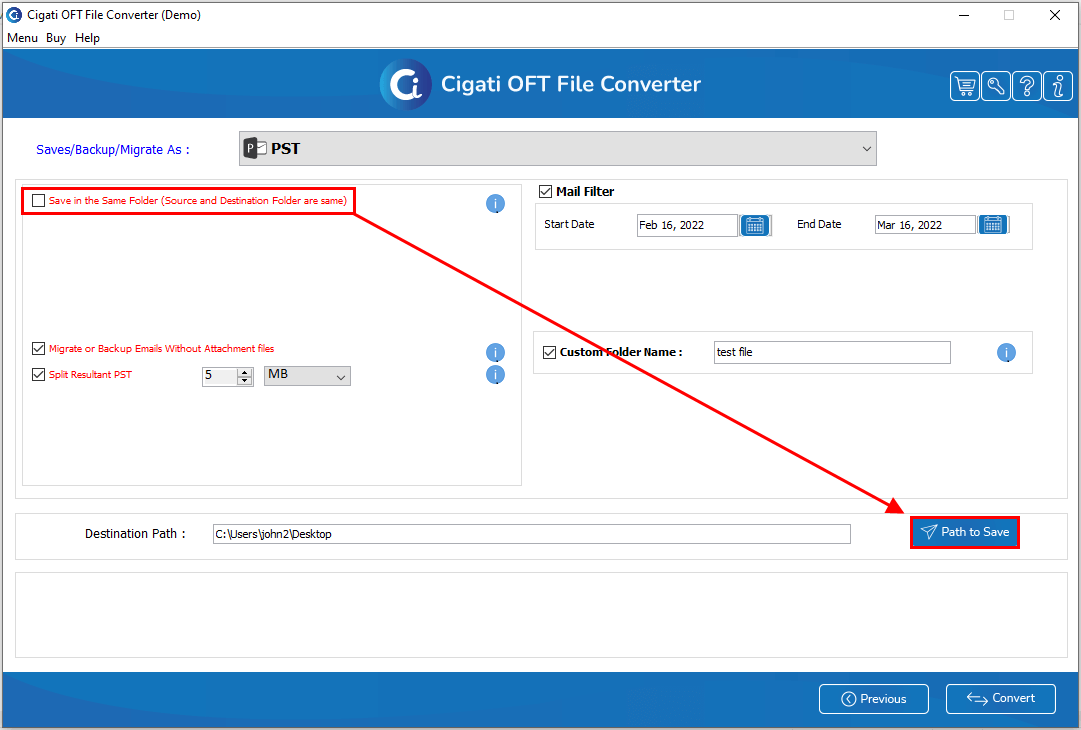
If you do not select the Save in the Same Folder option, you can set the save location by clicking the Path to Save button.
Click the Convert button to begin the conversion process.