Cigati EML File Viewer

With Cigati EML File Viewer, open and view EML files without depending on any email application. This dedicated software is easy to use and processes emails from multiple files within minutes.

(Average Rating 4.9 Based on 2321 Reviews)

Benefits of

Cigati EML Viewer Tool

  • Open EML files data without requiring EML-supported applications.
  • Supports EML files in bulk and eliminates the need to open files individually.
  • Read email data like sender, receiver, subject, main message, & metadata.
  • Allows viewing embedded attachment files, including the larger ones.
  • Convert EML to PDF, PST, MSG, DOC, CSV, XLSX, EMLX, OFT, and WDSEML.
  • Apply built-in filters to convert emails from EML files precisely.
  • Extract and save emails, phone numbers, URLs, and attachments in CSV or XLSX files.
  • Prevent duplicates by ‘remove duplicate’ & ‘skip previously migrated’ features.
  • Import multiple EML files to Thunderbird without risk of data loss.
  • Featured to access files created by almost 20+ EML-supported platforms.
  • A self-explanatory user interface helps users run the software conveniently.
  • Run EML Viewer Pro on all the major Windows OS, including Windows 11.
  • Free EML File Viewer converts only the first 50 emails for testing purposes.
benefit-img

Exclusive Features

EML Viewer Software

Easily Open EML Files

Easily Open EML Files

Opening an EML file requires a dedicated email client, but not always you will have one installed. The Cigati EML File Viewer helps you open EML files independently. Additionally, the software supports EML files created by multiple email clients like Thunderbird, Windows Live Mail, and more. You can read all details like the message, sender, receiver, and see attachments as well.

Preview Emails and Attachments

Preview Emails and Attachments

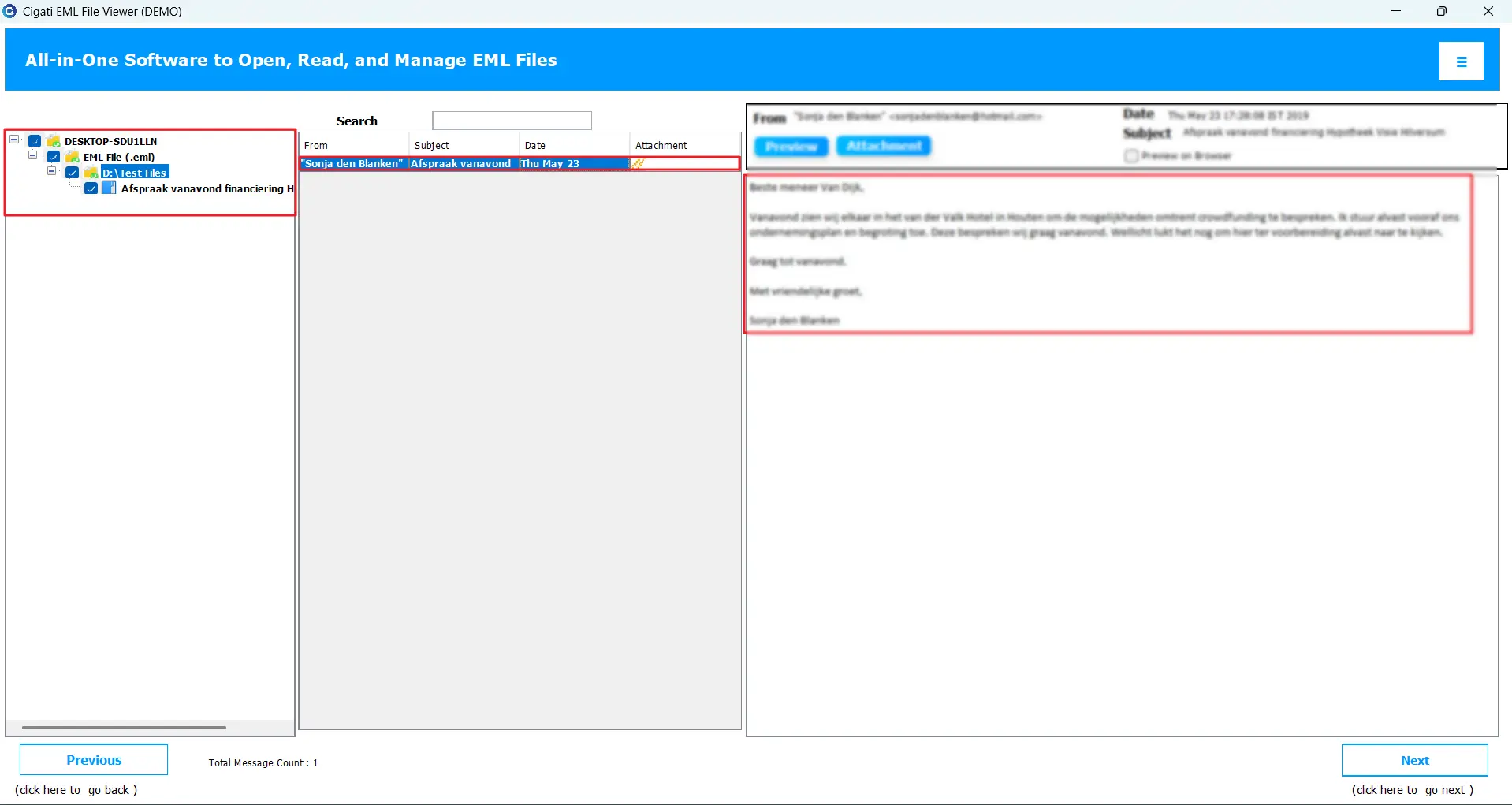
With the premium EML File Reader, you can not just read emails, but also attachments. As soon as you add EML files, the software proceeds to the preview panel, where you can select the added files and preview the emails. Click on Attachments, and embedded attachments can be seen, if any. Moreover, it shows the subject, from address, and you can choose to preview emails in the browser.

Supports EML Files in Bulk

Supports EML Files in Bulk

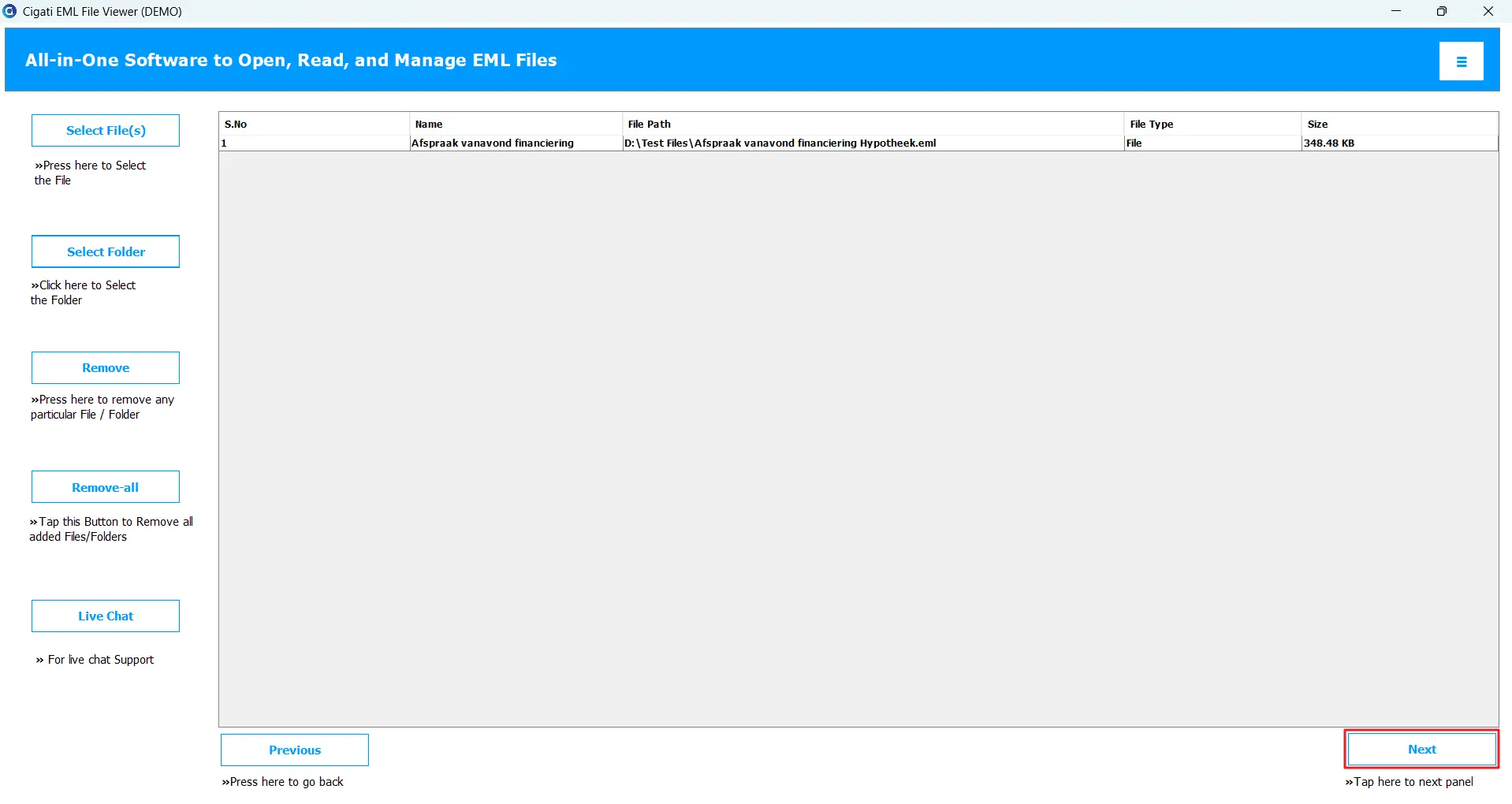
Instead of viewing one EML file at once, this software lets users add multiple EML files and view them. The Select File(s) option allows you to choose EML files, one or many, whereas the Select Folder option offers the privilege to select an entire folder containing as many EML files. Hence, unlike a manual procedure, you do not have to go back and select the EML file again and again to open, nor is an import required.

Transfer Emails in Other Formats

Transfer Emails in Other Formats

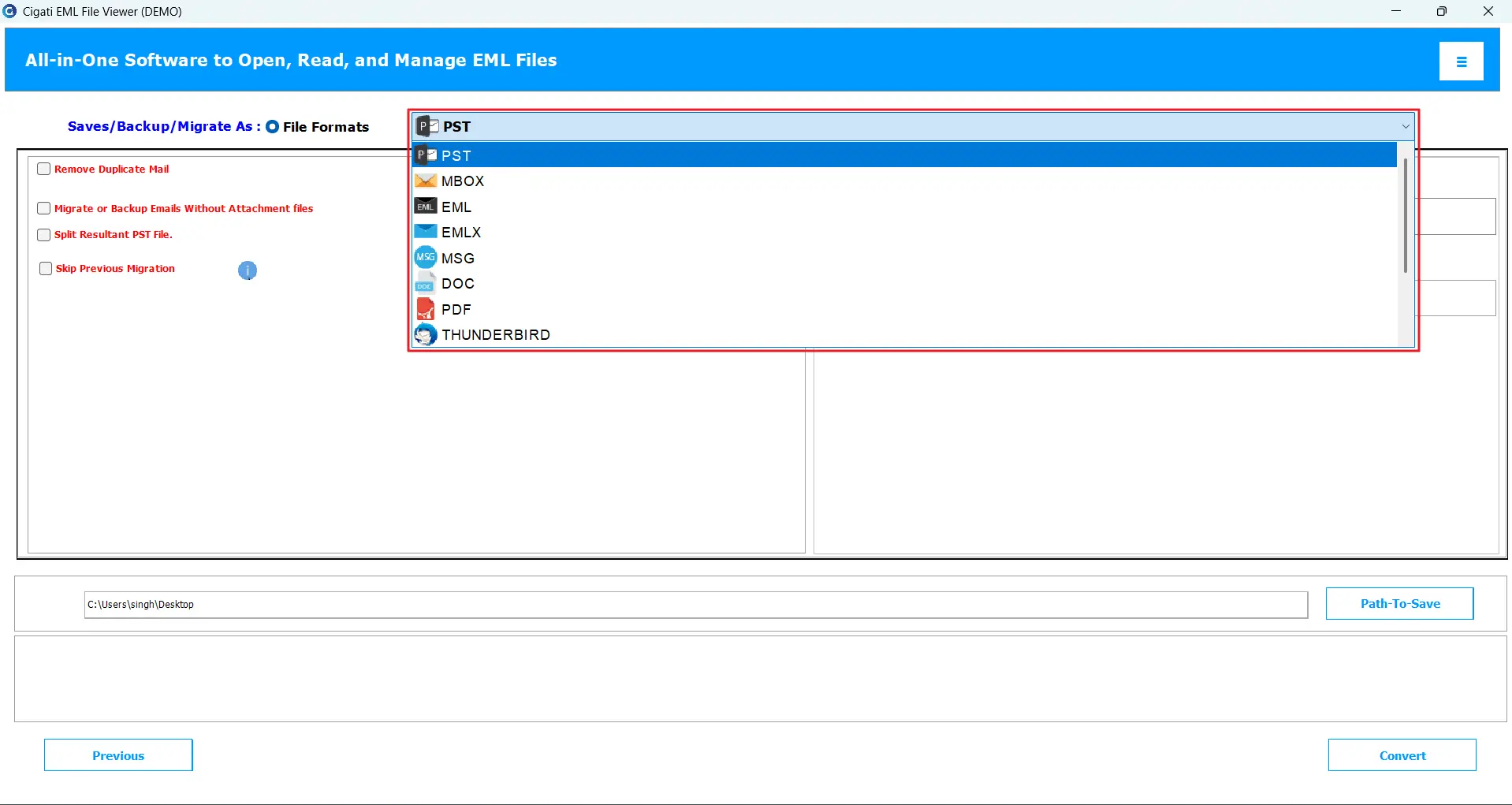
Besides letting you open files to read, the EML Viewer Pro has an important feature that enables saving emails to different formats. Users can save EML to PDF, PST, MSG, MBOX, EMLX, EML, CSV, DOC, XLSX, OFT, and WDSEML. Best for users who need to share EML files across multiple platforms. Moreover, it helps to create an additional backup file in case of mishaps or data loss.

Import EML Files to Thunderbird

Import EML Files to Thunderbird

If you have EML files in bulk, importing them to Thunderbird manually can be a tedious task. This one-fit solution lets you transfer EML files to Thunderbird without complexity. All you need is to install and configure Thunderbird on your system. Highly recommended software for transferring hundreds of EMLs with a few simple steps!

Built-in Filters to Support Conversion

Built-in Filters to Support Conversion

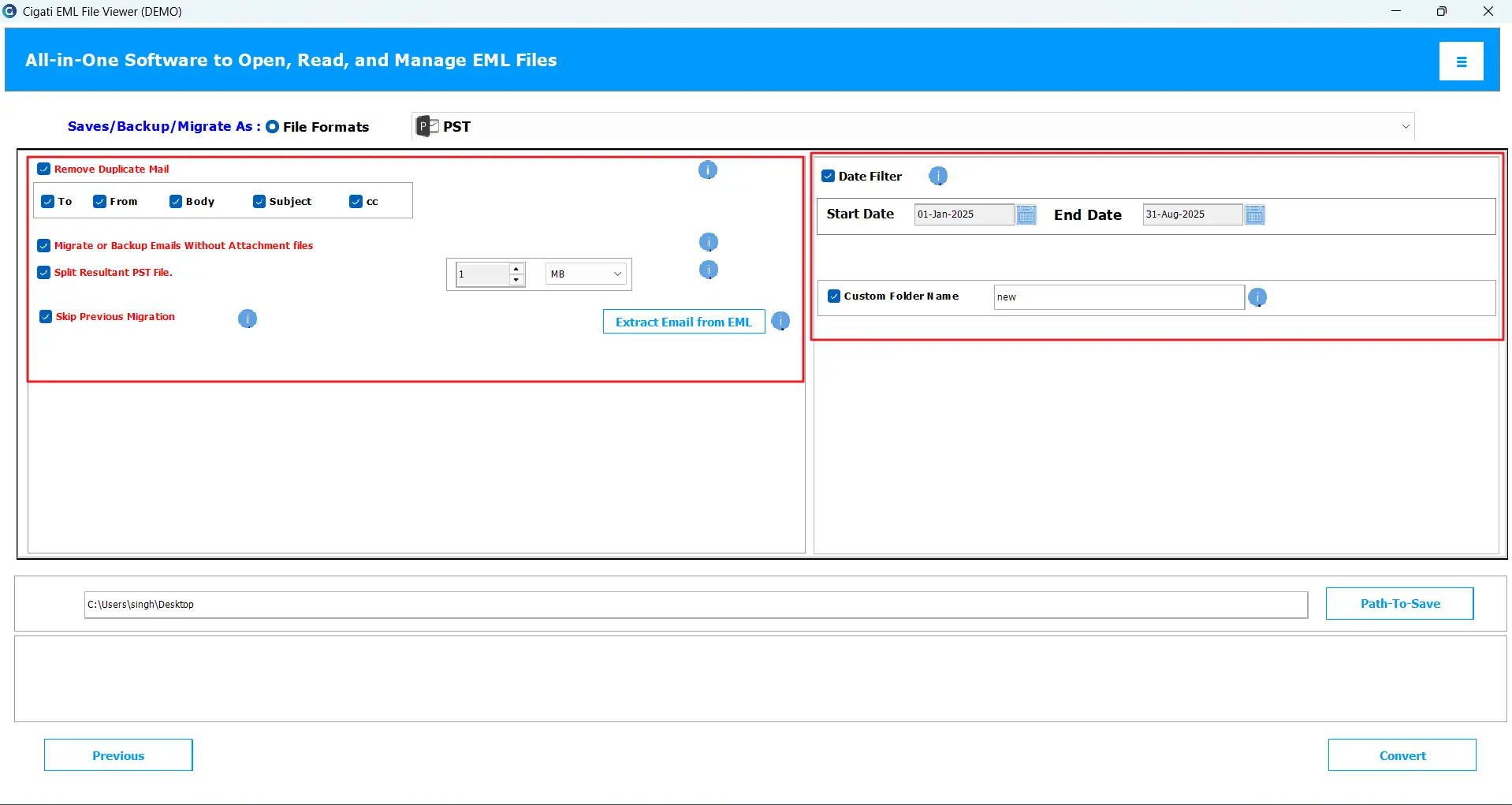
This EML Message Viewer has some smart built-in filters that prevent unnecessary clutter in the destination. Use the Date filter for specific migration, remove duplicates, and skip previously migrated option to prevent duplicates, split PST best manages the resultant PST file, and many more. Also, you can transfer emails without attachments.

Extract Data in CSV or XLSX

Extract Data in CSV or XLSX

One of the most demanded features of the software is extraction. This new feature lets you extract some specific data from EML and save it in CSV or XLSX format, keeping data intact and organized. The data type you can extract is email address, phone number, URLs, and attachments. These data types are often shared among teams as a record, hence the software lets you do it without hassle.

Test Compatibility with Demo Version

Test Compatibility with Demo Version

If you are using the latest Windows 11 or any older version, like Windows 7, the software is highly compatible with all Windows OS versions. Its performance and processing speed remain the same across all OS. Test the features and compatibility by using a free demo tool available on the official website, but it converts only 50 emails per folder for free. Buy premium license for complete transfer.

Technical Specification

Software Prerequisites & Recommendations

Software Name: Cigati EML Viewer Tool
Version Support: Win 7 / 8 / 8.1 / 10 (32-bit & 64-bit), Windows 11 (64-bit) & Windows Server 2008 / 2012 R2 / 2016
Size: 285MB
Version: 25.9
License: S/A/T/E
Download Link: Download
box
processor-img

Processor:

Hard Disk:

Memory:

Operating System:

trial-img

Trial limitation:

The Best EML Viewer offers a free trial version to help users understand the software’s working and features. Download and run the tool from the website and test before purchasing. It has all the features of the premium version, but limits conversion capacity– only 50 emails.

faq-img

FAQ:

Comprasion Table

Table of Free EML File Viewer and Paid Versions

Software Features Free Version Full Version
Open and view unlimited EML files at once
Extract Images from PDF Files
Convert EML to PST, MSG, MBOX, EMLX, OFT, DOC, CSV, and more. Export 50 Emails per Folder
Directly migrate EML to Thunderbird Export 50 Emails per Folder
Remove duplicate emails feature
Date Filter feature
Skip previously migrated files
Migrate or backup emails without attachments
Extract data from EML files in CSV or XLSX format
Split resultant PST file
No EML-Supported email clients required
24*7 Tech Support & 100% Secure
Windows OS Compatibility
Download and Purchase Download Purchase

FAQ

Frequently Asked Questions

Follow the steps below:

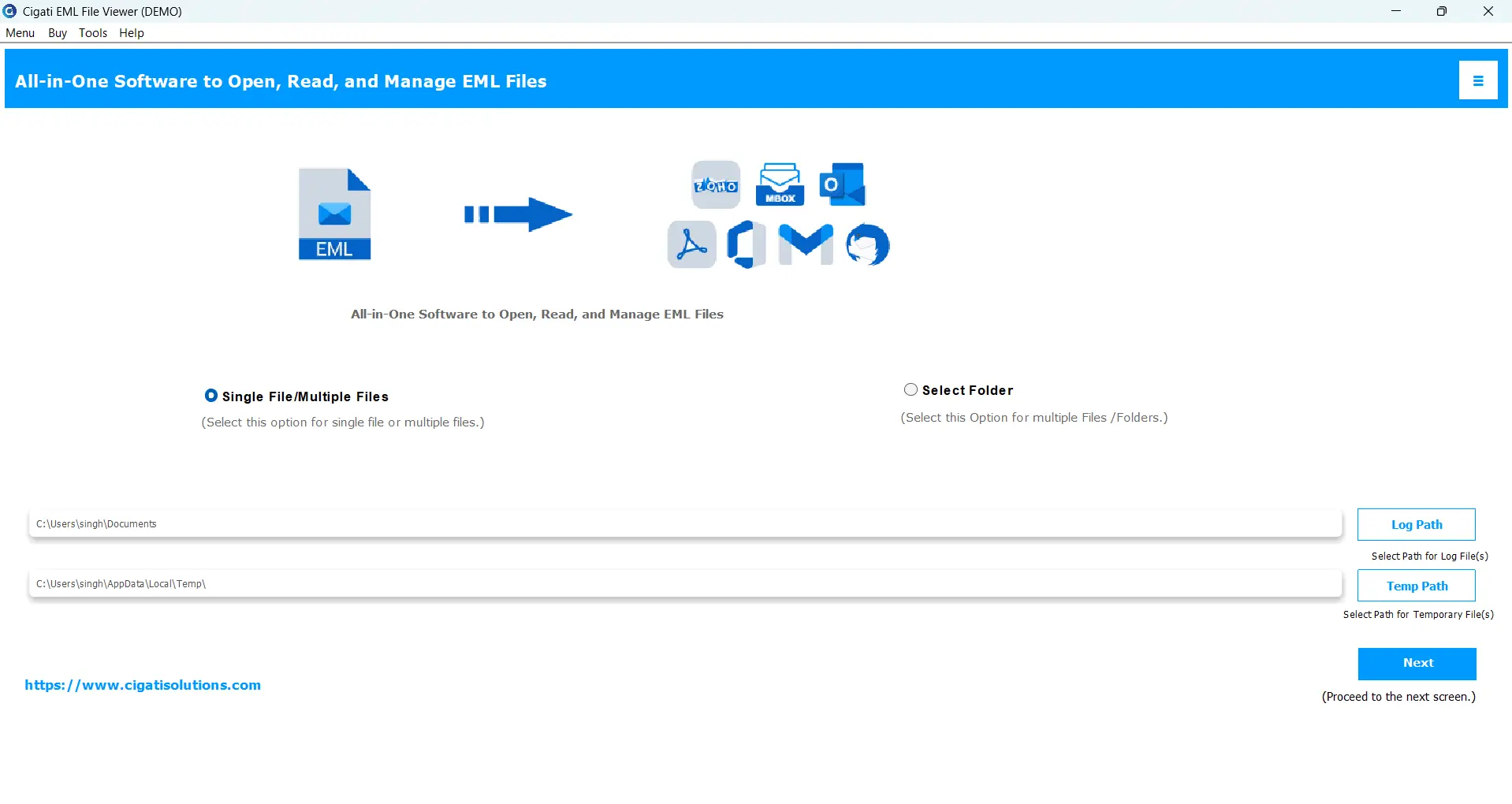
  • Download and install Cigati EML File Viewer on PC. Run it.
  • Add all EML files you want to open and click Next.
  • Expand the tree, preview emails, and other data.
  • To save in a different format, choose a format.
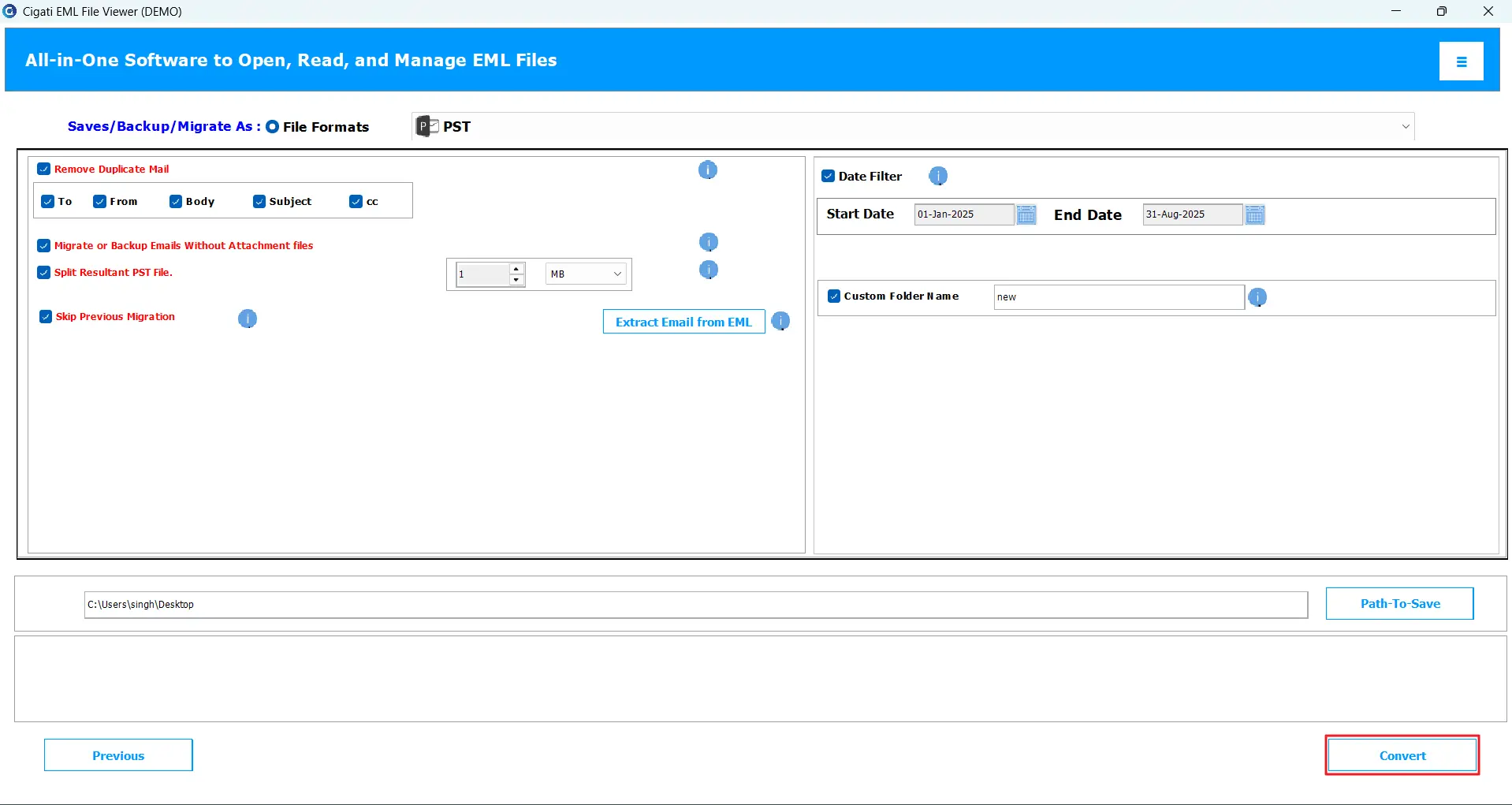
  • Apply filters and finally, click Convert.

Yes, the software supports EML files created by multiple EML-supported email clients and other platforms, including Windows Live Mail.

The EML Viewer Tool by Cigati has an advanced feature to let users extract email addresses and other data into CSV or XLSX. You can also extract phone numbers, important URLs, and attachments.

It's a simple procedure:

  • Install and run the tool > Add EML files.
  • Preview emails and attachments > Next.
  • Select Thunderbird as the destination > Choose profile.
  • Apply filters > Convert.

You cannot directly import EML to Outlook, but convert EML files to PST and then import manually. The software eases the conversion part.

If you have once transferred EML files using the software and initiate a new migration, this feature helps to prevent duplication. It filters already migrated emails and processes only those that have been newly added.

Yes, the software allows you to open EML files for free, but with certain limitations. For advanced features, premium software is needed.

Client Review

A Glimpse into Client Experiences

Thousands of satisfied customers have chosen our software and praised its reliability and performance. They have shared positive stories about how the EML File Viewer Software has helped them manage their files efficiently.

I was struggling to open some old EML files without Outlook. Then, I found the Cigati EML Viewer Tool that made it a cake walk. A few simple steps, and you are good to go. The interface is user-interactive, and I could even view attachments smoothly. Highly recommend it!

Emma Collins | Brussels

I loved how detailed Cigati Software is. Best EML Viewer I have purchased – it showed every bit of email info, sender, subject, and even attachments. What made me relaxed was saving all important contacts in CSV without hassle. I tried the Pro version and could easily convert a few files.

Michael Reed | USA

Impressive! As soon as I tested Free EML File Viewer by Cigati, I made up my mind to purchase. It's smooth to operate, no technicalities required, and it saved my time a lot. Converting more than 1000 EML files was a task of half an hour or less.

Charlotte Hughes | Mexico