Cigati OFT File Converter

Cigati OFT File Converter is built with a modern interface and enterprise-oriented programming to convert Outlook OFT (Outlook File Template) files. Whether dealing with email templates, stored messages, or archived OFT files, the software ensures a clean, structured, and accurate export. It works best for IT admins, legal teams, Outlook users, businesses transitioning from template-based communications, and organizations handling legacy OFT data.

(Average Rating 4.9 Based on 2315 Reviews)

Key Benefits of

Cigati OFT Converter Software

  • Converts OFT created by all versions of Microsoft Outlook, 2021, 2019, 2016, 2013, 2010, and earlier.
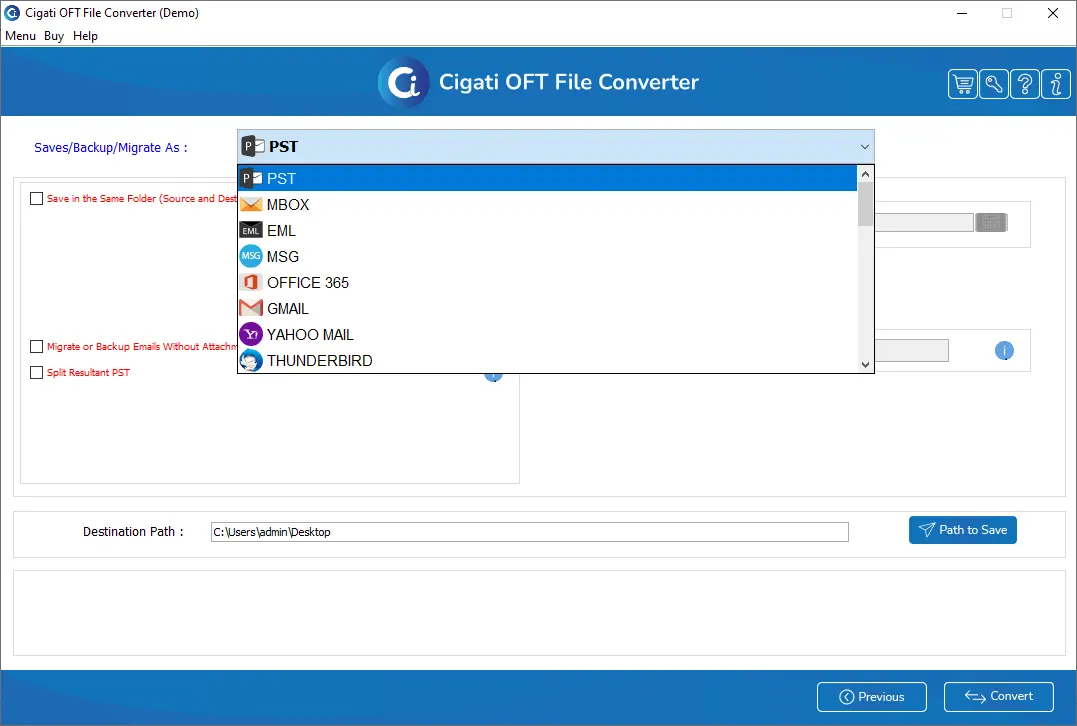
  • Export OFT email templates into PDF, PST, HTML, MBOX, DOC, EML, MSG, JPG, GIF, TIFF, and more.
  • Add multiple OFT files, Single and Multiple Files/Folders, and convert them at once without data loss.
  • Easily migrate OFT files to Office 365, Gmail, Yahoo Mail, IMAP, Zoho Mail, AOL, and iCloud.
  • Before conversion, preview OFT content, including subject, message body, attachments, and metadata.
  • Maintains 100% data accuracy with original folder structure and email template formatting.
  • The Date filter enables selective data conversion and features a built-in Duplicate Removal function.
  • Backup option or migrate the OFT file data without attachment files to create a precise resultant file.
  • When saving OFT data to PST, split the PST file into smaller files for better management and easier import.
benefit-img

Notable Features of

Cigati OFT File Converter Software

Convert OFT to 15+ File Formats

Convert OFT to 15+ File Formats

Cigati OFT Converter supports OFT file conversion to a wide range of email and non-Email formats. This list includes PDF, PST, MSG, MBOX, HTML, EML, EMLX, DOC, DOCX, DOCM, MHT, and others. Moreover, users can save OFT as image formats like PNG, JPG, GIF, TIFF, JSON, etc. Thus, making the software a versatile solution that serves different use cases.

Add Single or Multiple OFT Files

Add Single or Multiple OFT Files

The Cigati OFT Converter Tool is competent enough to process one OFT file or hundreds of OFT templates in a single session. The bulk conversion feature ensures faster productivity, especially when handling large collections exported from Outlook. Each file is scanned and converted without altering its formatting, embedded images, hyperlinks, or metadata.

Export OFT to Webmail & Cloud Platforms

Export OFT to Webmail & Cloud Platforms

Beyond file conversion, the software enables direct migration of OFT files into cloud-based and IMAP email accounts. Users get multiple options to export OFT, such as Office 365, Google Workspace, Gmail, Yahoo Mail, iCloud Mail, Zoho Mail, AOL Mail, and more. The software makes migration smoother and quicker, with proper folder mapping.

Selective Conversion of OFT Data

Selective Conversion of OFT Data

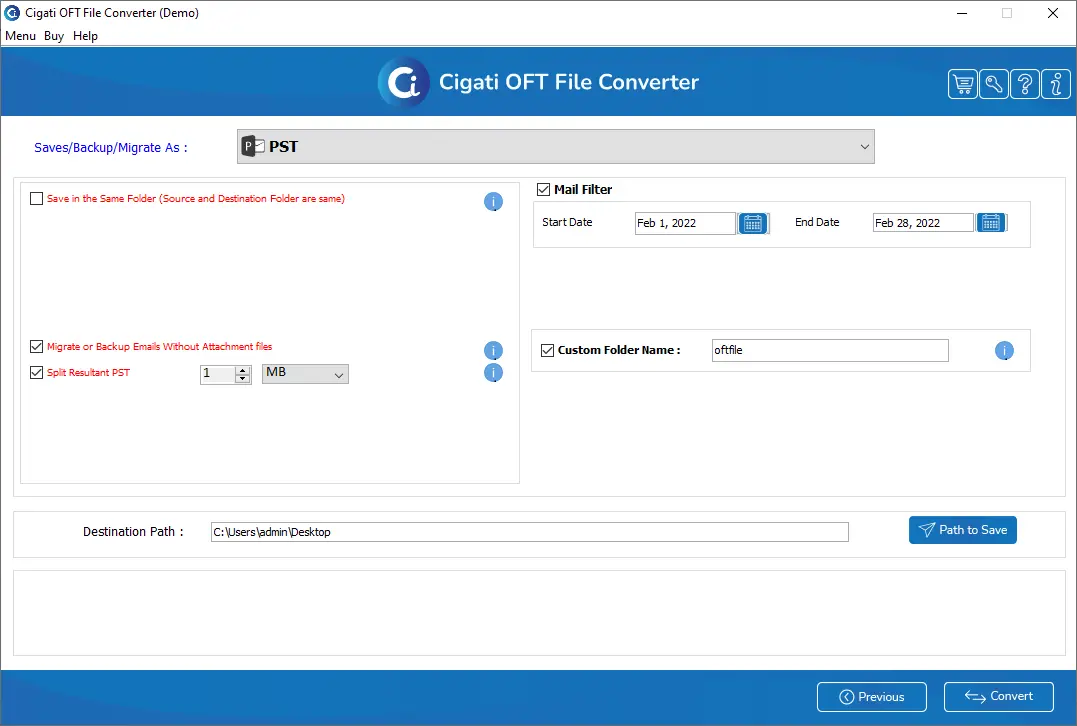
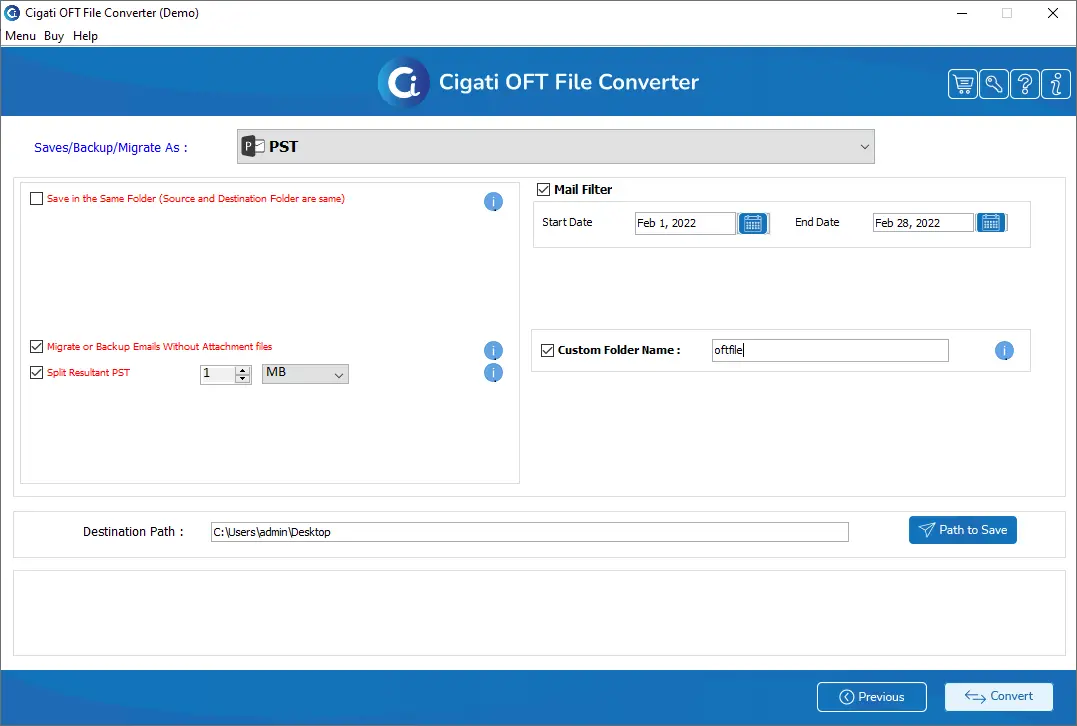
To prevent unnecessary storage usage and improve conversion efficiency, users can also convert data selectively. There are two ways: select the required folders in the preview panel or use the advanced Date filter. With Date Filter, users can apply a Start Date and End Date to extract only specific template modifications or archived OFT versions.

Split PST Files While Saving OFT to PST

Split PST Files While Saving OFT to PST

Large PST files are often prone to corruption during Outlook import. Cigati OFT File Converter provides a feature to split the resultant PST, which divides the output PST into smaller, manageable segments. You can specify the size of PSTs in MB/GB. This ensures safe import and future usability.

Preview and Folder Selection

Preview and Folder Selection

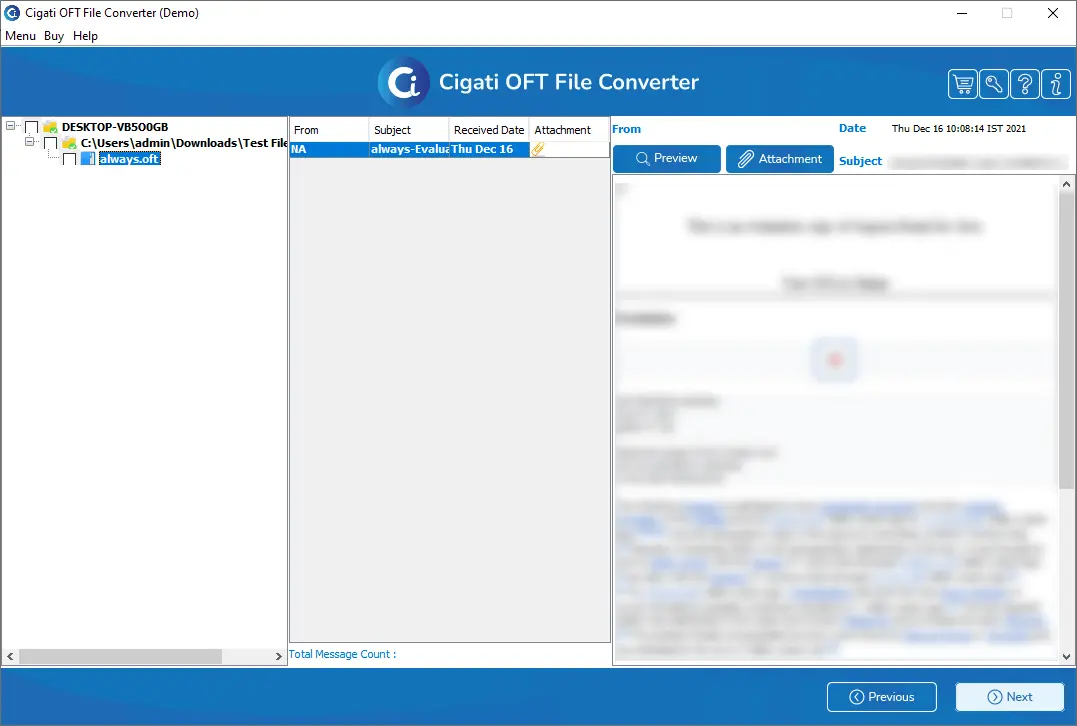
The tool also includes a powerful built-in preview panel that displays template data exactly as Outlook generates it. Users can inspect email messages, appointments, or tasks, the email subject, header information, sender, signature, and more. This helps to locate damaged templates and perform selective export

Exclude Moving Attachment Files

Exclude Moving Attachment Files

If your OFT files include large attachments, the software provides the option to exclude them during conversion. Select the “Backup or Migrate Emails without Attachments” feature; only the email content is exported. Additionally, when converting OFT to PDF, advanced options allow better control over attachments.

Maintains OFT Structure and Originality

Maintains OFT Structure and Originality

The Cigati OFT Converter Tool is best at maintaining the originality of data after conversion. The software preserves Email templates' structure, Fonts and styles, Metadata, Inline icons and images, header details, and more. It is 100% safe to use and most compatible for non-Outlook users.

Widely Supported Software

Widely Supported Software

The software is designed for maximum compatibility, making it suitable for a wide range of technical and user requirements. It supports all major versions of Windows OS, along with OFT files created from any version of Microsoft Outlook. It supports all older and newer versions, including Outlook 2021, 2019, 2016, 2013, 2010, and older editions.

Demo Version for Testing

Demo Version for Testing

With the ability to convert up to 50 items per folder, the trial version provides a realistic preview of how the software works. You can test the conversion accuracy, speed, interface design, and feature performance. It helps users verify exactly how their OFT emails, attachments, and formatting will appear in the selected output format.

Technical Specification

Software Prerequisites & Recommendations

Software Name: Cigati OFT File converter
Version Support: Window 11 and its below version
Size: Size 126 MB
Version: 22.3
License: S/A/T/E
Download Link: Download
box
processor-img

Processor:

Hard Disk:

Memory:

Operating System:

trial-img

Trial limitation:

The free OFT File Converter Software is a demo version, meant for testing features before purchase. It has all the features of the premium version, but allows converting only 50 emails per folder for free. Upgrade to the full version for unlimited OFT file conversion and complete feature access.

faq-img

FAQ:

Comprasion Table

Table of OFT Converter vs Premium Version

Software Features Free Version Full Version
Convert OFT files to PST, PDF, MBOX, EML, HTML, PDF, DOC, DOCX, DOCM, and more Convert 50 Emails per Folder
Save OFT Files as JPG, PNG, GIF, TIFF, and JSON image formats Convert 50 Emails per Folder
Migrate OFT Email Templates Directly to Webmail and Cloud-based Email Platforms Convert 50 Emails per Folder
Upload OFT Files in Bulk for Simultaneous Conversion
Supports OFT Created by All Outlook Versions and All Sizes
Preview panel to display OFT File Data before conversion
Break output PST into Smaller PST files (in MB or GB)
Feature to exclude attachment files export
Built-in Date Filter feature
Feature to Assign a Custom Folder Name
Define a destination folder for output files
Quick and secure login process for the destination email platform
24*7 Tech Support & 100% Secure
Windows OS Compatibility
Download and Purchase Download Purchase

FAQ

Frequently Asked Questions

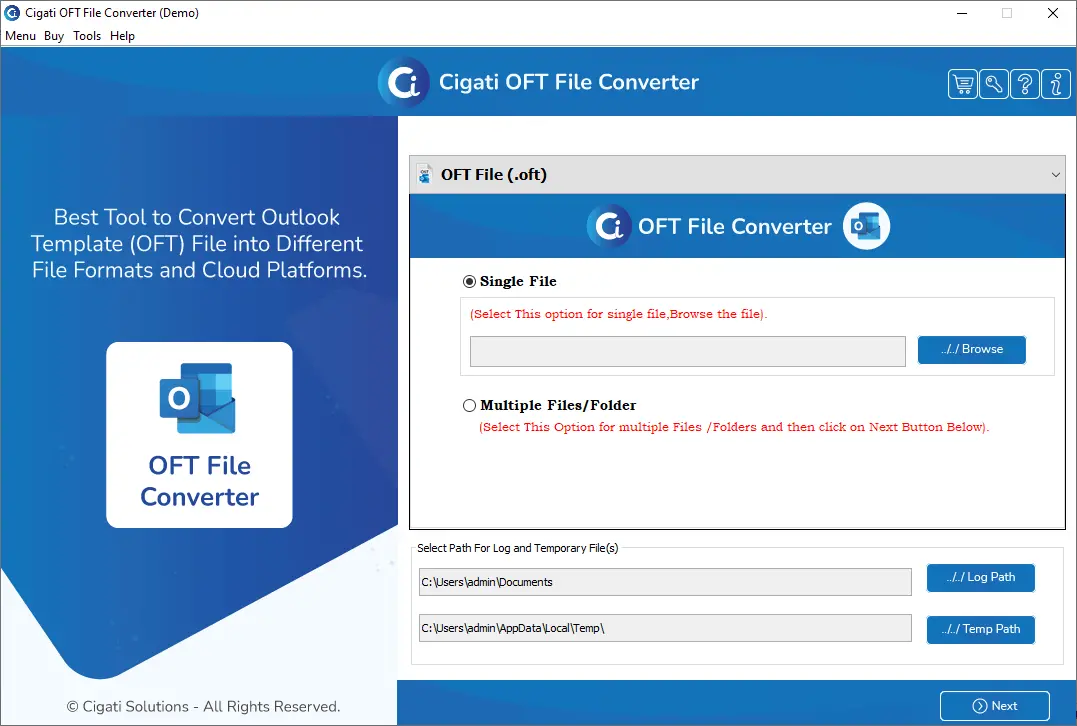
It's simple with the Best OFT Converter by Cigati that works independently:

  • Download, install, and run the Cigati OFT Converter on your Windows system.
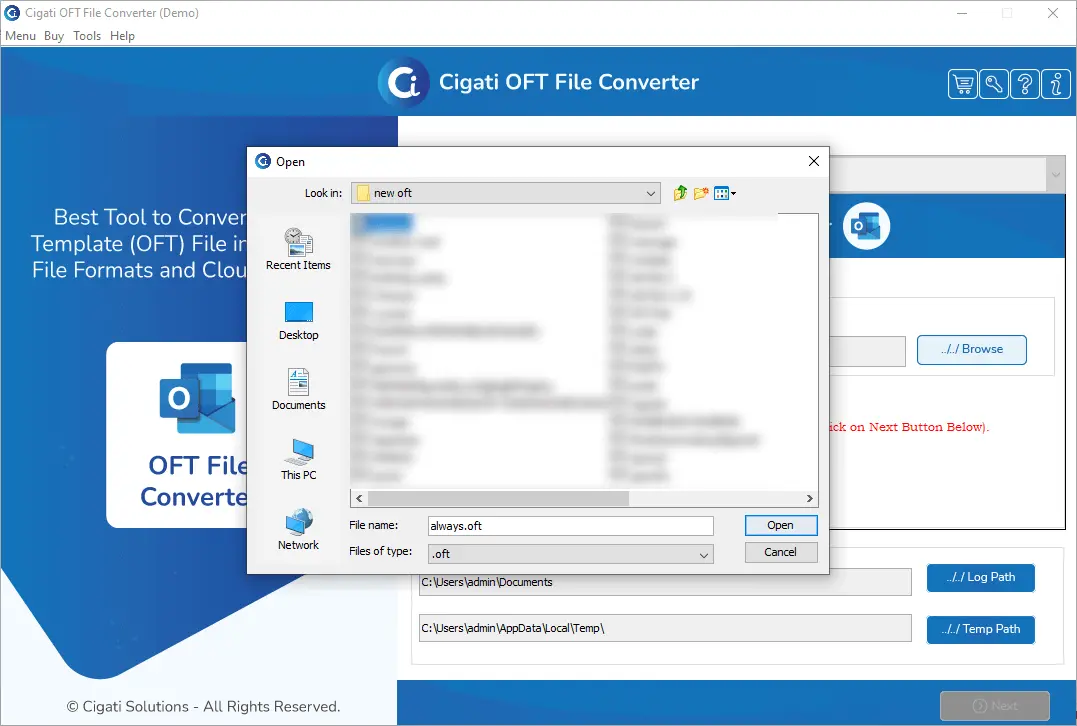
  • Click Select Files or Select Folder to add single or multiple OFT files.
  • Preview OFT data in the built-in preview panel before conversion.
  • Choose the desired saving format, PDF, or any other if you wish.
  • Apply optional filters such as Date Range or Exclude Attachments.
  • Select the destination location and click Convert to start the OFT conversion process.

Absolutely. Marketing and operations teams commonly use Cigati OFT File Exporter to migrate legacy OFT templates into Office 365 or Gmail. This ensures historical templates remain usable in cloud-based workflows.

The software supports OFT conversion to multiple formats. This includes both email and non-email formats like PST, PDF, HTML, MSG, MBOX, EML, EMLX, DOC, DOCX, DOCM, CSV, JSON, PNG, TIFF, and more. So, you can compatibly open OFT files to other email platforms, document systems, and compliance tools.

Yes, for sure. The software preserves the original formatting, fonts, inline images, hyperlinks, headers, and metadata. The converted output closely matches the original OFT template, at least no data and its structure is altered.

The Cigati OFT Conversion Software supports bulk OFT file conversion. Therefore, users can add multiple OFT files or entire folders at once. This is ideal for businesses and teams handling large template libraries.

Yes. Cigati OFT Converter is designed to handle large OFT files, including those with embedded images and heavy attachments. For better performance, users can exclude attachments or convert them separately when exporting to PDF.

It's possible. OFT files often fail when shared across systems or Outlook versions. So, we suggest that you convert them to universal formats like PDF, HTML, or DOC. These formats ensure consistent readability across devices and platforms.

You can use Free OFT Converter; however, it is restricted to convert upto 50 emails per folder only.

Client Review

A Glimpse into Client Experiences

Thousands of satisfied customers have chosen our software and praised its reliability and performance. They have shared positive stories about how the OFT File converter Software has helped them manage their files efficiently.

I’m not very tech-savvy, and OFT files for sure were confusing for me. I just needed to access the email templates and keep a backup. I first used the demo version that helped me understand how the software works, and I had nothing to do with the data inside. After upgrading to Cigati OFT Converter Software, I converted everything to PDF in one go. It was simple and didn’t feel overwhelming.

Natalie Brooks | Brussels

Many clients often send OFT files assuming everyone can open them, which is rarely true. I got relaxed when I started using Cigati OFT Converter to convert OFT files before handing them over. This software helped me convert OFT to formats that I required, and it handled bulk files well. The best thing is that I didn’t require Outlook to be installed, which is a big plus when working on different systems.

Laura Simmons | USA

Cigati OFT File Conversion is an excellent software I have worked on till now. Our marketing team stored campaign templates in OFT format, but sharing them with non-Outlook users was always difficult. This software made life easier with the export of OFT files to PDF and DOCX features. It saved us a lot of back-and-forth and manual rework.

Claire Donovan | Mexico