Cigati PST Compress Tool

Cigati PST Compress Tool is a top-notch utility for reducing PST file size in a fast and efficient manner. It compresses both single and multiple PST documents in bulk.

(Average Rating 4.9 Based on 715 Reviews)

Benefits of

Cigati PST Compact Tool

  • Compress the PST file to reduce its size for easy sharing.
  • Reduce the file size of multiple PST files in a single go.
  • Preview PST file mailbox content for customized selection for compression.
  • A feature to compress the attachments of the PST file as well.
  • Saves the attachments separately while compressing the PST file.
  • Option to save all the compressed attachments of the PST file into a separate folder.
  • Free to save the compressed file at any location on your PC or laptop.
  • The demo version is available to evaluate the complete software.
  • Simple Graphical User Interface for quick compression of PSTs.
  • Supports all the versions of Windows, along with Windows 11.
benefit-img

Exclusive Features

Outlook PST Compact Tool

Compress PST File in Bulk

Compress PST File in Bulk

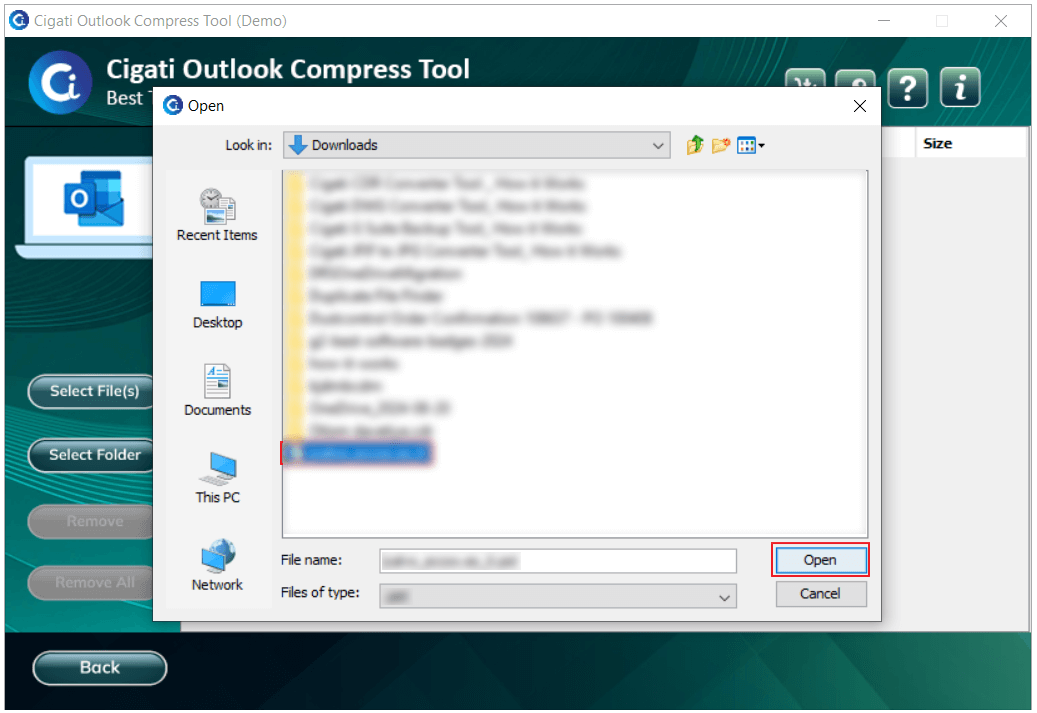
The PST Compress Tool allows users to compress multiple PST files at once. It has a Multiple file selection feature that helps you select various files and process them in a single step. Using this option, you can easily select all the desired PST documents at once. Therefore, this tool saves time and your extra efforts.

Preview PST Mailbox Items

Preview PST Mailbox Items

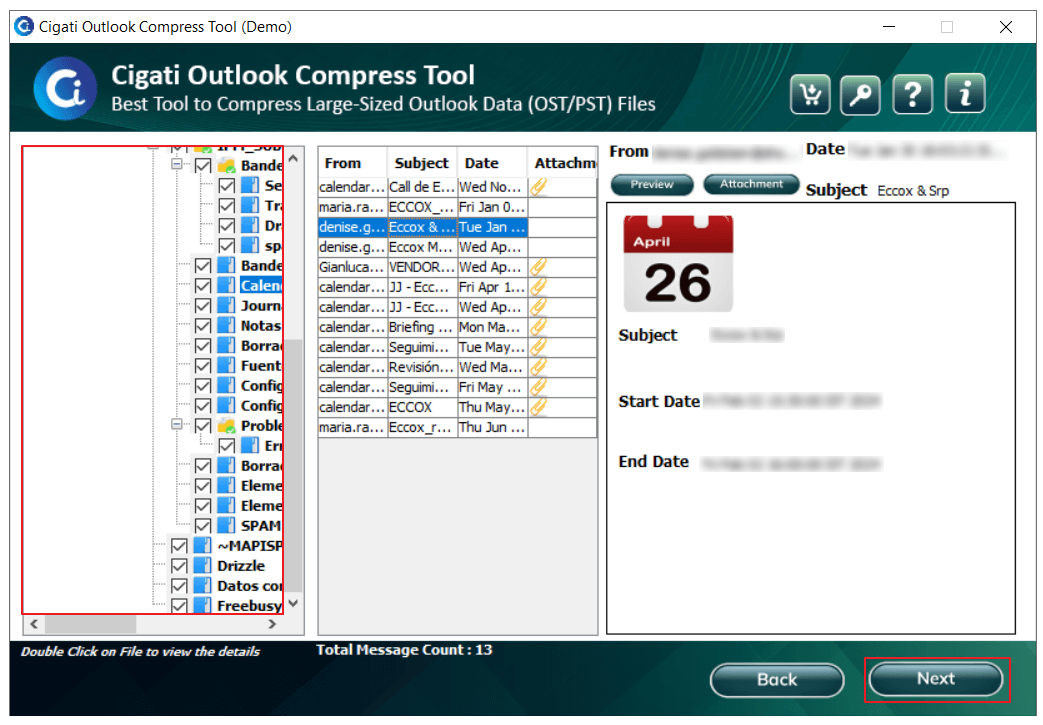
Cigati PST Compact Tool displays the mailbox items of your PST file in a tree structure. It displays the content of the email along with the attachment files. So, you can check the mailbox items and choose the correct folder for compression. Users can even click on the mailbox item to view the email content and attachment files.

Save Compressed PST File Anywhere

Save Compressed PST File Anywhere

After compressing a PST file, you can select the destination path manually through this software. So, you can avoid the compressed file to save at any random location within the system. If you don’t assign a custom location to save the file, it will be saved to the desktop by default. The Compact PST Tool allows you to define the path of your choice.

Compress PST File Attachments

Compress PST File Attachments

Outlook PST Compact Tool compresses the email attachments along with the email messages. The software has an option to compress attachment files and save them at any desired location. You can save the compressed attachments in a separate folder or along with other emails with the help of this software.

Option to Skip Attachments

Option to Skip Attachments

The Compress PST tool has a feature to leave email attachments and compress only the emails available in the mailbox. The options are available in the Compress Option Panel in the software. You can choose any one option as per your requirement. Therefore, this software allows you to compress only selective data.

Free PST Compress Tool

Free PST Compress Tool

This Software offers a trial version to analyze the functioning and performance of the complete software. It has the same features as the full software, except that it can compress only 50 PST files. You have to buy the software to compact all your PST files. There is no limitation in the full version of this software.

Split Resultant PST File

Split Resultant PST File

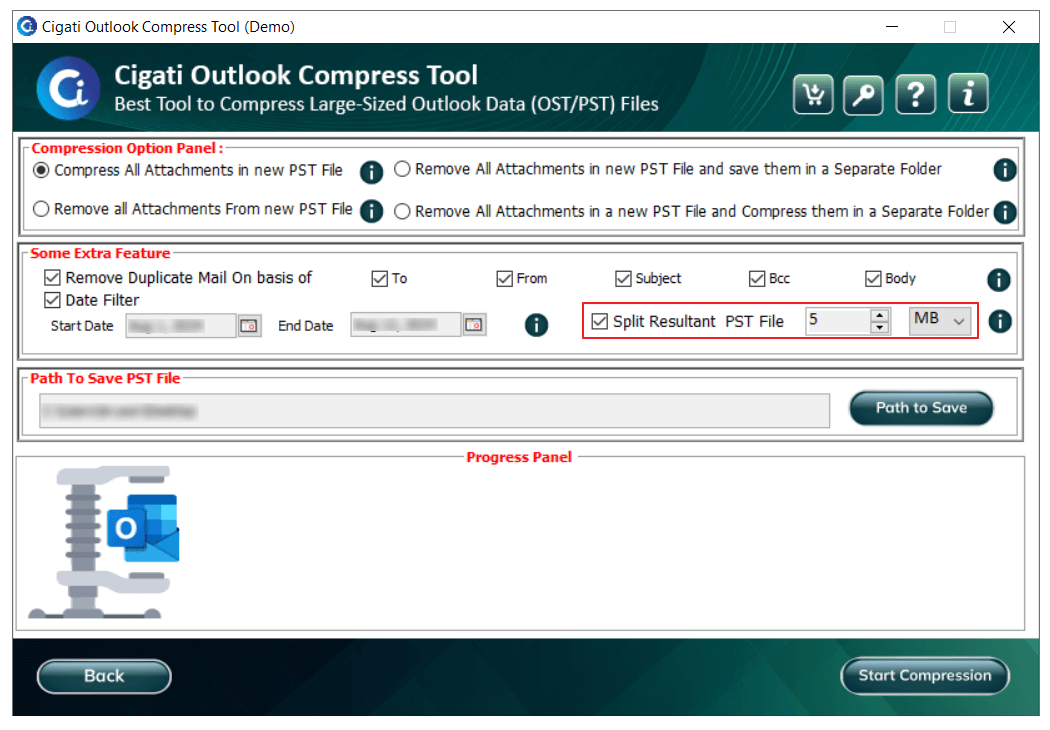
The PST Compact Tool gives you the option to split the resultant compressed file. Sometimes the compressed file can also be large in size, so you can use this option and split the PST file based on its size. This feature will help you manage the large PST file, even if it is too large in size after the compression.

Eliminates Duplicate Items

Eliminates Duplicate Items

Users usually compress the PST file to reduce the file size, but they are unaware of the fact that duplicate emails also occupy unnecessary space. Therefore, this tool removes duplicate times from the PST file while compressing it. It removes duplicates based on From, To, Subject, Body, and Bcc from the compressed PST.

Safe and Trustworthy Software

Safe and Trustworthy Software

It is the best PST Compress Tool because it is a safe tool to compact PST files of any size. It does not damage the file content and maintains the integrity of the data. Therefore, it is reliable software. Moreover, the PST compact tool is compatible with all versions of Windows. So, you can use the software whether you are using Windows 10 or Windows 7.

Interactive GUI

Interactive GUI

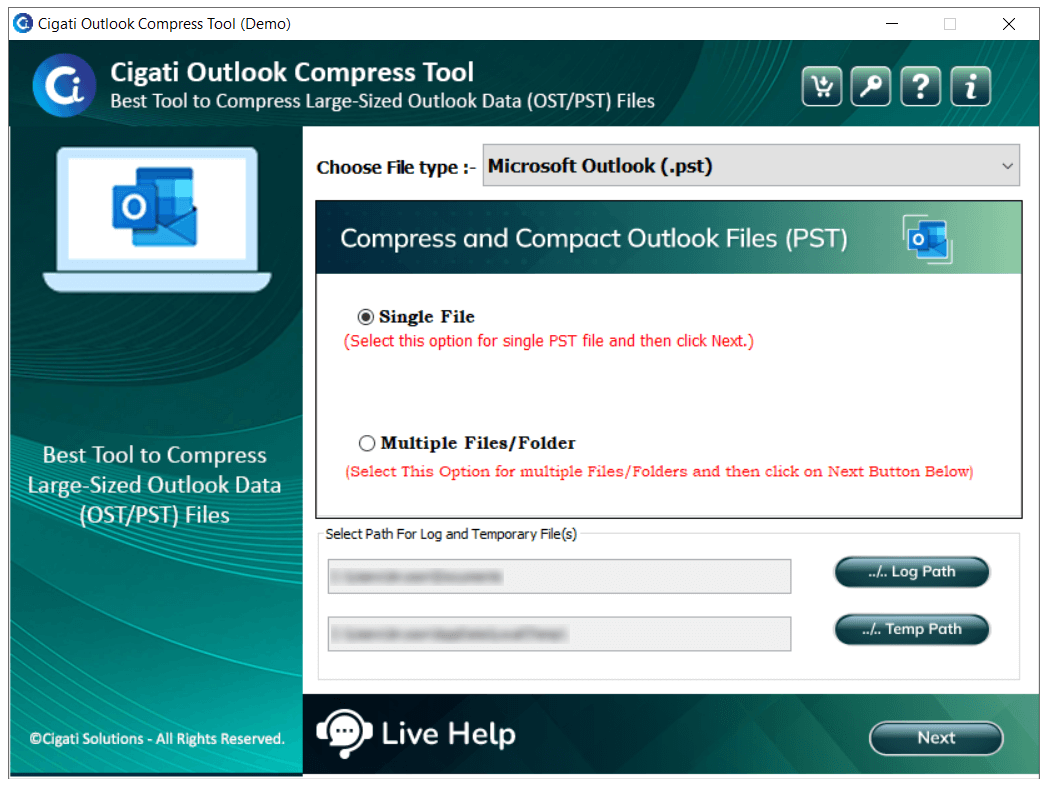
Compact PST Tool is designed with a simple GUI so that everyone can use the tool without any difficulty. The software does not require any prior technical knowledge. Therefore, both technical and non-technical users can reduce PST file size without any assistance. Also, if they need any help, the support team is available to help them 24*7.

Technical Specification

Software Prerequisites & Recommendations

Software Name: Cigati PST Compress Tool
Version Support: Windows 10 and its below version
Size: 105.0 MB
Version: 21.01
License: S/A/T/E
Download Link: Download
box
processor-img

Processor:

Hard Disk:

Memory:

Operating System:

trial-img

Trial limitation:

Cigati PST Compress Tool has a full-featured trial version that provides all the features of the full software. It allows you to analyze the functionality and performance of the complete software. The free version of the software can only compress 50 PST files. To reduce more than 50 PST files, you need to buy the full software. You should try the demo version to understand the software interface and how it works.

faq-img

FAQ:

Comprasion Table

Table of Free And Paid Version

Software Features Free Version Full Version
Compress Outlook PST files of any size and save them to any location 50 PST Files
Adds Multiple PST files for compression at once
Compress email attachments and store them in the same folder or a different folder
Supports both ANSI & UNICODE PST File
Skip attachments while compressing Outlook PST files
Supports all MS Outlook PST Files created on any version
Allows you to save a compressed PST File at any location
Compatible With All Windows versions
24*7 Tech Support & 100% Secure
Download and Purchase Download Purchase

FAQ

Frequently Asked Questions

You can compress and reduce the PST size by following the steps given below:-

  1. Download and launch the Cigati PST Compact Tool.
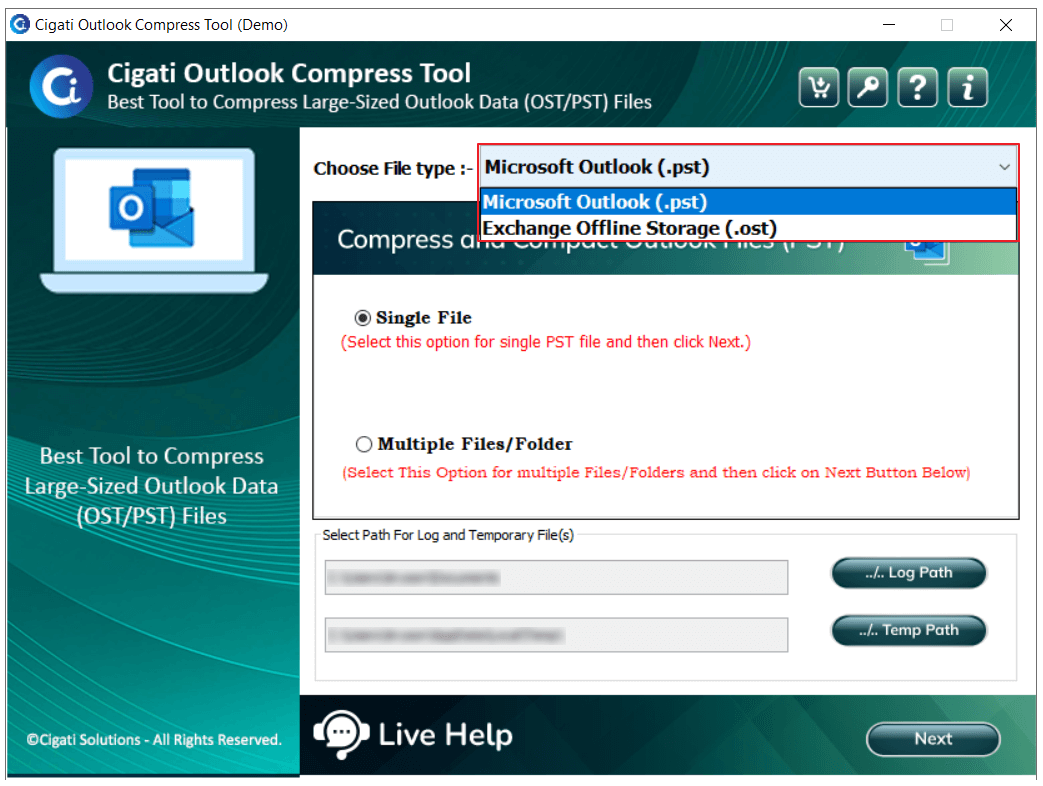
  2. Click on the Browse button to select a PST file for compression.
  3. Choose the PST file and click on Open. Click on Next to continue.
  4. Tick the mailbox items and click on the Next button.
  5. In the Compress Option Panel, use various features of the tool.
  6. Click on the Path to Save button to define the location.
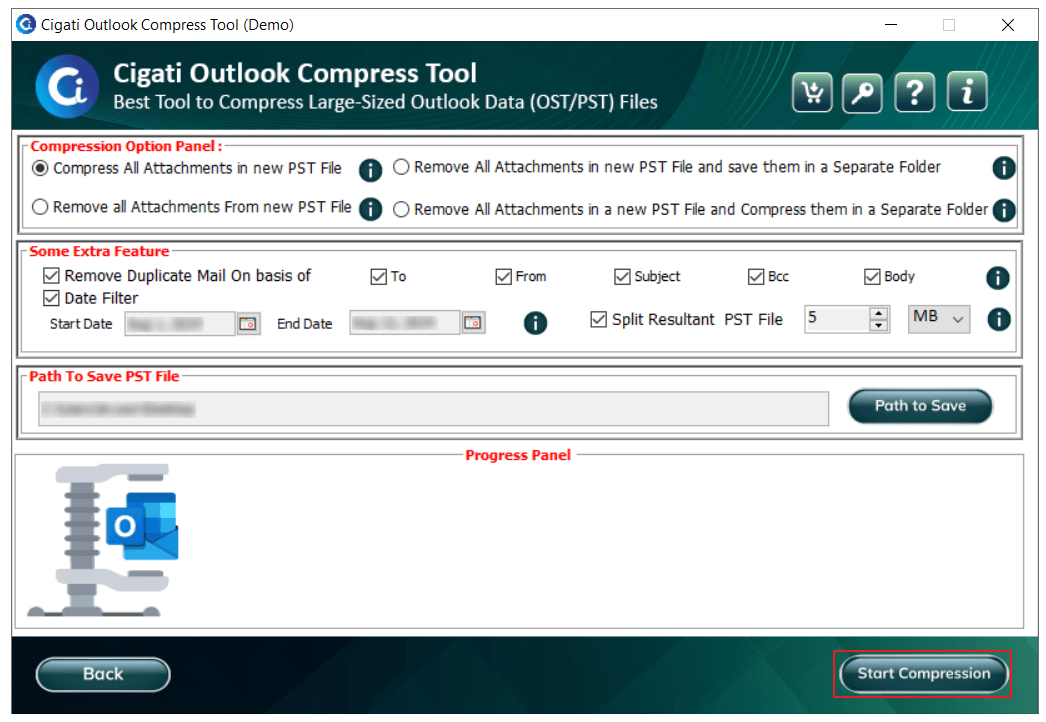
  7. Finally, click on the Start Compression button to compress the PST files.

No, there is no PST file size limitation in this software. It can compress PST files of any size in a fast and effective manner.

Yes. The Compress Option Panel has several features that help you compress attachments along with emails. Tick the Remove All Attachments and Compress them in a Separate Folder option to save the email attachments to a different location.

Yes, you can skip email attachments while compressing PST files. The software has the Remove all attachments in the new PST file option in the Compress Option Panel. You need to tick the option to enable the feature.

Cigati PST Compress Tool stores the log files at C:\Users\This\Documents\ and the temp files at C:\Users\This\AppData\Local\Temp\ by default. You can change this location and add a custom destination for these files in the Cigati PST Compress Tool.

No, the Compact PST Files Tool does not compress corrupted PST files. It can only compress healthy PST files. To reduce the PST file size, you first need to repair it using Cigati PST Repair Software. After that, you can compact them as per your requirement.

Client Review

A Glimpse into Client Experiences

Thousands of satisfied customers have chosen our software and praised its reliability and performance. They have shared positive stories about how the PST Compress Tool Software has helped them manage their data efficiently.

Cigati PST Compress Tool is honestly an amazing software. I tried many software to downsize my PST files, but all those tools do not work well. Finally, I found this software, which has all the advanced features and a simple layout. I appreciate the developers for their hard work.

Brian Robinson | Brussels

My system has various large-sized PST files. I use this tool, and it has helped me to compress Outlook PST files. This software worked amazingly on my Windows 7. Therefore, I recommend this software to see the results.

Henry Brown | USA

It has outstanding performance with a genuinely simple user interface. I love the simplicity of the tool. When I first used it, I compressed all my PST files without any support. I recommend this tool to everyone who is looking for genuine PST compression software.

Benjamin Stewart | Mexico

At first, I was hesitant to use the software because I had never used such software before. But, after I compressed all my large-sized PST files, I believed that it is one of the amazing software available online. I am thankful to the developers of this software for making such genuine software.

Jason Taylor | Mexico