Cigati PST Merge Tool

PST Merger is an optimum solution to merge multiple PST files into a single file without a complex procedure.

(Average Rating 4.9 Based on 756 Reviews)

Benefits of

Cigati PST File Merge Tool

  • Merge multiple PST files into a single PST file, including all data.
  • Join several PST files into one without affecting the folder hierarchy.
  • Merge PST email items like Calendars, Tasks, Journals, Notes, Contacts, etc.
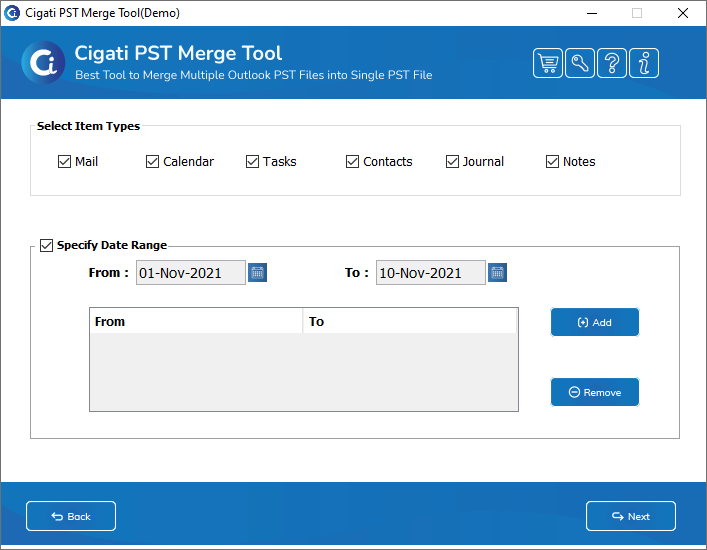
  • Date Range filter option to do customized merging of the PST files.
  • Option to lock the resultant PST file with a password.
  • Deletes duplicate emails and other items from the PST file while merging.
  • Equipped with an option to remove the attachments from the PST file.
  • Two options to combine PST files: Join PST and Merge PST.
  • No upper limit for adding the PST file to this software to merge.
  • High compatibility with all Windows versions, including Windows 11.
benefit-img

Eye-catching Features of

Outlook PST Merge Tool

Join Multiple PST Files

Join Multiple PST Files

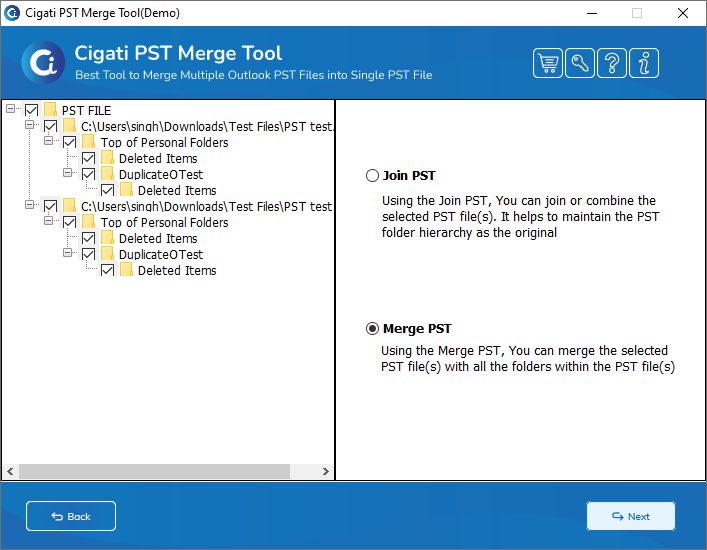
PST Merge Tool is a smart utility that can join your different PST files together while maintaining the folder hierarchy. It does not mix the folders of the different PST files into one. Instead, the software adds the items of both these files into the specified folders.

Add PST Files in Bulk

Add PST Files in Bulk

PST File Merge Tool adds and merges multiple PST files in bulk. Users can add any number of Outlook PST files for merging. You can also add a Folder to add a complete folder comprising various PST files. It saves time as you can add the desired PST folder at once.

Merge Different Outlook PST

Merge Different Outlook PST

PST Merge Software gives you the merge option to combine PST files. It adds the data of the different PST files under a single folder and merges the contents. The tool does not skip any data while merging the PST files and ensures that there is no data loss throughout the process.

Merge All Email Items

Merge All Email Items

Outlook PST Merge Tool is capable of merging all the email items of the PST files along with the emails. You can manually opt for items like Calendars, Tasks, Contacts, Journals, etc., and merge them into a single PST file. Customized merging of email items is possible with this tool.

Add Password to PST Files

Date Range Option

This software is equipped with a date range feature that allows you to choose a specified date range for merging the PST files. You can undertake the selective merging of the Outlook data files by choosing the desired date range. Moreover, the tool also permits the selection of different date ranges in a single go.

Save Split PSTs at Preferred Locations

Creates a New PST File

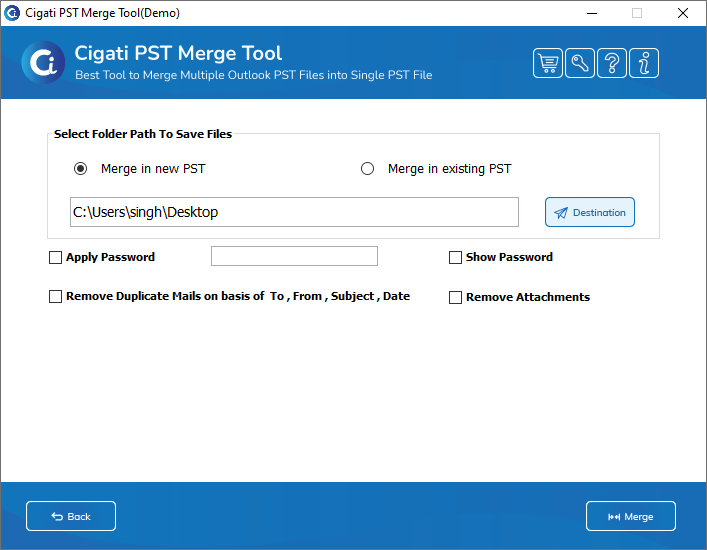
The software gives an option to the users to merge or join the PST files into a new PST. You can even merge the PST files into an existing PST file. This software gives you the option to browse the existing PST file, in which you can join the other PST files

Lock Merged PST Files

Lock Merged PST Files

PST Merge Tool allows you to apply a password to the merged PST file. In order to give extra protection to your file, you can apply your desired password to it. By applying the password to the PST file, you can lock it and protect it from any unauthorized access.

Split Outlook PST Files by Folder

Remove Similar Emails

If you are having duplicate emails in your PST files, then while merging them, you can remove the duplicates. Similar emails are removed based on To, From, Subject, Date, etc., and erase any duplicate emails in bulk. Therein, it helps the users to save storage space.

Delete Attachment Files

Delete Attachment Files

If you do not want to keep any attachments of the PST files in your system, then you can opt for this option. It is a productive feature that can assist users in merging and joining PST files without any attached files. Any unnecessary attachments can be left out by checking this option of the PST Merge Tool.

Free Demo Version

Free Demo Version

The Outlook PST Merge Software is available in a free demo version for its users. You can download and use the trial version to understand how the tool works and its features. However, the demo version merges and joins only 25 emails from the selected PST files.

Technical Specification

Software Prerequisites & Recommendations

Software Name: Cigati PST Merge Tool
Version Support: Windows 10 and its below version
Size: 35 MB
Version: 21.9
License: Single / Multiple Users
Download Link: Download
box
processor-img

Processor:

Hard Disk:

Memory:

Operating System:

trial-img

Trial limitation:

Cigati PST Merge Tool offers its demo version for free to merge several PST files. You can download and use all the features of the software. The only restriction of the free PST Merge Software is that it can combine only 25 emails from the selected PST files. To use the tool without any limitation, you need to purchase the licensed version.

faq-img

FAQ:

💡: Note: For optimal Outlook performance and to prevent PST file corruption, keep your PST files within the recommended size limits:
  • Outlook 2003 & earlier (.ANSI PST): 1.5–2 GB
  • Outlook 2007–2013: 10–15 GB
  • Outlook 2016–2021 & Microsoft 365: 20–25 GB

Staying within these limits ensures faster loading, smoother performance, and reduced data loss risks.

Comprasion Table

Table of Outlook PST Merger Tool Free And Paid Versions

Software Features Free Version Full Version
Add Multiple PST Files at Once
Merge PST Files into one PST file 25 Emails
Join PST Files and Maintain Folder Hierarchy 25 Emails
Remove Duplicate Mails
Apply Password to the Output PST Files
Remove Attachments Option
Merge Email Items like Contacts, Tasks, etc. 25 Emails
Compatible with all Windows Versions
24*7 Tech Support & 100% Secure
Download and Purchase Download Purchase

FAQ

Frequently Asked Questions

You can merge multiple PST files with the help of the PST Merge Tool. Follow the steps for the same.

  • Download and launch the Cigati PST Merge Software on your system.
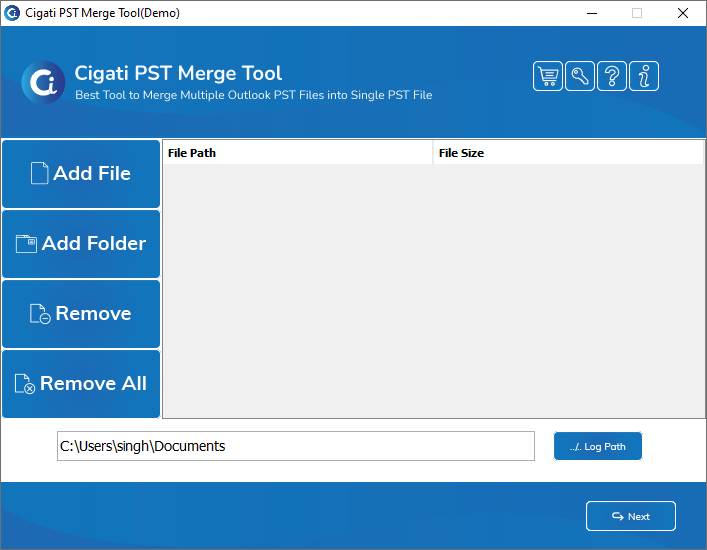
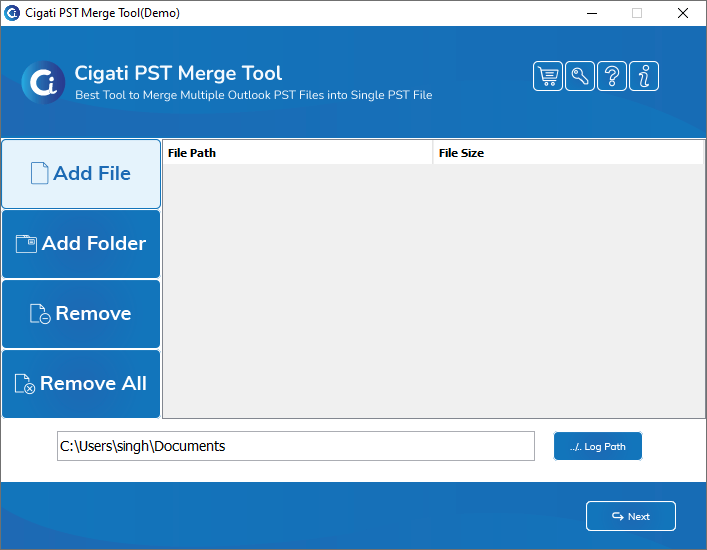
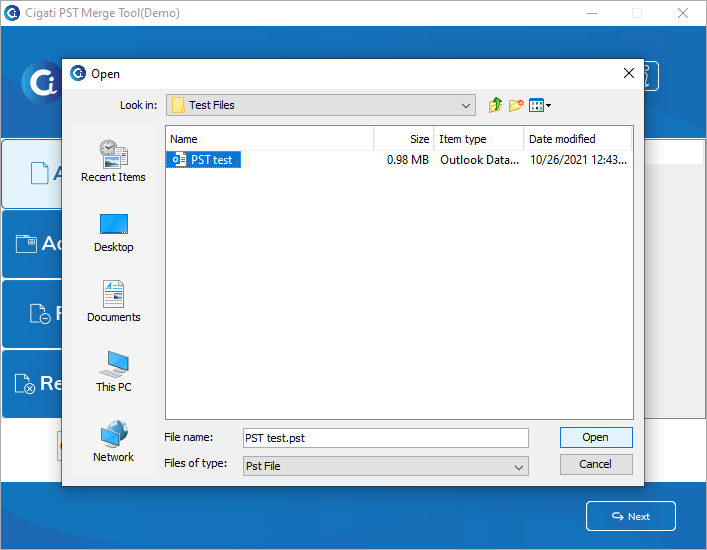
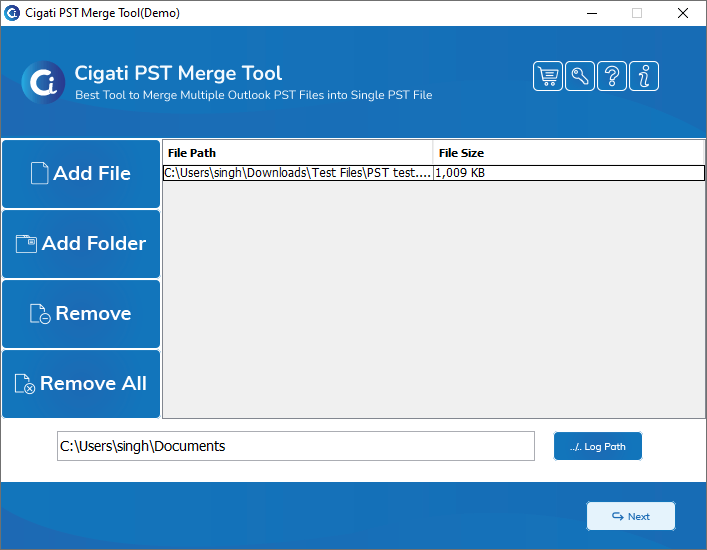
  • Click on Add file to select the PST files to merge.
  • Now, click the Next button to proceed further.
  • Choose thefolders from the PST files for merging and check the Merge option (Join/Merge).
  • After that, select the features of the tool if necessary.
  • Tick the Apply Password option if you want to protect your resultant PST files.
  • Finally, define the location and click on Merge to start the process.

With the join option, you can maintain the folder hierarchy of the individual PST files added. It will join both the PST files, and the individual folders of the separate files will be added separately.

Perhaps, if you choose the merge option, then all the folders will be merged into the output PST file without maintaining the folder hierarchy of the separate files. For example, while merging the emails in the Inbox folder of both the PST files, all the emails will be added to a single Inbox folder of the resultant PST file.

Yes, you can easily merge your PST files using the PST Merge Tool without duplicate emails. The software is embedded with a Remove Duplicate Emails option to undertake this task. It selects the identical emails based on To, From, Subject, etc., and leaves them out of the merging or joining process.

No, there is no limitation on the number of PST files that you can add to this tool. You can join or merge any number of PST files using the PST Merge Software. However, you need to keep in mind that the output PST files should not exceed the size limit of PST, i.e., 50 GB.

The PST Merge Tool is fully compatible with Windows 10 and all other major versions. Hence, you can run this utility smoothly on Windows 10 without any issues.

No, the PST File Merging Software does not join or merge corrupt or damaged PST files. You need to repair and recover the corrupt PST files to add them to the software. Moreover, you can utilize the best PST File Recovery Tool to repair your corrupt PST files and then merge them.

The PST Merge Tool stores the log files at the following default locations.
  • Log Files - C:\Users\this pc\Documents
You can easily change the default locations by clicking on the Log Path button in the software.

Client Review

A Glimpse into Client Experiences

All my worries about managing my multiple PST files were resolved by this best PST Merge Tool. It merged all my PST files in an instant without any data loss. Thanks to Cigati Solutions for helping me with this software.

Chris Hendricks

It is the best software to join the Outlook PST files. Also, it helped me to lock my merged PST by applying a password to it. I am surprised by this feature because it helped me to give extra protection to my PST file.

Richard J. Shaw

The PST Merge Tool is crafted with top-class features that make the PST merging process effortless. I am amazed by the high speed of this software and its very simple interface. I did the merging of PST files by myself without taking any external assistance.

Andrew Stevens