

-
Written By Garima Saxena
-
Updated on November 10th, 2025
How to Import PST Calendar to Office 365 Account Quickly
Summary: This write-up, will explain the authentic ways to import PST calendars to Office 365 by using a manual or professional tool. Though we are detailing the manual approach, if you are having difficulty choosing it, You can use a professional tool.
The calendar could be more beneficial for you. In actuality, though, your entire day will be scheduled in it. Office 365 includes a number of useful applications, including the calendar. However, managing it separately may be time-consuming. On the contrary, many users prefer Office 365 to manage their professional tasks. So, in the next section, we will detail the methods to import PST calendars to Outlook 365.
Ways to Import PST Calendar to Office 365 Manually
This approach can be completed in two stages.
- Stage 1: Create an ICS backup of your Outlook calendar.
- Stage 2: Import Outlook Calendar to Office 365.
Below is the complete execution of each stage.
Stage 1: Create an ICS backup of your Outlook Calendar
- Open the Outlook application and select calendar.
- Select the calendar of whose you wish to save.
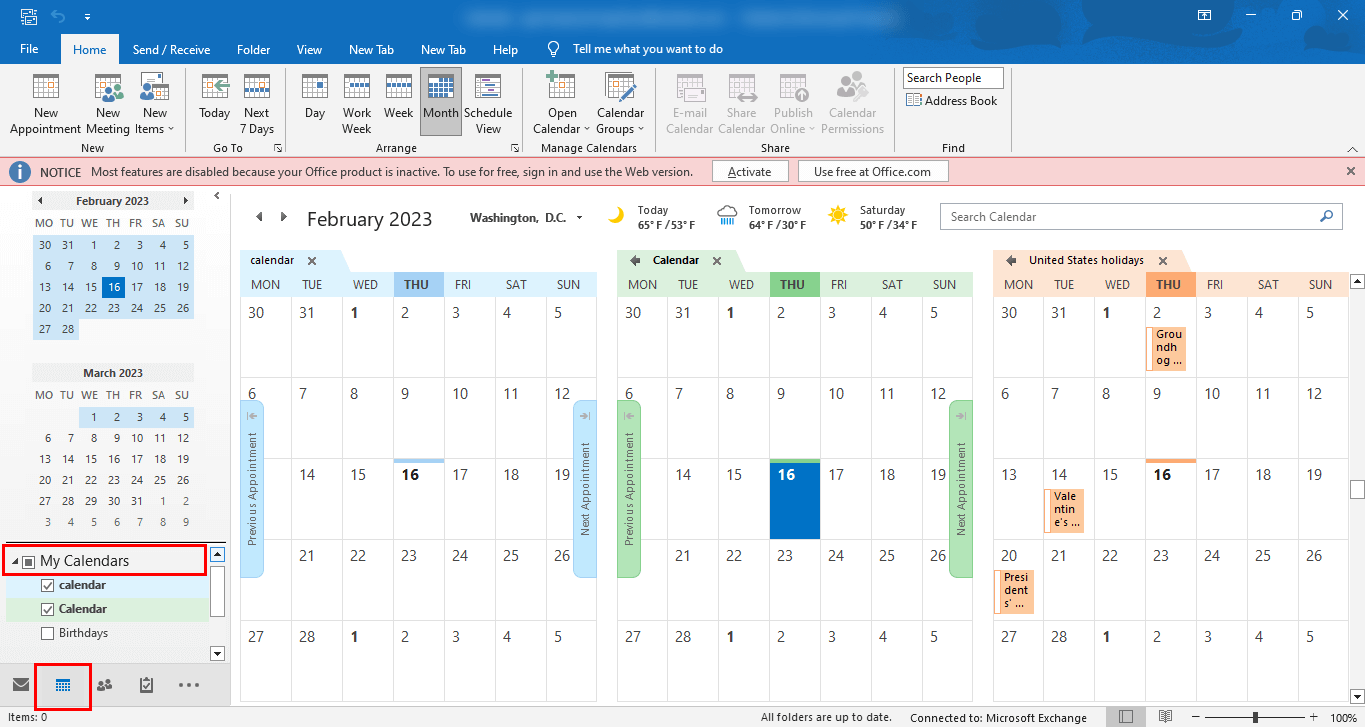
- Navigate to the File tab.
- Choose Save As from the list of choices.
- Browse the location where you want to save your resultant file.
- Prefer the saving format as an iCalendar file.
- Click on the Save button.
The actions mentioned earlier will save Outlook Calendar in ICS format. Once it is created, migrate this ICS file to O365.
Stage 2: Import Outlook Calendar to Office 365
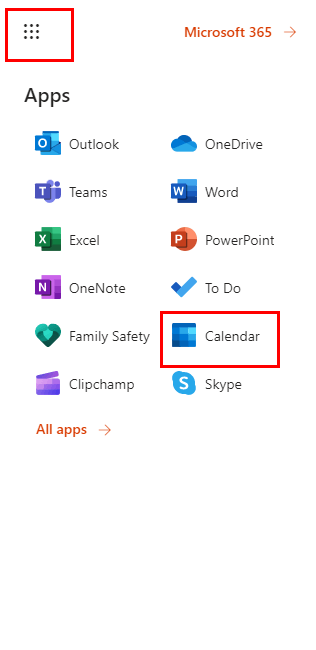
- Login with Office 365 account.
- Select Calendar from the applications.
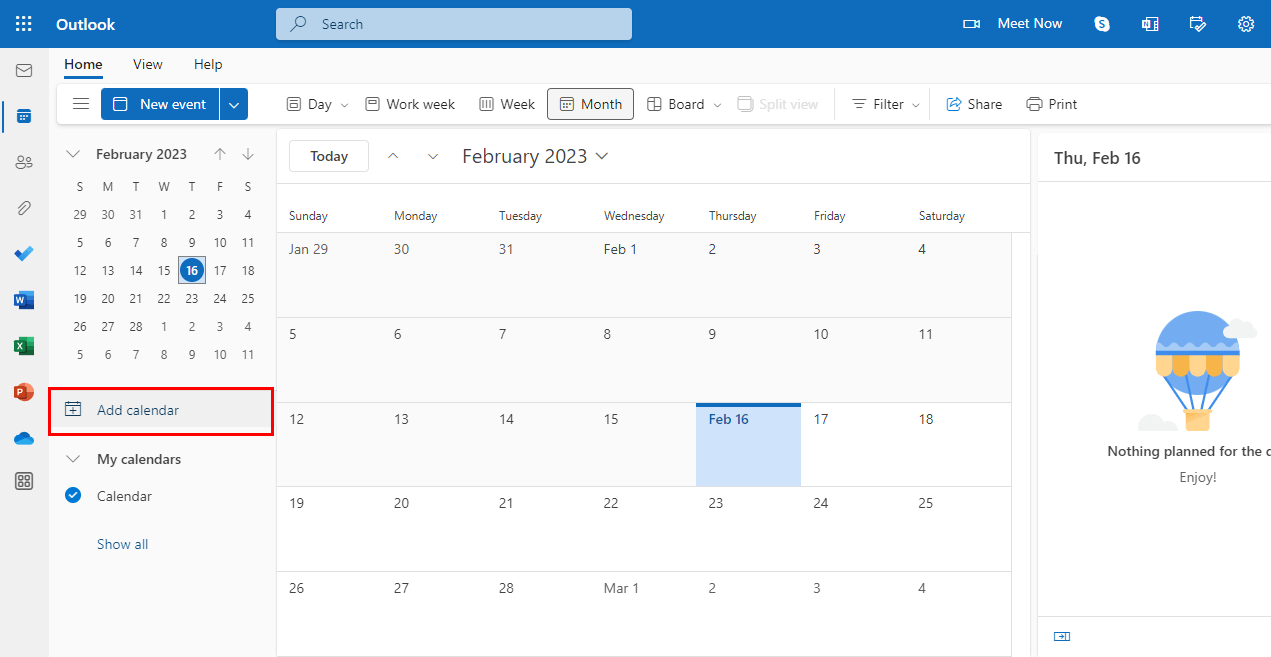
- Click on the Add Calendar button.
- In the new wizard, move to the Upload from the File and click on it.
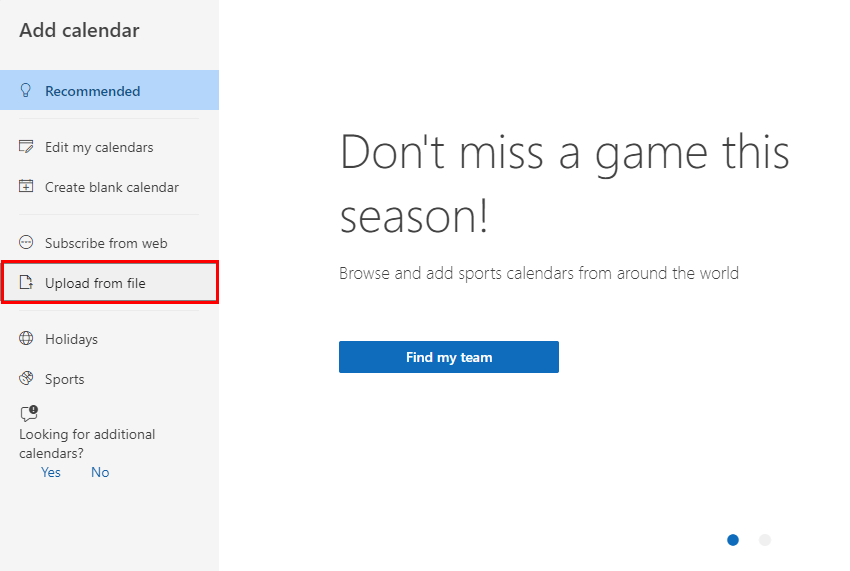
- Browse the location of the calendar and click on the Import button.
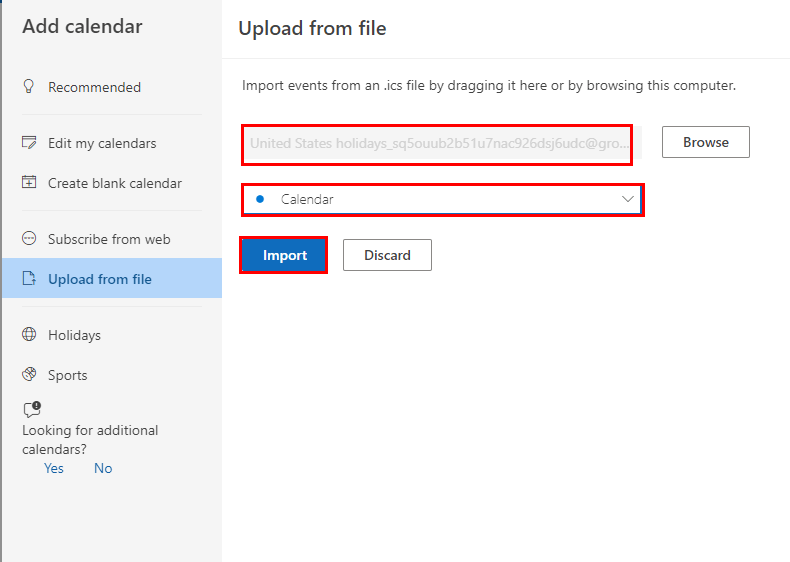
- The last step will Import PST Calendar to Office 365.
In this way, your Outlook calendar will start reflecting in the M365 account. But this method is too lengthy to execute, and you must have paid credentials for Office 365 account. On the contrary, you must have technical skills to run this method. However, the professional tool is loaded with advanced features. Below is the complete description of this advanced tool.
Import PST Calendar to Office 365 with Advanced PST Converter Tool
The Cigati PST Converter is a full-fledged utility that can migrate your PST Calendar to Office 365. In addition, it is also compatible with migrating PST files or folders to several file formats and email clients including MBOX, MSG, PST, PDF, CSV, GIF, Gmail, HostGator, GoDaddy, and others. The best part of the tool is you can complete this migration without technical expertise and in no time. Below are the steps to be taken.
Steps to Import ICS File to Outlook 365
- Download and launch Cigati PST File Converter.
- Add single or multiple PST files or folders.
- Once you’ve added the files the utility starts previewing your data present in it.
- Select the saving format as Office 365.
- Enter the ID and password of O365.
- Choose the utility’s advanced features in accordance.
- Finally, click on the Convert button.
The above steps will Import PST Calendar to Outlook 365.
Conclusion
The above write-up will offer you the best and most reliable ways to Import PST Calendar to Office 365. You can opt for the manual technique, but that is lengthy and tiresome. On the flip side, the automated tool is bulked with advanced features and can Import ICS files to Outlook 365 without time wastage.
You May Also Read: How to Delete Attachments in Outlook?
Frequently Asked Questions
Q: Can I import a calendar from a .pst file into my Office 365 mailbox?
Ans: Yes. you can import calendar items from a .pst (Outlook Data File) into your Office 365 mailbox using the desktop version of Outlook. You use the File → Open & Export → Import/Export wizard, select “Import from another program or file” → “Outlook Data File (.pst)”. Then you browse to the .pst, select the Calendar folder within it, and import into your Office 365 mailbox.
Q: Could I first export the calendar from the .pst as an .ics file and then import to Office 365 instead of directly importing the PST?
Ans: Yes, that is an alternate method. For instance: open the calendar in Outlook, use File → Save Calendar → pick iCalendar (*.ics) format, then in Office 365 (Outlook Web or desktop) go to Calendar → Import from file and select the .ics. This can be useful if you only want to move the calendar and not the entire PST. However: using .ics may lose some metadata (meeting responses, attachments) compared to full PST import.
About The Author:

Garima Saxena is a Professional Content Writer, who has deep knowledge of technical content writing. She writes about Email Backup, Email Migration, File Recovery, and File Conversion. She is having more than two years of experience in technical content writing.
Related Post





