Cigati SQL Recovery Tool

The Cigati SQL Recovery Tool is a forensic-grade recovery solution that helps restore damaged SQL databases (MDF and NDF) with high accuracy and reliability. With its deep scan technology and dual recovery mode, it ensures accurate data retrieval. Database administrators, IT professionals, and enterprise teams prefer the Cigati SQL Server Recovery Tool for recovering SQL Server database files.

(Average Rating 4.9 Based on 3345 Reviews)

Key Benefits of

Cigati SQL Recovery Tool

  • Recovers the SQL Server Files, MDF and NDF, with 100% data integrity.
  • Retrieves core database schema elements: Tables, Triggers, Functions, Indexes, Rules, Views, and Stored Procedures.
  • Ensure high precision using the Standard and Advanced Recovery Modes.
  • With its advanced recovery engine, it recovers Deleted Records and Advanced Deleted Records
  • Offers Collation Option as Auto-Detect or Manual for accurate data interpretation. 
  • Save the recovered files to an active SQL Server Database and MS SQL Server. 
  • Easily save & view the recovered SQL table data in MS Excel-compatible CSV format.
  • Successfully recovers table data from compressed ROW and PAGE databases. 
  • Instantly Preview the recovered SQL database objects before saving the restored database. 
  • SQL Database Recovery Tool restores both Unicode and ASCII XML datatypes. 
  • Repairs MDF files from major SQL Server versions: 2000, 2005, 2008, 2012, 2014, 2022, 2019, 2016, and 2025. 
  • Runs on allWindows operating systems for the successful restoration of SQL Server Databases. 
  • Universal SQL Compatibility: Supports versions 2025, 2022, 2019, 2017, 2016, 2014, 2012, 2008 R2, 2005, and 2000.
benefit-img
Comprehensive SQL Object Recovery
Zero Data Loss Recovery
Flexible Export Options
Verified SQL Recovery Solution
100% Data Integrity

Exclusive Features of

Cigati SQL Recovery Tool

Repairs MDF and NDF SQL Database Files

Repairs MDF and NDF SQL Database Files

The Cigati SQL Recovery Tool provides 100% accurate restoration of MDF and NDF files. It recovers the affected SQL Server files or those damaged by internal corruption and retrieves the deleted table rows from the corrupted databases instantly.

Retrieves All SQL Server Database Objects

Retrieves All SQL Server Database Objects

With SQL Recovery Software, users can retrieve and restore the complete SQL Server database schema, such as indices, views, tables, triggers, stored procedures, rules, and keys. It restores the data in usable formats with zero loss to database integrity or functionality.

Delivers Dual-Mode Data Recovery

Delivers Dual-Mode Data Recovery

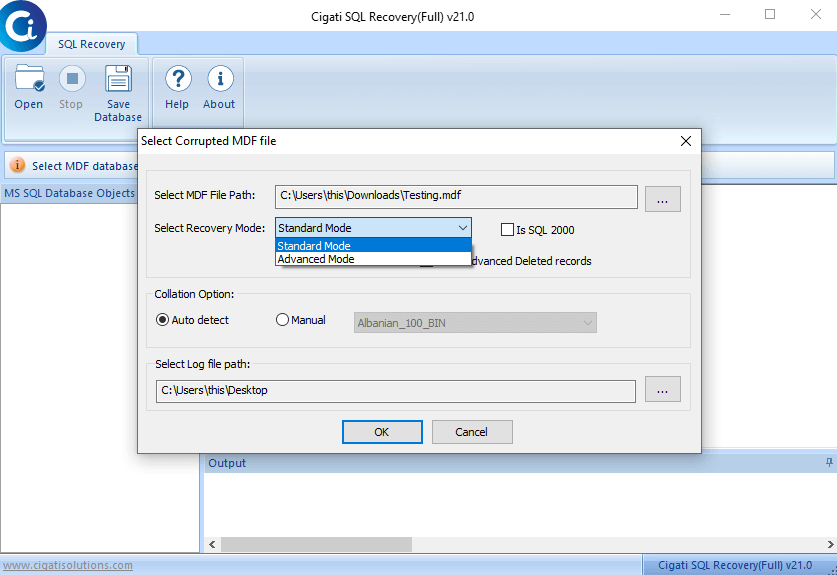
The Cigati SQL Database Recovery Tool features inbuilt dual recovery modes: Standard and Advanced. Address minor corruption or severe damage by selecting the appropriate scanning depth to ensure a high-precision restoration of all database objects. Use Standard for minor issues and or Advanced for severe SQL Server corruption.

Preview Recovered Database Objects

Preview Recovered Database Objects

Use the built-in intelligent Preview mode in Cigati SQL Server Recovery Tool to check the scanned SQL objects prior to export. With this feature, users can browse the status of all SQL Server objects and even choose exactly which records to save. This gives the users full control over their database recovery.

Recover Lost/Deleted Table Records

Recover Lost/Deleted Table Records

The Cigati software provides comprehensive restoration for corrupted databases, including the retrieval of deleted SQL tables. It handles a wide range of data structures, such as User Tables, Local and Global Temporary Tables, and Table variables with precision, maintaining all the original attributes.

Offers Flexible Data Export Options

Offers Flexible Data Export Options

The SQL Recovery Tool tailors the recovery process with flexible saving modes. Users can choose to either export the data into an SQL Server Database or save it as a SQL-compatible script for manual execution. It allows users to target either a new or an existing database for a seamless restoration.

Supports Multiple SQL Data Types

Supports Multiple SQL Data Types

The user can recover and restore every component of the SQL Server database using the Cigati SQL Database Repair Tool. This tool supports over 50 data types, including tables, views, triggers, and keys. Furthermore, it restores the full schema, including every file object and user-defined data types from the SQL Server.

Handles All SQL Server Compressions

Handles All SQL Server Compressions

This advanced recovery solution easily repairs and restores compressed SQL databases, including ROW, PAGE, and Unicode-level database structures. It decompresses them, allowing for full recovery of table records in their original functionality and format. Also, this ensures database restoration with 100% data accuracy.

Free SQL Recovery Tool

Free SQL Recovery Tool

The free demo version of the Cigati SQL Server Recovery Tool allows users to explore its functionality and understand how it works. But the demo version comes with a few limitations: users cannot save the recovered file. It is a tried and verified recovery tool.

Windows OS & SQL Server Support

Windows OS & SQL Server Support

This SQL Repair Tool runs on all Windows platforms to restore all SQL data objects. It supports Microsoft SQL Server 2019, 2017, 2016, 2014, and legacy versions back to 7.0, providing a reliable repair of damaged database files.

Technical Specification

Software Prerequisites & Recommendations

Software Name: Cigati SQL Recovery Tool
Version Support: Windows 11 & its below versions
Size: 1.73 MB
Version: 21.0
License: S/A/T/E
Download Link: Download
box
processor-img

Processor:

Hard Disk:

Memory:

Operating System:

trial-img

Trial limitation:

The Cigati SQL Data Recovery Software, Demo Version, comprises all the features that the licensed version possesses. You can use the trial version to understand how it works and its features. The only limitation of the trial version is given below:

  • You cannot save the data from the recovered MDF file
  • It cannot save the recovered data in the CSV format
  • Export the entire recovered MDF data into the SQL Server Database
faq-img

FAQ:

Comprasion Table Table of

SQL Recovery Tool and Paid Versions

Software Features Free Version Full Version
Repair and Restore Corrupted MDF & NDF Files
Offers Dual Recovery Mode: Standard & Advanced
Retrieve Deleted Data from SQL Databases
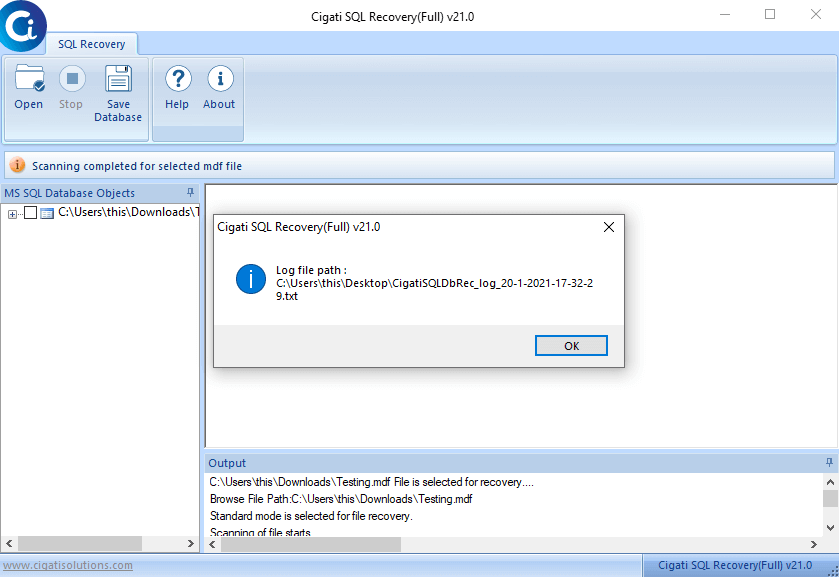
Maintains Recovered Log Files of MDF and NDF Files
Preview Recovered SQL Database Before Saving
Save Full Database Records of Recovered Files
Export Recovered Records to CSV Format
Compatible with All SQL Server Versions
Transfer entire recovered MDF data directly to SQL Server
24/7 Expert Support and Guaranteed Secure Recovery
Download and Purchase Download Purchase

FAQ

Frequently Asked Questions

Here are the quick steps to recover an MDF file, with the secured Cigati SQL Database Repair Tool:

  • Download and install the Cigati SQL Recovery Tool on your system.
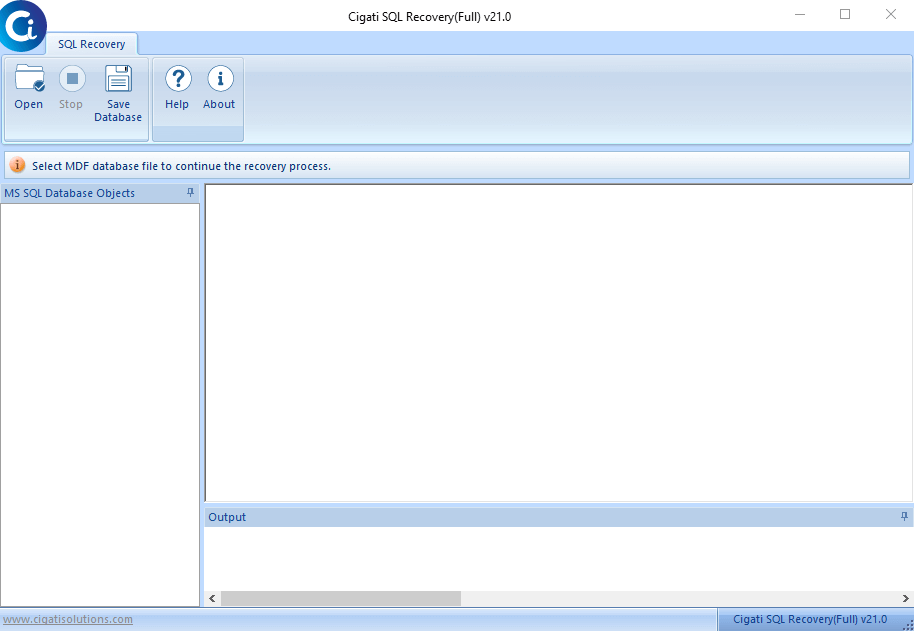
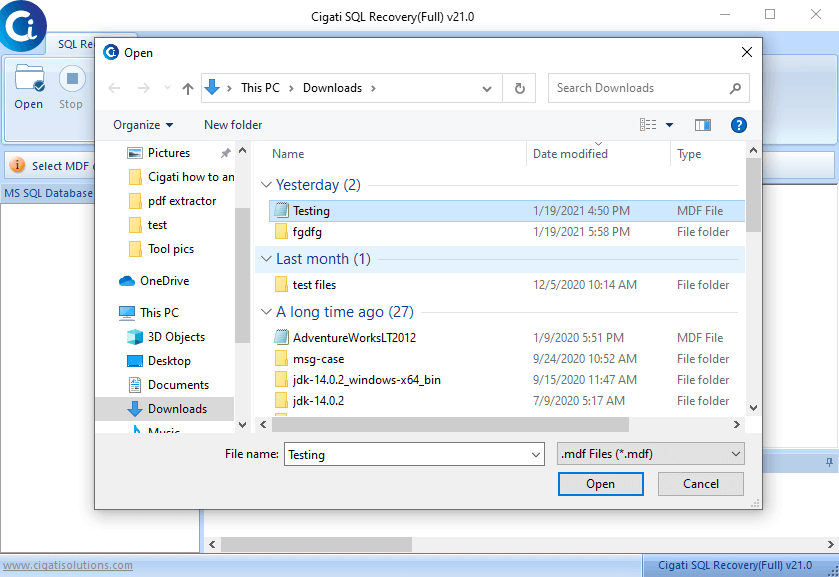
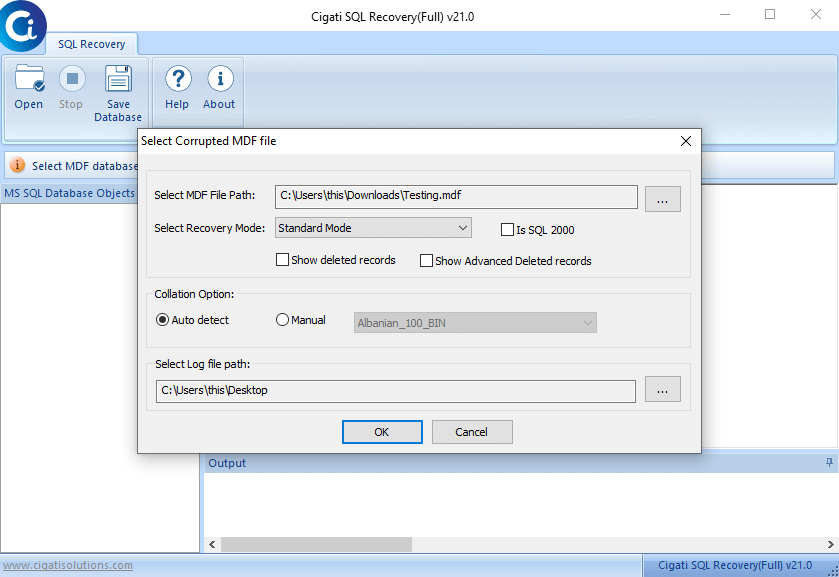
  • Run the software and open the MDF file.
  • Select Recovery Mode: Standard or Advanced.
  • Then, choose the Collation Option and click Ok to start the scanning process.
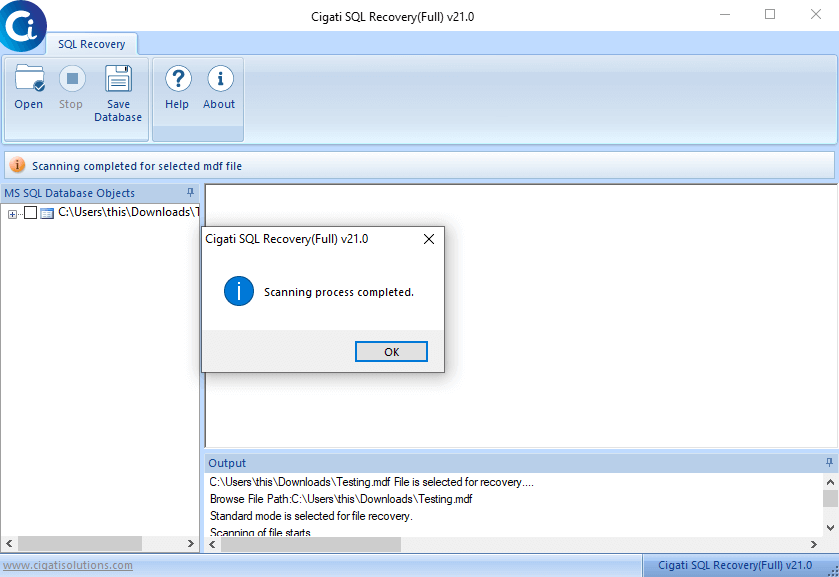
  • After the scanning process is completed, select how to save the recovered data.
  • You can save the SQL data or save records and tables in a CSV format.

Yes. Yes. The SQL Server Recovery Tool is designed for accuracy and provides a built-in preview option. After scanning, the utility presents recovered data in a tree-structure preview, allowing you to expand folders and select specific files to recover.

Whether you're running MS SQL Server 2000 or 2019, the SQL Database Recovery Tool has you covered with full support for all major versions in between, including 2005, 2008, 2012, 2014, 2016, and 2017.

With SQL Database Repair Software, you can securely restore everything your SQL Server Database needs, from tables, views, and triggers to defaults, programmability, and other essential functions.

Your original database is completely safe throughout the recovery process. The SQL Recovery Tool works non-destructively, leaving your original SQL database file untouched and storing all recovered data in a separate, newly created database instead. For this reason, the software is trusted by IT professionals worldwide.

Client Review

A Glimpse of Client Experiences!

Thousands of satisfied customers have chosen our software and praised its reliability and performance. They have shared positive stories about how the Cigati JSON File Converter has helped them manage their data efficiently.

I've been managing SQL databases for over 8 years, and recovering corrupt MDF files has always been a challenge. The Cigati SQL Recovery Tool changed that completely. I recovered all my critical data in one go with no corruption, no data loss. It restores everything: tables, views, triggers, and more, with full accuracy. The best part? My SQL Server ran flawlessly afterward. The fastest, most reliable MDF recovery tool I've ever used.

Amaira

Natalie Cross

I receive client communications in Outlook format, but often need to convert selective emails to PDF for sharing. Cigati SQL Database Repair Tool did the job perfectly. I really liked the option to save attachments in a separate folder, which helped me keep everything organized. The conversion was quick, and all my email formatting stayed intact.

USA

Nathan Colby

Managing SQL databases across multiple enterprise clients means corrupted MDF files can bring operations to a halt. Cigati SQL Database Recovery Tool eliminated that risk. It recovered damaged MDF files quickly, restoring tables, views, and triggers with pinpoint accuracy without affecting the rest of the database. Fast, precise, and completely non-destructive. My go-to solution for every MDF recovery challenge.

Mexico

Thomas Whitfield