Cigati SQLite Database Recovery Tool

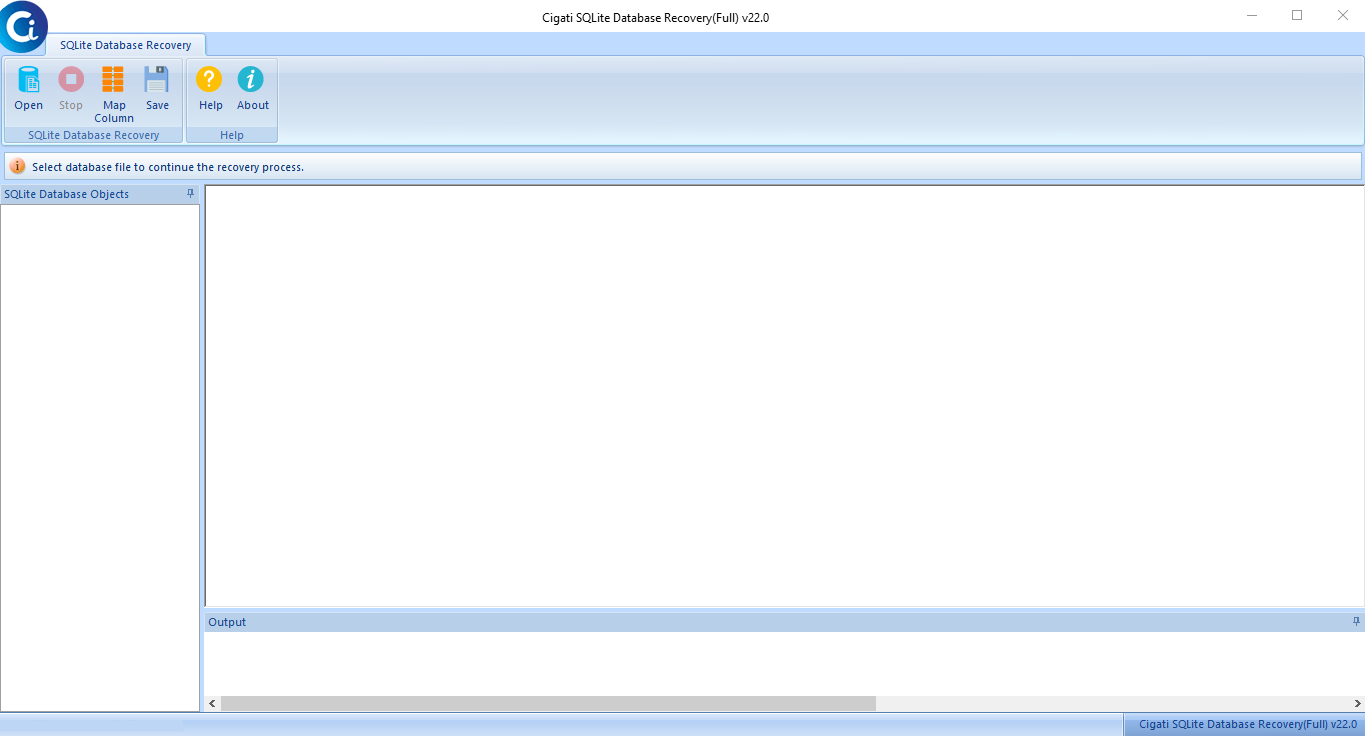
The Cigati SQLite Database Recovery Tool helps repair and recover corrupted SQLite database files safely and accurately. It restores tables, indexes, views, triggers, and other database objects without changing the original data or structure. The software offers a simple interface, fast scanning, and secure recovery with minimal downtime.

(Average Rating 4.7 Based on 5256 Reviews)

Why Cigati has

The Best SQLite Database Recovery

  • Recovers SQLite database objects from large and corrupted database files with high accuracy.
  • Restores complete database components, including Tables, Indexes, Triggers, and Views.
  • Supports repair and recovery of SQLite2 and SQLite3 database files.
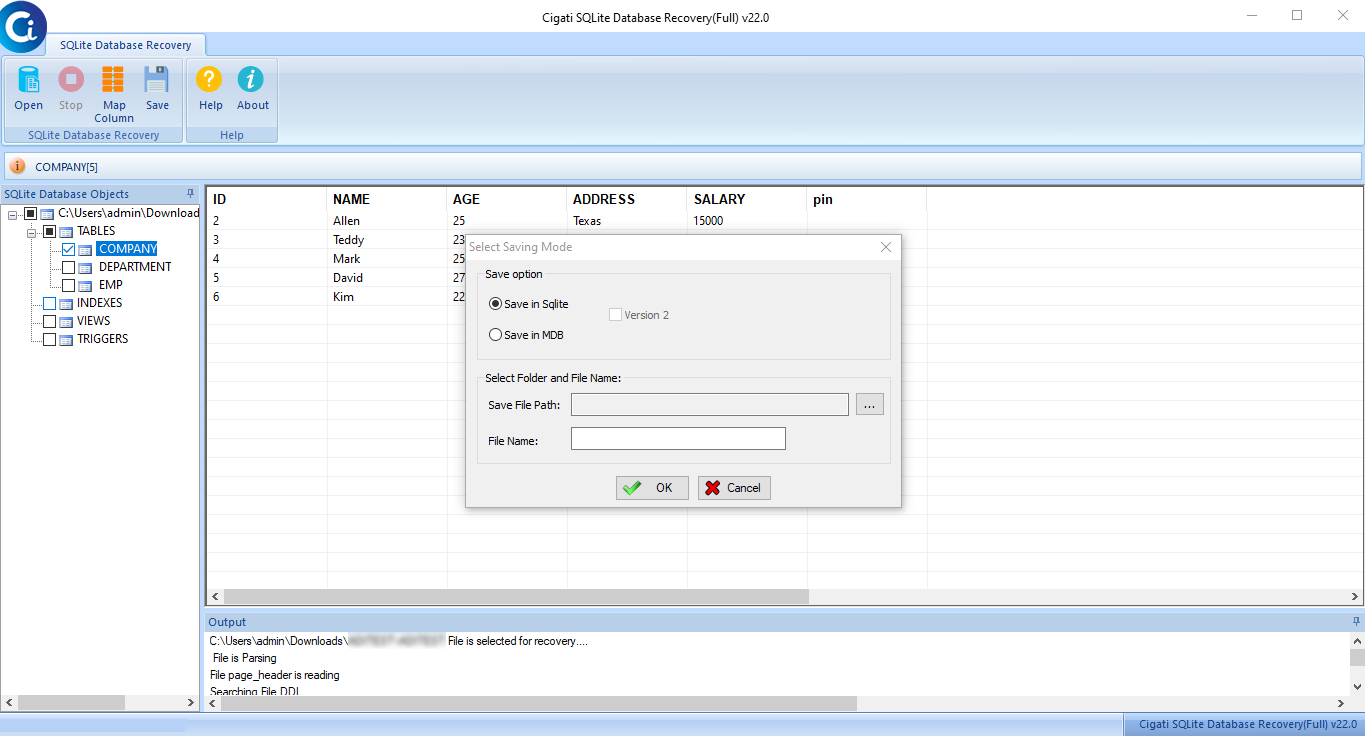
  • Provides a preview of recovered tables and database objects before saving the data.
  • Supports both UTF-8 (ANSI) and UTF-16 (Unicode) encoded SQLite database files.
  • Saves recovered data into SQLite (.sqlite) and Microsoft Access (.mdb) formats.
  • Includes a column mapping feature for accurate export to MDB format.
  • Automatically detects SQLite version and page size information before recovery.
  • Compatible with all major Windows operating systems, including Windows 11.
benefit-img

Exclusive Features

SQLite Database Recovery Tool

database-file

Complete Database Object Recovery

The Cigati SQLite Database Repair Tool recovers the full schema and data of all SQLite database objects: tables, triggers, views, and indexes in a single scan. It ensures zero data loss assurance while dealing with severely compromised files.

files-number

Auto-Detect File Information

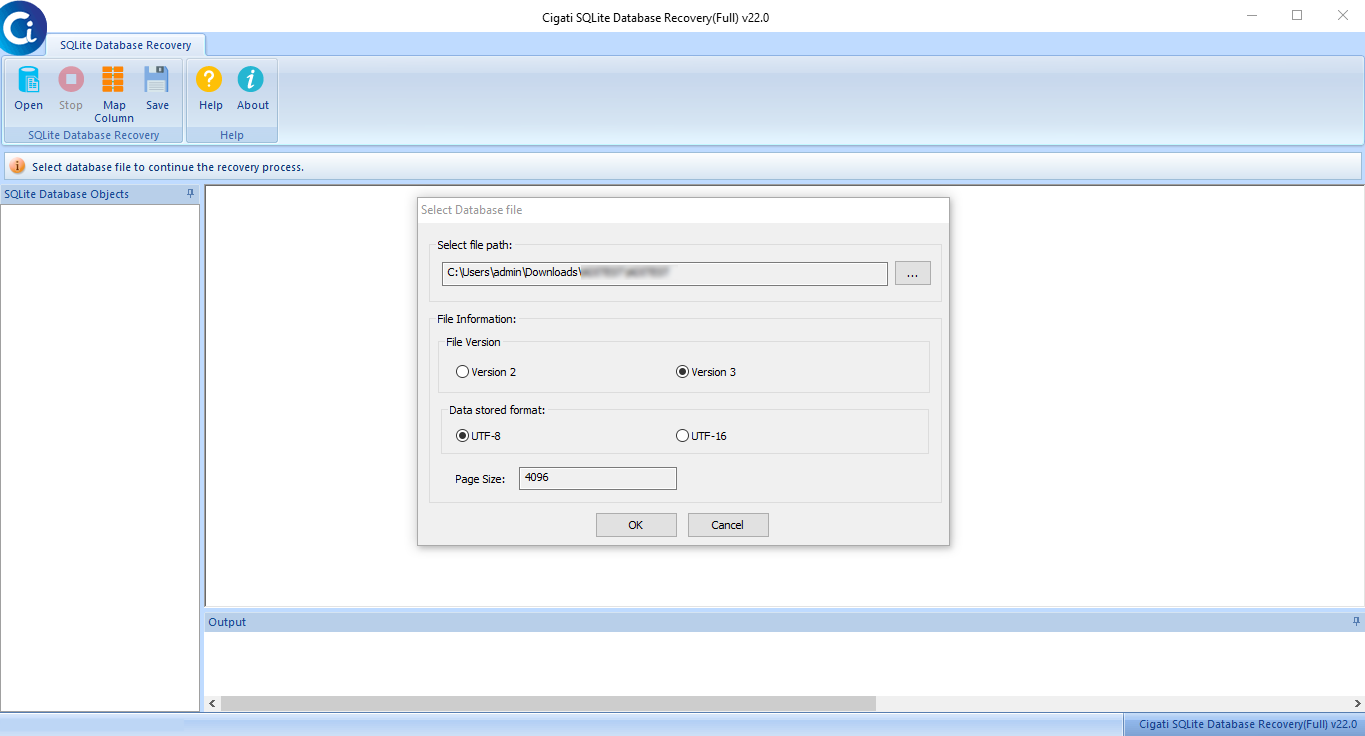
The Cigati software automatically identifies file version as SQLite2 or SQLite3, the encoding format UTF-8 or UTF-16, page size, and the stored data format. This refines the recovery workflow and eliminates the guesswork before the recovery begins.

data-export

Pre-Export Integrity Check

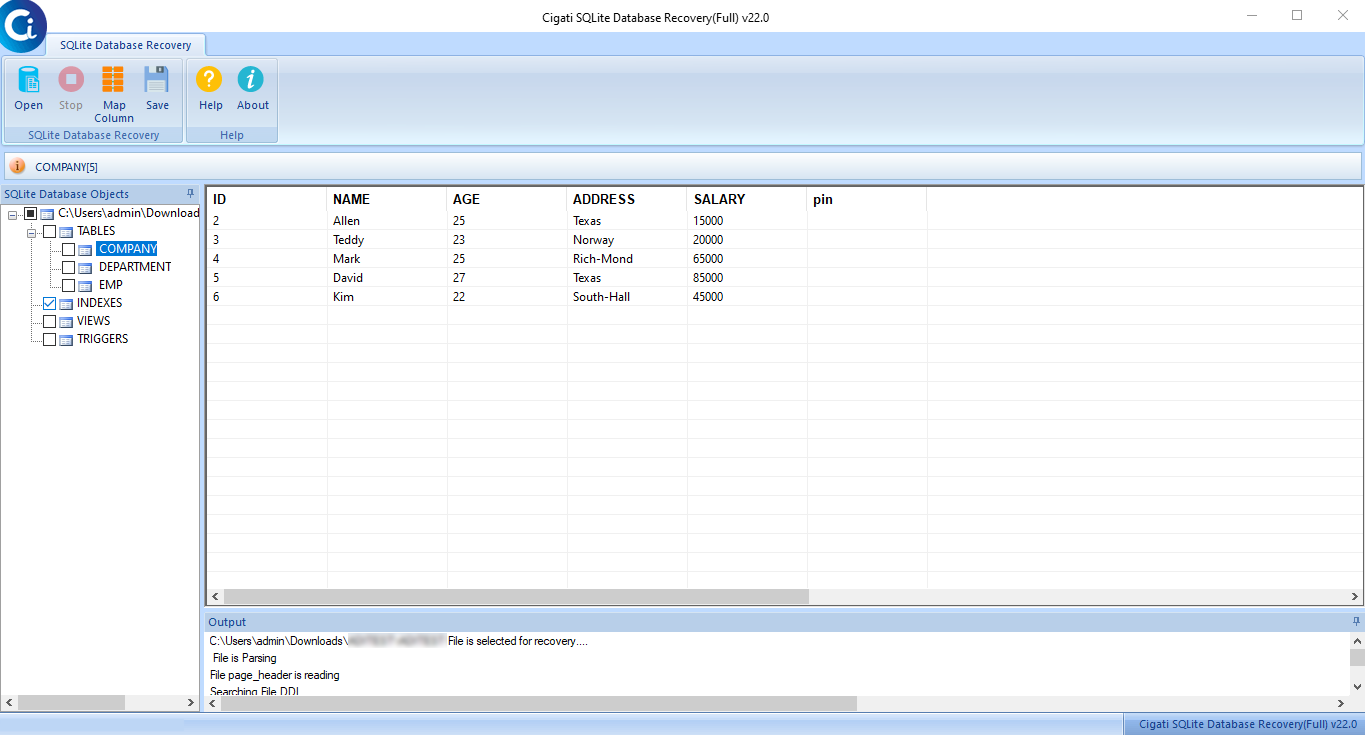
With the help of SQLite Recovery Tool, IT administrators can audit the recovered database objects in an interactive tree view before performing migration in full throttle. Validate row counts and schema accuracy for restoration of critical business assets.

strip-sqlite-database-recovery-tool

Dual Export: SQLite and MDB Formats

Using the SQLite Repair Tool, users can export the recovered data to a new, clean SQLite database or to a Microsoft Access MDB file. Also, the premium version enables full unrestricted export, high-volume restoration with no row or object limitations.

data-export

Advanced Column Mapping for MDB Export

The Cigati SQLite Database Repair Tool offers a professional column mapping engine to remap the incompatible types, SQLite and MDB files, or leverage bulk remapping capabilities. This way, users can ensure secure data processing during the export phase.

save

User-Defined Granular Save Options

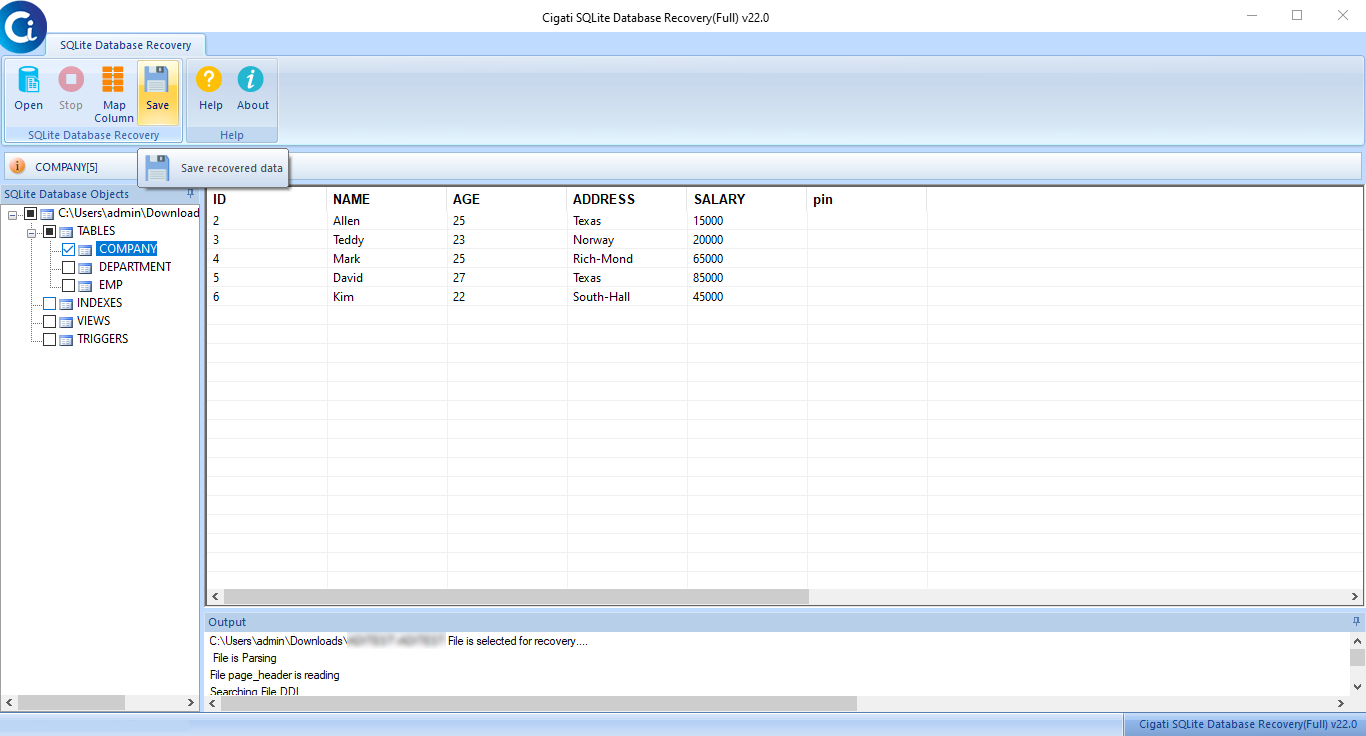
The SQLite Recovery Tool allows users to control what to save, in which format to save, and to which destination. With this targeted approach, they can drastically reduce the storage overhead and optimize resource allocation for large-scale enterprise databases.

strip-sqlite-database-recovery-tool

From SQLite2 to SQLite3 Upgrade Path

With the Cigati SQLite Repair Tool, one can automatically recover legacy SQLite2 databases and convert them into modern SQLite3 formats, ensuring data integrity for critical systems. It enables seamless, automated schema transformation to preserve historical records during infrastructure upgrades.

guide

Interactive GUI with No Technical Expertise Required

The Cigati software is designed for both database administrators and non-technical IT staff or business users. The wizard-driven interface guides users through each recovery step, making complex repairs accessible across your entire support organization, ensuring no downtime.

Technical Specification

Software Prerequisites & Recommendations

Software Name: Cigati SQLite Database Recovery Tool
Size for Window: 2.02 MB
Version: 22.0
Last Updated: May 2026
Download Link: Download for Win
Product Box
Electronic delivery, you will receive a Download link with software activation key on email after purchase.

System Requirement for Windows

processor-img

Processor:

Hard Disk:

Memory:

Operating System:

trial-img

Trial limitation:

The Free SQLite Database Recovery Tool is trial software. It is for evaluation purposes, and users can preview all the recovered objects of a corrupted SQLite database file.

faq-img

FAQ:

Comprasion Table

Table of Free and Paid Versions

Software Features Free Version Full Version
Efficiently Repairs SQLite Database Files
Full-scale Recovery of Core Database Elements: Tables, Views, Triggers, Indexes.
Handles Databases from SQLite2 and SQLite 3 versions
Quickly Scan & Retrieve SQLite Database File(s)
Preview Recovered Database Files
Support both UTF-8 and UTF-16 Formats
Smart Column Mapping to Save Recovered Data to MDB Format
Secure Recovered Data within a SQLite Database Preview Only Save all Items
Export Restored Data to an MDB File Preview Only Save all Items
Compatible with Windows 11 and its Previous Versions
24*7 Tech Support & 100% Secure
Download and Purchase Download Purchase

FAQ

Frequently Asked Questions

The Cigati SQLite Database Recovery Tool is a professional utility designed to repair and recover corrupted SQLite database files. It helps users restore tables, views, indexes, triggers, and other database objects from damaged SQLite DB files without altering the original data.

The software supports recovery from both SQLite Version 2 and SQLite Version 3 database files. Users can manually select the database version during the recovery process.

Absolutely. The utility restores all major SQLite database objects, including:
  • Tables
  • Indexes
  • Views
  • Triggers
  • Stored records and entries

Yes. After scanning the database file, the software provides a complete preview of all recoverable tables and records, allowing users to verify the recovered data before saving.

Yes. The Cigati SQLite Database Recovery Tool supports both UTF-8 and UTF-16 database formats for accurate recovery and data integrity.

Yes. The software allows users to save recovered data directly into a healthy SQLite database file.

Yes. Along with the SQLite format, the tool also provides an option to export the recovered database into MDB format for compatibility with Microsoft Access environments.

Yes. The tool maintains the original schema structure, including table names, columns, relationships, indexes, and formatting during the recovery process.

Yes. The software uses advanced scanning algorithms to recover data from highly corrupted SQLite database files while preserving maximum possible information.

No. The tool comes with a simple graphical interface that allows both technical and non-technical users to recover SQLite databases easily.

Yes. The utility can efficiently process and recover large-sized SQLite database files without file size limitations.

No. The software performs recovery in a safe read-only mode, ensuring the original SQLite database file remains unchanged.

The software can repair issues caused by:
  • Database header corruption
  • Improper system shutdown
  • Virus or malware attacks
  • Application crashes
  • File transfer interruptions
  • Disk bad sectors

Yes. Cigati offers a free demo version of the SQLite Database Recovery Tool that allows users to scan and preview recoverable SQLite database items before purchasing the full version.

Testimonials

What Our Users Are Saying

Happy Customer is all we want, here is what our customers say about us.

I would like to thank the Cigati team! For making such a useful utility that helps me in recovering the corrupt SQLite database files and save them in the update version of SQLite3.

Good for non-tech people like me | Anna Simons

It is the best SQLite recovery software that helps me to view the tables of the database files. With the help of this software, I can easily recover my corrupt database files as saved in the MDB format.

Privacy mattered to me, and this delivered | Merwin Green

Cigati SQLite Recovery Tool is the best utility that helps me to fix my corrupt SQLite files indexes. Using this utility is one of the finest utility among many of the softwares.

Saved me hours of work | Philips Steve