Cigati ICS Converter

The Cigati ICS Converter Tool is a powerful Windows desktop utility that allow to convert the ICS (iCalendar) files to 10+ output formats. It includes formats like PST, PDF, CSV, HTML, MSG, EML, XLSX, and more. The smart utility preserves all calendar properties such as event titles, dates, recurrence rules, reminders, organizer info, and attendee details with complete accuracy. It is designed for individuals, IT teams, and enterprises migrating calendar data across platforms.

(Average Rating 4.7 Based on 733 Reviews)

Benefits of

The Best ICS Converter

  • The tool converts ICS files to multiple formats like PST, PDF, CSV & more.
  • Allows importing ICS files into email clients such as Gmail, Office 365 & Google Workspace.
  • Instant ICS to CSV conversion as Google CSV or standard CSV format for easy access.
  • Offers batch ICS file conversion and allows adding multiple files or entire folders in one go.
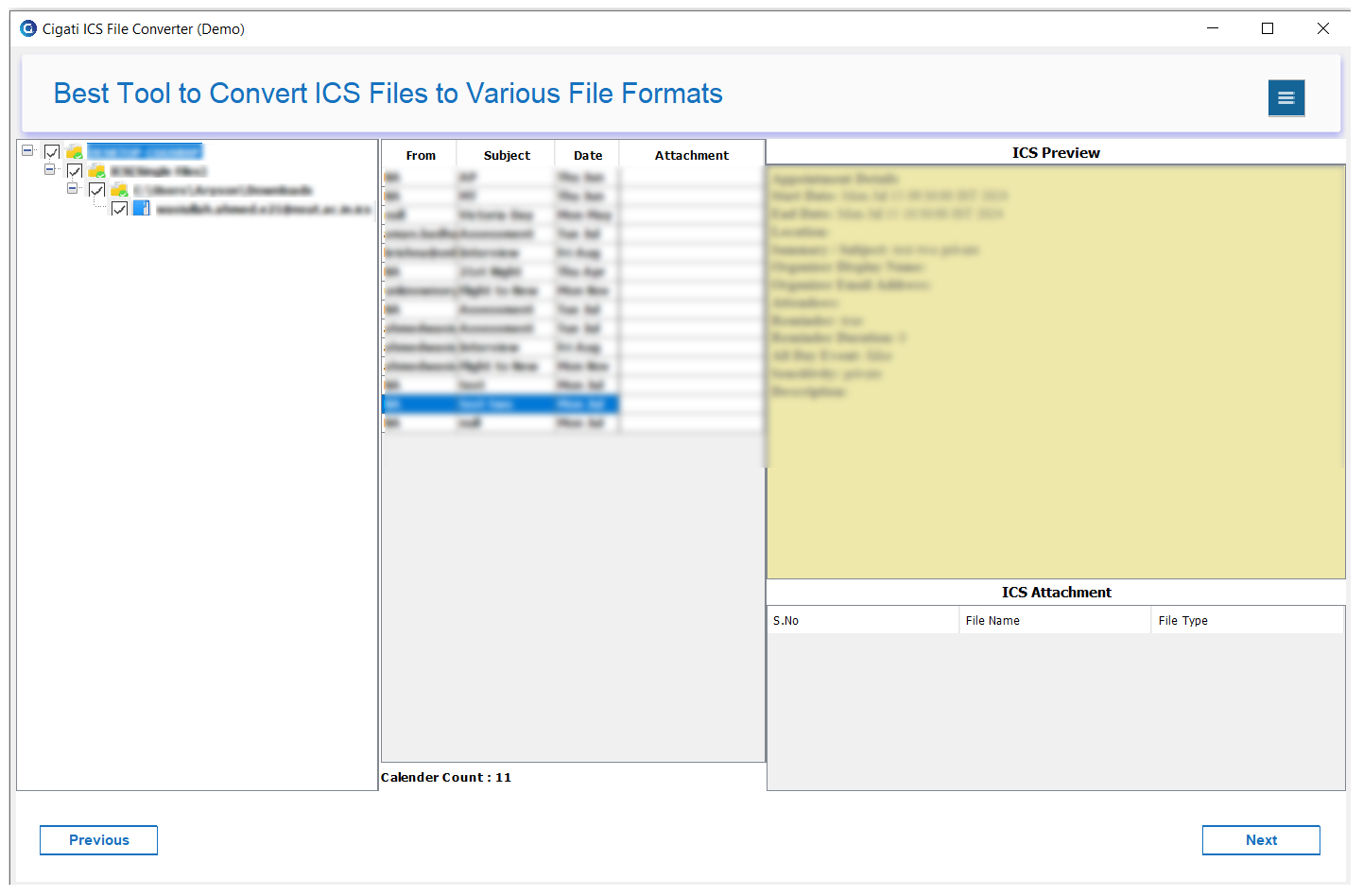
  • Smart preview panel to view calendar events, attachments & details before conversion.
  • Provides an advanced date filter option to export ICS data within a specific date range.
  • Remove duplicate ICS events based on subject, start & end date automatically.
  • Skip previously migrated features to avoid duplication and optimize storage.
  • The tool has flexible attachment options to save without attachments or separately in different folders.
  • Create individual or merged PDF files for calendar events as needed.
  • The tool preserves original formatting, metadata & event structure during conversion.
  • Save your file using the Custom Folder Naming feature for better file organization and management.
  • Handles large ICS files while maintaining high performance and without data loss
  • Provides a user-friendly interface designed for both technical & non-technical users.
benefit-img

Use Cases

Who Uses Cigati ICS Converter?

IT Administrators
Migrate entire organizational calendar databases from Google Workspace or Apple Calendar to Microsoft Outlook / Exchange during platform transitions.

Legal & Compliance Teams
Export calendars to PDF or CSV for archiving, eDiscovery, audit trails, and regulatory compliance requirements.

Freelancers & Consultants
Switch calendar platforms without losing years of appointments, client meetings, and project schedules.

Help Desk & Support, Staff
Convert the meeting invites in ICS into formats like PDF or CSV so they can be easily shared, printed, or documented.

Data Migration Specialists
Easily move large numbers of calendar files for many users at once during system upgrades or when shifting data to the cloud.

End Users
Easily transfer personal calendars when switching devices, email providers, or operating systems with no technical expertise required.

Exclusive Features

ICS File Converter

Convert ICS to Different File Formats and Email Clients

Convert ICS to Different File Formats and Email Clients

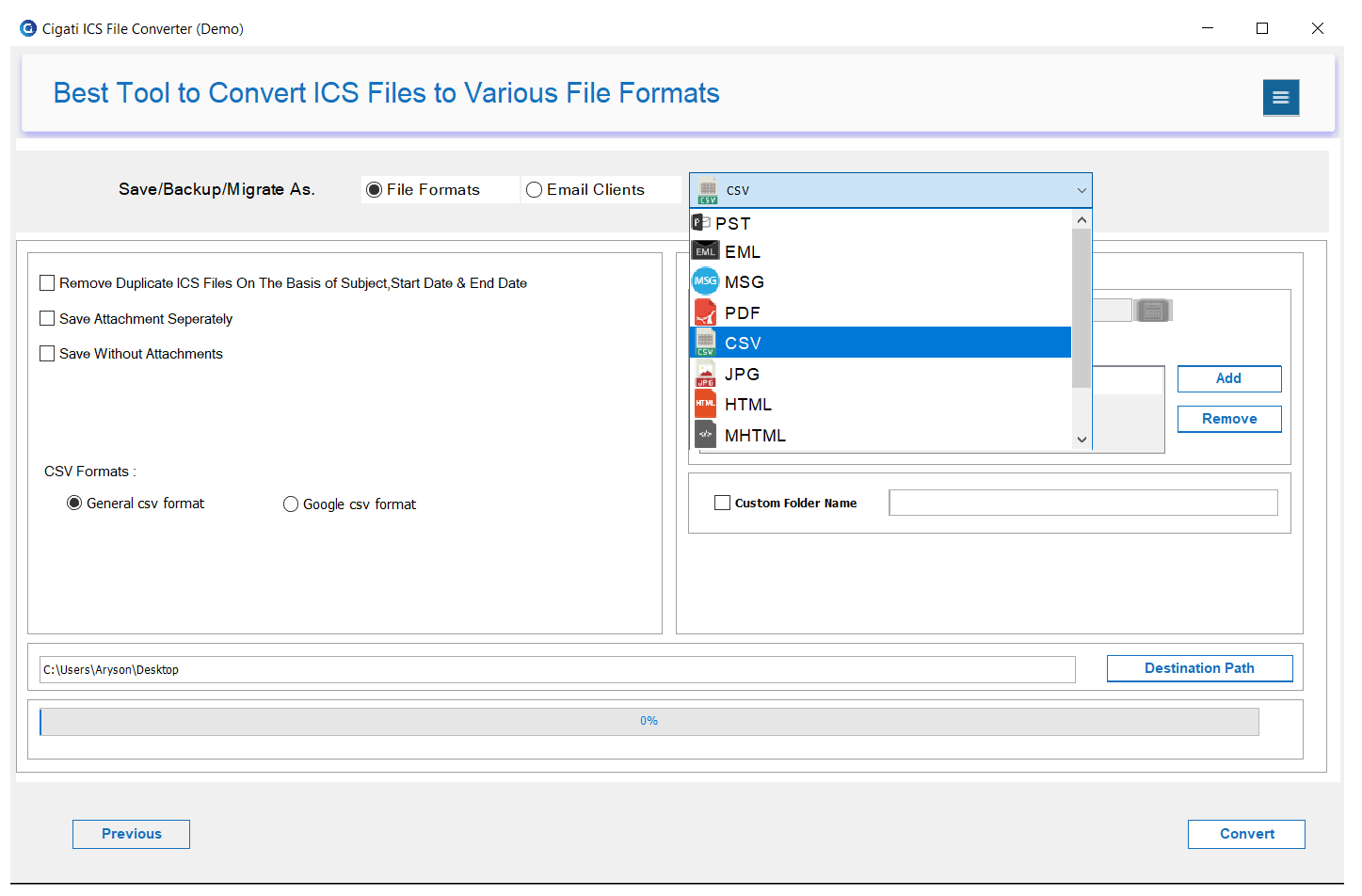
This ICS Exporter is a prominent tool to convert ICS files into Outlook PST, ICS, PDF, TXT, HTML, CSV, EML, XLS, MSG, DOC, DOCX, etc. file formats. Also, change into image formats like JPG, PNG, GIF, and more. Moreover, export ICS files to Gmail, Office 365, or Google Workspace as required.

Allows Bulk ICS Calendar Files Conversion

Allows Bulk ICS Calendar Files Conversion

Converting individual ICS files one by one can be a tricky task. Therefore, opt for the ICS to CSV Converter and convert single as well as multiple ICS files at once, that too with no file size limitations. Furthermore, the tool ensures complete data security and integrity without losses.

Supports all Types of ICS Files

Supports all Types of ICS Files

ICS files are compatible with several email clients. The software allows you to add all kinds of ICS files created from any client application such as MS Outlook, Mozilla Thunderbird, Apple Mail, Google Calendar, and many more,

Smart ICS Calendar File Preview

Smart ICS Calendar File Preview

Open ICS Calendar files in the software and check all the message content and attachments included with it before conversion in the preview panel. Additionally, check other details like From, Subject, Date, Count, etc.

Selective ICS File Conversion

Selective ICS File Conversion

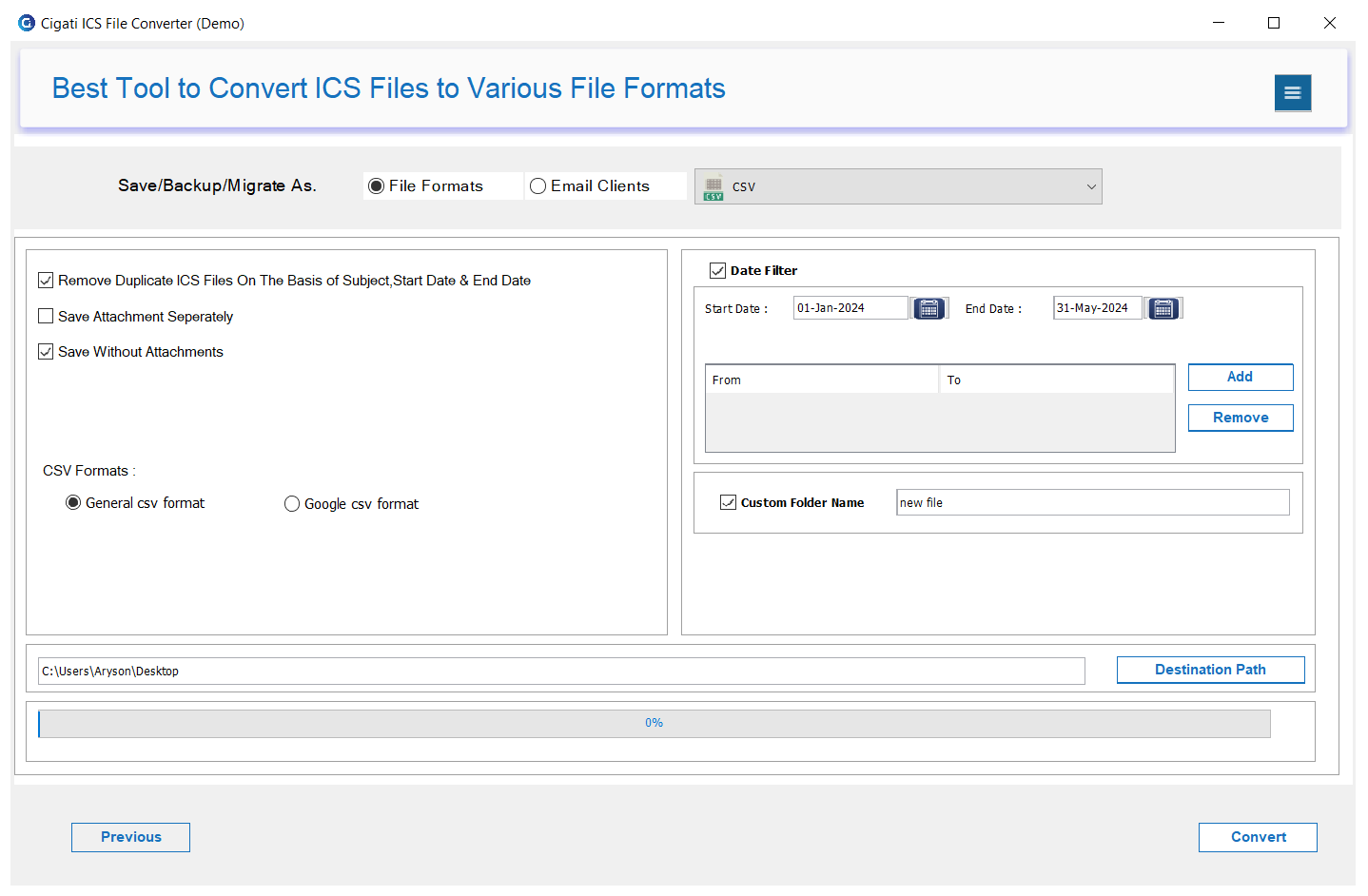
The Date Filter of the Cigati ICS Converter allows its users to filter specific calendar events and other data items for a specific date range. All you need to do is specify a Start Date and End Date and click Add to migrate specific data for that period.

Exclude Duplicate ICS Calendars

Exclude Duplicate ICS Calendars

During conversion, the ICS Migrator is equipped with a Remove Duplicates feature. It eliminates the duplicate items from the ICS files based on Subject, Start Date, and End Date. Simply, checkbox this option to filter duplicate ICS files.

Save ICS Data at a Desired Location

Save ICS Data at a Desired Location

With this excellent software, users can easily save their data at a location they desire. Just click the Destination Path button to browse and provide a folder path where you need to save the resultant file.

Manage Attachments of ICS File

Manage Attachments of ICS File

The ICS File Conversion Tool also has two unique options to manage the attachments in the file. You can pick either the Save Without Attachments or Save Attachments Separately option to handle the ICS file attachments.

Interactive and Easy-to-Use GUI

Interactive and Easy-to-Use GUI

The software has a self-explanatory interface that can be easily operated by any techie or non-techie user without any difficulties. Moreover, they can also give a unique name to the resultant file with the Custom Folder Name option and have 100% accurate results.

Windows System Compatibility

Windows System Compatibility

With a wide range of intricate features, the tool can be used on all the versions of the Windows operating system. It includes the earlier Vista, XP, 2000, 2003, 7, 8, 8.1, 10, and the latest Win 11. In addition, the free ICS Converter saves a limited no. of ICS files for free.

Technical Specification

Software Prerequisites & Recommendations

Software Name: Cigati ICS Converter
Version Support: Windows 11, 10, 8.1, 8, and 7
Size: 198 MB
Version: 25.12
Last Updated: May 2026
Download Link: Download
box
processor-img

Processor:

Hard Disk:

Memory:

Operating System:

trial-img

Trial limitation:

The trial version of the Cigati ICS Converter Tool allows users to convert up to 10 ICS files per folder. To access all features and perform unlimited conversions, users must purchase and activate the full version.

faq-img

FAQ:

Comprasion Table

Table of Free And Paid Version

Software Features Free Version Full Version
Convert ICS as Google CSV, ICS, PDF, HTML, EML, MSG, DOCX, JPG, General CSV, etc. First 10 ICS Files All Files
Import ICS to Office 365, Gmail, and G Suite First 10 ICS Files All Files
Batch ICS File Conversion with No Size Limitations
Merge All ICS Data into a Single PDF File
Preview ICS Calendars and Attachments
Remove Duplicates from ICS Files
Selective ICS Calendars Conversion
Manage ICS Attachments
Maintains Folder Hierarchy
Download and Purchase Download Purchase

FAQ

Frequently Asked Questions

  • Download, install, and launch the Cigati ICS Converter on your system.
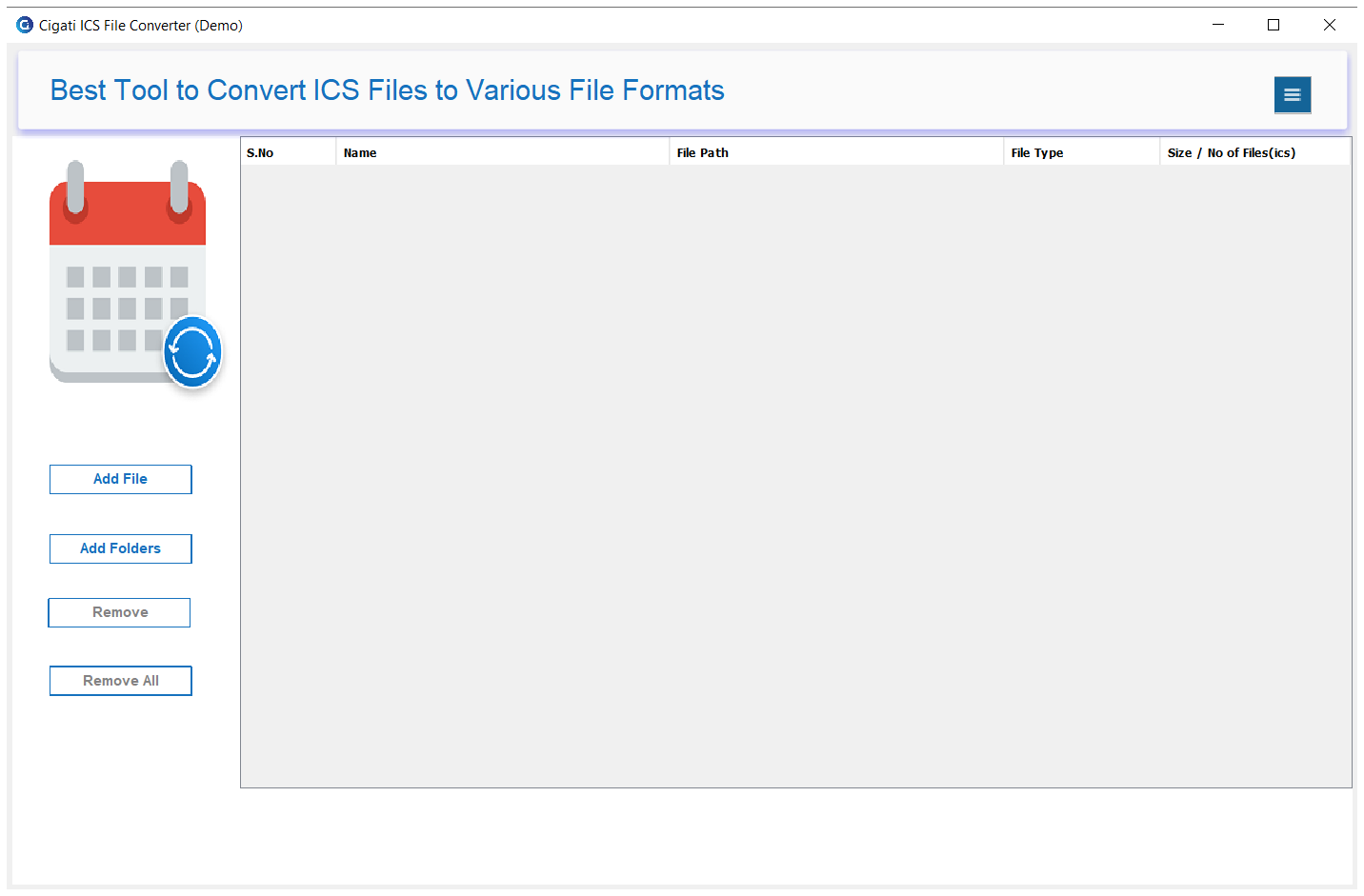
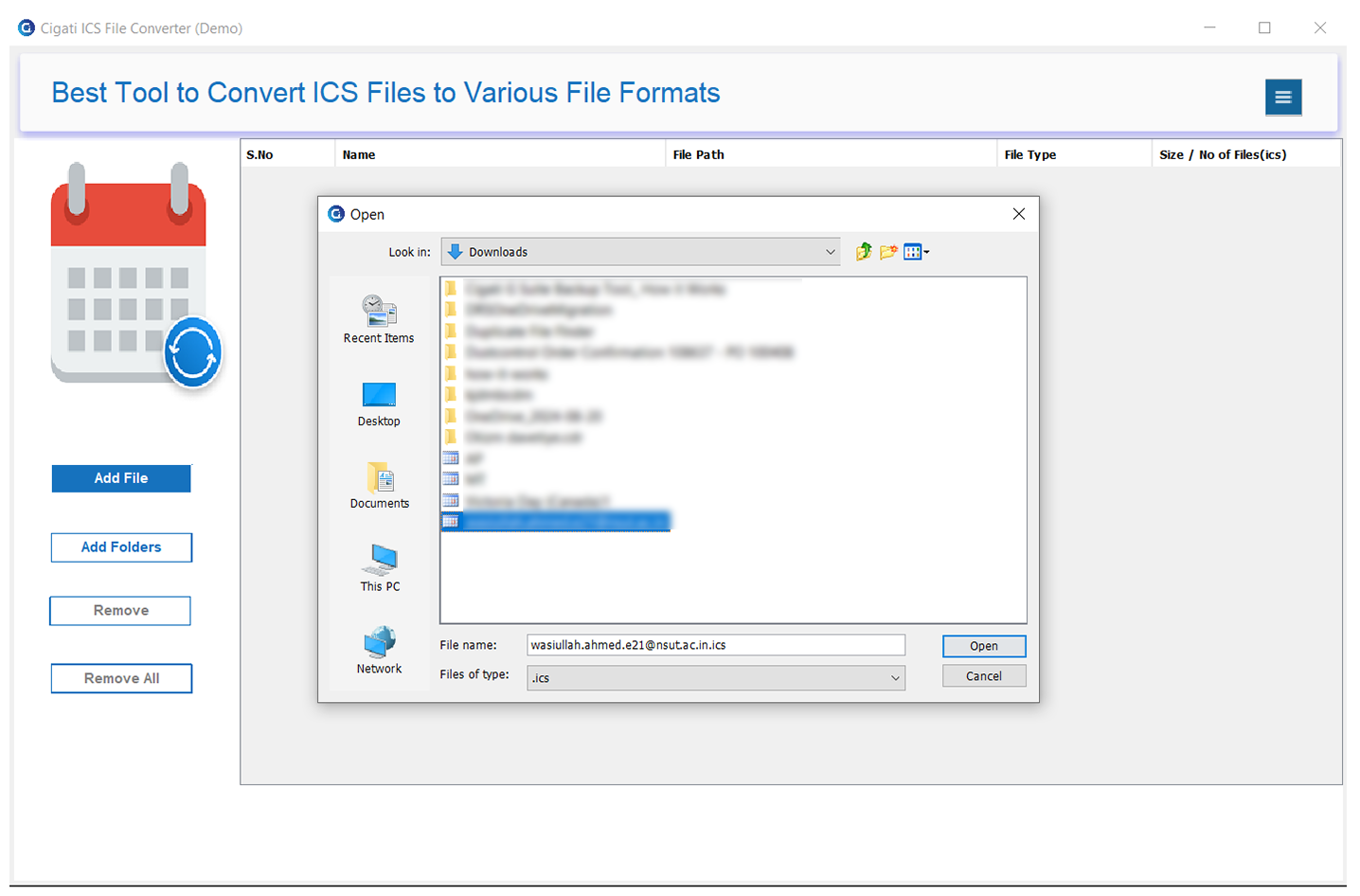
  • Click on Add Files to upload the required ICS files.
  • Preview the calendar data to verify the content before conversion.
  • Apply the necessary filters (if required) for selective conversion.
  • Choose CSV as the output file format from the given options.
  • Finally, select the destination path and click Convert to start the process.

You can convert ICS files into formats like PDF, PST, and other popular file types. The tool also supports migration to email clients.

Yes, the software provides a built-in preview panel that displays event details such as subject, date, time, organizer, attendees, and description before conversion.

Yes, you can add multiple ICS files or entire folders and convert them in bulk, saving time and effort.

The Cigati ICS File Converter Tool automatically identifies and eliminates duplicate entries based on key parameters such as Subject, Start Date, and End Date, ensuring unique data is retained.

Yes, you can enable the “Save Without Attachments” option to skip attachments and reduce output file size.

Yes, the ICS File Converter Tool offers a “Save Attachments Separately” feature to download attachments separately.

This feature avoids re-processing already converted files, making repeated migrations faster and more efficient.

Yes, the software provides a “Merge all data into a single file” option, allowing you to combine multiple ICS files into one PDF during the conversion process.

Yes, the ICS Converter allows you to generate individual files for each calendar item, which is useful for detailed record-keeping.

Yes, you can apply a Date Filter to convert only selected events within a specific date range.

Yes, the Custom Folder Name feature allows you to define a preferred name for your output directory.

Yes, the Cigati ICS Converter Software allows you to directly import ICS files into email platforms such as Gmail, Office 365, and Google Workspace without any intermediate steps.

Yes, the Cigati ICS File Converter tool ensures 100% data integrity, preserving all calendar details, including time zones and attendee information.

No, the conversion process is designed to be secure and reliable, ensuring no data loss during the process.

Yes, we understand that some users require the software for a one-time task. Cigati offers special discounts and flexible pricing options for such needs. Contact our support team to learn about the best available deals and offers.

Client Review

A Glimpse into Client Experiences

Over 10,000 clients have already purchased our software, and they have been sharing their successes, experiences, and satisfaction with our services.

I have tried various ICS Converter software but none is as reliable as the one provided by Cigati. It converted my ICS files to PDF in just no time and also has many other file formats and email client options. Moreover, the preview feature of the tool was a complete bonus.

Kimberly J | Mexico

There were a large number of ICS files on my local system that I wanted to filter. The Cigati ICS to CSV Converter helped me a lot with its Remove Duplicate feature and made my task a lot easier. Within seconds, I had all my ICS emails sorted at my desired location.

Olivia G | Russia

Being a movie user, I am grateful to find this tool for my ICS files. It helped me to easily convert my ICS files with 100 % accuracy and save them on the desktop without any losses. This effective ICS Exporter software has no complex process and can be run with ease on all systems.

Fininan H | UK

Related Blogs

Related guides & how-tos