PC/laptop
Benefits of The
Exclusive Features of

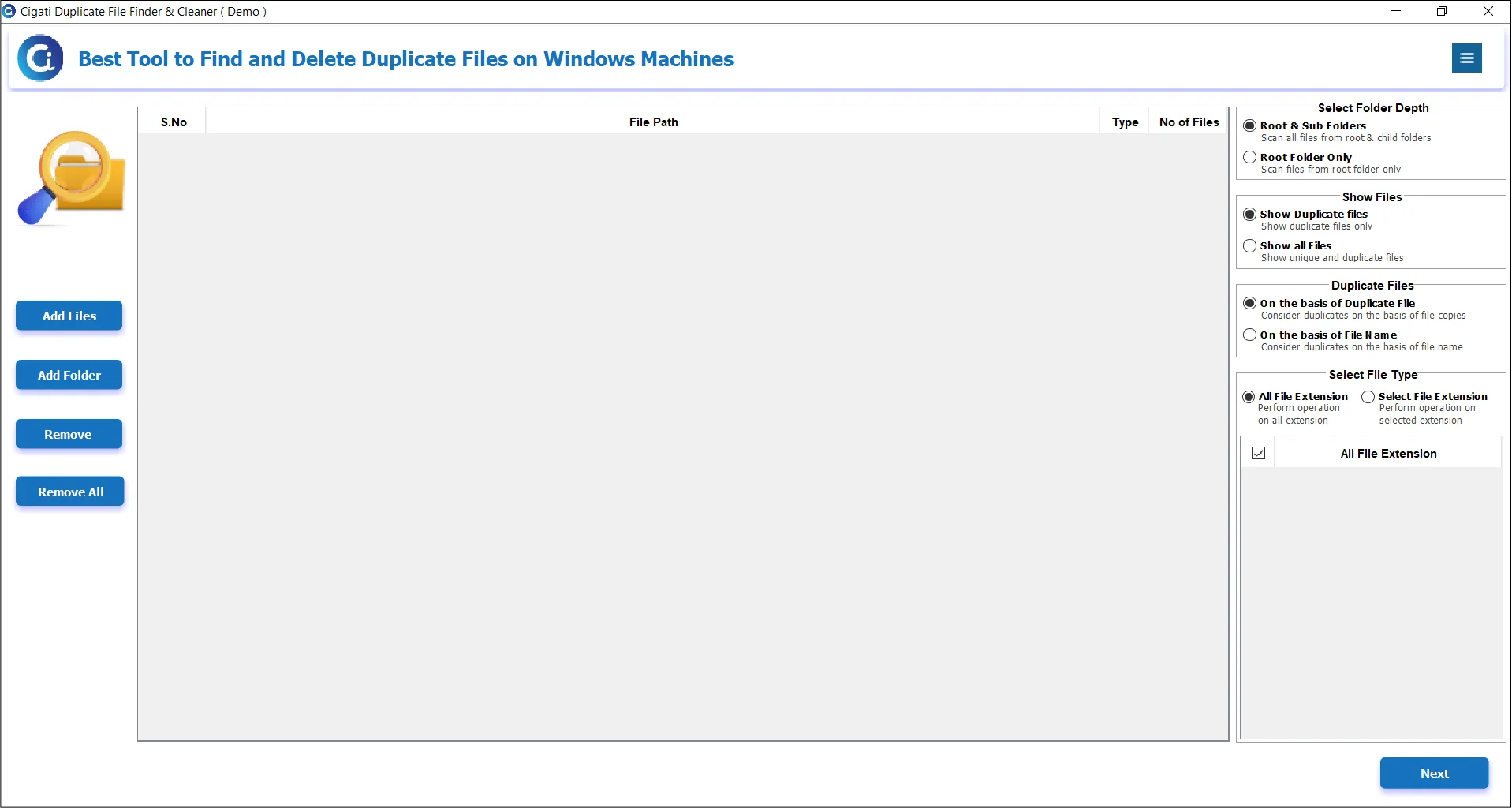
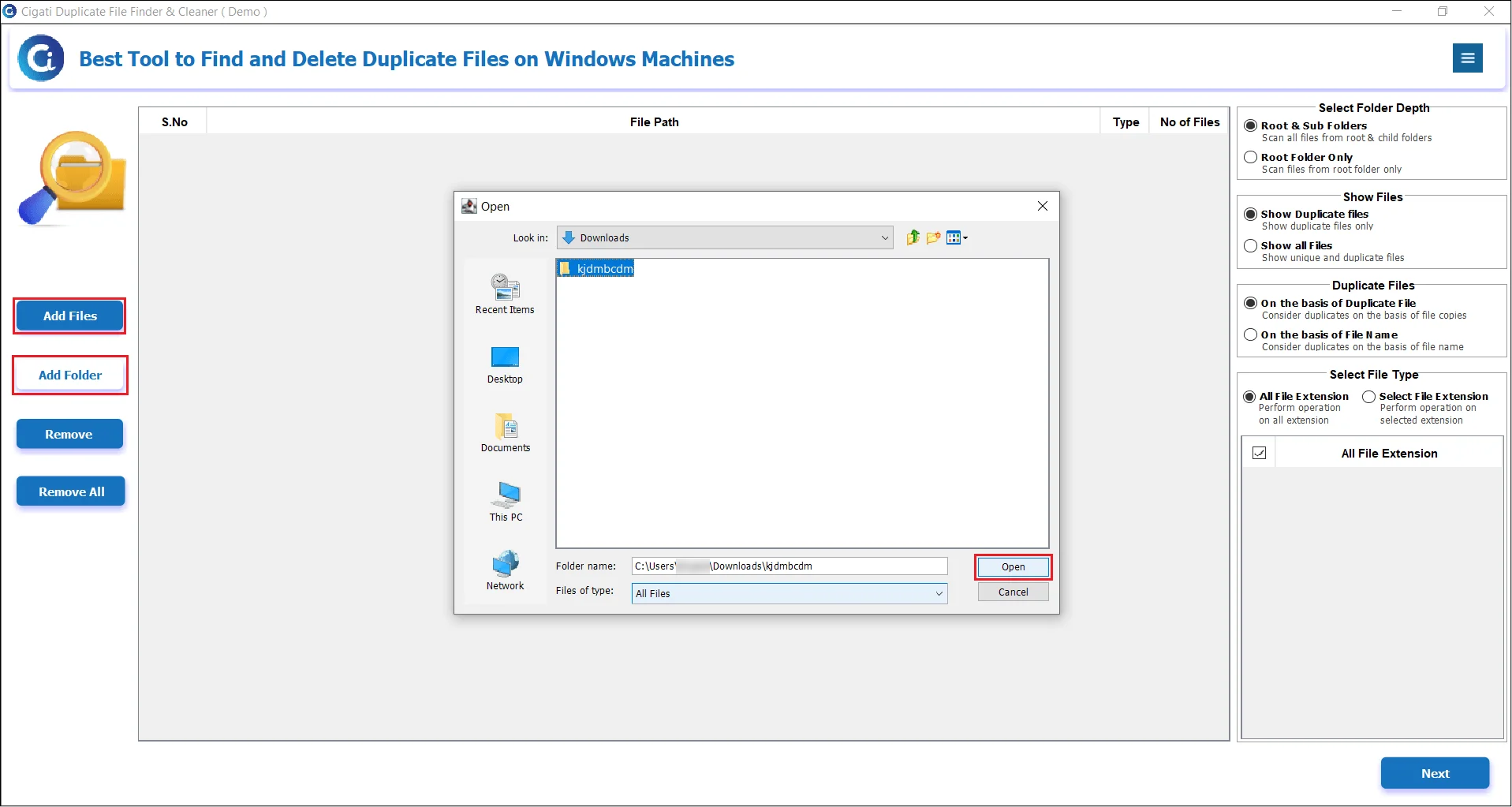
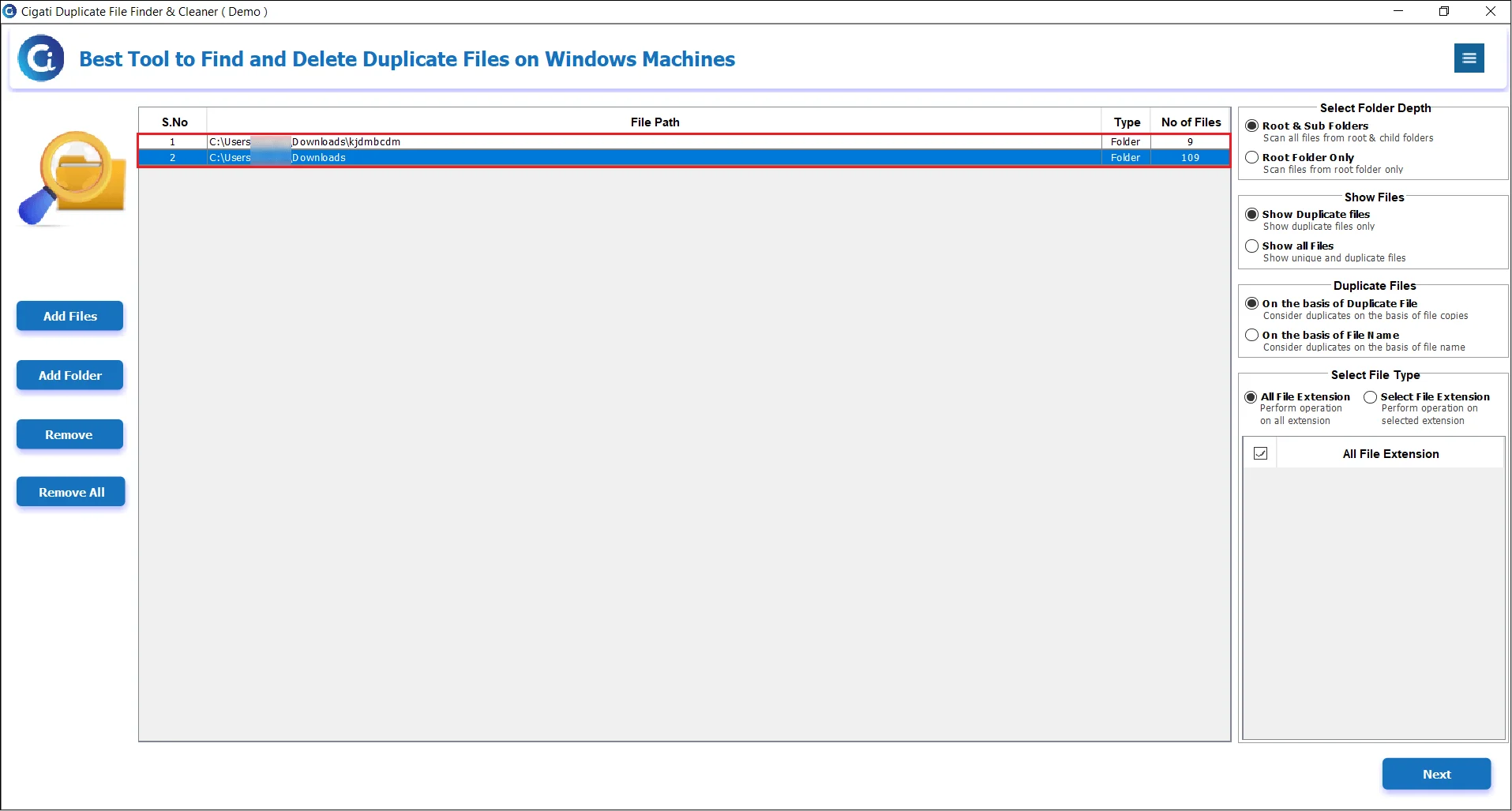
Cigati Duplicate File Finder & Cleaner is a top-notch software for your computer. It can search all your files and folders to find copies of the same thing. With the assistance of this utility, it scans data very deeply, whether it checks every single file or just the primary folders. This way, you can clean up your computer and save space without hassle.

Sometimes, your system may contain duplicate files scattered across multiple locations. Manually identifying and removing these files can be time-consuming and complex. That’s why we recommend using the Cigati Duplicate File Cleaner Tool. It offers an efficient and reliable solution. It locates and removes duplicate files of all types while preserving folder structure and data integrity.

With the help of Cigati Duplicate File Finder, it becomes easy to identify the number of identical files in each folder based on the groups. This is achieved by counting all the files and providing a clear overview of the content. In addition, this functionality improves the performance and speed of this utility.

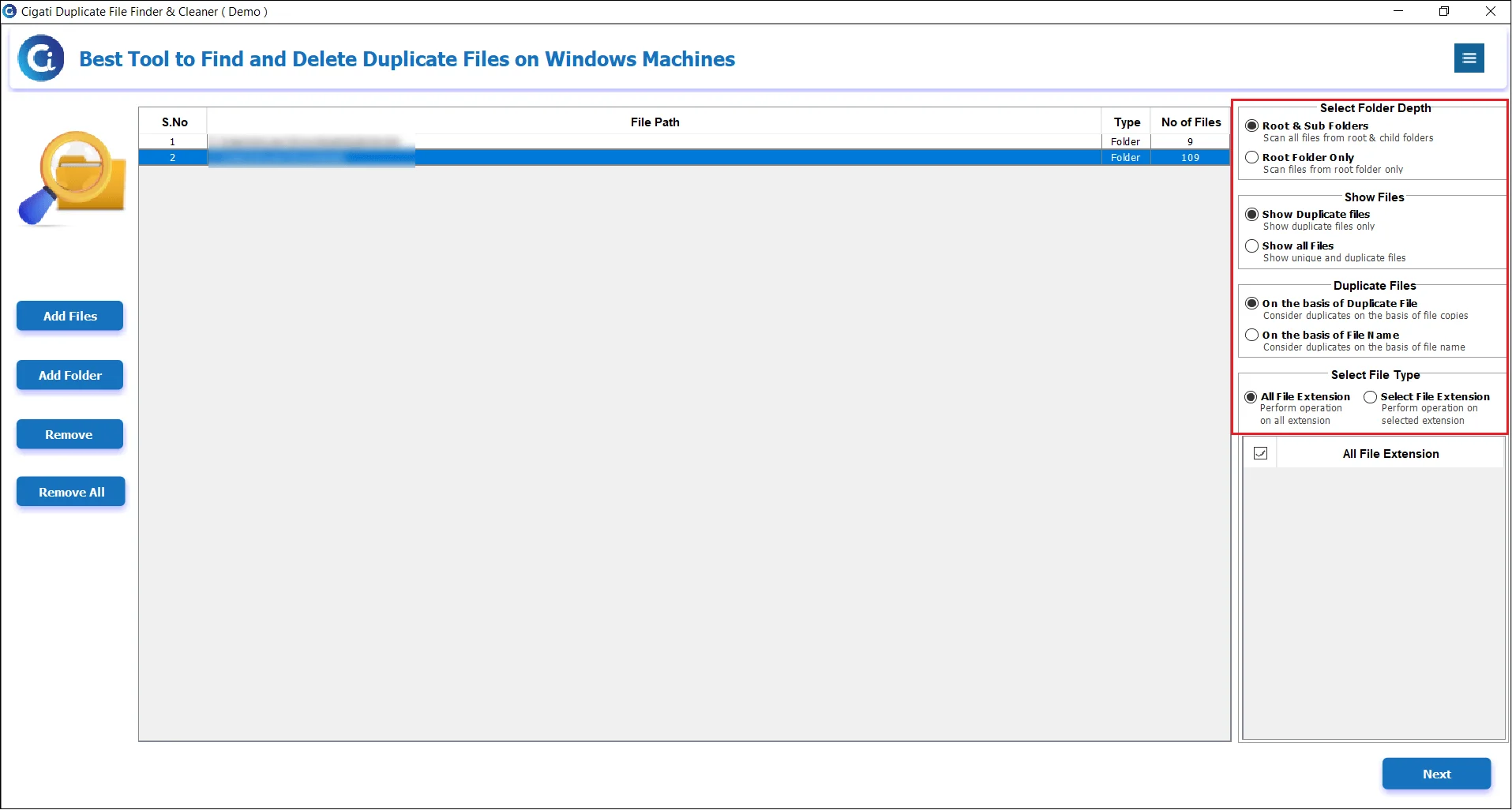
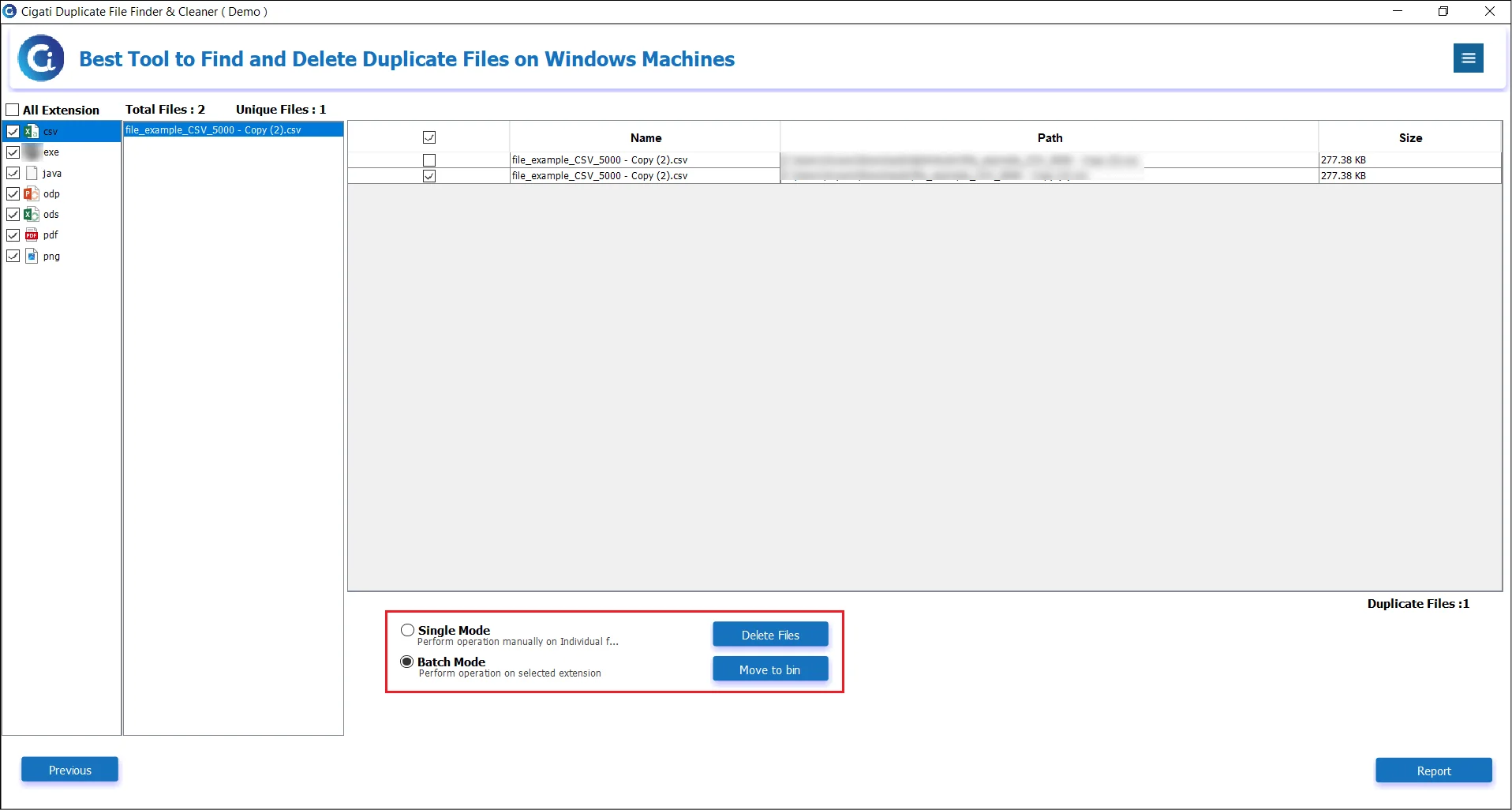
This Cigati Duplicate File Finder Tool offers an easy to use and self-intuitive Graphical User Interface. You can choose exactly how you want to find duplicate files. Additionally, you can look for files that are similar or search for them based on the groups and extensions. You can even choose to skip the scanning process in the desktop, applications, hidden folders, and system files.

Once it detects the identical files, the software generates a well-organized summary in a categorized way. It also presents the modified date, the total size of the duplicate file, and the path directory. In addition to this, it allows users to select duplicates: retain the oldest files or the newest files, and clear all selections. Also, export results in CSV format.

This Duplicate File Deleter Tool is incredibly user-friendly. With just a few clicks, you can effortlessly locate and eliminate identical files that take up valuable storage space on your computer. You have the option to either delete them permanently or move them to a bin or a folder. By removing these unnecessary duplicates, you'll enhance your system's performance and organization.

The Duplicate File Finder & Remover features a visual duplicate detection. It spots the similar images despite differences in file types, sizes, or slight edits. The tool allows users to adjust the similarity level between 60%-100%, ensuring better image management.

Cigati Duplicate File Remover software offers a demo version to explore its features and evaluate its core features before buying. It lets users only scan and view duplicate files, but does not support the “Auto-Remove” option that automatically removes duplicates. It is made just for evaluation purposes.
Supported File Types
Capabilities of the Duplicate Finder & Cleaner Compatible with Document, Photo, Music, Video, Audio, and Email File Formats

AIF/AIFF, M4A, MP3, WAV, WMA, APE, MID/MIDI, OGG, AAC, RealAudio, VQF etc.

MDF, LDF, NDF, MDB, ACCDB, BAK, SQL, SQLite, DB, DB3, DBF

MP4, AVI, MKV, MOV, WMV, FLV, WebM, 3GP, OGG, MPEG, DIVX, H.264, H.265, VP9, etc.

DOC/DOCX, XLS/XLSX, XLSB/XLSM, XLTM/XLTX, PPT/PPTX, PDF, CWK, HTML/HTM, INDD, EPS, ODT, etc.

PST, DBX, EMLX, etc.(from Outlook, Outlook Express, etc.)

PG/JPEG, TIFF/TIF, ICO, PS, PNG, BMP, GIF, PSD, CRW, CR2, NEF, ORF, RAF, SR2, MRW, DCR, WMF, DNG, ERF, RAW, SWF, SVG, PAT and X3F, etc.

EXE, MSI, MSIX, APP, DMG, PKG

ZIP, TAR, RAR, 7-ZIP, TGZ, GZ, ZIPX

EPUB, HTML, ICS, CDR, VCF, RTF, MDB, ARJ, EDB, RPM, CAB, PEF, etc.
SUPPORTED STORAGE DEVICES
All-in-One Software Solution for Various Storage Device Types Duplicate File Finder and Cleaner Tool
PC/laptop

Hard Drive

External Disk

SSD

USB Drive

Micro Card

Memory Card

Camcorder

Digital Camera

Music Player

Video Player

CF/SD Card

Pen Drive

Other Devices
Technical Specification
| Software Name: | Cigati Duplicate File Finder & Cleaner |
| Version Support: | Windows 11 & below versions |
| Size: | 133 MB |
| Version: | 25.09 |
| License: | S/A/T/E |
| Download Link: | Download |

Processor:
Hard Disk:
Memory:
Operating System:

Trial Limitation:
The Best Duplicate File Finder & Remover Tool is an exceptional solution for efficiently finding duplicate files and removing them. This software's free or Demo trial version allows users to detect duplicate files. The only limitation is that it excludes the “Auto-Remove” feature for a demo.

FAQ:
Note: On macOS, the tool can scan NTFS drives but cannot delete duplicate files from them, since macOS does not have permission to modify or remove files on NTFS-formatted disks.
Comprasion Table
| Software Features | Free Version | Full Version |
|---|---|---|
| Duplicate Eliminator Tool to Eliminate Duplicate Files/Photos | Only Scan and View Duplicate Files |
Delete Duplicates |
| Duplicate File Finder & Cleaner to Detect and Preview Duplicate Files | ||
| Show Summary of Detected Identical Files | ||
| Scan All or Customized Folders | ||
| Determine Duplicate Files based on groups or extensions | ||
| Permanently Delete Duplicates | Only Scan and View | |
| Move Duplicates to Bin or Folder | Only Scan and View | |
| Specify the Destination Path Compatibility with Windows OS | ||
| Download and Purchase | Download | Purchase |
FAQ
Client Reviews
Thousands of satisfied customers have chosen our software and praised its reliability and performance. They have shared positive stories about how the Duplicate File Finder & Remover has helped them manage their files efficiently.