Cigati PDF Bates Numbering Tool

The Cigati PDF Bates Numbering Tool is engineered for enterprise-scale environments. It is especially designed for deterministic document labelling and page indexing. This tool is trusted by Migration Specialists, IT Consultants, and Business Users. Moreover, the tool ensures a zero-data-leakage architecture and preserves data integrity at every step of the document lifecycle. Also, it is best for organizations that demand precision, compliance, and scalability..

(Average Rating 4.7 Based on 2153 Reviews)

Secure Offline Processing

Zero Data Leakage Architecture

Lossless PDF Handling

Benefits of

The Best PDF Bates Numbering Tool

  • Instantly apply Bates numbering across multiple PDF files in a single operation.
  • Generate and apply custom Bates stamps to PDF files with advanced formatting controls.
  • Offers flexibility to add custom prefixes and suffixes to PDF page numbers.
  • Allows users to insert confidential text and specify its position on the page.
  • Supports adding Bates numbers to secured or password-protected PDF documents.
  • Define font properties like style, size, and color according to the preference for Bates Numbers.
  • Modify margin settings (automatic or manual), page orientation, and size preferences.
  • Enable users to add background text to the selected PDF files with accuracy.
  • A built-in Preview feature to view the stamped PDF page before completion.
  • Efficiently supports both encryption and decryption of the selected PDF documents.
  • The trial version applies page numbering with a watermark overlay on output files.
  • Ensures smooth performance on all versions of the Windows operating system.
benefit-img

IT Essentials

PDF Bates Numbering Tool: Enterprise IT Essentials

Zero Data Leakage Architecture
  • PDF operations are performed completely on-premises.
  • No metadata or file structure is transmitted externally.
  • Ideal for organizations handling confidential information.
Metadata Retention Engine
  • Preserves all embedded document properties.
  • Zero metadata loss.
  • Zero structural corruption.
High-Performance Batch Engine
  • Processes multiple PDF files at once.
  • Ensuring no downtime.
  • Migration in full throttle.
Compatibility & Scalability
  • Compatible with password-protected and encrypted PDF documents
  • Support both standalone systems and large-scale enterprise environments.

Exclusive Features

Best PDF Bates Numbering Software

Advanced Configuration

Advanced PDF Bates Numbering Configuration

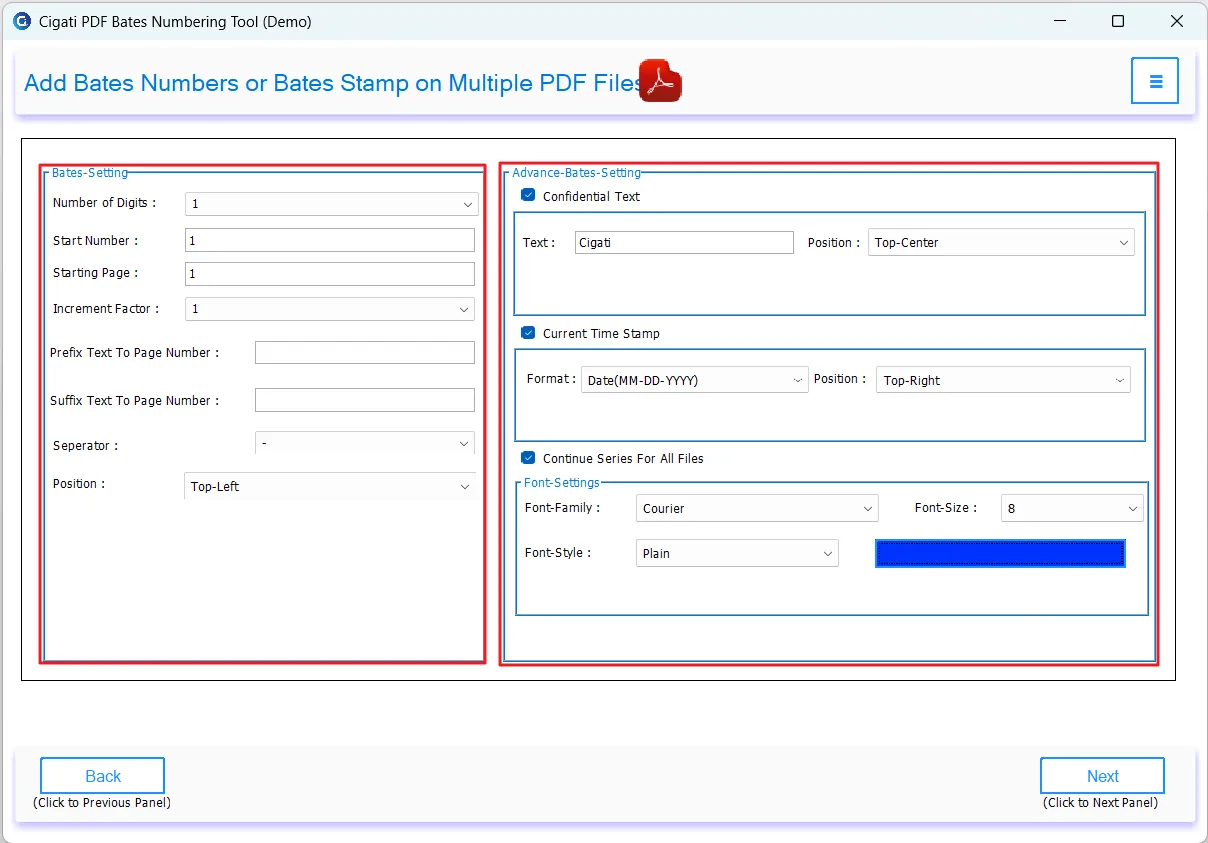
This powerful PDF Bates Stamping Software allows users to add Bates stamps across single or multiple PDF files simultaneously. The tool also offers customizable numbering options and allows users to adjust the placement of stamps within pages.

Confidential

Powerful PDF Bates Numbering Settings

The software enables users to include confidential text for unique identification and place it at the preferred location. The PDF Bates Numbering Program supports adding a current date stamp with adjustable positioning. Additionally, users can apply the same settings across multiple PDF files in one go.

Control Options

Extensive Bates Numbering Control Options

The PDF Bates Labeling Software allows users to personalize Bates number descriptions by adding prefixes or suffixes. Users can set the number of digits, and can define the starting number with incremental values. Also, it offers six different placement options for Bates number placement.

PDF Settings Options

PDF Page and Content Settings Options

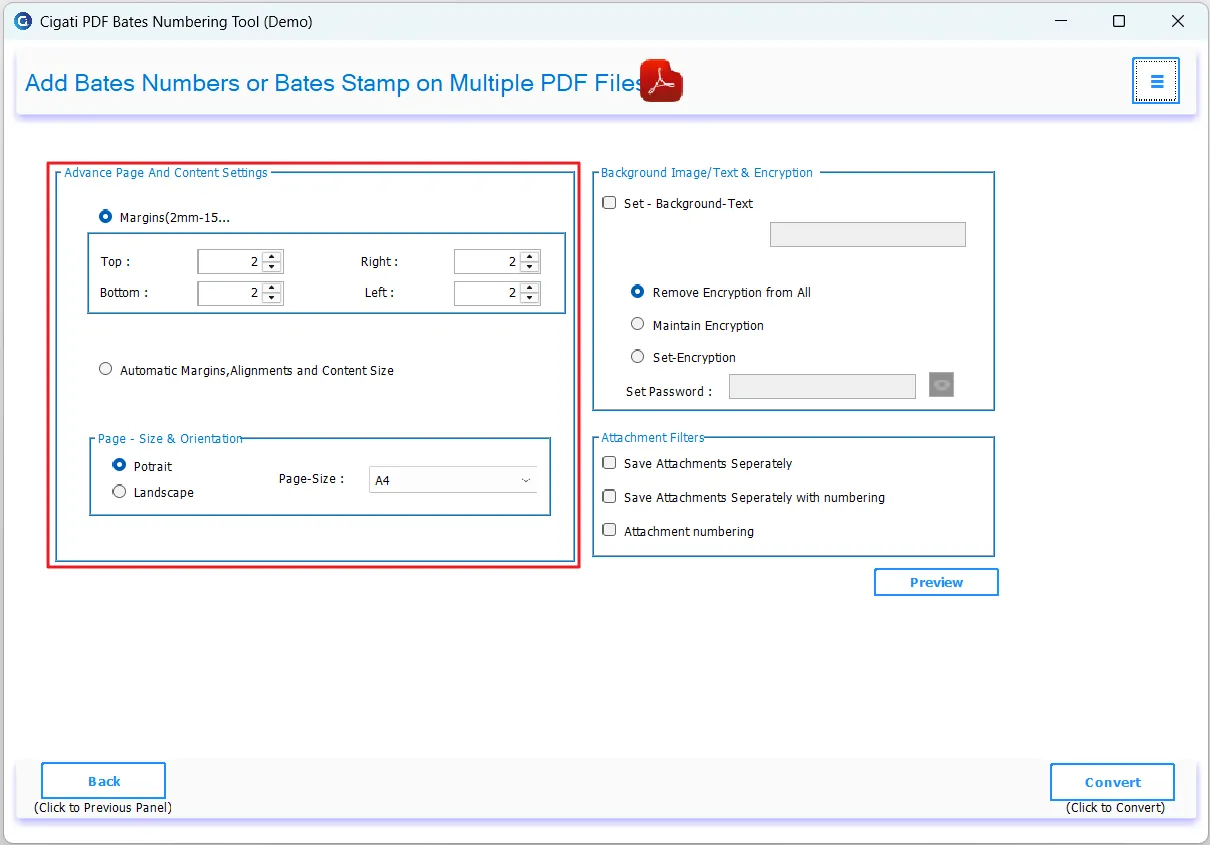
With the Cigati PDF Bates Numbering Tool, users can easily add margins in PDFs with both automatic and manual options. The manual margin settings can range from 2 mm to 15 mm. In addition to this, users can set the page orientation and the size as per the requirements.

Font Customization

Font Customization Options

Cigati PDF Bates Numbering Tool enables customization of Bates number fonts by choosing from the preferred font family and styles. It also allows setting the font size (8-24) and selecting the preferred color.

Bates Numbering

Support Bates Numbering for Secured PDFs

Users can utilize the PDF Bates Numbering software to apply Bates numbers to password-protected PDF documents. It handles the encrypted PDFs with the appropriate password and offers to remove encryption from the resultant PDF.

Preview

Preview PDF Pages Before Final Save

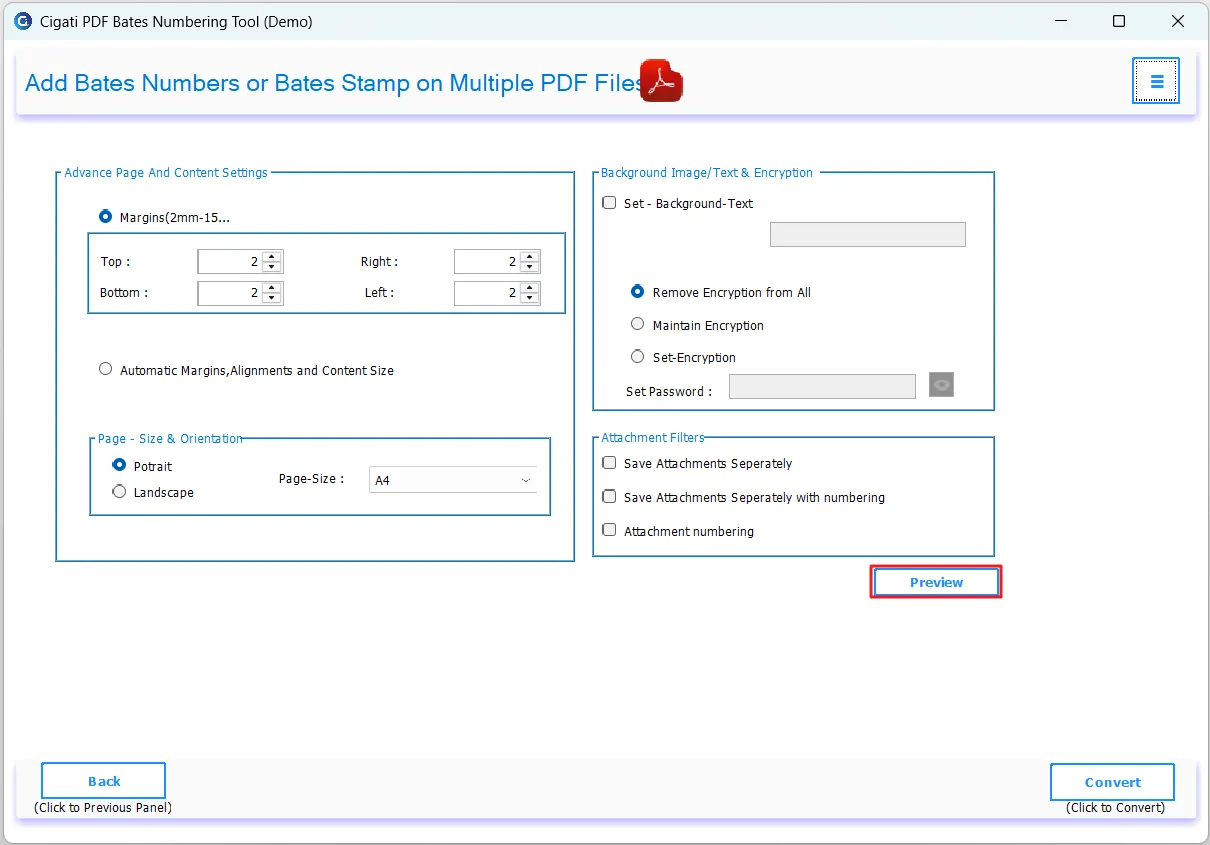
During the Bates numbering process, the software displays a preview of the resulting PDF page, showing the Bates number and its placement. Users can review its appearance and the color before proceeding. If satisfied, continue; otherwise, make the required changes.

Remove PDF Encryption

Add or Remove PDF Encryption Easily

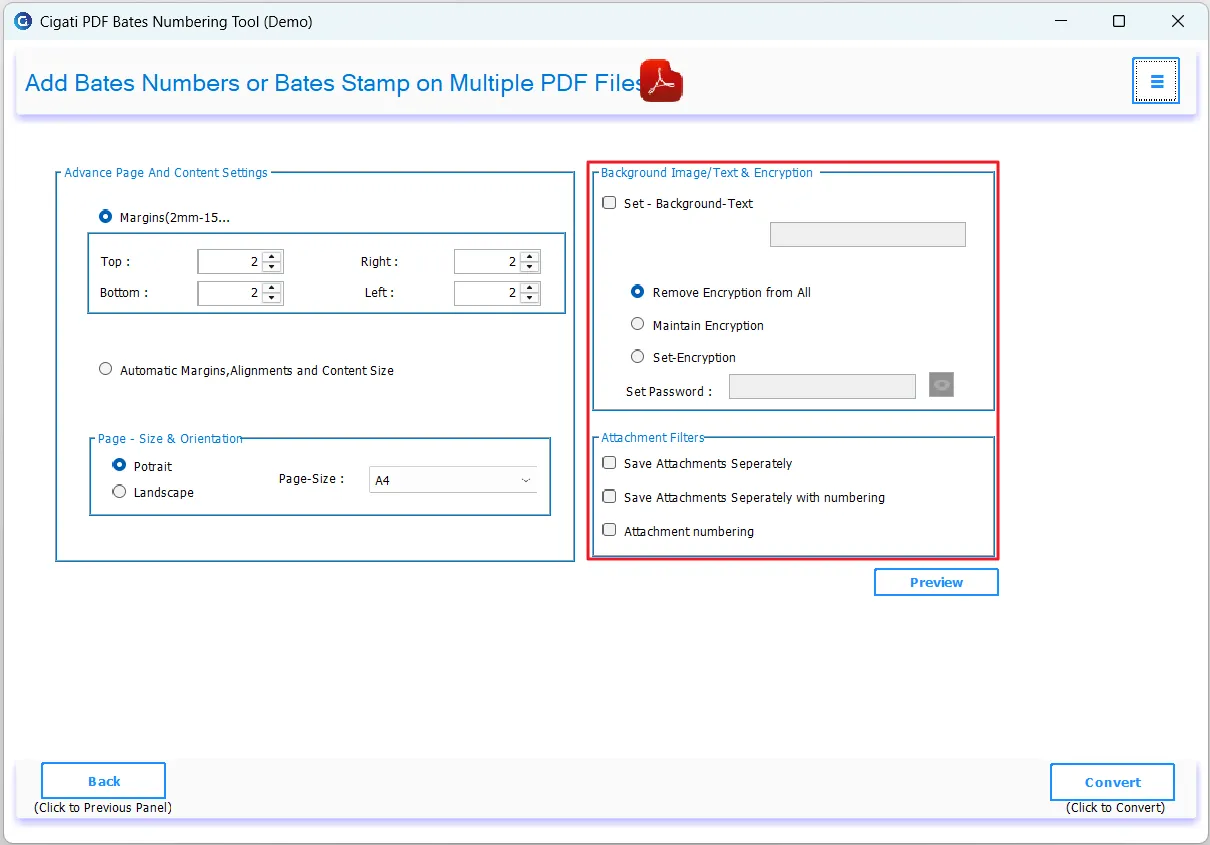
Cigati software allows users to modify the encryption settings of the selected PDF file. To access the protected PDF files, a valid User or Owner password is required. In addition to this, users can also add a password in the specified field to secure the PDF document.

Trial Version

Trial Version for Free Bates Numbering in PDFs

The trial version of the Free Bates Numbering Software allows users to discover its capabilities. While it helps users understand its functionalities, the saved output file will have a watermark. Hence, to save files without a watermark, upgrade to the paid version.

Images

Set Background Image or Text in PDF Documents

The Cigati PDF Bates Numbering Tool enables users to add background text as an image. Simply enter the text in the specified field, and it will automatically appear as a background in the output PDF. This feature helps enhance brand visibility through logos in business documents.

Technical Specification

Software Prerequisites & Recommendations

Software Name: Cigati PDF Bates Numbering Tool
Version Support: Windows 11, 10, 8.1, 8, and 7
Size: 193 MB
Version: 26.04
Last Updated: April 2026
Download Link: Download
Product Box
processor-img

Processor:

Hard Disk:

Memory:

Operating System:

trial-img

Trial limitation:

The trial version of the Free Bates Numbering Software has all the features similar to a licensed tool; however, it will add Bates Numbering to PDF with a Watermark. To unlock full features and perform unrestricted operations, users need to purchase and activate the licensed version.

faq-img

FAQ:

Comprasion Table

Table of Free And Paid Version

Software Features Free Version Full Version
Add Bates Numbers or Stamps to PDF Documents With a Watermark No Watermark
Works Efficiently with Secured PDF Documents
Batch Process Large Volumes of PDF Documents
Advanced Custom Bates Numbering with Flexible Formatting Options, Including Bates Settings, Advanced Settings, and Font Customization
Integrate Background Text into Output PDFs
Set Personalized Margins for PDF Pages
Modify Page Layout with Custom Size and Orientation
Auto-Configure Page Layout, Alignment, and Margin Settings
Add, Remove, or Maintain PDF Encryption Settings
Preview PDF Output Before Saving
Export Attachments Separately or Configure Attachment Numbering
Fully Compatible with All Windows Operating Systems
24/7 Technical Support with Complete Security Assurance
Download and Purchase Download Purchase

FAQ

Frequently Asked Questions

Bates Numbering is a process of assigning unique sequential numbers or identifiers to pages within PDF files. By applying Bates Numbering, organizations can prevent document confusion, improve collaboration, and ensure proper indexing of files for streamlined record management.

Page numbers are standard numerical indicators, and Bates numbering assigns unique sequential identifiers to each page. Bates Numbering includes prefixes, suffixes, etc. Bates Numbering focuses on document identification, whereas page numbering is used for general reading.

Follow the steps below to begin the process:

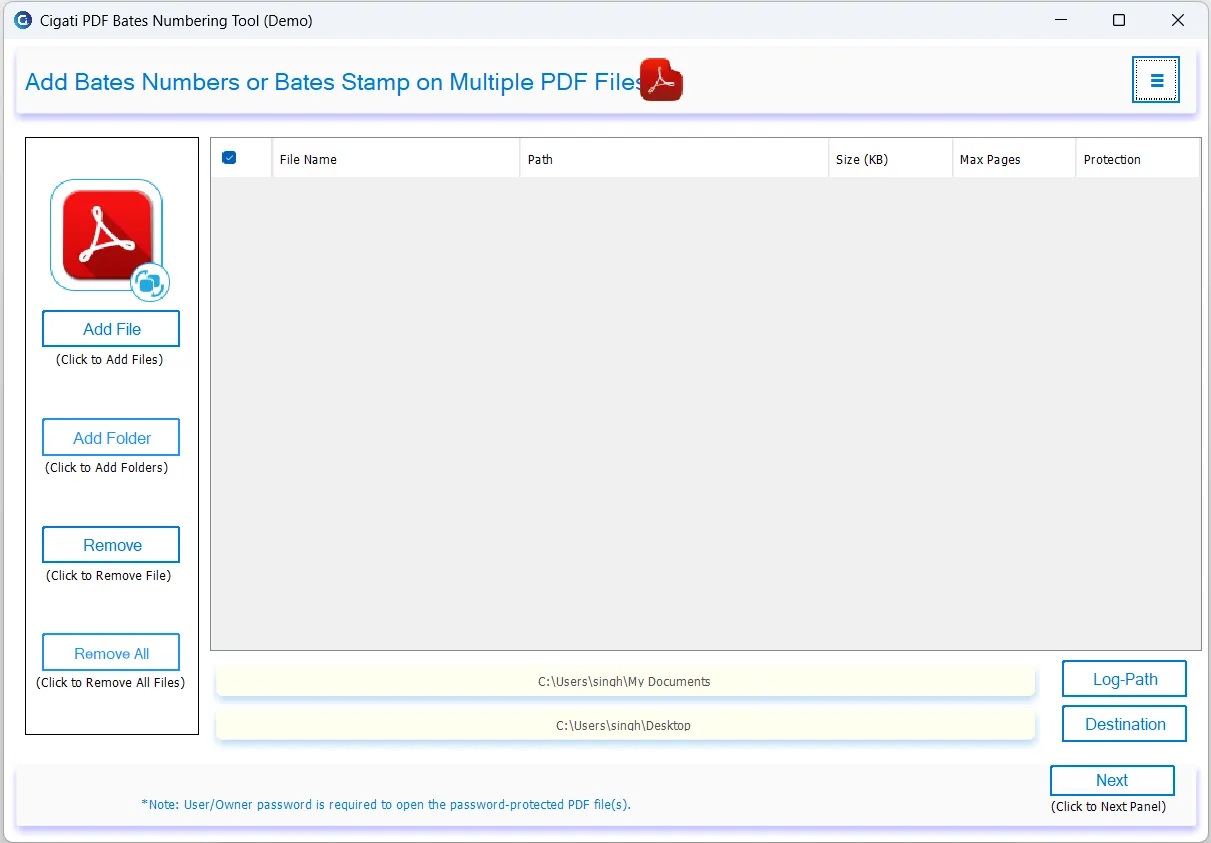
  1. Download, install, and launch the Cigati PDF Bates Numbering Tool as an administrator.
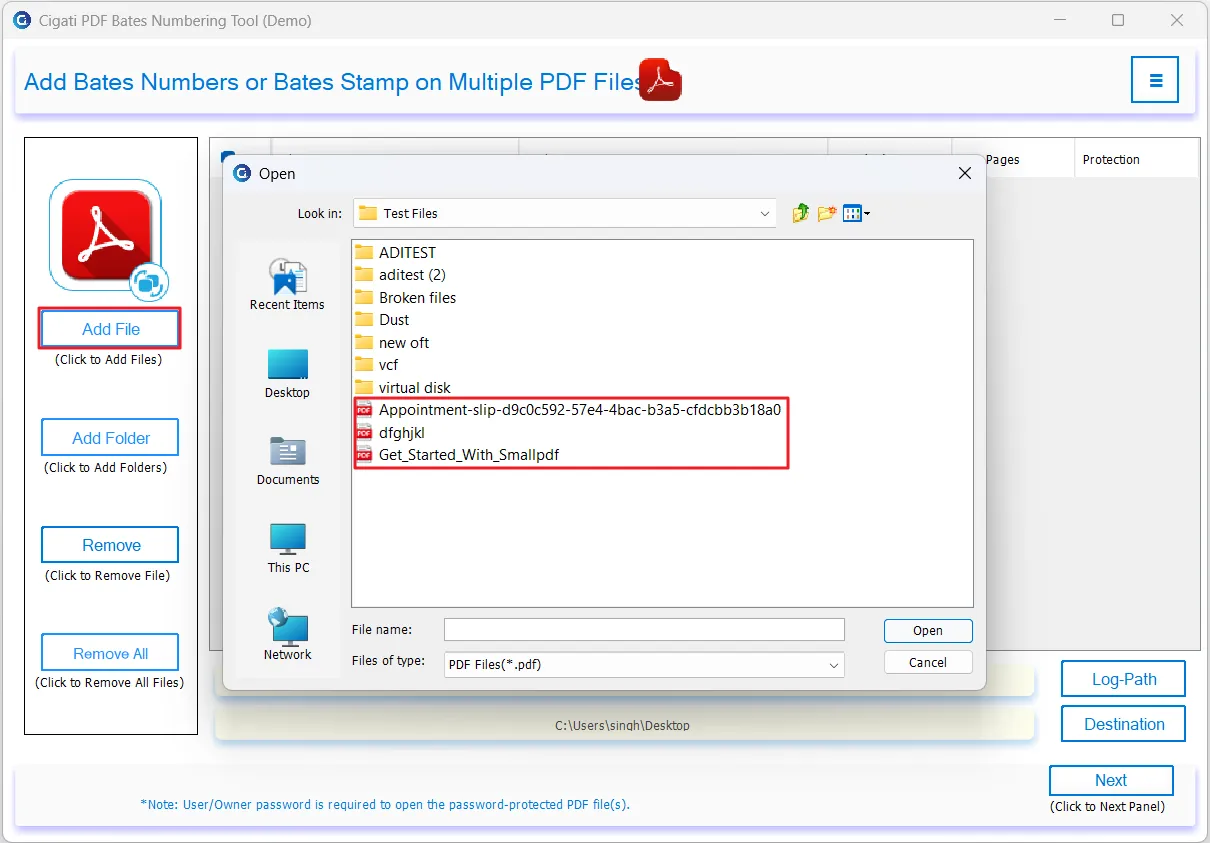
  2. Click on the Add Files button to import the required PDF document.
  3. Next, adjust the Bates numbering style and page location using the available options.
  4. If required, add a confidential text and current date stamp to the PDFs.
  5. After applying the required advanced filters, click on the Next button to continue.
  6. Now, set the custom margins and the page orientation settings for the PDF.
  7. You can also add the background text and add encryption settings if needed.
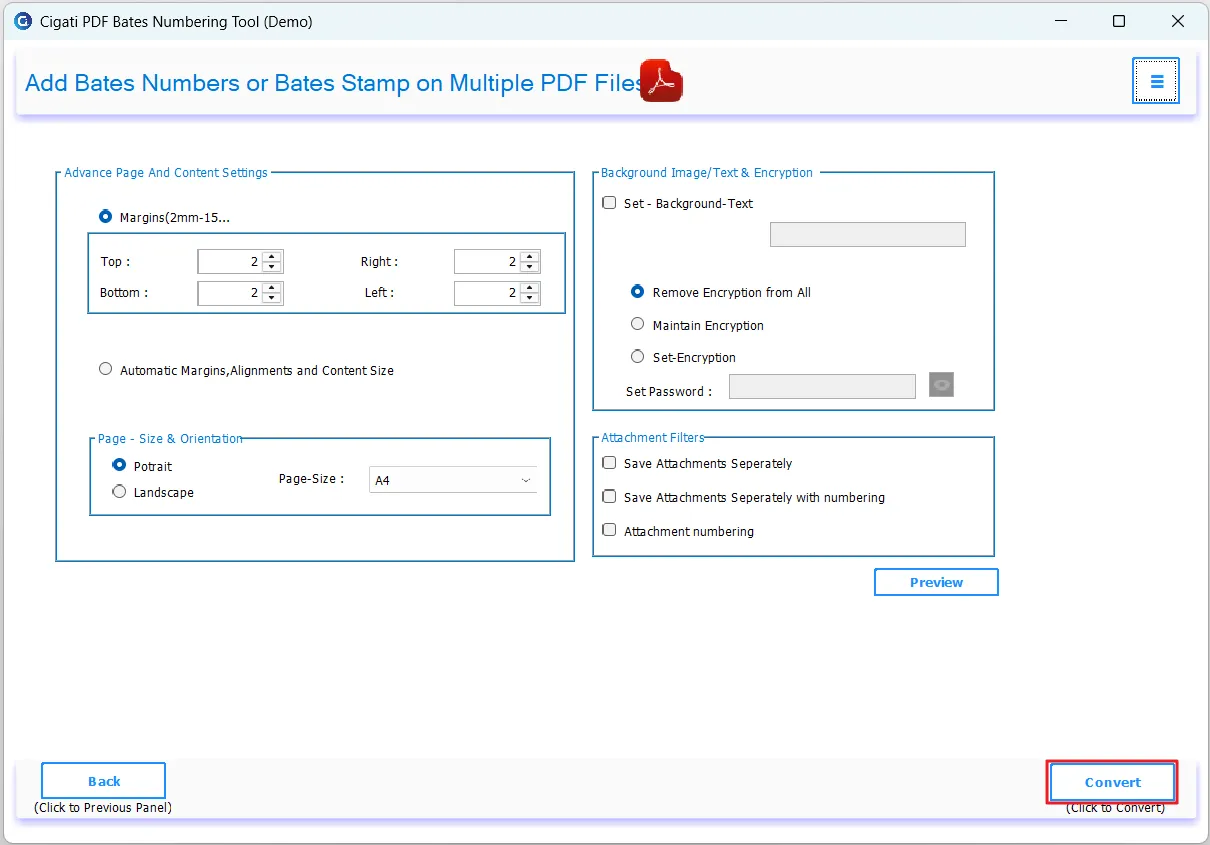
  8. At the end, click Convert to initiate the PDF Bates Numbering process.

Cigati PDF Bates Stamping Software supports batch Bates numbering to multiple PDF files simultaneously. Users can add one PDF file, multiple selected PDFs, or a complete folder of PDF documents for processing.

Yes. The PDF Bates Labeling software is capable of applying Bates numbers to secured PDF documents. Additionally, it enables users to manage PDF passwords by adding or removing encryption.

Client Review

A Glimpse into Client Experiences

Thousands of satisfied customers have chosen our software and praised its reliability and performance. They have shared positive stories about how the Cigati PDF Bates Numbering Tool has helped them manage their data efficiently.

“We regularly handle large volumes of PDFs. The Cigati PDF Bates Numbering software made adding Bates stamps to our PDF files incredibly simple. The numbering process was accurate, fast, and worked perfectly even with bulk documents. Highly recommended for legal and corporate use.”

Ava Richardson | UK

“I really appreciated the flexibility this software offers for customizing PDFs. Modifying margins and switching page orientation was simple and highly useful for organizing large documents. The PDF Bates Numbering Tool maintained the original formatting without any distortion.”

Isla Morgan | USA

“An excellent solution for document branding and security. The background text feature in the Cigati software is extremely useful for branding our documents. The customization options were impressive, and the text appeared perfectly across every page.”

Valeria Castillo | Mexico

Related Blogs

Related guides & how-tos