-
Written By Rohit Singh
-
Updated on March 22nd, 2023
How to Convert JFIF to GIF Image Format in just Few Minutes?
Fact-checked and reviewed in accordance with our
Editorial Policy
Summary: Are you looking for a solution to Convert JFIF to GIF? Then in this write-up, you will get the best and most reliable ways to change the JFIF files with manual and automated approaches.
JFIF (JPEG File Interchange Format) is the compression format. However, it does not support animated images, and after decompression, it does not return to its original shape. Therefore, many users want to change their JFIF images to animated formats like GIFs. Let’s check the conversion process.
Also Read: Convert JFIF to PDF
Way to Convert JFIF File to GIF – Manual Approach
- Select the JFIF image you want to change.
- Open it in MS Paint.
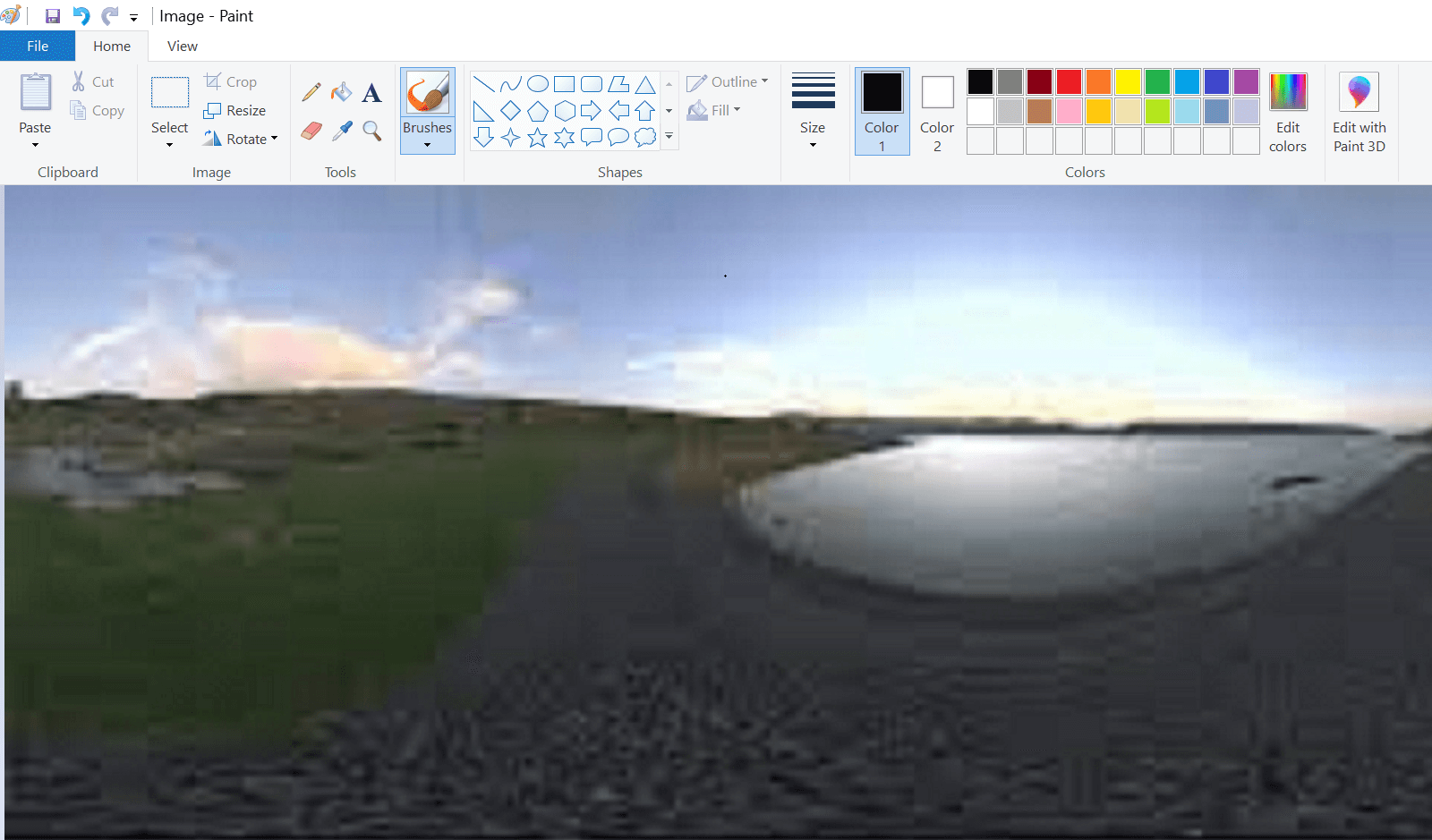
- Move to the File option.
- Click the Save As button.
- Select the GIF Format from the list of choices.
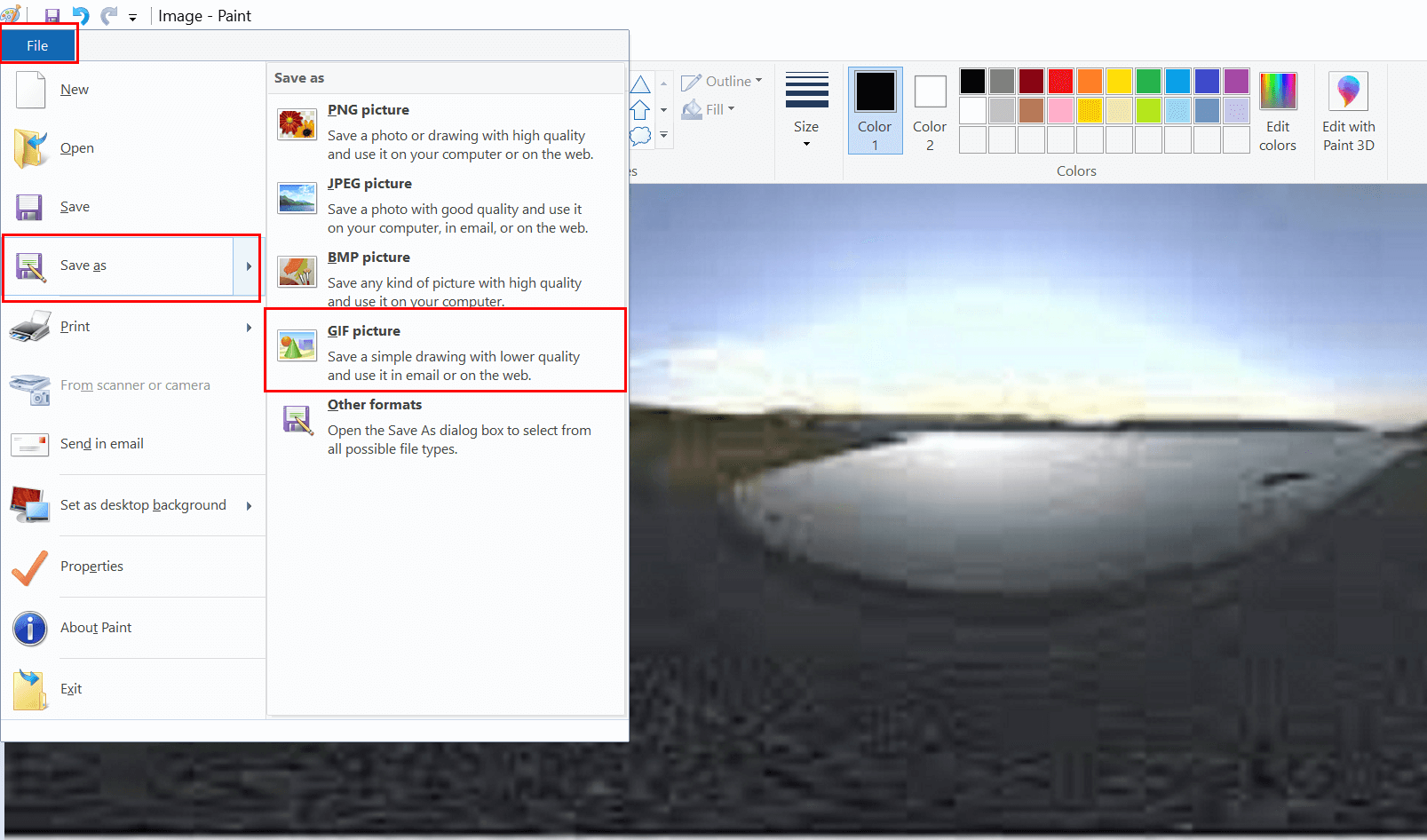
- Assign the name and destination where you want to save your Changed JFIF file.
It is the only manual way to change JFIF to GIF. But this method best fits single JFIF files. When it comes to batch conversion you required an automated tool. Because changing multiple JFIF files would be a frustrating task. But with a professional tool, you can make your task to Export JFIF files to GIF easier. Let us check how?
Convert JFIF Files into GIFs in Bulk using Cigati JFIF to GIF Converter
The Cigati JFIF Converter is a feature-rich tool that can change single or multiple JFIF files to GIFs in just a few minutes. Additionally, you have several options to save your JFIF files like PDF, PSD, EMF, JPEG, XLS, HTML, PNG, and more. Moreover, you can change multiple JFIF files in a single go. Below are the steps to take.


Steps to Convert batch JFIF to GIF Directly
- Download the Cigati JFIF to GIF converter.
- Add the single or multiple JFIF files.
- Choose the saving format as GIF from the list of choices.
- Decide the destination for the resultant JFIF file.
- At last, click the Convert button, and your added JFIF files will Change JFIF to GIF.
Note: After GIF conversion, if you wish to convert your same JFIF file to another format. You can use the utility in the same above-described format.
Conclusion
I hope you have enough options to convert JFIF to GIF. You can opt for the manual approach for a single JFIF conversion. Additionally, you have a limited choice for saving the JFIF file. For instance, if you choose a manual method, you can change a JFIF file into a PNG, JPEG, BMP, GIF, or HEIC file. Moreover, you need to add a file in each turn. But with the professional tool, you have more than 18 formats to change your JFIF files.
You May Also Read: Convert JFIF to PNG
About The Author:

Rohit Singh is a technology professional with 7+ years of experience specializing in email systems, Exchange Server, Office 365, MS Outlook, and data migration solutions. He creates clear, practical, and solution-oriented content to help users and IT professionals resolve complex technical challenges efficiently.
Related Post