Cigati Cigati EML to PST Converter

The Cigati EML to PST Converter is an enterprise-ready tool that is designed to simplify EML to PST conversion. This tool stands out for its flexibility, allowing users to convert EML files into multiple file formats with no data loss. For organizations managing high-volume email archives, this tool ensures seamless interoperability between legacy EML data and modern enterprise environments. This utility is engineered for enterprise teams, IT administrators, and migration specialists who need scalable migration with no downtime.

(Average Rating 4.7 Based on 2356 Reviews)

Benefits of

The Best EML to PST Converter

  • Securely migrate EML data to Outlook PST format while maintaining 100% data integrity.
  • Comprehensive migration of EML file data, including emails, attachments, and metadata.
  • Migrate EML file data into modern cloud environments like Office 365, Gmail, G Suite, Yahoo Mail, and more.
  • Perform bulk migrations from EML to PST in one go, completely hassle-free.
  • Safely export EML file emails along with all their original attachments.
  • Transform EML data into diverse structural formats like PST, MBOX, EML, MSG, PDF, etc.
  • Processes oversized EML files easily without performance degradation, ensuring stable migration.
  • Uphold forensic accuracy by preserving the original structure, formatting, and other metadata.
  • Easily split large PST files into smaller files by defining the size limits in MB or GB.
  • Save time with the Date Filter to perform a conversion from a specific timeframe.
  • Automatically filter out duplicate emails to get rid of multiple copies of the same email.
  • Evaluate the functionalities of the tool by downloading the Free EML to PST Converter software.
Product Box

IT Essentials

EML to PST Converter: Enterprise IT Essentials

Preserve Folder Hierarchy
For business users, maintaining the original folder structure is essential to preserve workflow continuity with zero downtime. Enterprise environments often rely on well-organized mailbox hierarchies to manage large volumes of communication efficiently.
Duplicate Suppression at Scale
The automated deduplication engine efficiently identifies and deletes duplicate messages during the migration process. It identifies duplicates based on key attributes such as subject line, sender and recipient details, timestamps, and message IDs.
PST File Size Management
Prevent Outlook file corruption by splitting an oversized PST file into custom-sized PSTs. The tool lets users set specific size limits in MB and GB. This ensures that the data stays within Outlook's performance threshold.
Data Security
All the conversion is done locally. At no point are emails or attachments uploaded to external servers or cloud environments, eliminating the risk of data interception, leakage, or third-party access.

Exclusive Features

Best EML to PST Converter

EML Converter

Easily Convert EML to PST Format

The Cigati EML File to PST Converter facilitates the conversion of EML files into the Microsoft Outlook PST file format with high precision. It ensures data integrity by exporting all the email attributes, including attachments, subject lines, sender, and recipient fields.

Bulk Conversion

Bulk EML to PST Conversion

This software supports high-volume batch processing, particularly beneficial for IT administrators handling enterprise-scale migrations. It allows organizations to execute bulk operations with zero downtime. This, in turn, reduces manual intervention and accelerates migration timelines.

Preview

Preview EML Files Before Conversion

The EML File Converter to PST Tool provides a built-in preview feature that enables IT teams to verify EML files prior to conversion. This will help minimize the risk of corrupted or incomplete outputs. It will ensure that only the verified data is processed and delivered in the resultant PST files.

Safe and Secure

Securely Split Large PST Files

With the help of the EML to PST Converter software, users can split the large PST files into customized size limits based on the organization's requirements. By doing this, users can be assured of system stability, faster mailbox access, and long-term data reliability.

Email Clients

Export EML Files to Email Clients

Using the EML to Outlook Converter, users can migrate their EML file emails to cloud-based platforms. The tool can migrate EML to Office 365, Gmail, G Suite, Yahoo Mail, Hotmail, IMAP, iCloud, GoDaddy, and Hostgator. To migrate them, the user does not need to have technical expertise.

Date Filter

Advanced Filtering by Date with Duplicate Removal

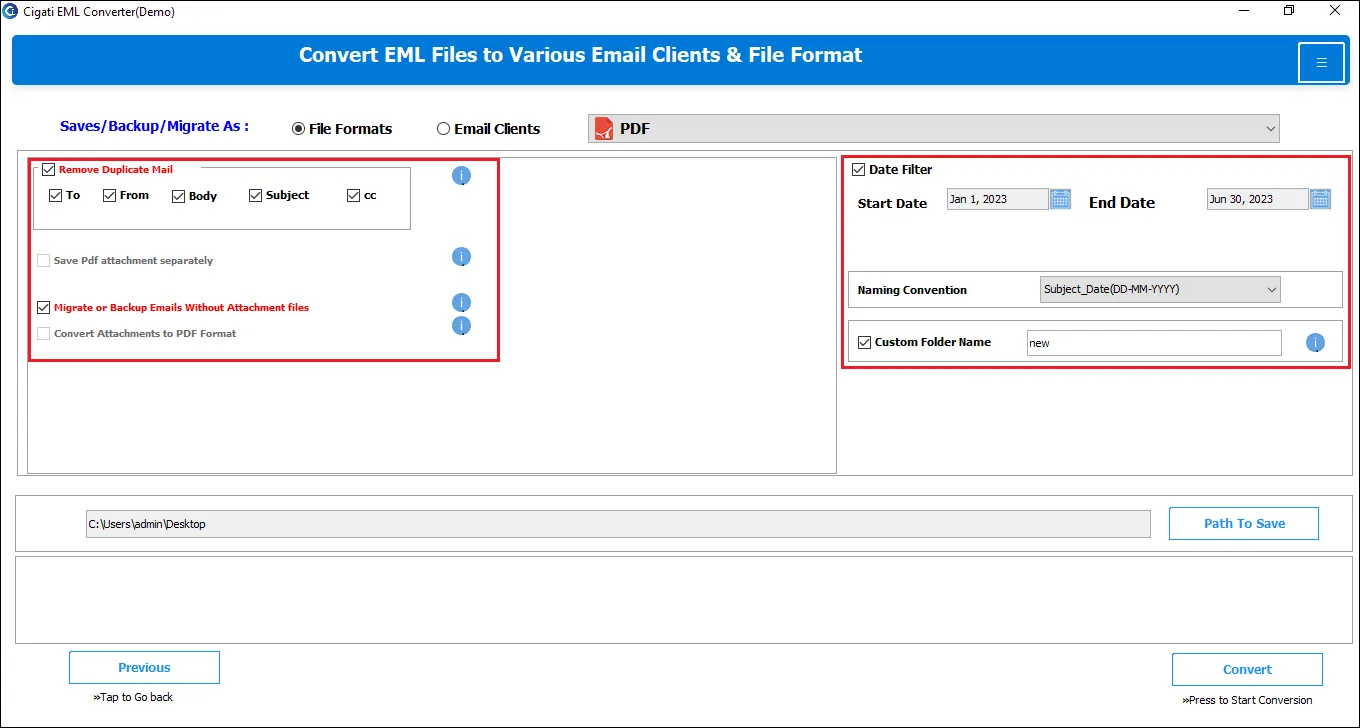
This software incorporates an advanced filtering mechanism. Users can apply the date filter for selective migration of EML files based on specific start and end dates. Additionally, the duplicate removal feature identifies and eliminates the redundant emails in the resultant dataset.

Trial

Free Demo Version for Testing & Validation

The Free EML to PST Converter Tool provides a free evaluation version that allows users to explore its complete feature set. While all core features are enabled in the trial build, it restricts output to 50 email items per EML file during conversion to PST.

window

End-to-End Platform Compatibility

Cigati EML File Converter to PST runs seamlessly across all the supported Windows platforms. The application delivers smooth execution without latency or system conflicts, including on Windows 10 and later versions. It has been systematically tested to ensure compatibility.

Technical Specification

Software Prerequisites & Recommendations

Software Name: Cigati EML to PST Converter Tool
Version Support: Windows 11 & below versions
Size: 284 MB
Version: 25.07
Last Updated: April 2026
Download Link: Download
Product Box
processor-img

Processor:

Hard Disk:

Memory:

Operating System:

trial-img

Trial limitation:

The Free EML to PST Converter is trial software. The trial version of the EML File to PST Converter Tool only allows users to convert up to 50 emails per folder. To unlock full features and perform unrestricted operations, users need to purchase and activate the licensed version.

faq-img

FAQ:

Comprasion Table

Table of Free And Paid Version

Software Features Free Version Full Version
Perform EML to PST Conversion with Data Integrity 50 emails per Folder All
Support Multi-Format Conversion of EML Files to PDF, MSG, CSV, MBOX, HTML, EMLX, and more 50 emails per Folder All
Migrate EML Files directly to Office 365, Thunderbird, IMAP servers, and Other Platforms 50 emails per Folder All
Bulk Import and Process Multiple EML Files in a Single Operation
Process EML Files without any File Size Limitations
Built-in Viewer to Inspect Email Data before Conversion
Advanced Deduplication Feature to Eliminate Duplicate Emails
Apply Date-Range Filters for Selective Email Migration
Option to Exclude Attachments during Email Migration or Backup
Fully Compatible with All Windows Operating Systems
100% Safety along with 24/7 Technical Support
Download and Purchase Download Purchase

FAQ

Frequently Asked Questions

The following are the steps to begin the EML to PST file conversion:

  1. Download and install the Cigati EML to PST Converter Tool.
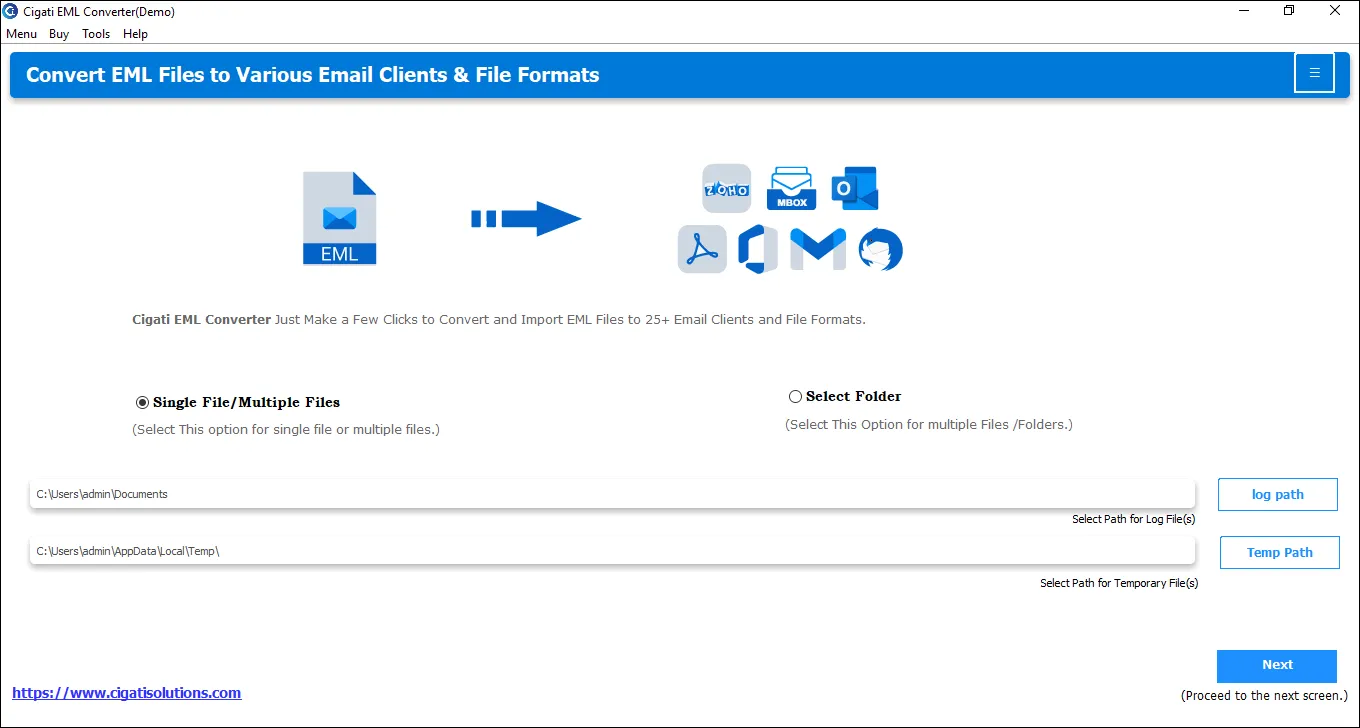
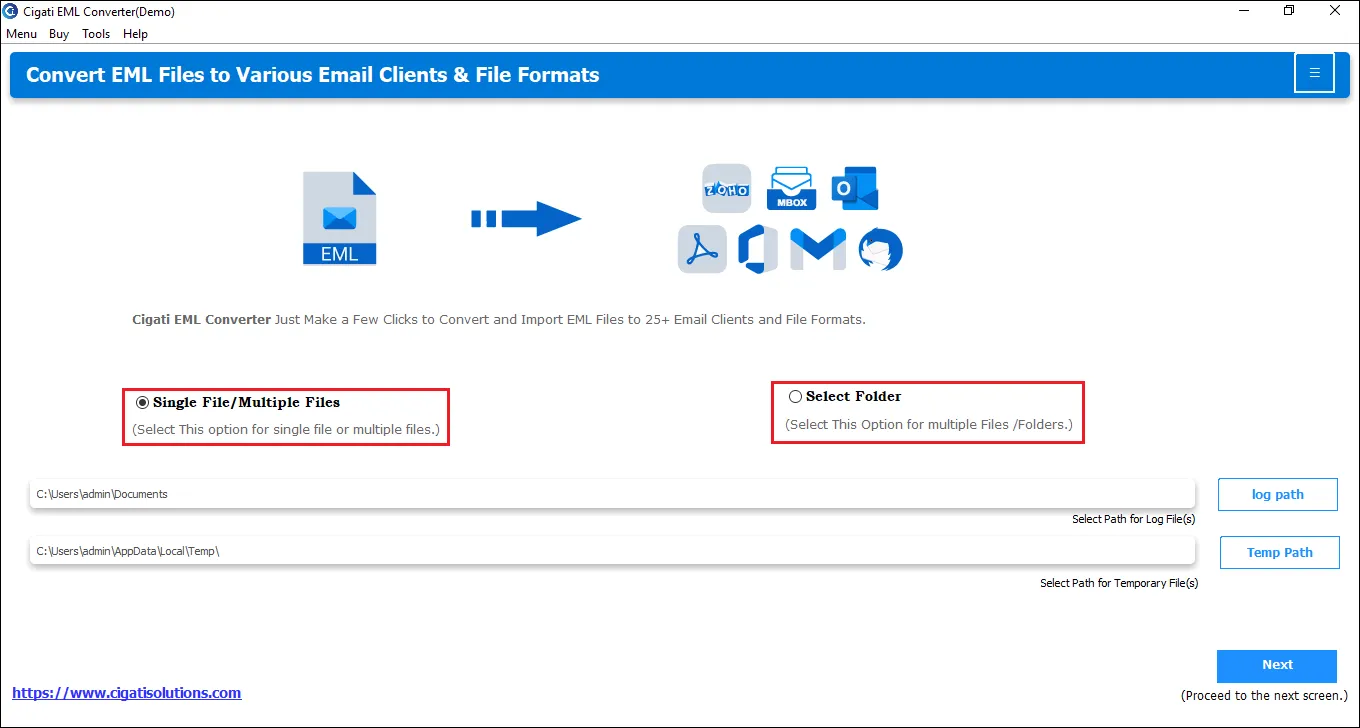
  2. Then, click on either Single File/Multiple Files or Select Folder.
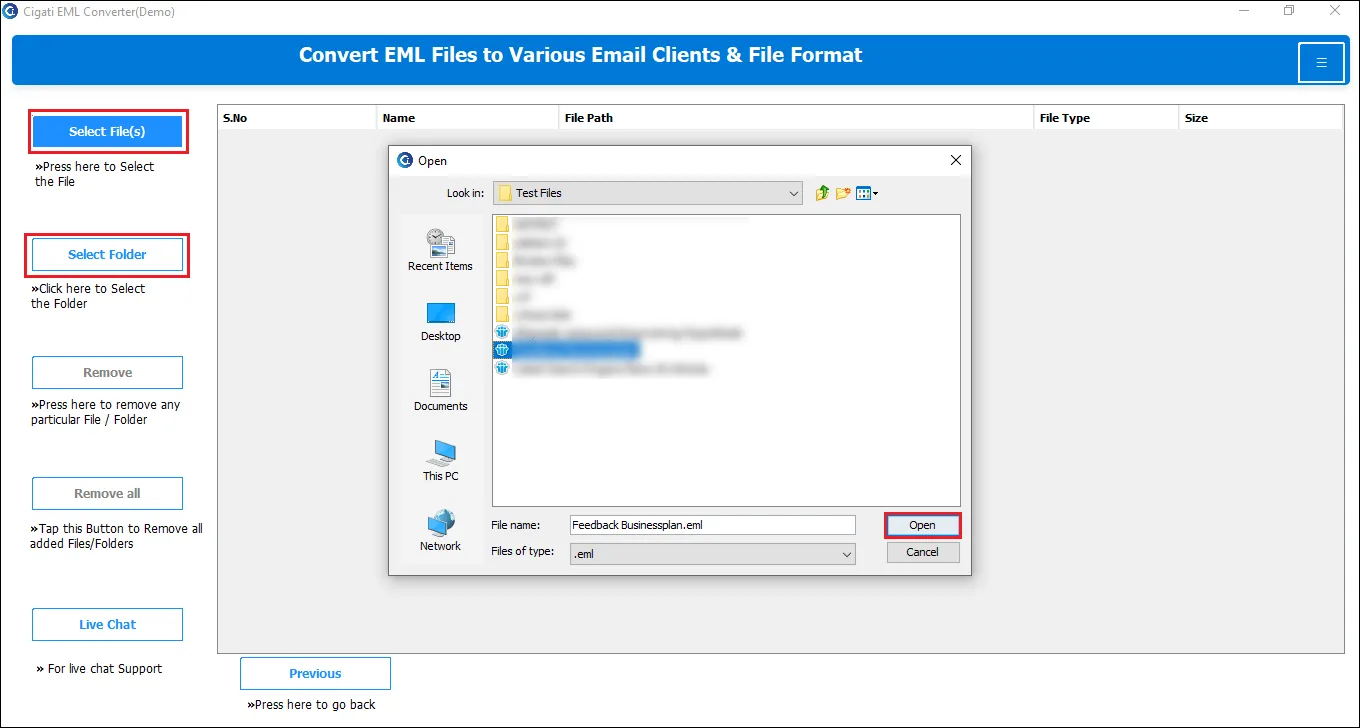
  3. Now, choose the Select File(s) option to browse, select, and open the required EML file.
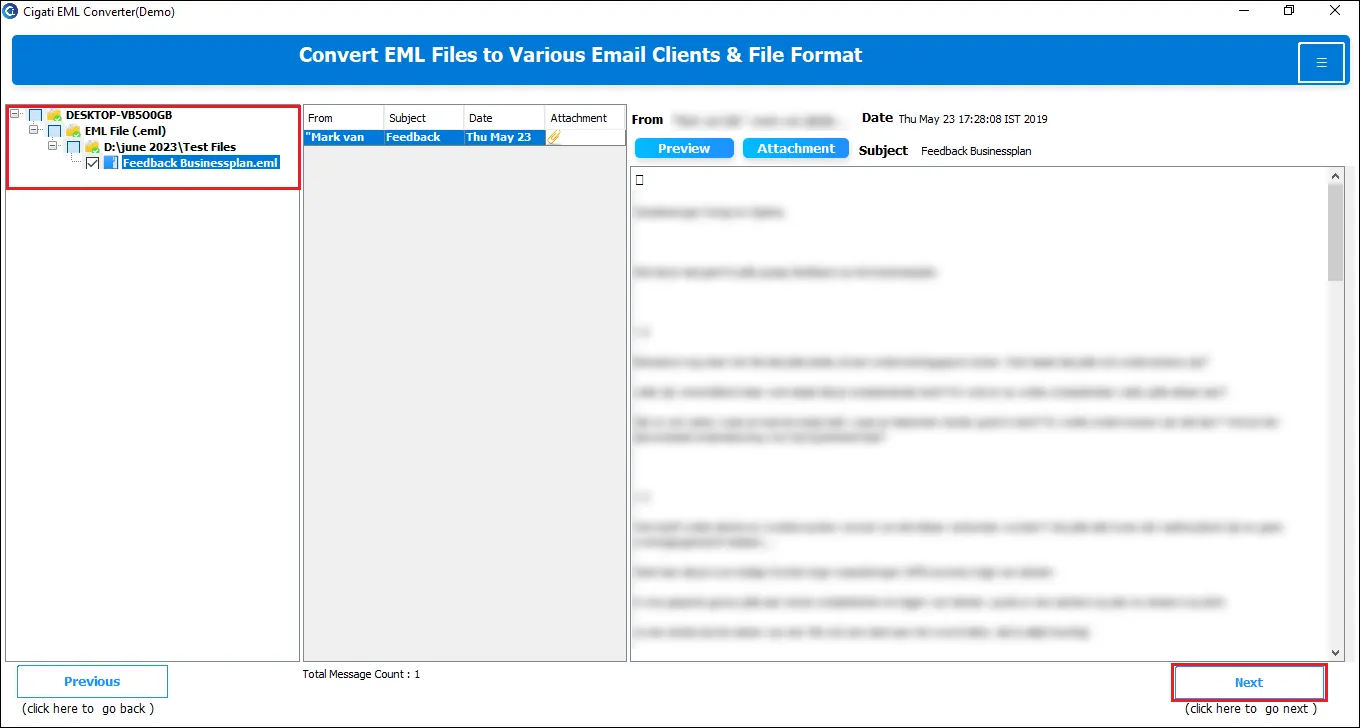
  4. Expand the folders to select the ones you wish to convert to PST format.
  5. Next, preview the files and click on the Next button to continue.
  6. After that, pick File Formats and select PST from the available options.
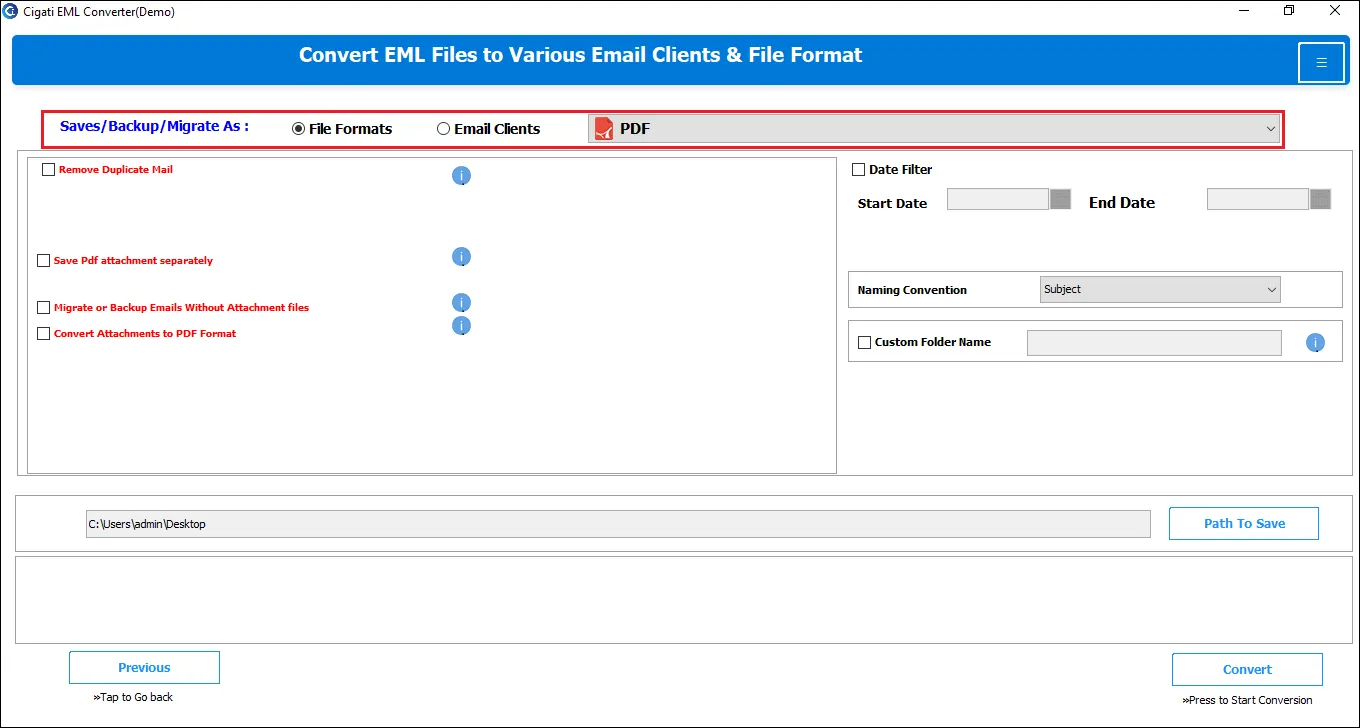
  7. Now, apply the filters such as Remove Duplicate Mail, Split Resultant PST File, etc.
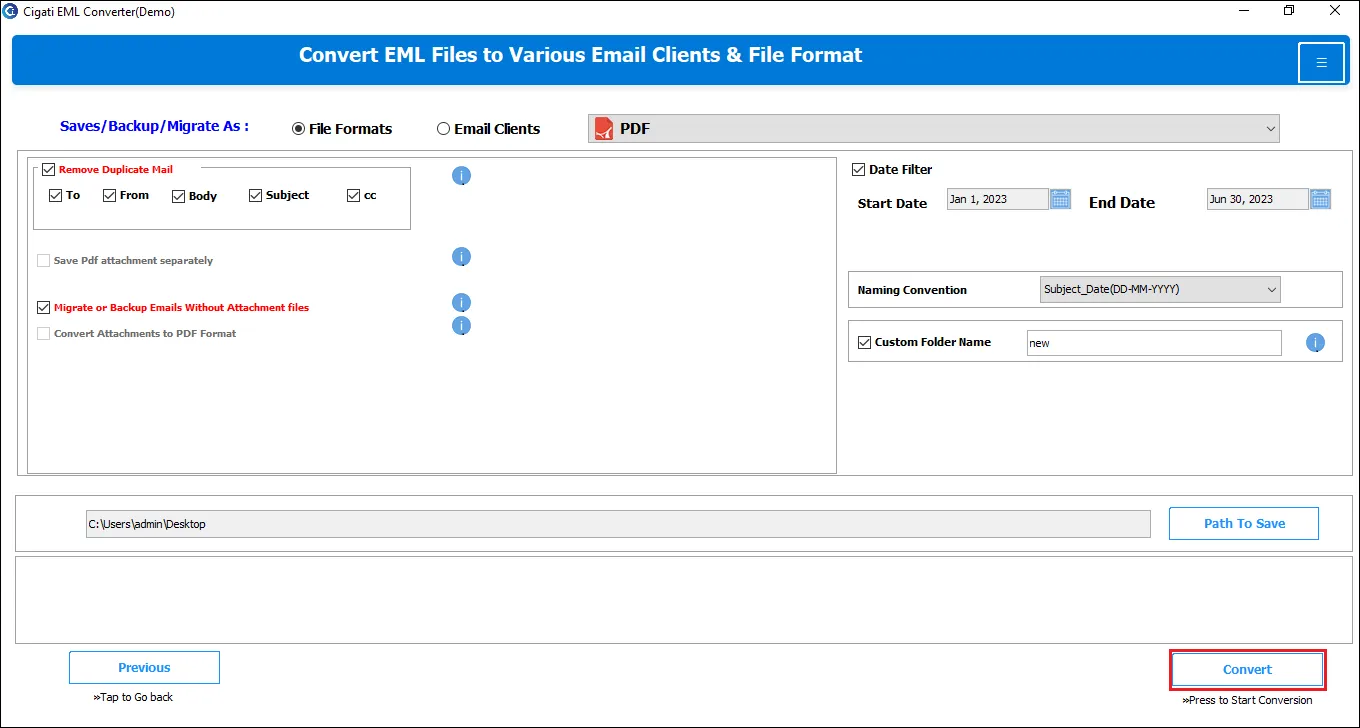
  8. Finally, choose the preferred Path to save the file and click on the Convert button.

Cigati EML to Outlook Converter enables bulk conversion of EML files in one go. It supports handling multiple files simultaneously without affecting email formatting and can process large-sized EML files efficiently.

Yes. To open an .eml file in MS Outlook, just double-click or use the right-click menu. If you're using the older Outlook version or handling multiple files, converting EML to PST is recommended. Additionally, Cigati software allows previewing EML files without needing Outlook.

Yes. Users can easily migrate EML files to Office 365 and to multiple cloud and web-based email services such as Gmail, G Suite, Thunderbird, and IMAP accounts.

Our advanced and Best EML to PST Converter includes powerful features for selective email migration. Users can pick specific EML files from the preview panel and exclude unwanted ones. Additionally, a Date Filter option is available for refined selection.

Client Review

A Glimpse into Client Experiences

Thousands of satisfied customers have chosen our software and praised its reliability and performance. They have shared positive stories about how the Cigati EML to PST Converter Tool has helped them manage their data efficiently.

“We were staring down a migration of 80,000+ EML files across three regional offices with a hard deadline and zero tolerance for downtime. Cigati EML to PST Converter handled the bulk conversion without breaking a sweat.”

James Hargreaves | UK

"Before we committed to migrating a full archive, the built-in preview feature in the EML to PST Converter software let us verify email content. That one feature alone saved us from pushing broken data into our production Outlook environment. The selective conversion and duplicate removal handled the rest."

Michael Schreiber | USA

"The years of EML archives with rampant duplication across shared mailboxes. Cigati EML to Outlook transfer automatically suppresses duplicates quietly, handling what would have taken our support team weeks to clean manually. The output PSTs were lean, organized, and imported into Outlook without a single issue."

Kris Martin | Mexico

Related Blogs

Related guides & how-tos