Cigati Office 365 Backup Tool

Cigati Office 365 Backup Tool offers high-performance backups of primary, shared, archive, and public folders. With modern authentication and flexible filtering, it delivers flexible data management. Furthermore, it simplifies the complex backup tasks while keeping enterprise data fully protected . This tool gives enterprise IT teams centralized control over Microsoft 365 data with zero credential exposure.

(Average Rating 4.7 Based on 1453 Reviews)

Benefits of

Cigati Office 365 Backup Tool

  • Backs up Office 365 emails, contacts, calendars, tasks, and folder structures.
  • Easily move legacy Outlook data: OST and PST into the Microsoft 365 environment.
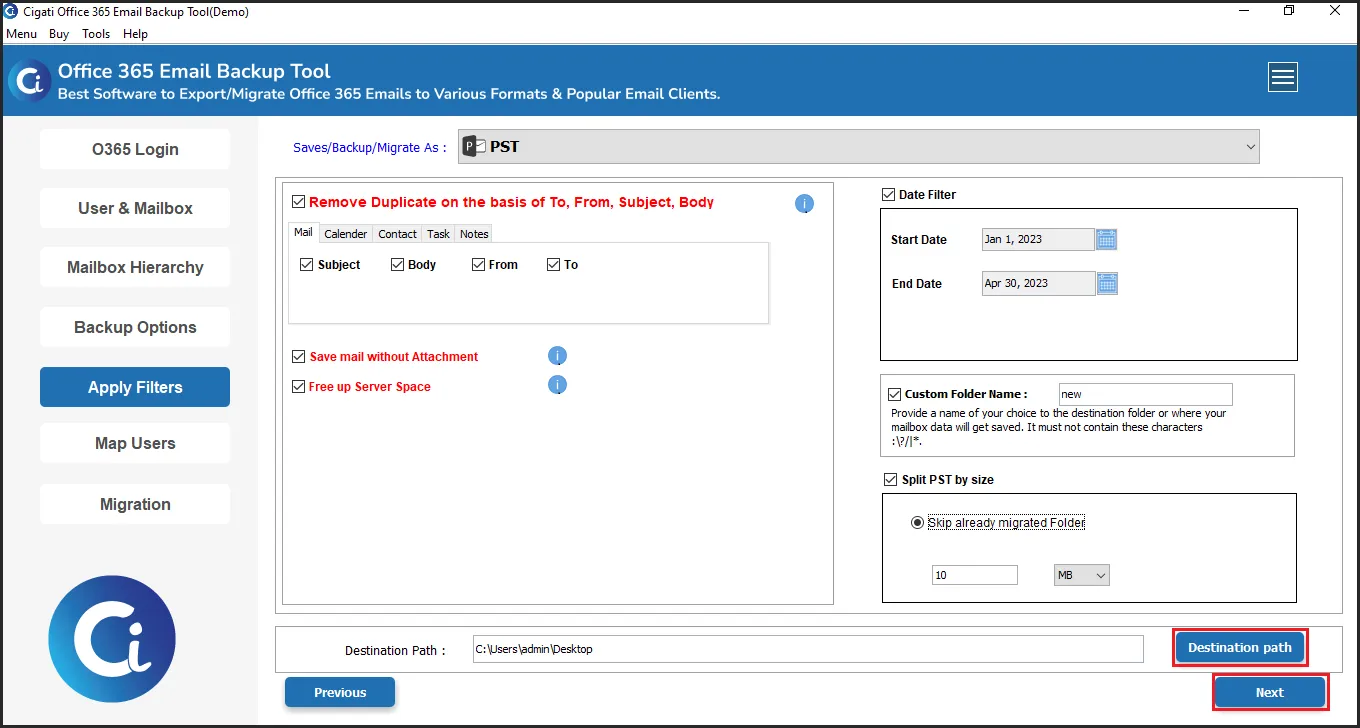
  • Remove duplicity based on To, From, Subject, Bcc, and Body.
  • Export Office 365 data to formats such as PST, MBOX, EML, MSG, CSV, PDF, and more
  • Flexible backup source selection: Primary, Archive, Shared, and Public folders.
  • Direct Microsoft OAuth integration, ensuring no passwords are saved locally.
  • Save time using bulk backup functionality and process multiple Microsoft 365 accounts
    at once.
  • Fully compliant with Microsoft’s Modern Authentication protocols for secured access.
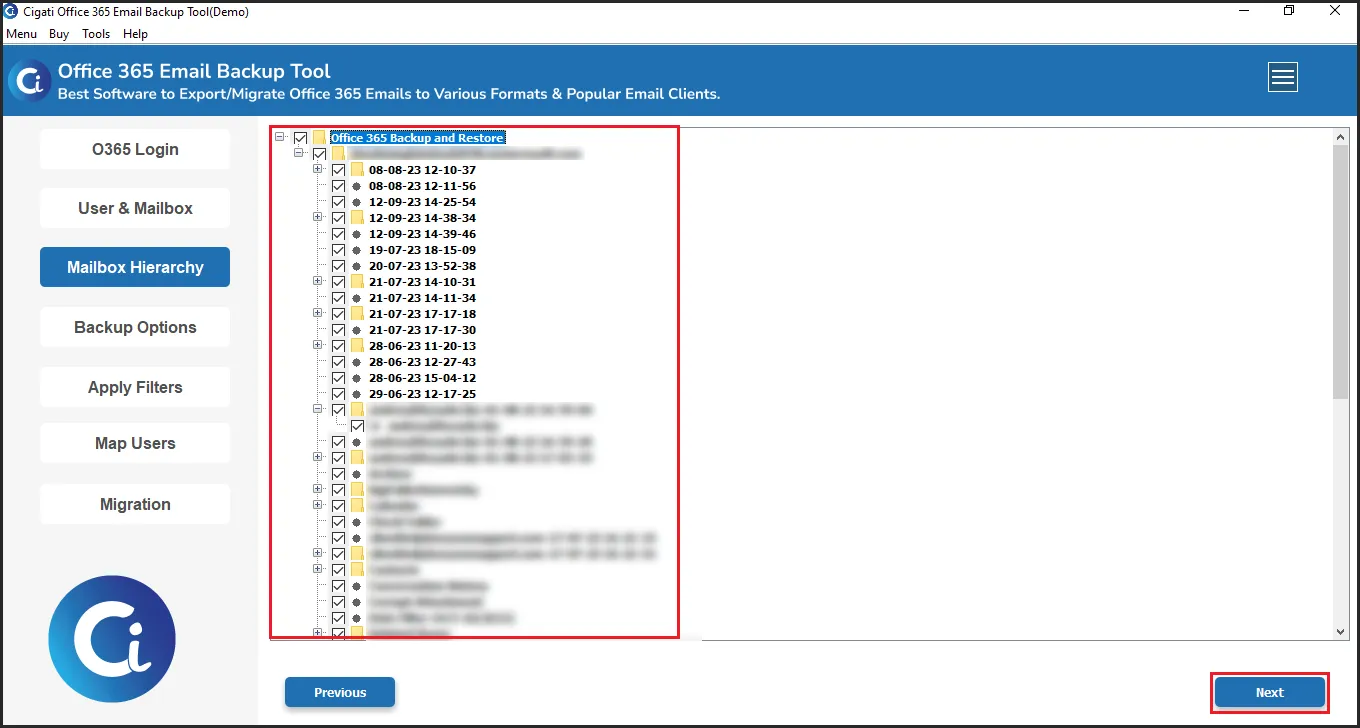
  • Maintain full visibility and control over the original folder hierarchy before starting backup.
  • Accurate user mapping from source to destination for seamless data alignment .
  • Instantly auto-fetches all user mailboxes associated with your Office 365 tenant.
  • Features built-in Date filter for time-specific backups and a custom naming convention .
  • Save space with the de-duplication feature based on To, From, Body, and Subject.
  • Supports backup of Non-English characters and multi-language content with 100%
    accuracy.
  • Cross-platform support for Windows and macOS environments.
Product Box

IT Essentials

Office 365 Backup Tool: Enterprise IT Essentials

Enterprise IT Essentials
The Cigati Office 365 Backup Tool is designed for enterprise environments, ensuring secure and scalable backup for organizational data.
Bulk Backup via Impersonation
Perform backups for multiple accounts simultaneously using admin-level impersonation, eliminating manual logins and automating the process.
Secure OAuth Authentication
Uses Microsoft’s official sign-in portal to ensure credentials are never stored or transmitted, maintaining enterprise-grade security.
Folder-Level Backup
Backup specific mailbox folders like Inbox, Sent, Drafts, and custom folders to optimize storage and improve efficiency.

Exclusive Features

Microsoft 365 Backup Tool

office-365

Secure & Complete Office 365 Mailbox Backup

The Cigati Office 365 Email Backup Tool safely backs up organizations' Microsoft 365 environments. It includes backup of emails, contacts, calendars, tasks, notes, and all mailbox items in a single operation. This tool backs up Primary, Archive, Shared, and Public folders, ensuring no critical business data is lost.

 OST to PST Files

Easy Mailbox Restoration from OST and PST Files

The Cigati software can recover mailbox data from existing OST and PST files, preserving the original folder structure, metadata, and integrity . During Outlook-to-cloud migrations and local-to-cloud transitions, retaining historical data ensures compliance and supports ongoing business processes .

migration

Efficient Cross-Platform Mailbox Migration

With the help of Office 365 Backup Software , move Microsoft 365 mailbox data directly to Microsoft 365, Google Workspace, or IMAP-based mail platforms. Server-to-server migration ensures data accuracy and reduces manual intervention. This makes it suitable for large-scale acquisitions where there is no downtime and data loss.

Export data

Reliable Multi-Format Export for Business Data

The Office 365 Backup Tool exports Office 365 mailbox data to PST , MBOX, EML, MSG, CSV, and PDF. This is useful for everything from legal discovery and compliance reporting to platform migration. Also, this ensures that your data is ready for any storage or migration scenario without any additional conversion tools.

mail-icon1

Manage Multiple Mailboxes via Impersonation

Administrators can execute tenant-wide backup operations across all user accounts in a single run using the Cigati Microsoft 365 Email Backup Tool impersonation rights. This reduces the administrative overhead for IT teams managing hundreds of mailboxes. All accounts are protected consistently, without repetitive manual steps.

data-filter

Date-Specific Filtering & Custom Folder Naming

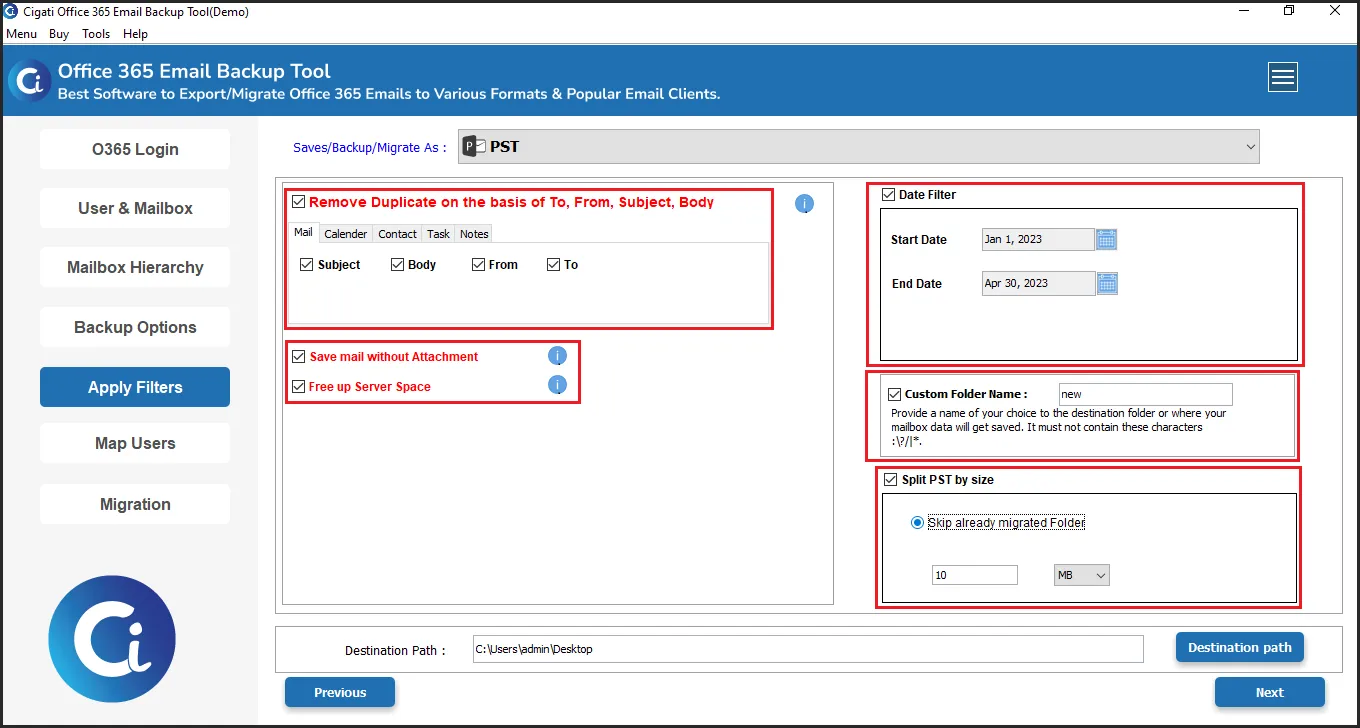
The Microsoft 365 Backup Tool saves time and storage by utilizing its date filter feature. This feature is useful for incremental backups. Also, the custom folder naming functionality allows users to organize exported data in a structure that aligns with internal filing conventions, improving discoverability and long-term data management.

365 backup

Post-Backup Storage Reclamation

With the Cigati Office 365 Backup Software , once the backup has been successfully confirmed, the backed-up mailbox data can be removed from Microsoft 365. This helps reclaim cloud storage space and decrease licensing expenses. Also, this is particularly useful for long-term email archiving strategies.

Cross Platform Support

Cross-Platform Deployment

The Cigati software is fully compatible with Windows and macOS environments. The solution can be implemented across mixed operating system environments. The enterprise IT teams can standardize on a single backup solution regardless of endpoint or server operating system.

Technical Specification

Software Prerequisites and Recommendations

Software Name: Cigati Office 365 Backup Tool
Version Support: Windows 11 & below versions
Size: 217 MB
Version: 26.04
Last Updated: April 2026
Download Link: Download
box
processor-img

Processor:

Hard Disk:

Memory:

Operating System:

trial-img

Trial limitation:

The trial version of the Office 365 Backup Tool is designed for evaluation and supports backup of up to 50 items per folder. Upgrade to the full version to unlock unlimited backup and access all features without restrictions.

faq-img

FAQ:

Comprasion Table

Table of Free And Paid Version

Software Features Free Version Full Version
Save Office 365 Mailboxes in Different Export Formats 50 Items per folder All
Backup Office 365 Emails, Contacts, Calendars, and Tasks 50 Items per folder All
Migrate Office 365 to Microsoft 365, Google Workspace, and IMAP Accounts 50 Items per folder All
Backup Multiple Office 365 Accounts in a Single Operation
Filter Data by Date and Eliminate Duplicate Emails
Optimize Office 365 Storage by Freeing Server Space
Simplify Mailbox Migration with Advanced User Mapping
Fully Compatible with Windows and macOS
24*7 Tech Support & 100% Secure
Download and Purchase Download Purchase

FAQ

Frequently Asked Questions

Backing up the Office 365 account is easy with the Cigati Office 365 Backup Tool:
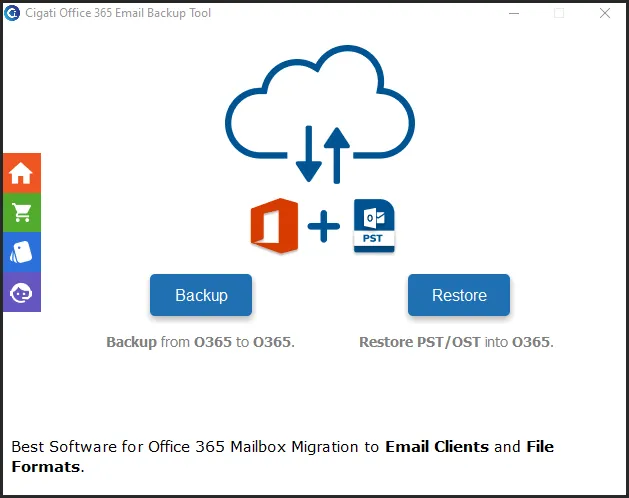
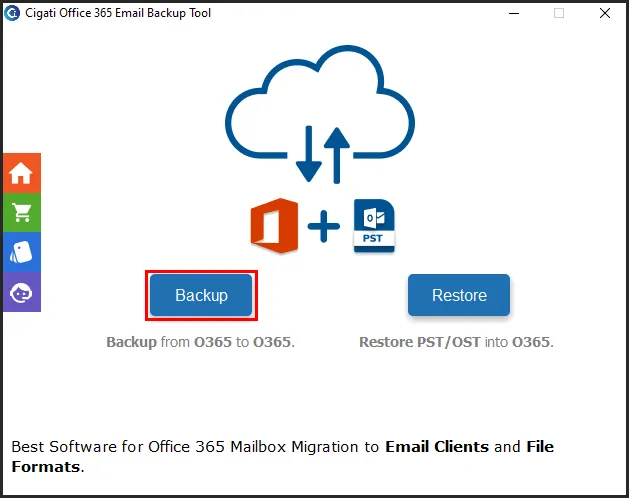
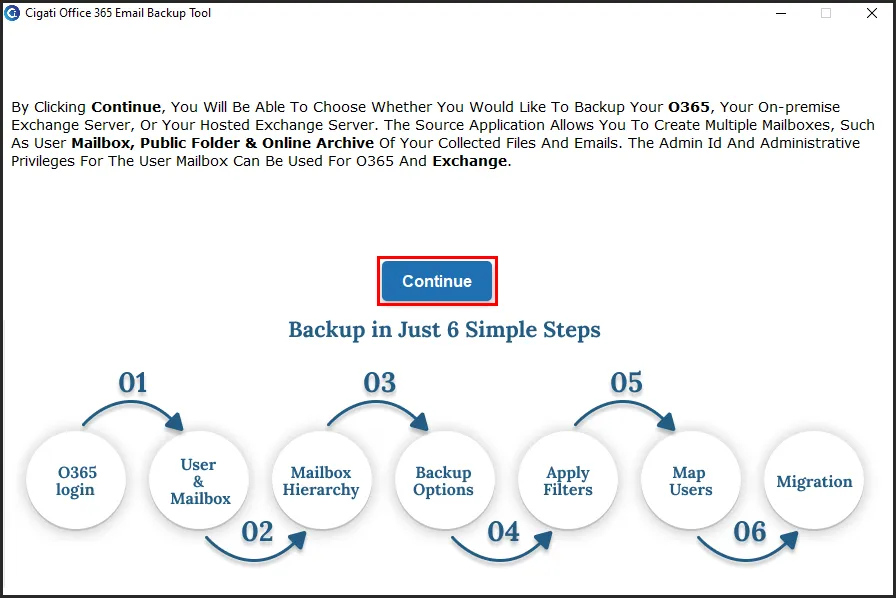
  • Download and install the Microsoft 365 Backup Tool on your PC. Tap Backup > Continue.
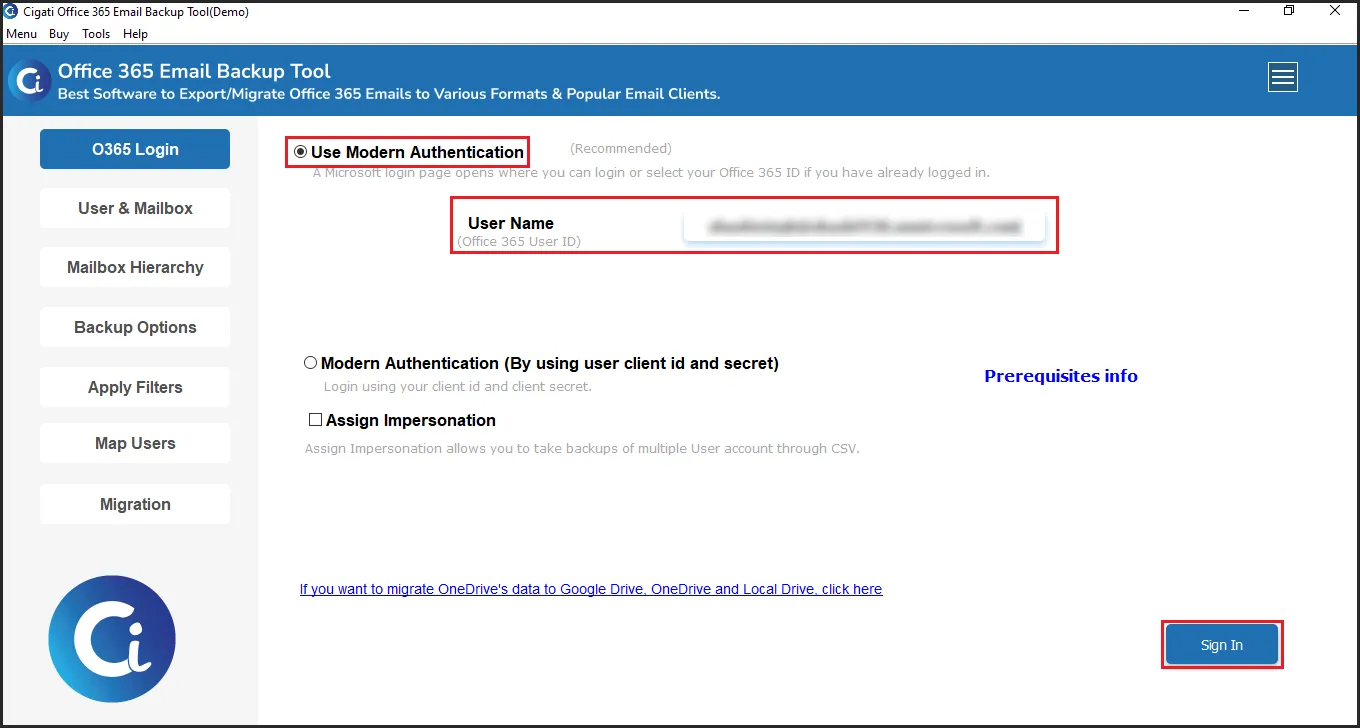
  • Launch the tool and choose Modern Authentication, and enter the Office 365 User ID. Click on Sign In.
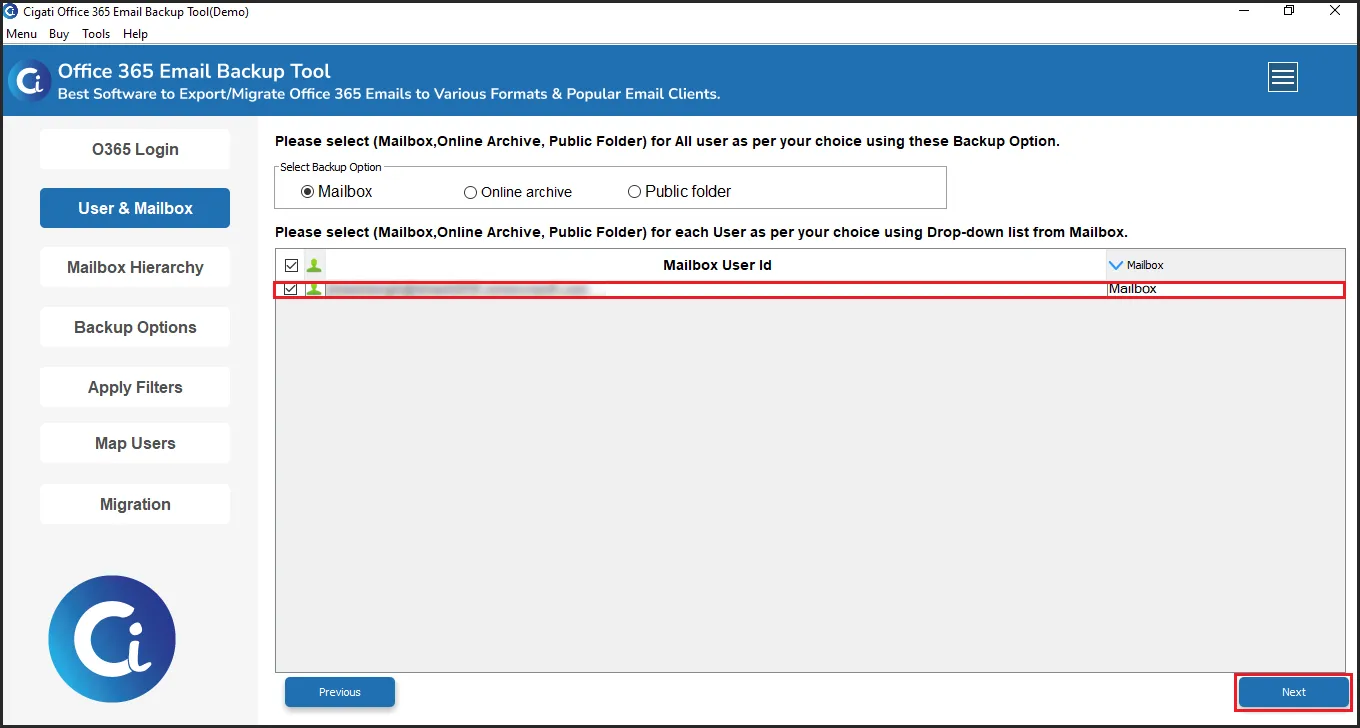
  • Now, choose from Primary, Online archive , or Public Folders and select User ID as per the requirement. Then, click Next.
  • Then, expand the mailbox folders and select the ones you want to backup.
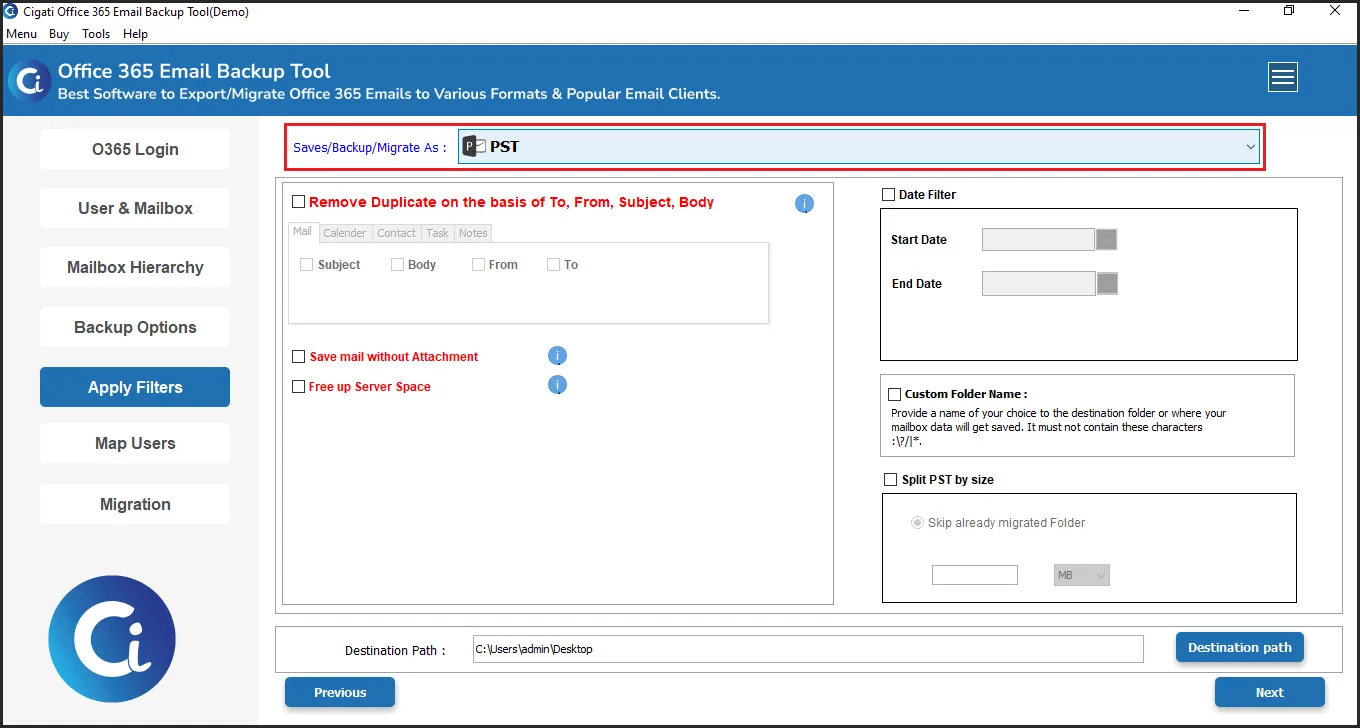
  • Next, choose the saving format as the desired file format.
  • You can also apply the additional filters and pick the Destination Path to save the file.
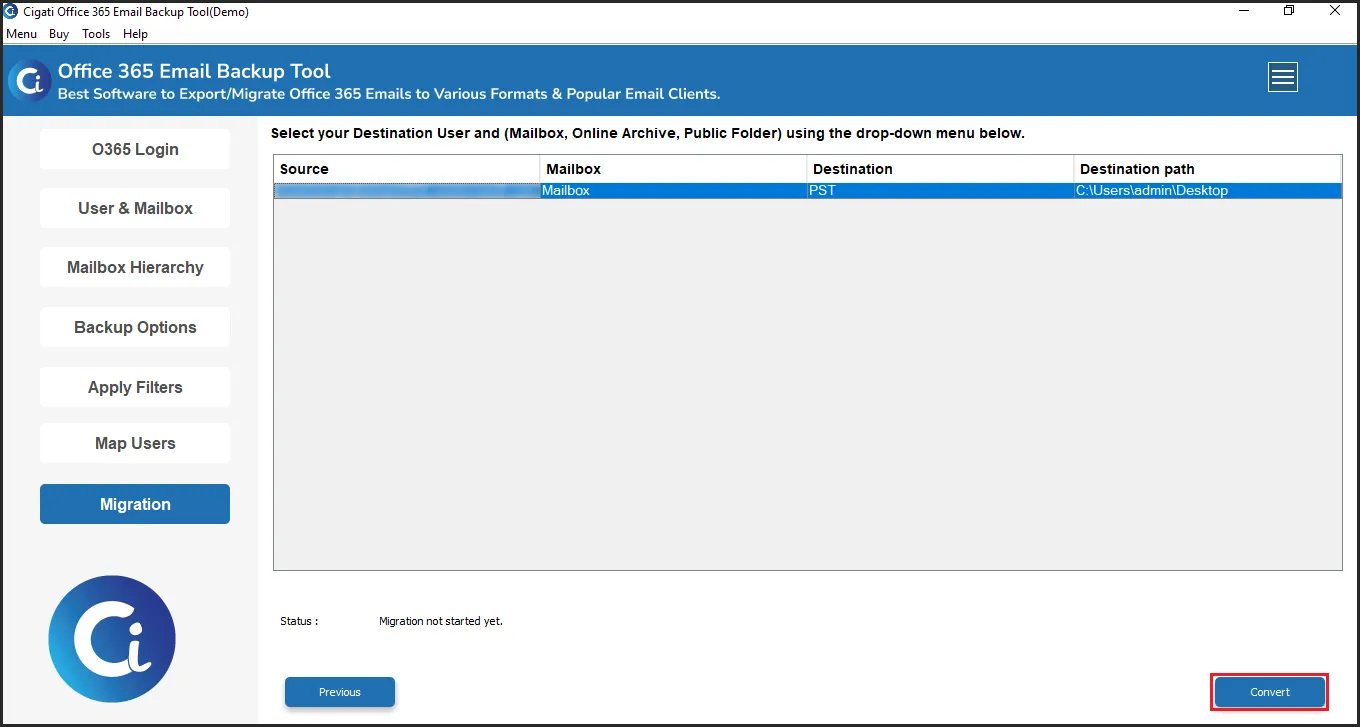
  • At last, click on the Backup button to start the backup process.

Yes. The Office 365 Email Backup Tool is designed to support several Office 365 and Microsoft 365 plans, including Business, Enterprise, Education, Exchange Online, and Firstline.

Using the Microsoft 365 Backup Tool , users can securely back up complete mailbox data from Microsoft 365, including contacts, emails, calendars, tasks, notes, and attachments, as well as shared mailboxes, public folders, and archive mailboxes.

A free demo version of Cigati Office 365 Mailbox Backup Software is available to help you evaluate the solution before buying it. By using the trial, you can inspect the interface, try the backup process, and determine if the software meets your business requirements.

Yes. With the free demo version of the Office 365 Backup Software, users can only convert up to 50 items per folder. Users can upgrade to the premium version to gain a complete mailbox backup.

Admin consent is required when the application needs access beyond a single user’s data, such as organization-wide or multi-user permissions. In such cases, only a Microsoft 365 administrator can approve the login for security purposes.

Yes. Modern Authentication requires user sign-in access to generate the authentication token. If sign-in is disabled, the tool cannot connect or access mailbox data. Please ensure user sign-in is enabled for all accounts before using Modern Authentication.

Client Review

A Glimpse into Client Experiences

Thousands of satisfied customers have chosen our software and praised its reliability and performance. They have shared positive stories about how the Cigati Office 365 Backup Tool has helped them manage their data efficiently.

Cigati Office 365 Backup Tool has become an essential part of our data protection strategy. It allows us to back up complete mailboxes with full control over folders and users. The interface is intuitive, and the backup process runs smoothly without affecting live mailboxes.”

Daniel Wright | Brussels

“We tested several Office 365 backup solutions, but Cigati Microsoft 365 Email Backup Tool stood out for its accuracy and reliability. The ability to export data into multiple formats while maintaining folder structure and metadata makes it ideal for our enterprise environment.”

Sophia Martinez |USA

“What impressed us most was the secure Microsoft authentication and selective backup capabilities. Managing multiple Office 365 user backups at once is extremely efficient, and the date filter helps us retain only what our compliance policies require.”

Lucas Meyer | Mexico

Related Blogs

Related guides & how-tos