Cigati OLM Converter Tool

The Cigati OLM Converter Tool is a complete solution for Mac Outlook users. It’s often difficult to access OLM emails on different platforms. This software enables users to add and convert multiple OLM files without data loss. Easy to access Outlook for Mac emails on Windows Outlook or other platforms – quick, safe, and easy. This tool is trusted by IT professionals, Migration Specialists, and Technical Teams across enterprise organizations, SMBs, and startups.

(Average Rating 4.8 Based on 3625 Reviews)

Key Benefits of

Cigati OLM File Converter

  • Save OLM emails to PST, MSG, PDF, EML, MBOX, CSV, DOCX, PNG, and more formats.
  • Without any risk of file corruption, convert one or multiple OLM files in bulk.
  • Migrate OLM to Office 365, Gmail, GoDaddy, Google Workspace, and many IMAP accounts.
  • Maintains 100% data integrity, preserves email formatting, metadata, and folder hierarchy.
  • Supports OLM files of all sizes, as well as those created by different versions of Mac Outlook.
  • Backup or migrate emails without attachments, keeping only the text messages.
  • Use the Remove Duplicate Emails filter to eliminate all duplicate messages.
  • Convert OLM to PST, then split the PST into multiple smaller PSTs using the Split PST feature.
  • Preview Mails in Browser feature lets you open emails directly in a web browser.
  • Apply Date Range Filter to backup only selected emails from specific time periods.
  • MBOX Segmentation feature allows users to split OLM files into multiple smaller MBOX files.
  • It is highly compatible software and is available for both Mac and Windows OS users.
  • Try the Free OLM Converter to test the software by converting up to 50 emails per folder.
benefit-img

Supported Mac Outlook Versions

The Cigati OLM Converter for Mac supports OLM files created by all major Outlook for Mac versions.

Microsoft Outlook 2011 for Mac
Microsoft Outlook 2016 for Mac
Microsoft Outlook 2019 for Mac
Microsoft Outlook 2021 for Mac
Outlook for Microsoft 365 (Mac)

IT Essentials

OLM Converter Tool: Enterprise IT Essentials

OAuth 2.0 Authentication
All the cloud migrations are secured via OAuth 2.0. The tool never stores or transmits user credentials to Cigati servers. Hence, natively meets the security requirements of both small businesses and large enterprises.
Zero Data Loss Guarantee
This conversion engine ensures total data fidelity by preserving all email headers, metadata, folder structures, and attachments. The built-in preview tool allows IT Admins to audit the output before it reaches the end users.
100% Local Processing
With this tool, the local OLM to PST, PDF, EML, and MBOX conversions run entirely on-device. All the data remains strictly on the user’s local machine, supporting GDPR compliance. This ensures that you stay compliant with data residency rules, making it a safe choice for both enterprise and highly regulated SMBs.
License Controlled Access
Prevent unauthorized access to private mailboxes by leveraging our tiered licensing model. With Standard, Admin, Technician, and Enterprise licensing, IT leads can precisely manage migration permissions in multi-user setups. This ensures only authorized IT staff can perform migrations, safeguarding sensitive company data.

Newly Launched Features of

Cigati OLM Migrator Tool

Powerful Preview Functionality
  • Quick advanced search functionality to sort the emails based on To, From, and Subject.
  • In case the preview fails, use the Open in Browser option for seamless viewing.
MBOX Segmentation Users can split the MBOX file by File Size limit or create a Single MBOX per folder.
Handling Attachments Choose how the attachments are treated during the migration:
  • Export attachments separately as independent files
  • Embed attachments & access them within the exported file
  • Exclude attachments, reducing the file size
User-Defined PDF Saving Preferences

Customize the resultant PDF file size and save the file in the preferred sizes.

Significant Functionalities of

Cigati Mac OLM Converter Software

Batch Convert Mac Outlook OLM Files

Batch Convert Mac Outlook OLM Files

The Cigati OLM Converter Tool offers a batch conversion feature, which lets users convert multiple OLM files in one go. Irrespective of the number of OLM files you want to convert, the software processes them all together smoothly. Also, it supports large OLM files and ensures the same data accuracy across every file.

Open OLM Files Without Outlook

Export OLM Files in Diverse Formats

Since OLM is a proprietary format, users find it difficult to access on Windows. So, use the best OLM File Converter to save OLM as PDF, PST, EML, MBOX, MSG, PNG, ICS, DOCX, and more formats. Thus, you can also access OLM files without Outlook for Mac as well as locally on your Windows system.

Migrate OLM to Different Email Clients

Migrate OLM to Different Email Clients

The software also features the ability to migrate OLM files to multiple email platforms directly. It allows users to import OLM emails to Office 365, Gmail, Google Workspace, Thunderbird, and many IMAP-supported email services. You can sign in securely and move your emails to the new account in just a few clicks; no technical setup is needed.

Preview Mails Through Browser

Preview Mails Through Browser

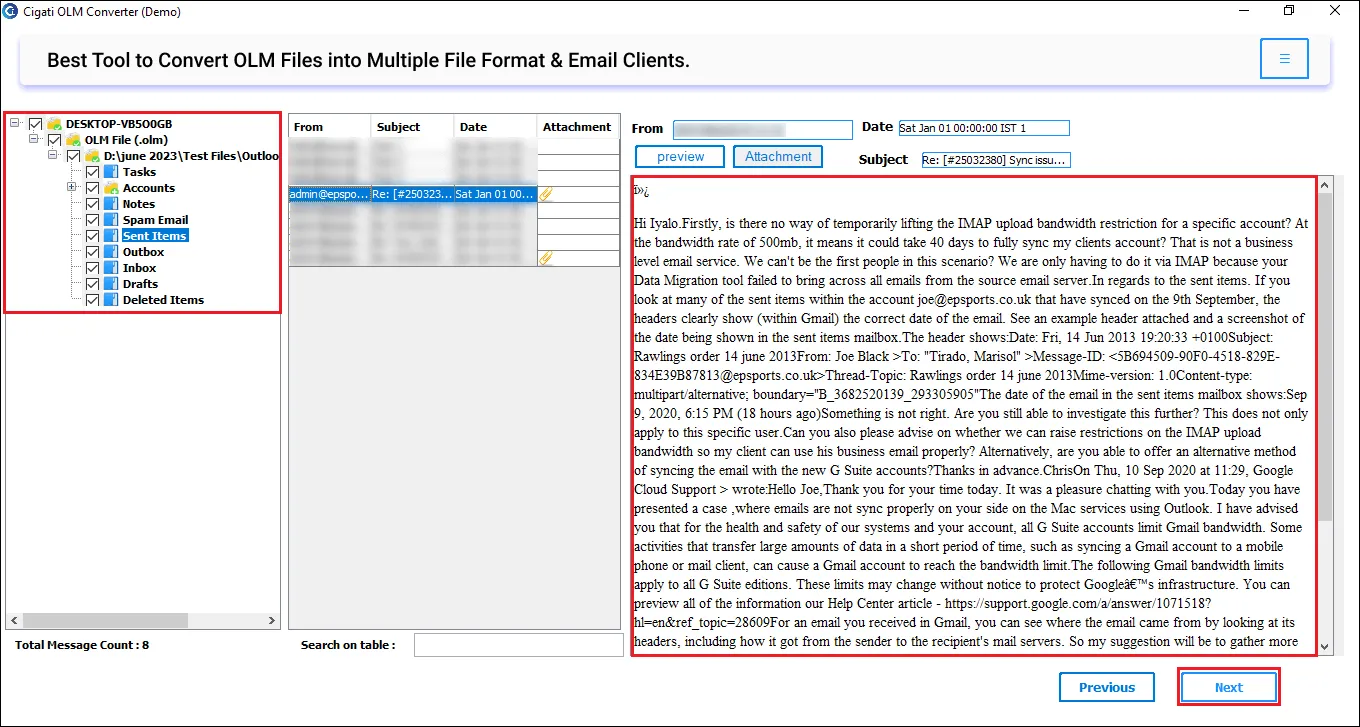
Cigati OLM Converter has a built-in preview option that allows you to view all your emails, attachments, and metadata before conversion. Additionally, its new Preview Mails on Browser feature lets you open and read OLM emails directly in your web browser. It’s an easy and comfortable way to review your data before proceeding to convert.

Save Emails With or Without Attachments

Save Emails With or Without Attachments

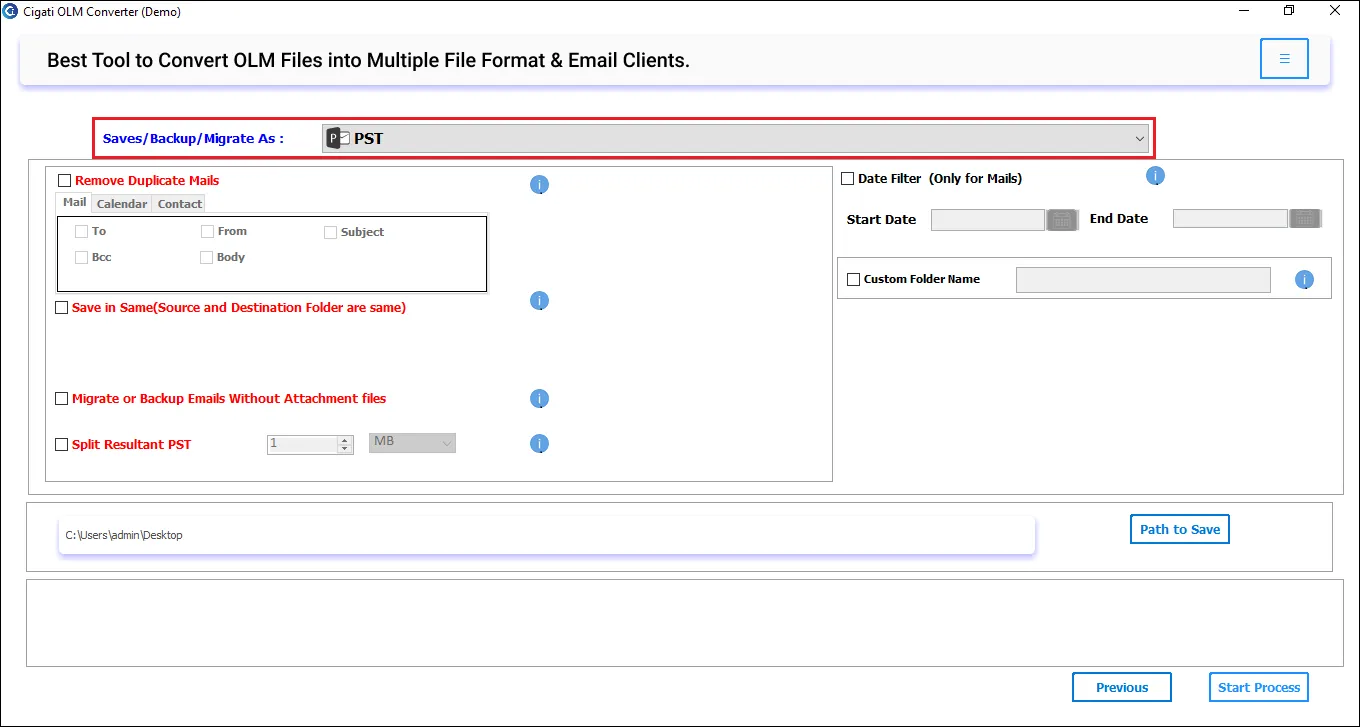
While converting OLM files, you can also decide whether you want to export complete emails (with attachments), export them separately, or export only the email content. Selecting the Exclude attachments or Export attachments separately option helps users convert only the text version of emails and skip attachments. This ensures saving space or speeding up migration.

Convert Emails Selectively

Convert Emails Selectively

Like the manual method, you don't need to convert your entire OLM mailbox every time. Cigati OLM Converter for Mac lets users migrate emails selectively with a Date Range Filter. Also, with the Remove Duplicate Mails feature, you only convert what matters and eliminate all duplicate emails. Hence, these features help create a precise and lightweight backup file. This makes it ideal for phased enterprise migrations.

Save OLM to PST and Split PST File

Save OLM to PST and Split PST File

The software also lets you convert OLM to PST format. Moreover, it gives you the flexibility to split the resultant PST file into smaller parts. This is useful because large PST files are hard to manage in Outlook and prone to corruption. You can divide them by size (1GB, 2GB, 5GB, etc.) to avoid corruption and improve performance.

Skip Previous Migrated Emails

Skip Previous Migrated Emails

If you are someone who needs to convert OLM files regularly, this feature is a real time-saver. The Skip Existing Exports option detects and avoids re-migrating already transferred emails. Simply select this feature before conversion. It will prevent duplicate copies and ensure faster conversions in future sessions.

Trial Software for Evaluation

Trial Software for Evaluation

Cigati OLM Converter Tool offers a free demo version. Using this free tool, you can test all the premium features and convert limited emails. It allows converting up to 50 emails per folder at no cost. As per experts, it’s a great way to evaluate the tool’s performance before purchasing the full version.

Unmatched Windows Compatibility

Unmatched Windows Compatibility

The software is fully compatible with all Windows OS versions. The tool runs smoothly without any additional installation or setup, providing a smooth experience to both beginners and professionals. Moreover, it is available for both Mac and Windows users; you just need to download the right software.

Technical Specification

Software Prerequisites & Recommendations

Software Name: Cigati OLM Converter Tool
Version Support: Window 11 and its below version
Size: 245 MB
Version: 26.02
Last Updated: April 2026
Download Link: Download
box
processor-img

Processor:

Hard Disk:

Memory:

Operating System:

trial-img

Trial limitation:

Try the Free OLM Converter to test all features of the software before buying. The demo allows conversion of up to 50 emails per folder. To convert the entire OLM mailbox, upgrade to the full version for complete access.

faq-img

FAQ:

Comprasion Table

Table of Free OLM File Converter and Paid Versions

Software Features Free Version Full Version
Save OLM emails to PST, MSG, EML, ICS, PNG, MBOX, PDF, DOCX, CSV, and many other email and non-email formats Convert 50 Emails per Folder
Migrates OLM directly to various Web-based and Desktop-based email services like Gmail, Office 365, GoDaddy, Thunderbird, Google Workspace, and more. Convert 50 Emails per Folder
Supports batch OLM conversion
Handles large and bulky OLM files
Preview emails in the panel or browser
Remove duplicate emails
Custom Folder Name Feature
Skip Existing Exports
Apply Date Range Filter
Convert or migrate emails without attachments
Split the Resultant PST file
MBOX Segmentation
PDF File Size Restriction
24*7 Tech Support & 100% Secure
Windows OS Compatibility
Download and Purchase Download Purchase

FAQ

Frequently Asked Questions

Use the best software and follow the steps as directed:

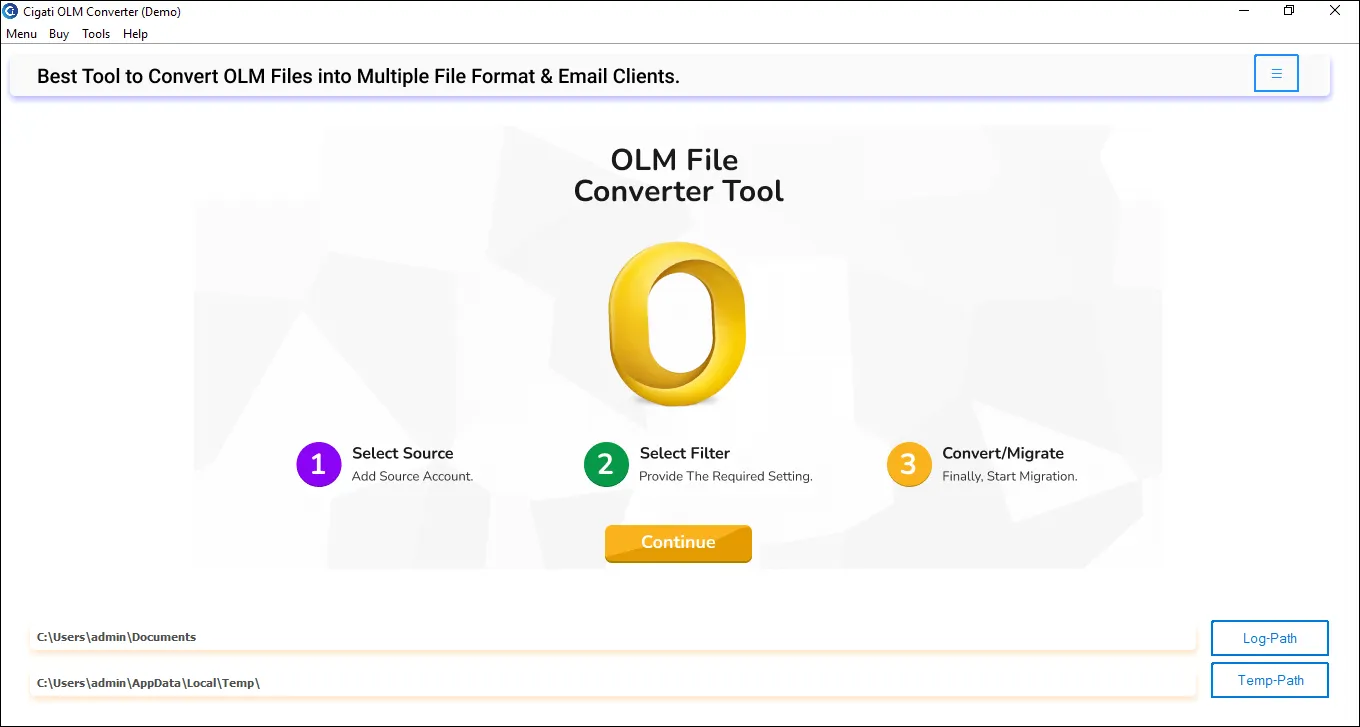
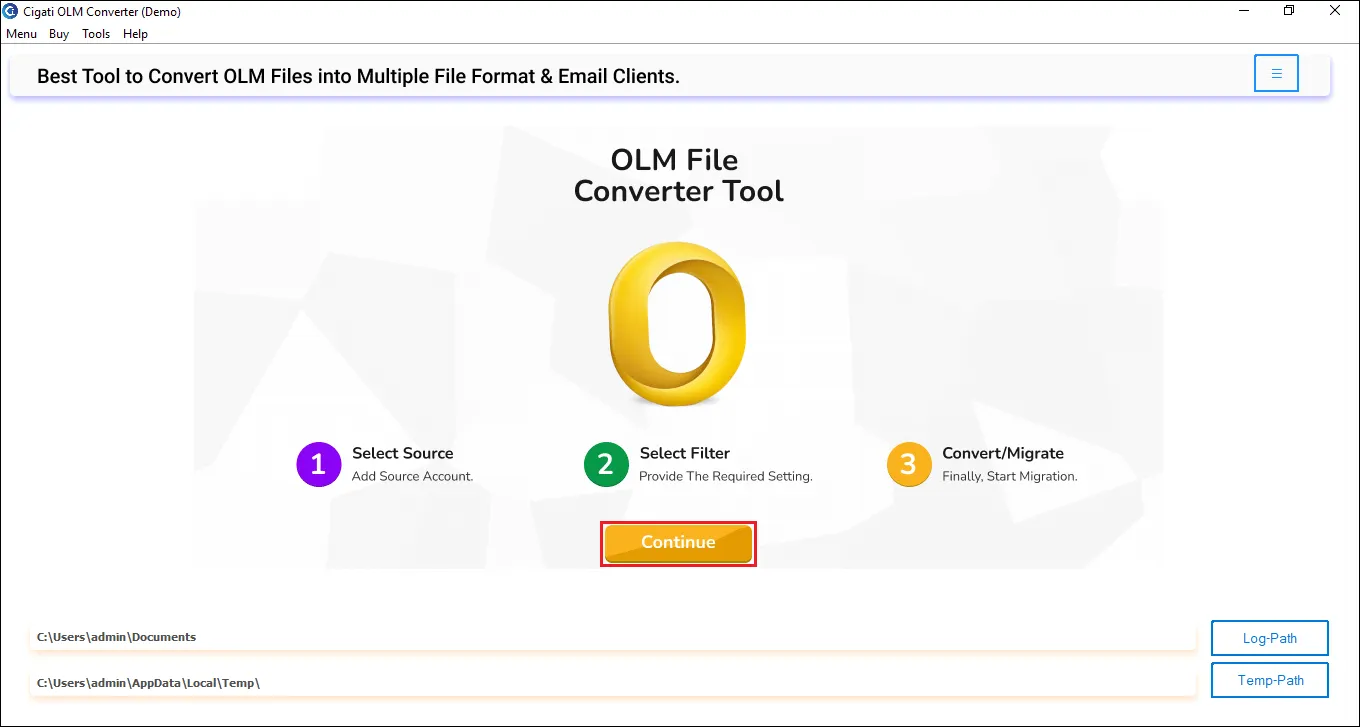
  • Install the Cigati OLM Converter Tool and launch it.
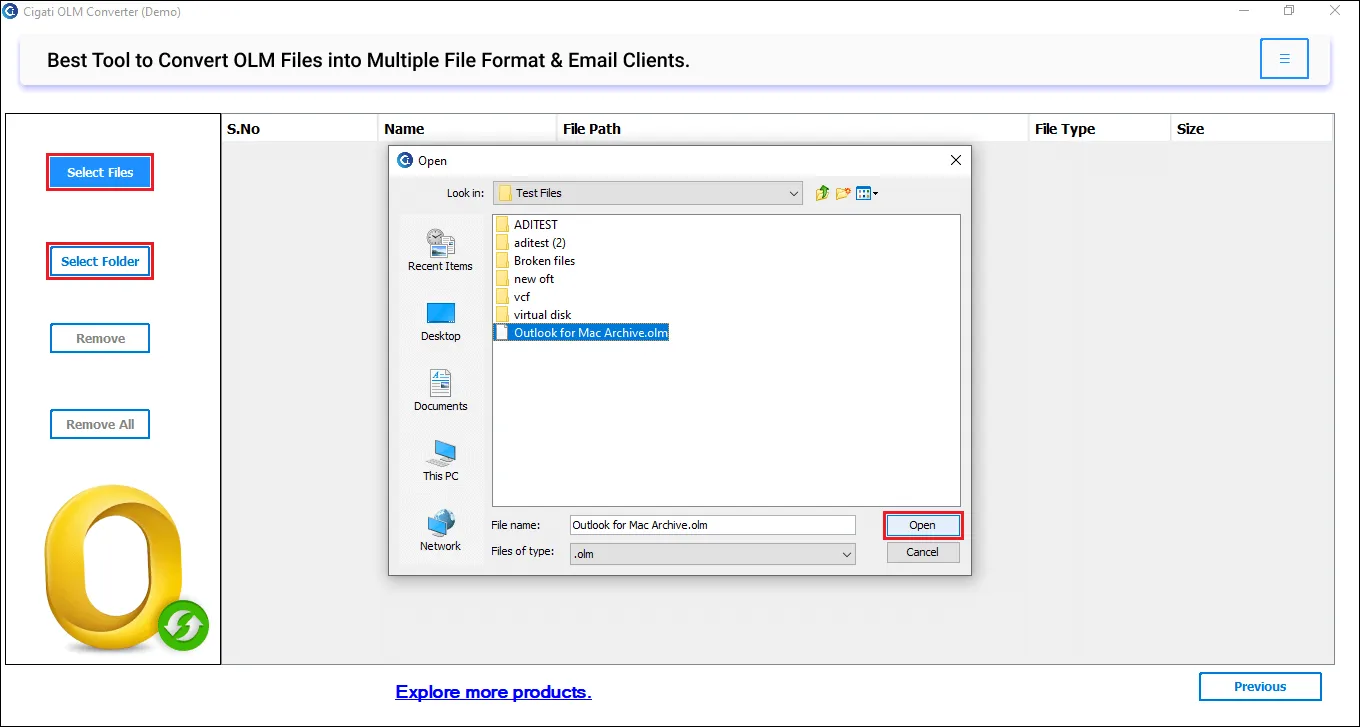
  • Select and add OLM files you wish to convert.
  • Preview folders and emails from the OLM file further. Click Next.
  • Choose an output format to save emails, PDF.
  • If needed, choose optional filters for selective conversion.
  • Lastly, click on Convert, and the OLM to PDF conversion begins.

Yes. The software possesses a batch file conversion feature. This ensures users can convert hundreds or thousands of OLM files in one go. Moreover, this does not affect software processing speed, and it maintains data integrity as well.

Here are simple steps you need to follow:

  • Run the Cigati OLM Migrator Software.
  • Select and add Mac OLM files. Click Next.
  • Preview emails, metadata, and attachments.
  • Choose Office 365 as the destination and login.
  • Apply additional filters and click Convert.

Yes, you can export OLM files to CSV format using the Cigati OLM Migrator tool. It’s a great functionality when you need to analyze data in Excel or import contacts elsewhere.

Yes! With the Custom Output Folder feature, you can rename output folders before conversion for better organization. For example, “OLM Backup 2025” or “Work Emails”.

Cigati Software uses a secure OAuth 2.0 authentication process. It doesn’t store or share your login credentials, ensuring complete privacy and data security during migration.

If your OLM file isn’t loading, make sure it isn’t corrupted. Try re-exporting the OLM file from Outlook for Mac and re-add it. If the issue persists, try to repair the file and recover data in a healthy OLM file.

Yes, but only limited emails. Free software is available for testing of features, therefore allows users to convert up to 50 emails per folder only.

Client Review

A Glimpse into Client Experiences

Thousands of satisfied customers have chosen our software and praised its reliability and performance. They have shared positive stories about how the Email Address Extractor Software has helped them manage their data efficiently.

I used Cigati OLM File Converter to move my Outlook for Mac emails to Gmail. The process was quick and smooth. It migrated almost thousands of OLM files with bulky emails with ease. Loved the browser preview feature that helped me open emails before migration! Highly recommended software for beginners as well as professionals.

Benjamin Rossi | Brussels

What I personally liked the most about Cigati OLM Conversion Tool is that it maintains the folder structure and data formatting. Even after converting so many OLM files, the processing was smooth, and emails were saved as before. I must appreciate this excellent software!

Ryan Mitchell | USA

After I switched from Mac to Windows, I had to face several challenges related to older emails. Finally, I have found the simplest software for the quick conversion of all emails from the OLM file. Date Filter and the remove duplicate mails feature helped me filter out important ones and made migration even quicker. Thanks for Cigati OLM Converter for Mac!

Jason Turner | Mexico

Related Blogs

Related guides & how-tos