Benefits of
Outstanding Features of the
Cigati PDF Splitter Tool is a fast and effective software to perform the splitting operation on any PDF file. It is an advanced solution that splits large PDF documents in no time. The software effectively splits the PDF files such that the data remains safe and intact after the splitting operation.
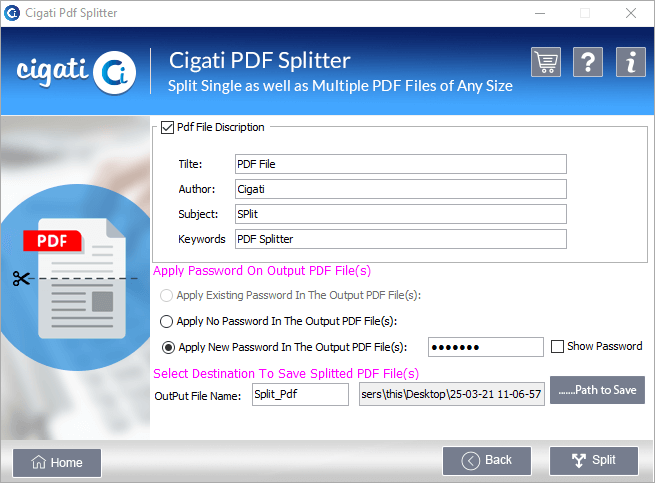
The PDF Split Tool allows users to create a password-free document. In case the original file is locked with a password, you can create a PDF file without any encryption using this software. Choose the Apply no password at the output file option to generate a protection-free resultant file.
Users can break large PDF files into smaller documents using the PDF File Splitter. This software has no file size limitation. So, it can efficiently split PDF documents of any size. During the splitting operation, it provides various features that facilitate the splitting operation for users.
Users can also apply password protection to the resultant files using the Best PDF Splitter. This way, users can protect the PDF document from unauthorized access. The tool allows you to either set a new password or maintain the existing password on the files and keep them safe.
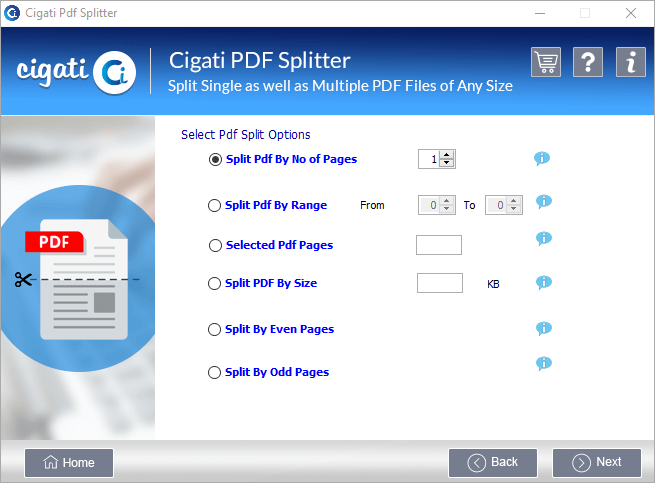
The PDF Splitter Software offers advanced splitting options like split by range, size, even pages, odd pages, etc. All these features facilitate the splitting operation for users. They can create the resultant PDF files as per their requirements. They need to tick the suitable splitting option to enable these options.
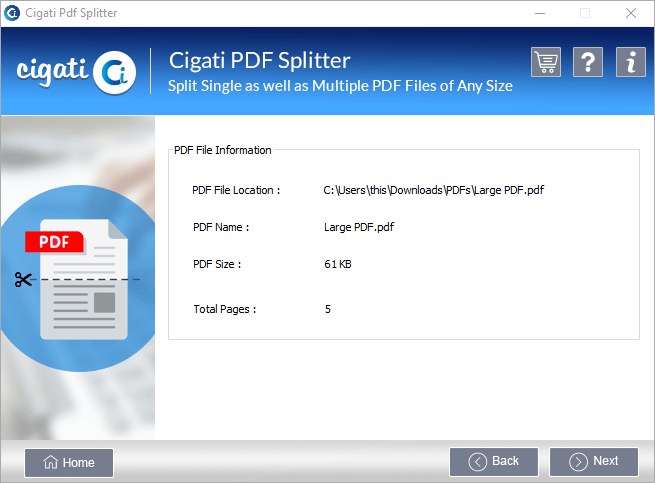
Cigati PDF Cutter displays the file properties before dividing the document. It shows file details like name, location, size, no. of pages, etc. File description appears on the screen as you click the Next button after file selection. So, you can define the splitting operation accordingly. These properties can help users for optimum PDF file splitting.
Besides showing file details, PDF Page Splitter can also modify the properties of the resultant files. You can assign a new title, author, subject, and Keyword to the split documents. The option to edit the file details becomes available as you press the next button after choosing the splitting options. You can define properties of your choice.
Free PDF Splitter software is the demo version that supports PDF files developed on any version of Adobe Acrobat. It can read the data of any PDF document. This software is a tool to split PDF files and offers advanced features to simplify the process. This software maintains the version of the PDF file while splitting the documents.
The PDF Document Splitter ensures the safety and integrity of the PDF files. It has an advanced algorithm that maintains the integrity of the content. The software reads the original file content and creates new PDF files. So, users can separate the required portion from a PDF file without damaging the parent file data. No data will be harmed during the splitting process of PDF files.
The Cigati PDF Splitter supports all the major versions of Windows. So, you can download and run the application on your Windows-based PC. The software is available for both 32-bit and 64-bit operating systems. Besides, the application has a small size, which makes it compatible with PCs having low RAM.
Technical Specification
| Software Name: | Cigati PDF Splitter Tool |
| Version Support: | Windows 10 and its below version |
| Size: | 126 MB |
| Version: | 21.07 |
| License: | S/A/T/E |
| Download Link: | Download |
Processor:
Hard Disk:
Memory:
Operating System:
Trial limitation:
The trial version of PDF File Splitter offers all the features of the full software. It enables you to check the functionality and performance of the software. But the trial version only allows you to split 50 PDF files. So, buy the complete software to split unlimited large PDF files without any hassle and data loss.
FAQ:
Comprasion Table
| Software Features | Free Version | Full Version |
|---|---|---|
| Split a large, oversized PDF file into multiple small PDFs | 50 PDFs with a watermark | All files without a watermark |
| Remove password protection from the PDF file | ||
| Set a New password protection for the resultant files | ||
| Supports all PDF files created on any Adobe Acrobat version | ||
| Modify the output PDF file properties | ||
| Save split PDF files at the user-defined location | 50 PDFs with a watermark | All PDFs without a watermark |
| Allow modification in the PDF file description | ||
| Run smoothly on all Windows versions | ||
| Select multiple PDF files at once for splitting | ||
| 24*7 Tech Support & 100% Secure | ||
| Download and Purchase | Download | Purchase |
FAQ
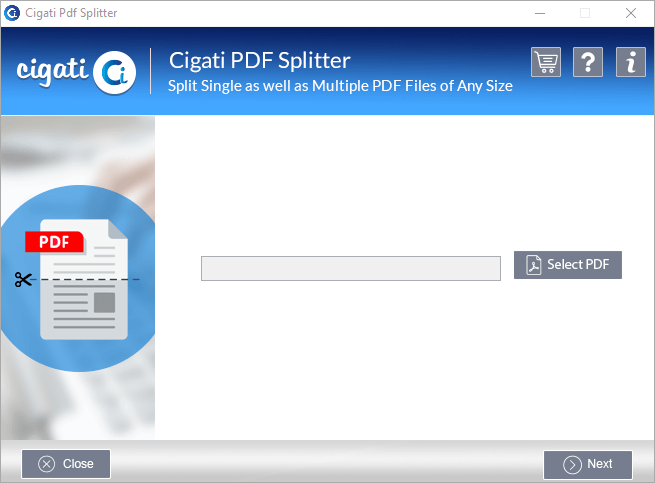
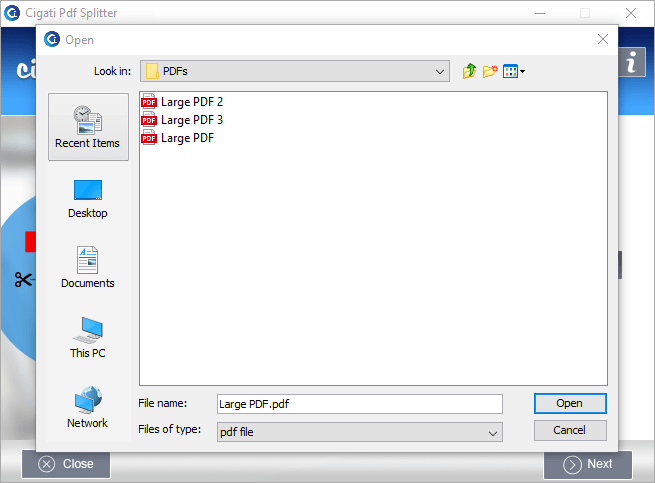
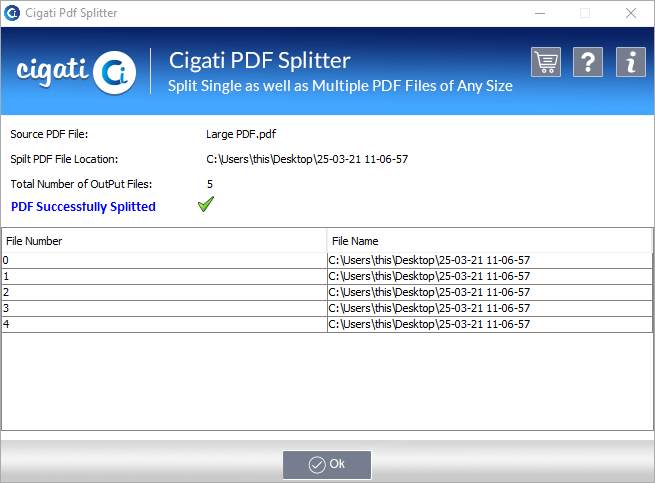
You can follow the steps below to split a large PDF document into smaller files: