Cigati PST Converter

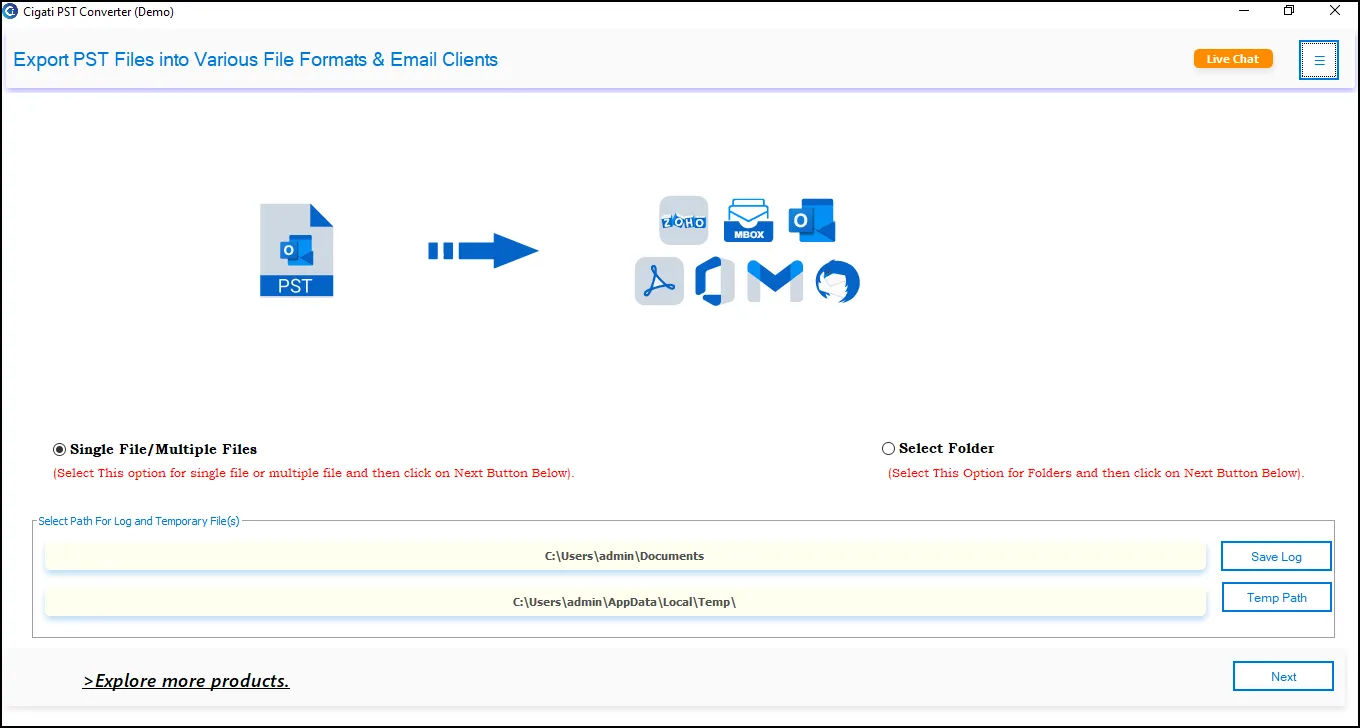
The Cigati PST Converter is a professional-grade software dedicated to convert Outlook PST files into multiple formats for easy accessibility. It supports all PST file types – ANSI & Unicode, and allows users to convert all mailbox components without installing Outlook. With its modern interface and fast processing, the software ensures hassle-free PST conversion for individuals, IT admins, and enterprises.

(Average Rating 4.9 Based on 4586 Reviews)
Note: Cigati PST File Converter Tool supports only healthy files. For corrupted or inaccessible files, use Cigati PST Repair Tool . Recover Outlook emails and other items into a healthy PST file, then proceed with conversion.

Key Benefits of

Cigati PST File Converter

  • Perform batch PST file conversion – convert single or multiple PST files without data loss.
  • Convert PST to PDF, MBOX, EML, EMLX, HTML, CSV, DOC, TXT, MHTML, and more.
  • Read mailbox data, such as emails, attachments, and more, in the preview panel or default browser.
  • The search bar enables users to search specific content in the Folder Tree and in the table.
  • Migrate PST to Office 365, Gmail, Google Workspace, and many IMAP-supported email clients.
  • Supports PST files of all sizes and does not require MS Outlook installation on your PC.
  • Compatible with all Outlook PST formats: ANSI and Unicode, and all versions of Outlook.
  • The Remove Duplicate Mails feature converts unique emails based on selected criteria.
  • Option to backup/migrate emails with or without attachment files for precise output.
  • Feature to Extract All Emails in CSV
  • Provides two options to save attachments: Save them separately or save attachments into a PDF.
  • Use the Date Filter and apply a specific date range for selective Outlook email conversion.
  • Free PST Converter is a demo version that exports the first 50 items per folder for testing.
benefit-img

How Cigati Software Resolves PST Conversion Pain Points?

Common User Pain Points:

  • Slow conversion speed
  • Broken folder structure
  • Blocked PSTs
  • Complex manual methods
  • Experts and Outlook dependency.

Cigati’s Intelligent Solutions

One tool, Zero stress, Maximum efficiency - Cigati PST Converter Tool. This is Enterprise Ready Conversion Software with these features:

  • Zero downtime during migration
  • Accurate conversion of massive PST files without lag
  • Smooth cloud transfer to Gmail, Office 365, IMAP, & Yahoo
  • Automatic handling of hierarchical mailboxes for multi-user PST structures
  • No Outlook installation required

Standout Features of

Cigati PST Converter Tool

Convert PST Files into Multiple Formats

Convert PST Files into Multiple Formats

Cigati PST File Converter Tool helps users convert Outlook PST files into various formats. Save PST to PDF, MBOX, EML, MSG, EMLX, HTML, MHTML, DOCX, TXT, RTF, JPG, PNG, GIF, and more. Every email’s formatting, metadata, and attachments remain intact during conversion. This allows users to access Outlook data across various platforms, devices, and applications without restrictions.

Open, Preview, and Analyze PST Data

Open, Preview, and Analyze PST Data

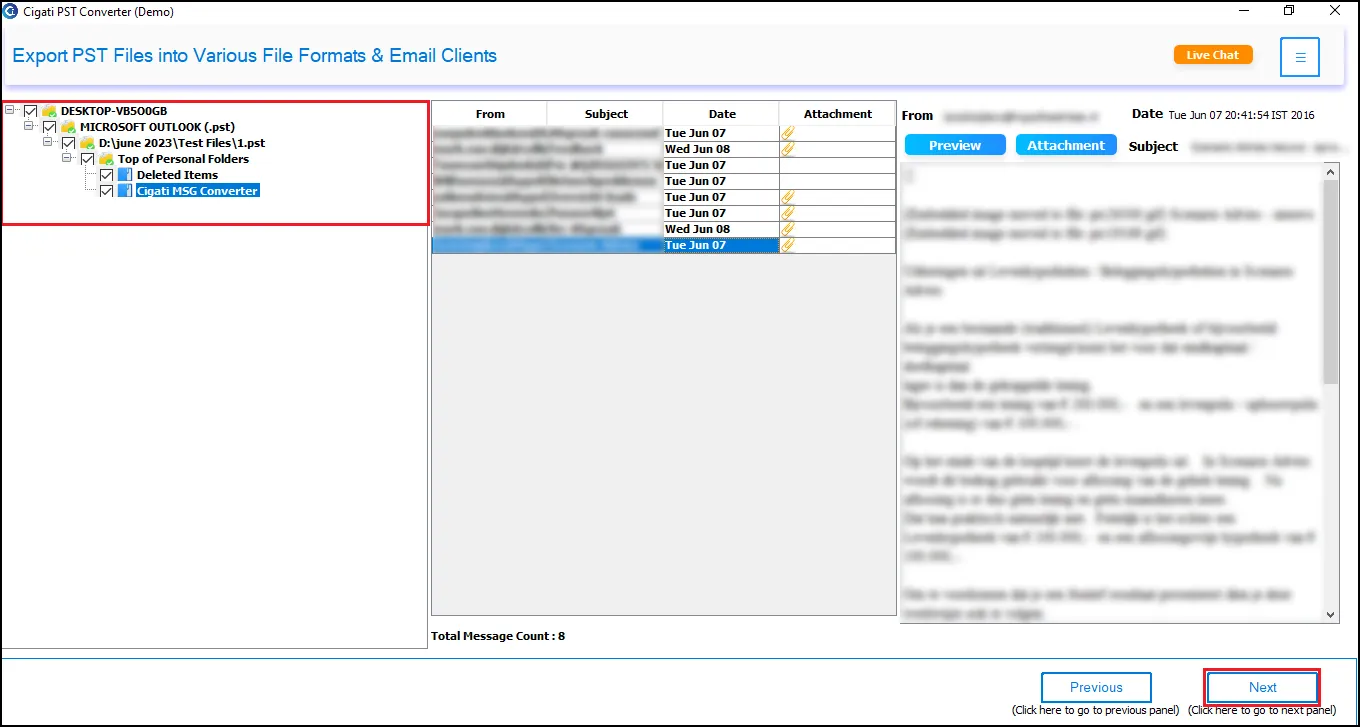
Before starting PST conversion, the software provides a detailed preview of the PST file. Users can view emails, attachments, contacts, journals, tasks, calendars, and notes in a structured pane. The preview mode also shows metadata such as To, From, Subject, Date, and Size. This ensures accuracy by helping users verify the content they are converting and letting them select folders, too.

Batch Conversion

Batch PST File Conversion

Cigati Software supports batch processing of PST files. If you have single or multiple PSTs stored on your system, this software converts them all in one go. Users can also load entire folders containing multiple PSTs. This eliminates repetitive work and is especially beneficial for administrators and users who manage large email archives.

Convert All PST Components at Once

Convert All PST Components at Once

The PST Exporter software is not limited to emails; every PST component can be extracted and converted. You can convert data, including emails & attachments, contacts, calendars, tasks, journals, and notes. You can even convert all custom folders, making it a complete PST migration utility, and leaving no data behind.

Migration

Migrate PST to Cloud and IMAP Email Clients

Cigati PST Migrator enables direct migration of PST files to cloud-based and IMAP-supported platforms. Users can migrate PST to Office 365, Gmail, Google Workspace, Yahoo Mail, Zoho Mail, AOL Mail, Hotmail, Thunderbird & other IMAP accounts. Users simply need to authenticate their email account in the software, and all mailbox items are securely migrated without data loss.

Folder Hierarchy

Maintain Folder Hierarchy and Email Integrity

During PST file conversion or migration, the tool preserves the original folder structure, including subfolders, categories, and labels. It preserves all email properties such as Formatting, Hyperlinks, Inline images, Read/Unread status, and Header data (To, CC, BCC). This ensures the output file is an accurate reflection of the source PST file, without disturbing any element.

Export Contacts

Export Contacts to VCF & Calendars to ICS

The PST Converter allows users to extract contacts and calendars separately from the PST file. Contacts can be exported to VCF (vCard) or CSV format. On the other hand, Calendar entries can be exported to ICS (iCalendar) format. These formats are compatible with Android, iPhone, and multiple applications, making them ideal for syncing data across devices.

Date Filter

Advanced Filters for Precise Conversion

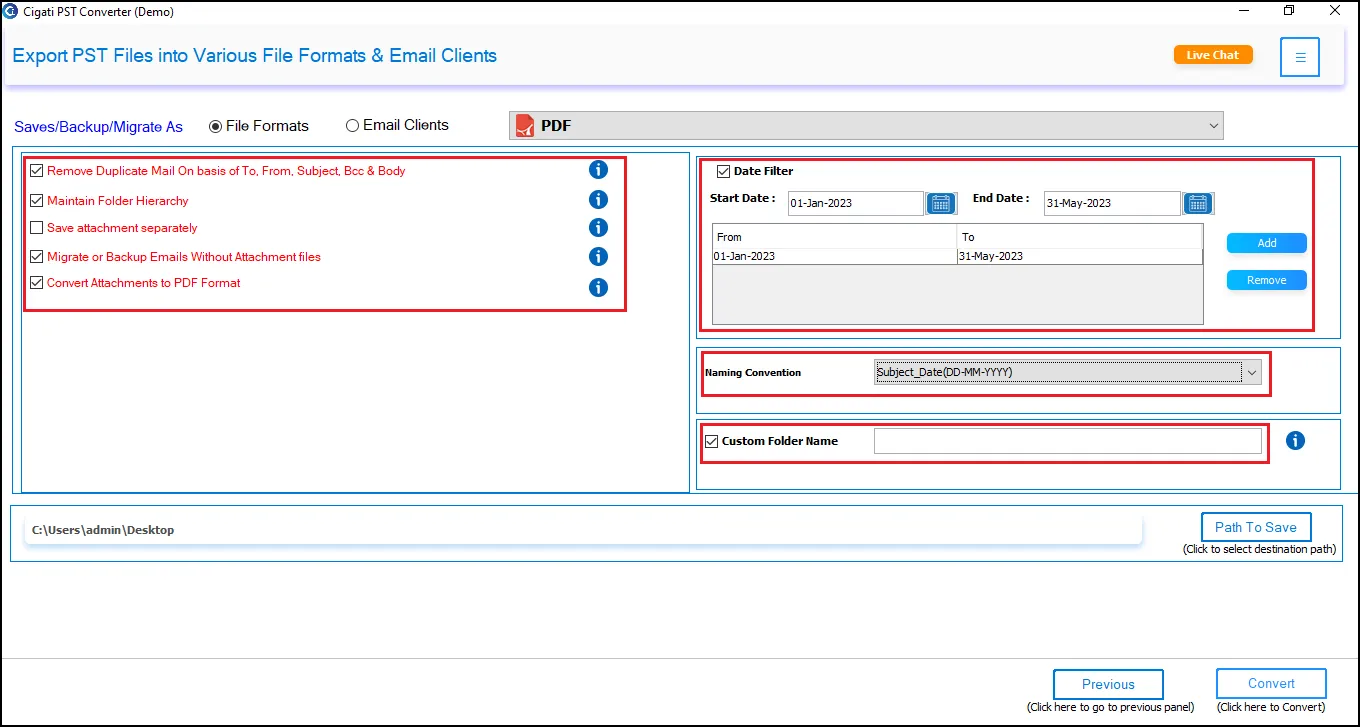
With the advanced built-in filters of the software, you can refine the output. One of them is the Date filter, which lets you convert emails from a specific timeframe. You can also use Remove Duplicate Mails to prevent exporting identical emails by choosing the criteria like To, From, Subject, Body, and CC. This helps extract only relevant data and reduce file size.

Attachments

Manage PST File Attachments

The software includes three powerful attachment-handling options. You can backup or migrate emails without attachments, whatever the resultant file is. On the other hand, if you convert PST to PDF, you have two choices: convert attachments to PDF or save them in a separate PDF.

Supports all PST types

Supports All PST File Types

Outlook PST Converter supports both ANSI (older Outlook versions) and Unicode (newer Outlook versions) PST files. It can process all healthy PST files without requiring Outlook installation. This broad compatibility ensures seamless conversion across all Outlook versions from Outlook 97 to Outlook 2021/Office 365 PSTs.

Email

Extract All Emails in CSV File

This software allows users to extract every email from a PST file and save them collectively in a CSV format. It is especially useful for a structured, searchable, and lightweight version of the entire mailbox. Besides emails, it captures key email attributes like Sender, Recipient, Subject, Date, Message ID, Folder Name, and more.

Skip

Skip Previously Migrated Emails

Outlook Email Converter includes an intelligent Skip Previously Migrated feature to prevent the duplication of emails during repeated or incomplete exports. Once you select the option, it automatically detects emails that have already been migrated in earlier sessions. Thus, excludes migrated emails during the new conversion.

Demo software

Demo Software for Testing

The free Outlook PST Converter Software is a demo version that allows users to export the first 50 items per folder. It gives users complete access to all premium features before purchasing. This lets users assess speed, accuracy, and interface performance without limitations. To convert all data from PSTs, upgrade to the licensed version.

Compatible with Windows

Compatible With All Windows OS

Cigati PST File Converter works smoothly on all versions of Windows OS: Windows 11, 10, 8.1, 8, 7, Vista, XP, and Windows Server editions. Moreover, it requires no additional technical components and can be used by beginners, IT teams, and enterprises alike. The processing speed and performance remain unbeatable across all Windows OS.

Technical Specification

Software Prerequisites & Recommendations

Software Name: Cigati PST File Converter
Version Support: Windows 11 and its below version
Size: 232 MB
Version: 25.09
License: Single / Multiple Users
Download Link: Download
box
processor-img

Processor:

Hard Disk:

Memory:

Operating System:

trial-img

Trial limitation:

The trial version of the software allows converting only the first 50 items per folder. It provides access to all premium features, but upgrading to the full version removes limitations and enables unlimited PST conversions.

faq-img

FAQ:

Comprasion Table Table of

Free PST Converter Software vs Full Version

Software Features Free Version Full Version
Convert PST to EML, MSG, PST, MBOX, EMLX, HTML, CSV, and many email and non-email formats Convert 50 Emails per Folder
Export PST to PDF, DOC, DOCX, TIFF, PNG, GIF, JPG Convert 50 Emails per Folder
Export PST to Gmail, Office 365, AOL, Yahoo, and other IMAP-supported platforms Convert 50 Emails per Folder
Batch Conversion: Convert Single/Multiple PST Files
Preview Outlook PST Emails, Attachments, and Metadata
Converts PSTs of all Sizes, including Large and Oversized Files
Remove Identical/Duplicate Emails
Extract all emails in a CSV format
Date Range Filter for selective data conversion
Skip Previously Migrated Emails
Backup/Migrate Emails Without Attachments
Split Resultant PST File
Custom Folder name feature
24*7 Tech Support & 100% Secure
Windows OS Compatibility
Download and Purchase Download Purchase

FAQ

Frequently Asked Questions

You can follow the below-mentioned steps to convert a PST file to PDF using the Outlook PST File Converter Software.

  • Download and Open the Cigati PST Converter Tool on your system.
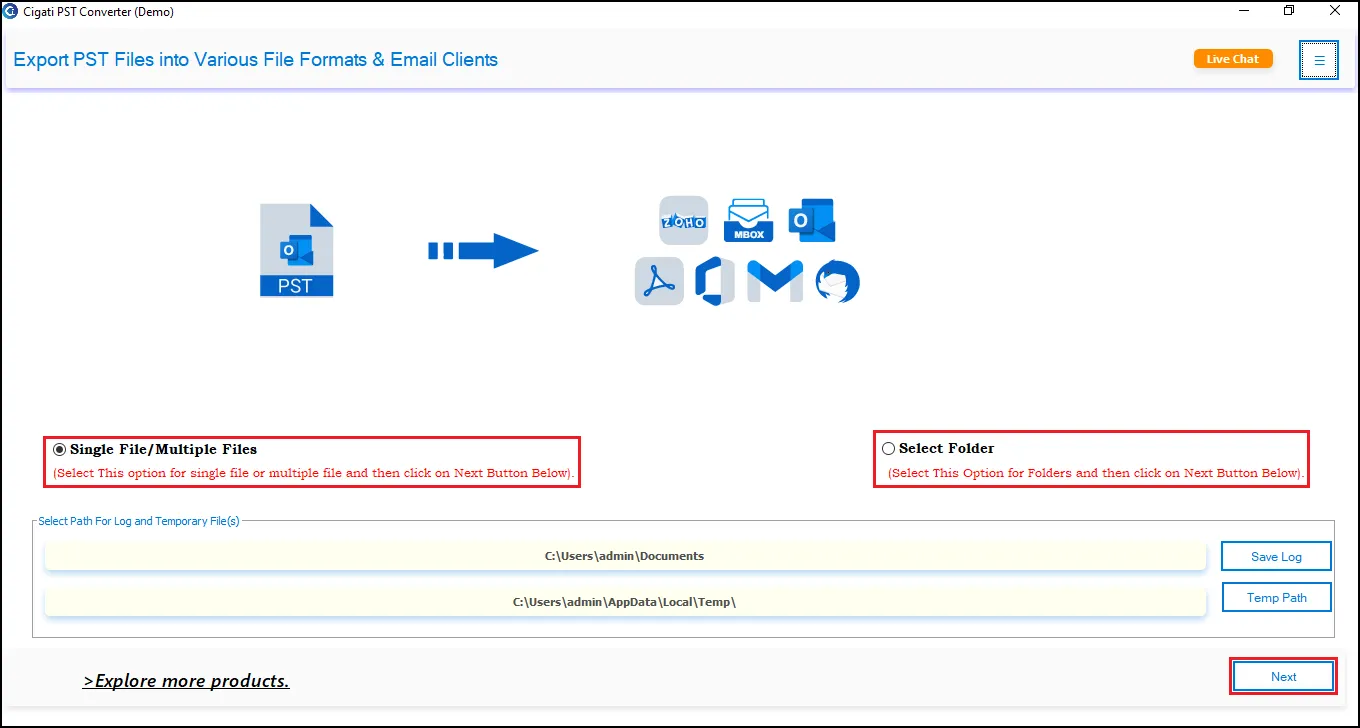
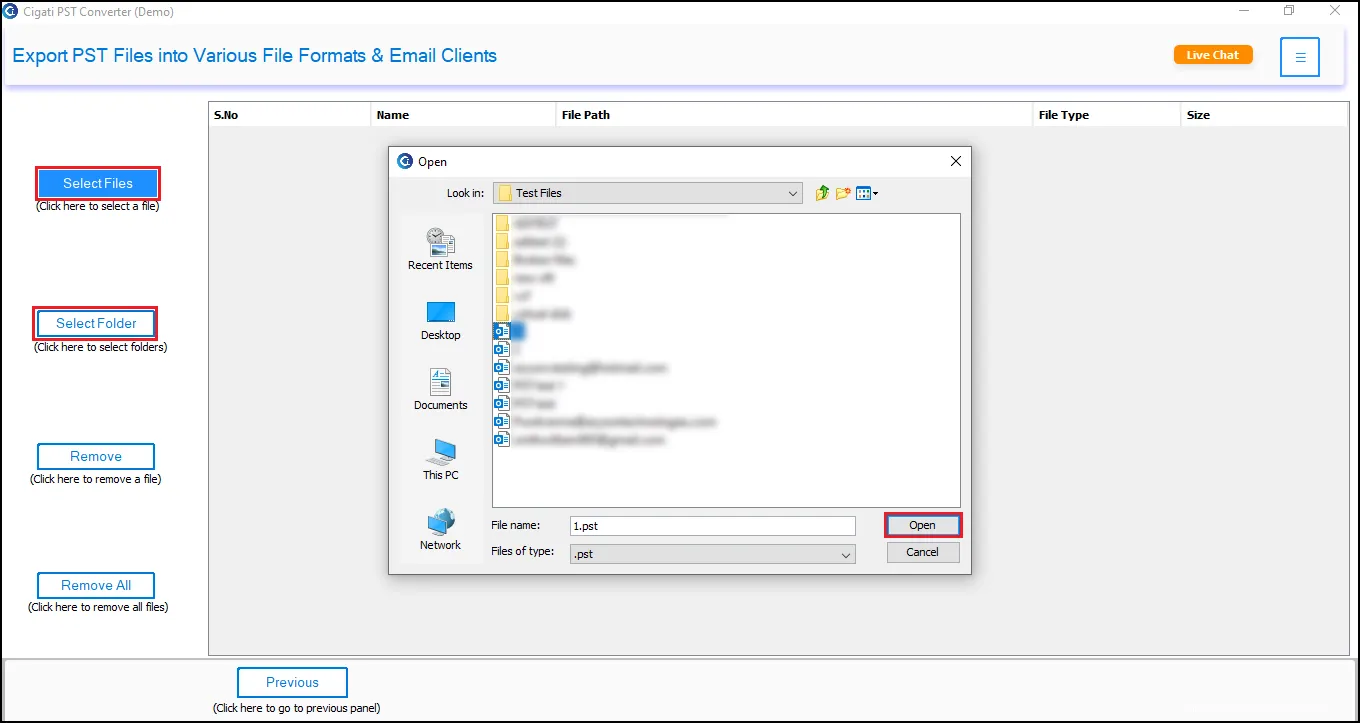
  • Mark on the Single File option and tap on Browse to select the PST file.
  • Check on the files and folders to convert to PDF and hit Next.
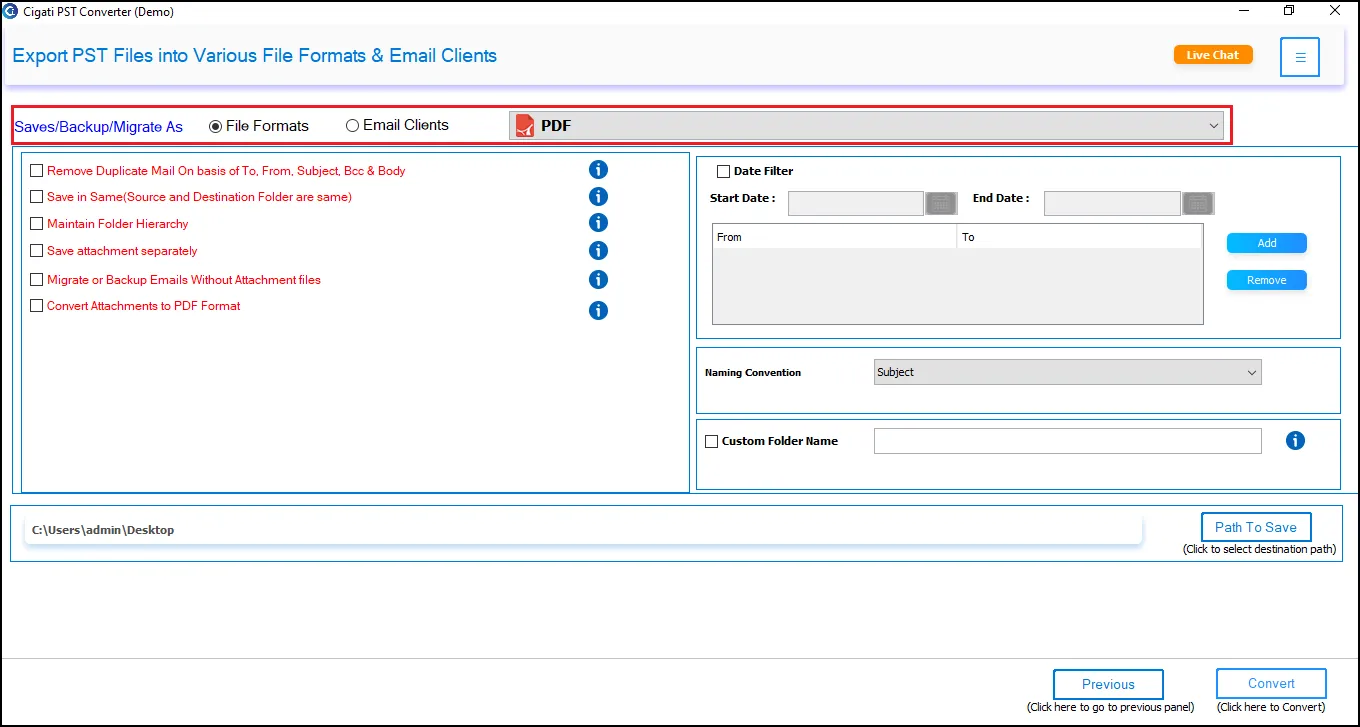
  • Now, select the PDF file format from the drop-down menu.
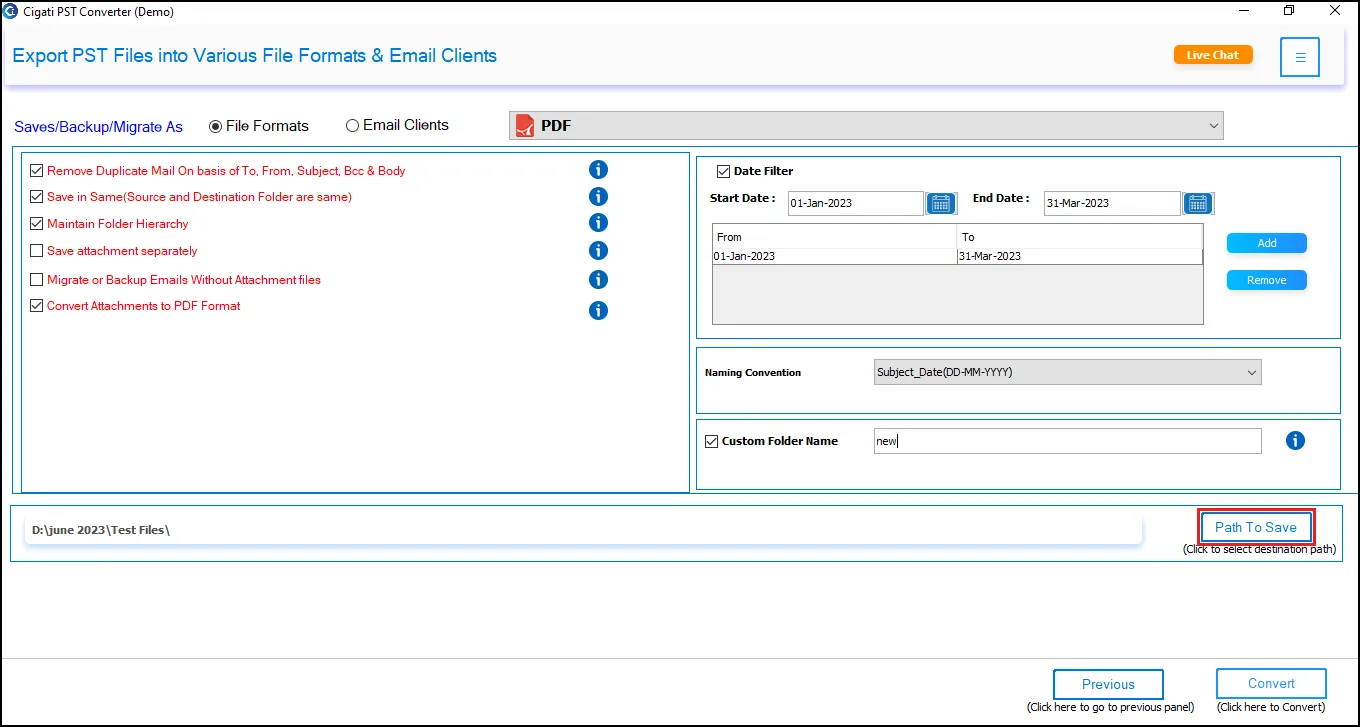
  • Then, choose the additional features of the utility as per your requirement.
  • Finally, press the Convert icon to initiate the PST to PDF conversion.

Yes, you can convert a PST file to CSV using this software. It does the conversion to CSV without any data loss and in no time. Additionally, the Outlook PST Export Tool is also capable of converting the PST files into various other formats like DOC, ICS, DOCM, MBOX, etc.

A PST file can only be opened in the MS Outlook email client. Perhaps, you can open a PST file without Outlook by converting it into other formats like PDF. The Cigati PST Converter Tool offers to convert the Outlook PST files into PDF and other more accessible formats. Therefore, you can easily open these converted files on any platform without the need to open Outlook.

Yes, you can securely import your Outlook PST files into Gmail using this utility. It can import the PST files into the Gmail account mailbox, including all the email items and attachments. Also, it maintains the folder hierarchy throughout the import process.

The Outlook PST Converter Software is a reliable tool that permits users to import PST to Office 365 and other email clients. You can open a PST file in Outlook 365 by importing the PST into the account mailbox. It can be easily done using the PST Exporter Tool without any issues. You only have to choose the Office 365 option from the drop-down and log in to your account, and then the tool will import your PST into the Office 365 account mailbox.

p>Windows 10, being the latest version of Windows, proves to be quite complex for some users. So, to locate the Outlook PST files in Windows 10, you can directly navigate to the below-mentioned locations on your PC.

drive:\Users\\AppData\Local\Microsoft\Outlook

drive:\Users\\Roaming\Local\Microsoft\Outlook

You will find the Outlook PST file in Windows 10 in one of the above directories.

Yes, the Microsoft Outlook PST Converter Tool has been developed to convert PST files of any size. Therefore, you convert PST files of more than 1 GB or even bigger size.

The PST file format is mainly used by Microsoft programs like Outlook, Exchange Client, Messaging, etc. It is used to store the user data like emails, calendars, contacts, notes, journals, etc. It is an important format for Outlook as all the user email account mailbox data is stored in these PST files.

There may be a possibility that your screen resolution is not optimal. Hence, check your screen resolution and increase it to the average level.

Some antivirus software occasionally misinterprets new software as a threat to the PC, preventing their installation. Moreover, if the antivirus is on, it prevents the complete installation of the tool.

The PST Converter Tool stores the log and temp files at the below-mentioned default locations.

Log Files - C:\Users\this pc\Documents

Temp Files - C:\Users\this pc\AppData\Local\Temp\

You can easily change the default locations by clicking on the Log Path and Temp Path buttons.

Admin consent is required when the application needs access beyond a single user’s data, such as organization-wide or multi-user permissions. In such cases, only a Microsoft 365 administrator can approve the login for security purposes.

Client Reviews

A Glimpse of Client Experiences

“We migrated over 14GB of PST archives to Office 365 using Cigati PST Converter. The folder hierarchy remained intact, and the tool handled duplicates flawlessly. The software saved us hours of manual cleanup. Highly recommended for enterprise migrations.”

Marcellus Reed

USA

“I needed to convert PST files into PDF for legal documentation, but I feared technical hassle. But thanks to Cigati PST File Converter Tool, which gave perfect formatting, preserved attachments, and exported everything neatly. It’s fast, accurate, and ideal for compliance and audit requirements.”

Aarushi Sen

India

“Our team was planning to move from Outlook to Thunderbird, but it was delayed due to the unavailability of an automated solution. As soon as Cigati PST Migrator was introduced, we converted hundreds of PST files to MBOX effortlessly. No corruption, no missing data. The support team was excellent throughout the process.”

Dylan Cooper

Mexico