Benefits of
With our comprehensive Webmail Email Backup Tool, you can easily migrate emails from a wide range of popular email clients and platforms.
Exclusive Features of
Cigati Webmail Backup Wizard allows users to back up IMAP-enabled email clients locally. Users can save Webmail emails to PST, MBOX, MSG, CSV, PDF, EML, DOC, and DOCX formats. These file formats are the best options for backup because they are supported by various email clients, allowing you to export the emails later.
The Email Backup Wizard also exports all the Webmail emails directly to the cloud-based email clients. Users can quickly export emails from the IMAP-enabled clients to Gmail, Office 365, and others. You will need to authenticate the login of the respective client, and all emails will be exported to that client without any data loss
The Webmail Backup Software can migrate all the emails from those clients that are IMAP-enabled. The various options are Gmail, AOL, Yahoo Mail, Hotmail, Zoho Mail, Yandex, AWS, Outlook, and GoDaddy. There are also some other clients like BlueHost, HostGator, ProtonMail, Mailbird, Windows Mail, and RoundCube, from which you can easily back up or migrate emails.
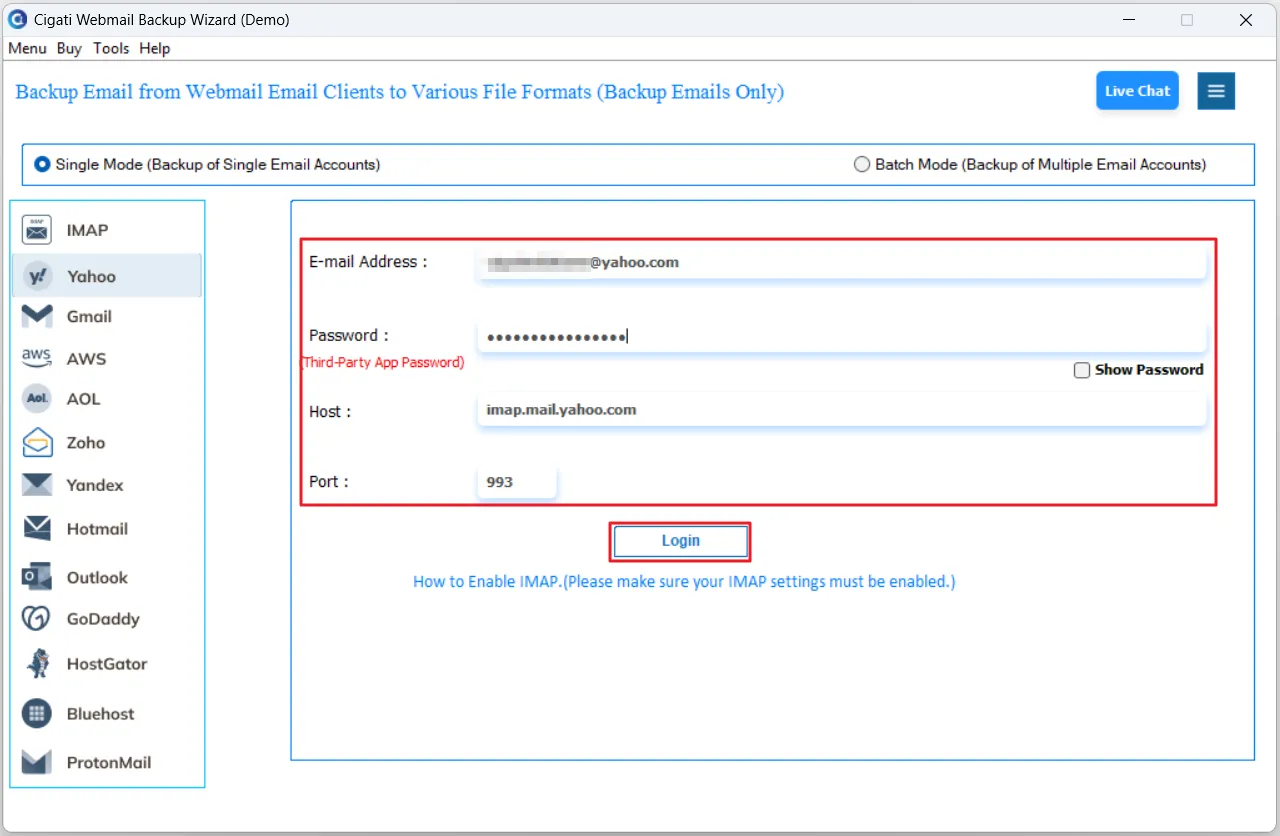
The Cigati Webmail Email Backup Software has the option for single and batch backup. Users just have to enter the User ID, Password, Port Number, and Host ID to do the migration of one mailbox. On the other hand, users can enter the given information in rows of a CSV file and do the backup up multiple mailboxes at once. The sequence in the column should be the same as mentioned.
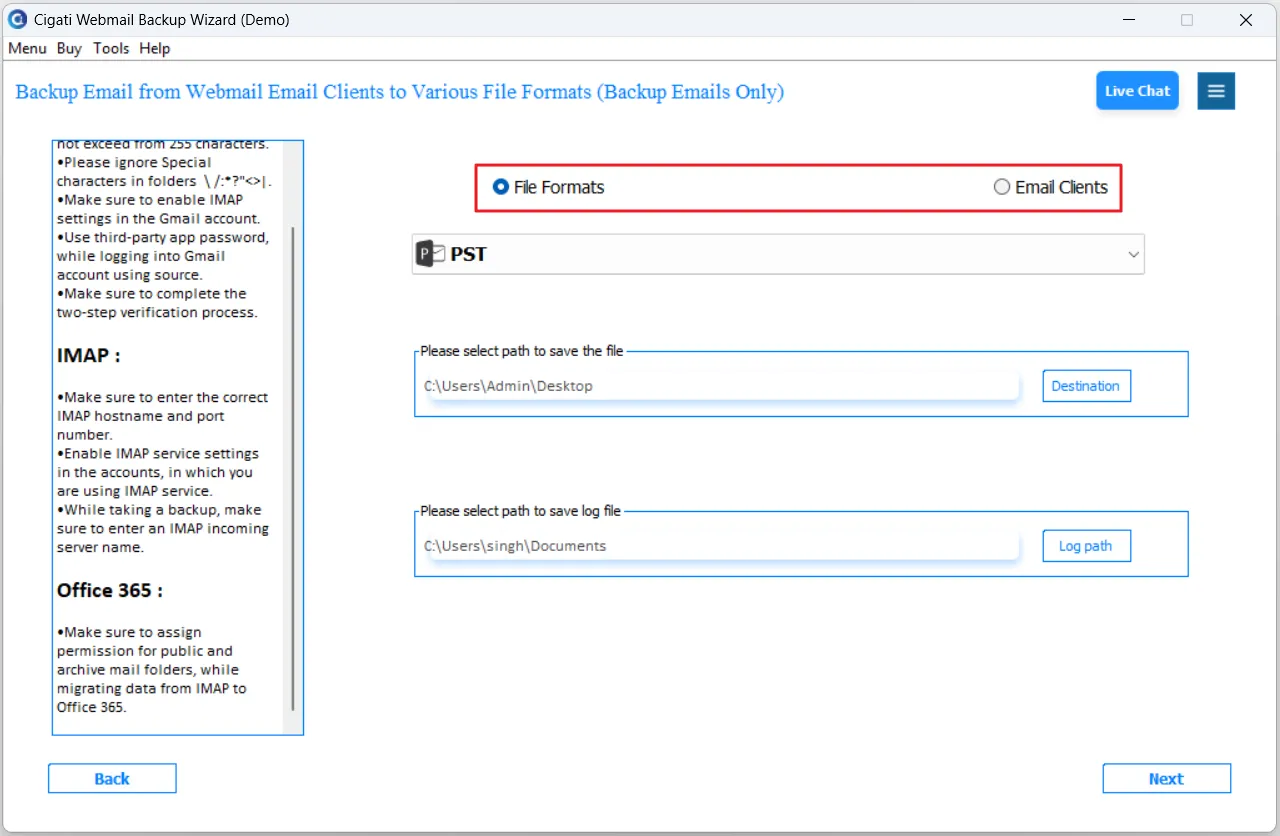
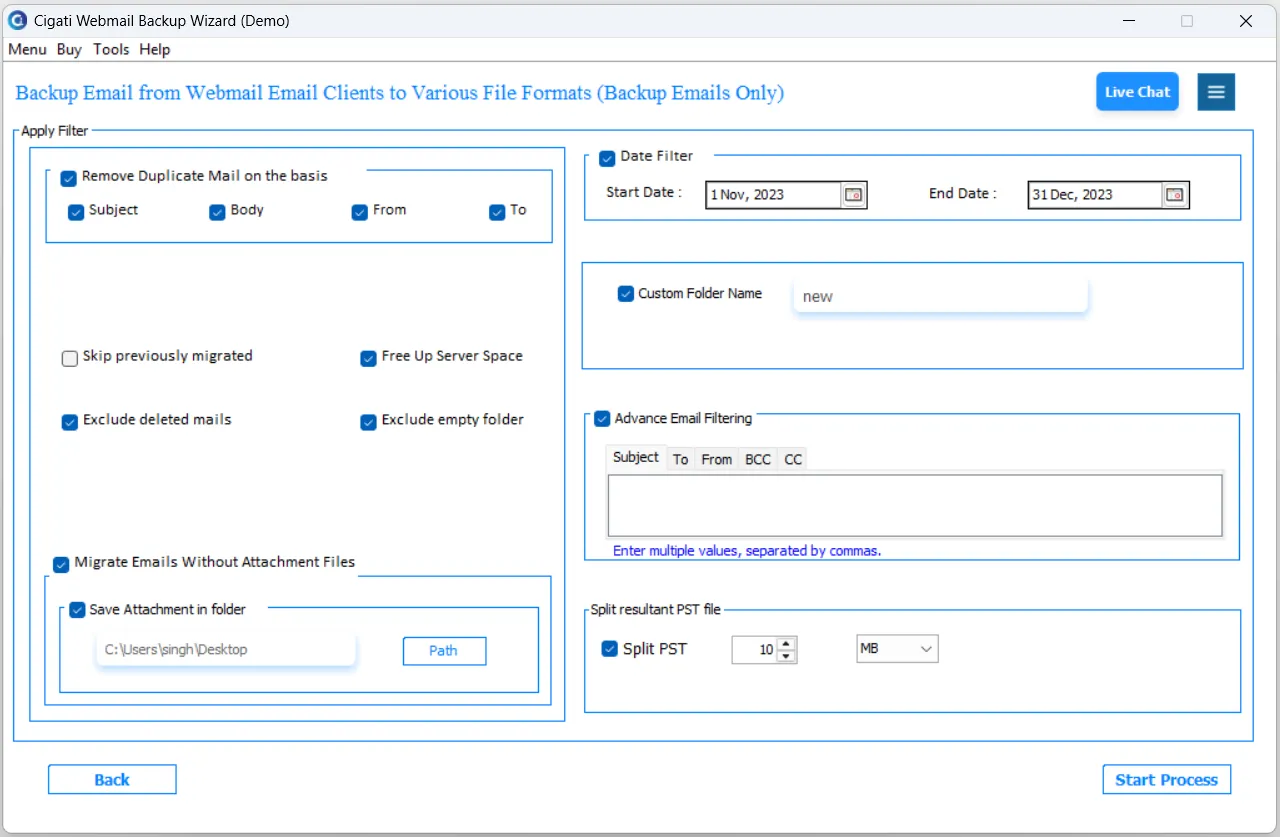
This software has the option to do a selective backup of Webmail emails. Users can use the Date Range Filter option, which allows a customized migration or backup of emails. You will have to define a start date and an end date in this filter. Then the software will migrate or back up only those emails that appear between the defined date ranges. This will do your customized migration.
During the backup or migration process, users can use the Remove Duplicate option. This feature of the Cigati Webmail Backup Wizard will not back up or migrate the duplicate items. As duplicate items in your mailboxes occupy unnecessary space, you can use this option, and no identical emails will appear in the restaurant files. This feature is best for mailboxes that have a lot of duplicate items.
This software has the option to free up some space once the backup of all emails is done. This means that once the user has downloaded all the emails and wants to delete all the emails from his account, he can use this option. This feature will automatically delete all the emails that are downloaded or migrated.
The Email Backup Wizard is highly compatible with all versions of Windows, including Windows 11. Even the user can use this software on Windows 10, Windows 8, Windows 7, Windows Vista, Windows XP, and all earlier versions. This software will run smoothly without any lag and perform the migration of emails.
This software is 100% safe to download, and no data is lost during the backup and migration process. It does the migration with 100% accuracy and maintains all the folder hierarchy in the result file or email client. On the other hand, you can use the Free Email Backup Wizard, which has certain restrictions, but it will help you to evaluate the performance of the software.
The user interface of this software is simple and easy to understand. Whether you want to migrate or want to back up Webmail emails, you can do it without any technical assistance. If you need any technical assistance, then you can get in touch with the Cigati experts who will guide you through the whole process and resolve every query.
Technical Specification
| Software Name: | Cigati Webmail Backup Wizard |
| Version Support: | Windows 11 & below versions |
| Size: | 171 MB |
| Version: | 25.09 |
| License: | S/A/T/E |
| Download Link: | Download |
Processor:
Hard Disk:
Memory:
Operating System:
Trial limitation:
The Trial version of Webmail Backup Wizard offers all the features of the full software. It enables you to check the functionality and performance of the software. But the trial version only allows you to back up or migrate only 50 emails per folder. So, buy the complete software to migrate unlimited Webmail emails without any hassle and data loss.
FAQ:
Comprasion Table
| Software Features | Free Version | Full Version |
|---|---|---|
| Backup Emails from Webmail to PST, PDF, MSG, MBOX, EML, DOC, DOCX, and CSV | Export 50 Emails per Folder | |
| Migrate Emails from Webmail, Office 365, Gmail, G Suite (Admin Account Only), and IMAP accounts. | Export 50 Emails per Folder | |
| Backup/Migrate IMAP-enabled Email Clients like Gmail, Yahoo Mail, and many others | Export 50 Emails per Folder | |
| Backup and migrate large mailboxes of various Email Clients | ||
| Backup Emails from Multiple User Accounts | ||
| Date Filter option for Customized Email Backup | ||
| Remove Duplicate Emails during the backup Process | ||
| Delete Emails from the server once they are migrated | ||
| Backup Webmail Emails Without Attachments | ||
| 24*7 Tech Support & 100% Secure | ||
| High Compatibility with all Windows Versions | ||
| Download and Purchase | Download | Purchase |
FAQ
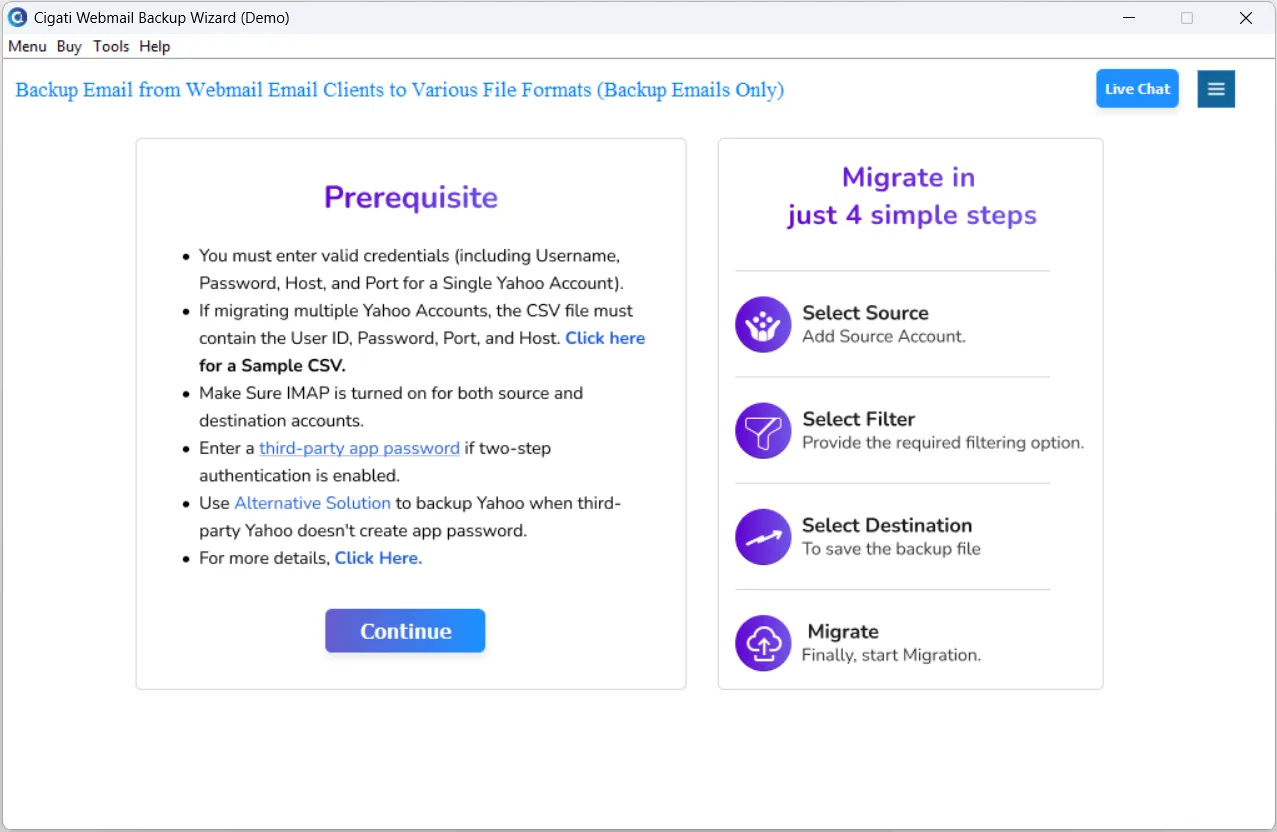
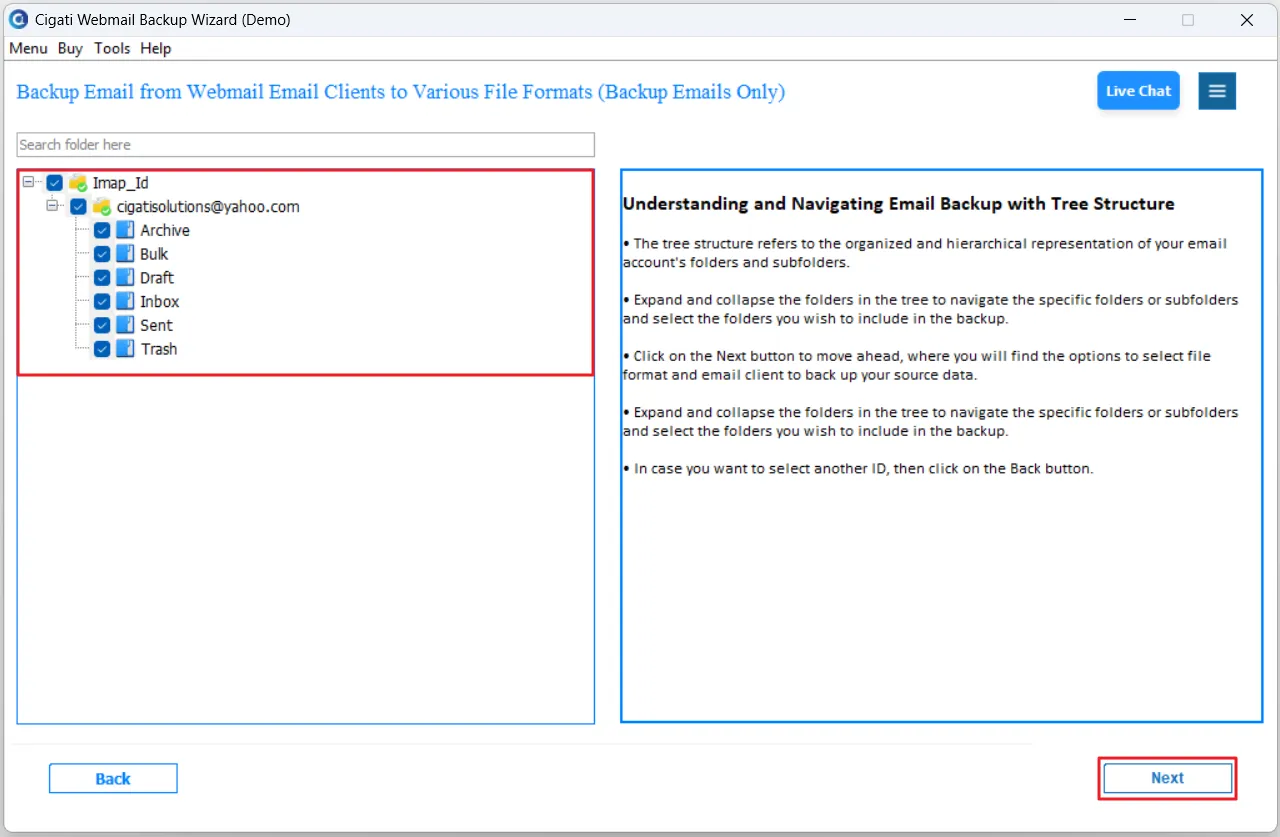
You can follow the steps given below to back up Webmail emails:-
All your Webmail emails will be downloaded to that file.
Yes. Yes. The software provides bulk extraction functionality, which allows users to extract from multiple email accounts by selecting “Batch Mode”.
Client Review
The Cigati Webmail Backup Tool is very simple and user-friendly. I was able to back up all my emails without facing any difficulty. The process was smooth, and I didn’t need any technical knowledge. It saved me time and gave me peace of mind knowing my emails are safe.