Key Benefits of
Built for professionals who manage customer and client databases — this tool offers far more than basic Excel to VCF conversion:
Significant Features of the
vCard is the most compatible format for saving and sharing contact details across different OS. Cigati XLS to VCF Converter makes the conversion process easier and lets users export contacts from an Excel sheet to VCF without losing formatting or data. It supports all Excel file types and creates vCard files that are compatible with smartphones, CRMs, and email clients.
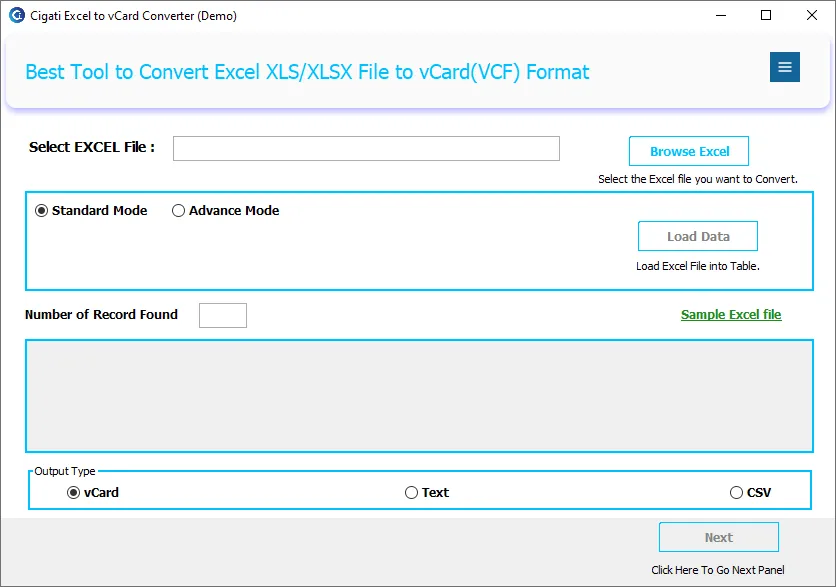
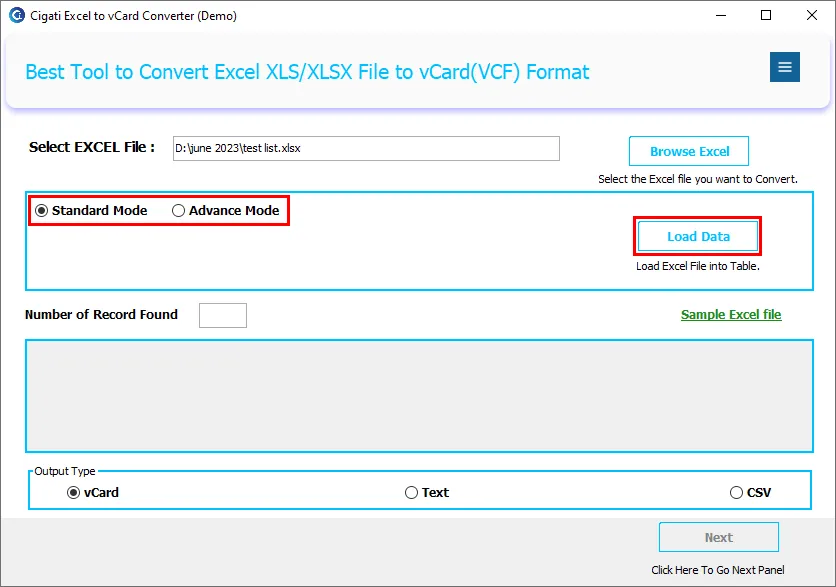
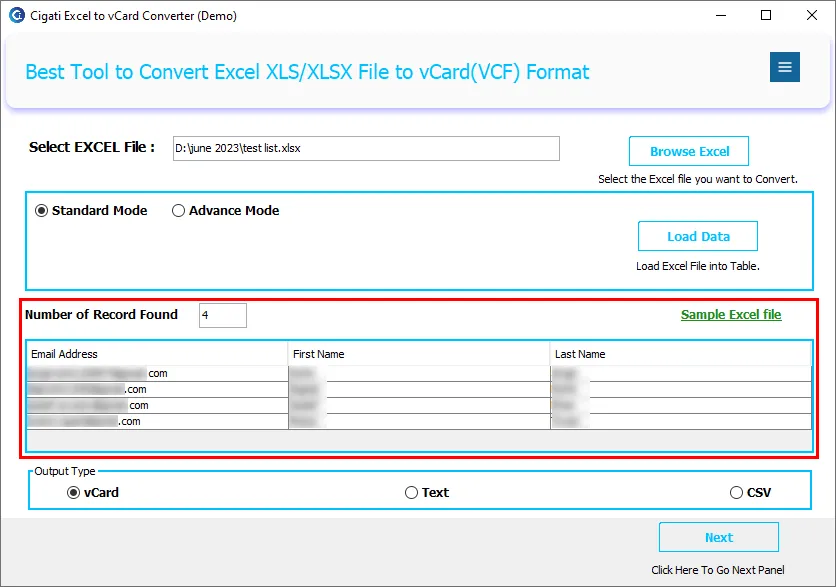
This software is perfect for businesses that want to export only active leads or filtered contacts. It offers two data loading modes: Standard and Advanced mode. Where Standard Mode loads the complete Excel file, Advanced Mode allows users to choose specific rows and columns for conversion. Hence, it gives you the flexibility to choose data for conversion.
Before exporting, the Excel to vCard Converter shows you a preview of the fields and data in the added files. It displays all Excel rows and columns, so that users can check contact details, total entries, and mapped properties to ensure accuracy. You can also check the total number of records in the added file.
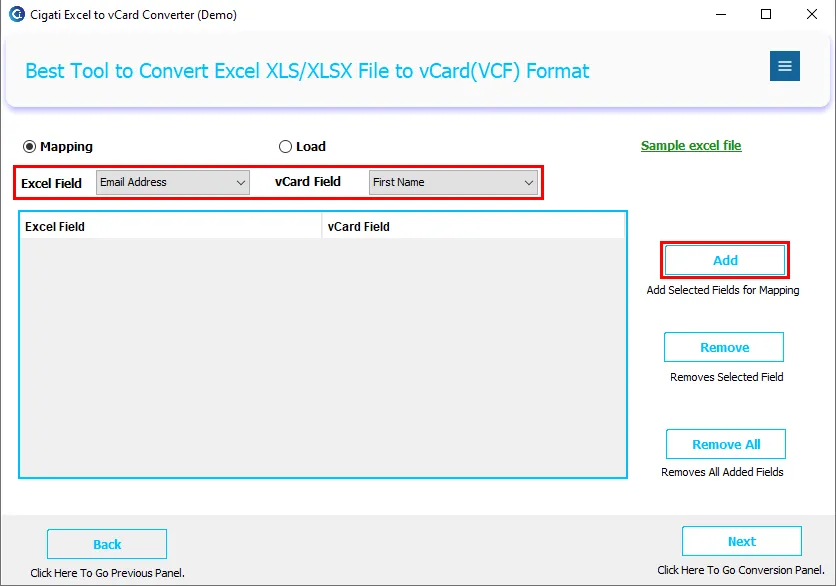
The mapping feature of the software is extremely useful. There are two mapping options: Manual Mapping and Auto-Mapping. Users can manually assign Excel columns (Name, Phone, Email, Address, etc.) to vCard fields or use Auto-Mapping for instant matching to ensure seamless import.
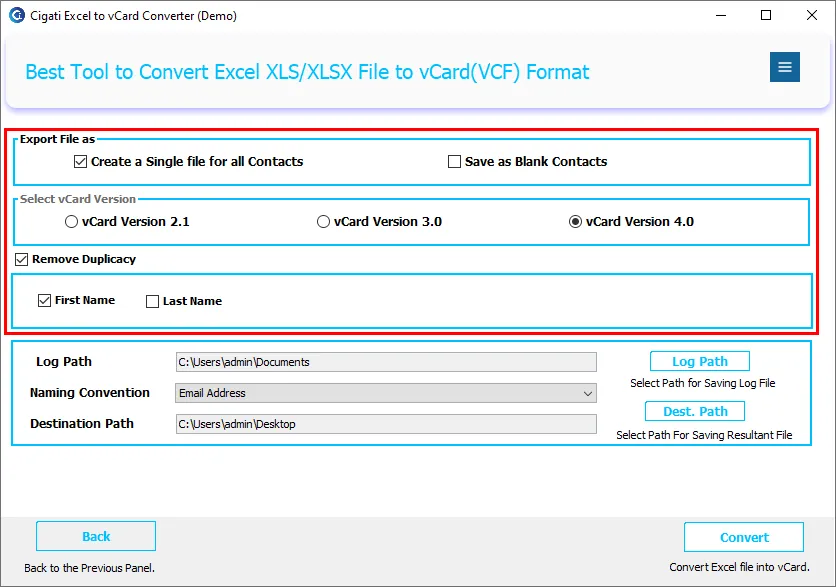
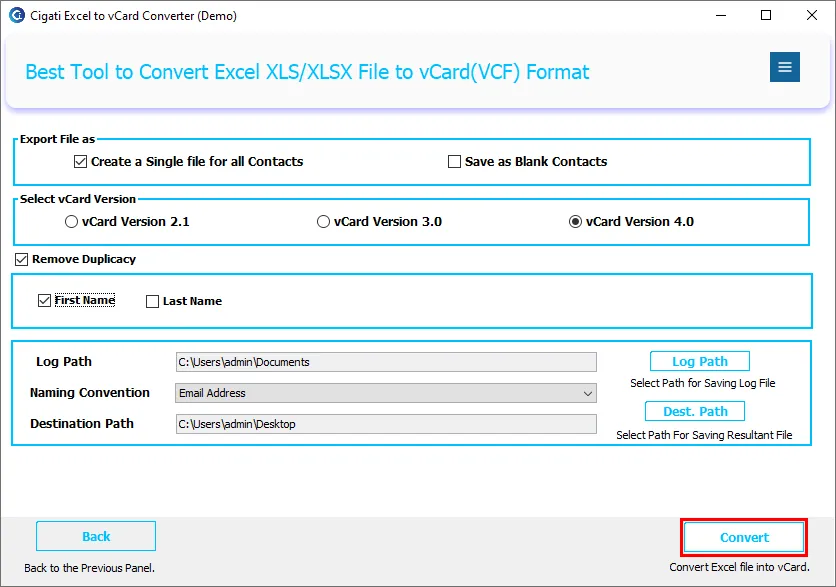
Among all its extraordinary functionalities, one is to let users combine all Excel contacts into one vCard. Instead of generating multiple files, users can combine all contacts into one VCF file, which is ideal for quick migration. You can easily transfer contact files to Smartphones, Google Contacts, CRM platforms, and Email clients too.
![]()
Cigati Excel to vCard Converter also offers the flexibility to save contacts in three different versions of vCard: Choose from:
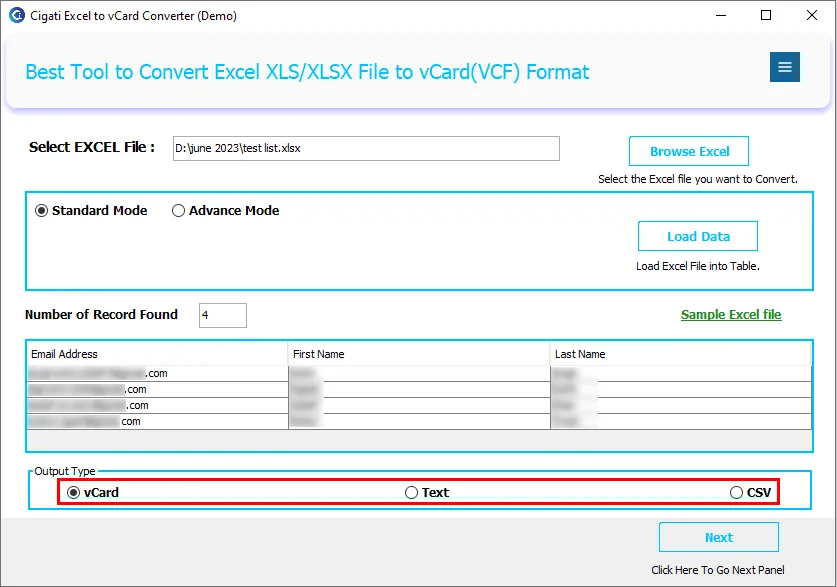
The Excel File to vCard Converter by Cigati is not just limited to Excel to vCard Conversion. Yes, it has other saving options, that is CSV and TXT. Both are widely compatible formats for contacts and are prominently used. Additionally, you get many other features with Excel to CSV and TXT conversion.
One of the major problems while handling contacts is managing duplicate contacts. However, Cigati Software brings the Remove Duplicacy feature built in. You simply need to select the feature and select the criteria for duplicate removal. This ensures your output vCard file remains uncluttered and clean.
Before you purchase the premium version, try and test the software functionalities. The free demo version allows users to convert the first 50 rows of an Excel file. This includes all features of the full version and thus helps evaluate performance before purchasing.
The Cigati XLS to VCF Converter is best known for its compatibility. It works smoothly on Windows 11, 10, 8.1, 8, 7, Vista, XP, and older versions. It requires no technical expertise to operate and, therefore, is perfect for beginners as well as professionals.
Technical Specification
| Software Name: | Cigati Excel to vCard Converter |
| Version Support: | Window 11 and its below version |
| Size: | Size 75 MB |
| Version: | 23.09 |
| License: | S/A/T/E |
| Download Link: | Download |
Processor:
Hard Disk:
Memory:
Operating System:
Trial limitation:
The free trial version allows users to test all software features by converting up to 50 rows from an Excel file. However, the output files will include the word “Demo.” Upgrade to the full version to remove all limitations and enjoy unlimited, restriction-free Excel to vCard conversion.
FAQ:
Comprasion Table
| Software Features | Free Version | Full Version |
|---|---|---|
| Convert Excel to vCard (VCF) | Converts Only 50 Contacts with Demo Text | Unlimited Conversion |
| Convert Excel to CSV and TXT | Limited to 50 Records with Demo Text | Unlimited Conversion |
| Standard & Advanced Data Loading Modes | ||
| Preview Excel Data Before Conversion | ||
| Auto Mapping & Manual Field Mapping | ||
| Create a Single VCF File for All Contacts | ||
| Supports vCard Versions 2.1, 3.0 & 4.0 | ||
| Save Contacts with Blank Fields | ||
| Remove Duplicate Contacts Automatically | ||
| Advanced Naming Convention Options | ||
| Multi-Sheet Excel File Support | ||
| Batch Conversion of Unlimited Contacts | Restricted | |
| No Excel File Size Limitation | Limited Usage | |
| Maintains Complete Contact Data Integrity | ||
| Supports All XLS & XLSX Excel Files | ||
| Fast & Secure Offline Conversion | ||
| Technical Support | Basic Support | 24×7 Premium Support |
| Best For | Software Testing & Evaluation | Professional & Business Use |
| Download and Purchase | Download | Purchase |
FAQ
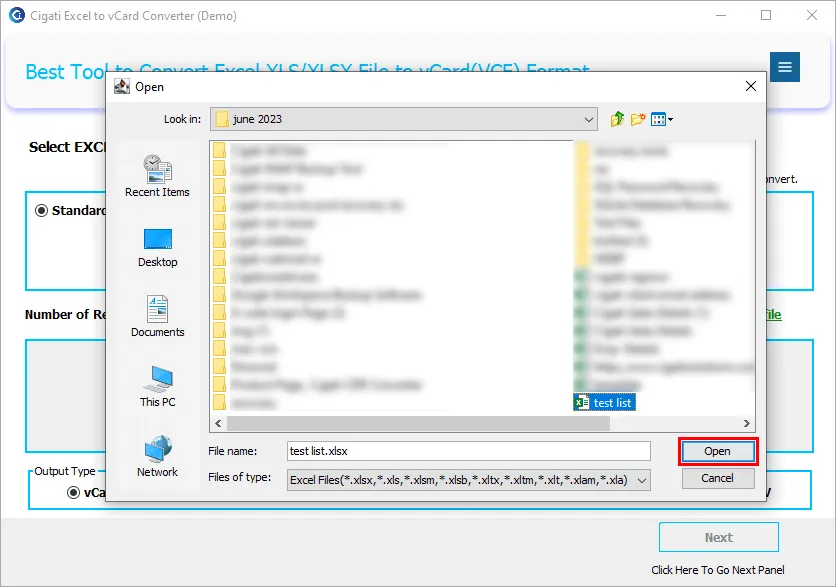
Users can easily upload and convert any supported Excel contact file.
You can choose the preferred vCard version before conversion.
This ensures accurate contact conversion.