Key Benefits of Cigati
IMAP-supported email accounts that the Cigati IMAP Backup Tool can connect to for backup or migration:
Enhanced with new smart filters and performance improvements for a faster, more controlled migration process.
Advanced Functionalities of
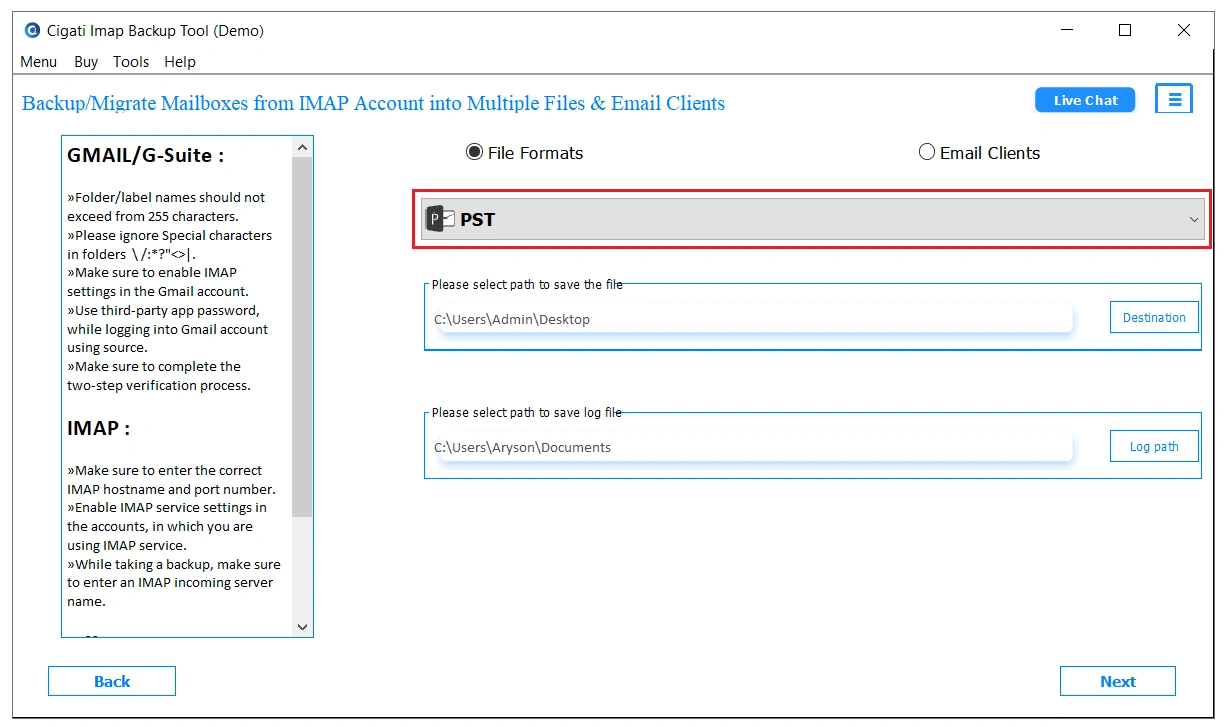
Use the best IMAP Backup Software to backup mailbox data on your system. This software allows you to save emails to email formats like PST, MSG, MBOX, EML, and EMLX. This enables you to access IMAP emails on different platforms without much manual effort. Also, you can save emails to PDF, CSV, DOC, and DOCX for future reference.
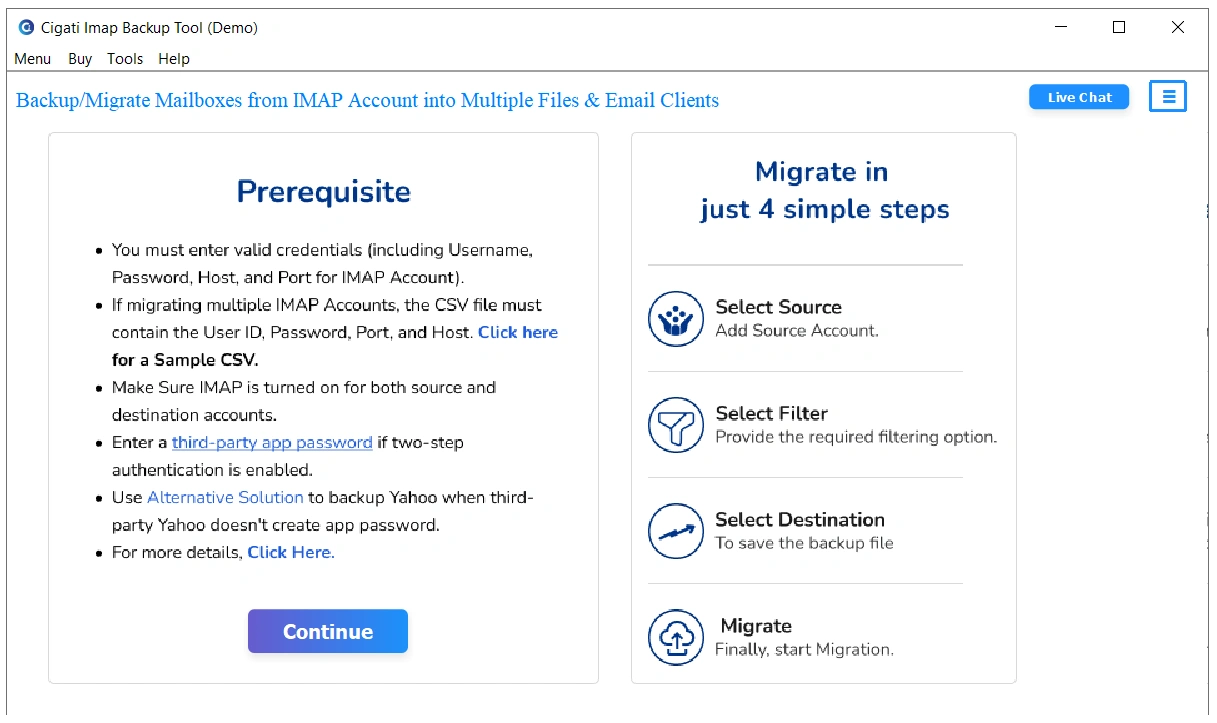
With the batch import feature, you can effortlessly backup and migrate emails from multiple IMAP accounts at once. Simply create a CSV file with all User ID, Password, Port Number, and Host ID of all your IMAP accounts and upload it to the software for bulk migration. No need to add accounts one by one! You can check the CSV sample for reference!
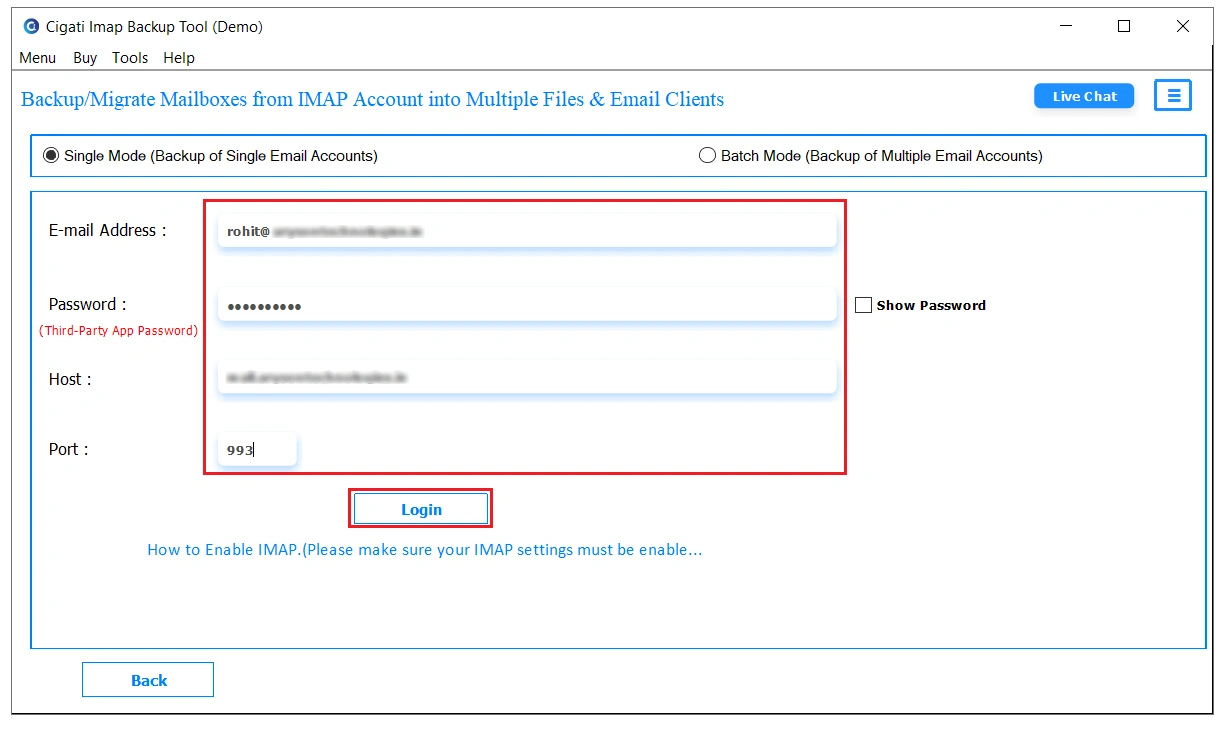
Cigati IMAP Email Backup Software lets you migrate emails from one IMAP account to another, quickly and effortlessly. You can switch from an IMAP account to Gmail, Yahoo Mail, AOL Mail, or any other IMAP-supported email service. You can also transfer IMAP emails directly to Office 365 or Google Workspace to meet your business needs. With modern authentication support, you can log in safely using minimal credentials, and no complex setup is required.
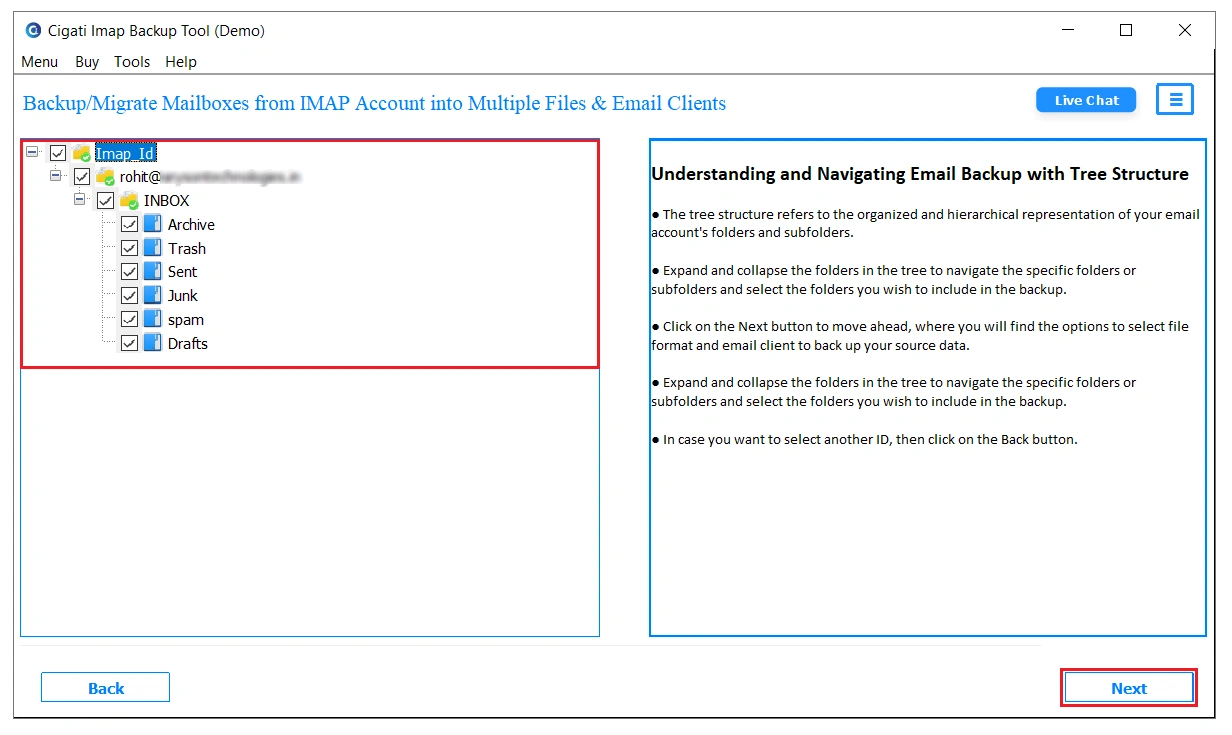
Before you start the backup or migration process, it’s important to review the mailbox data being processed. The software provides a clear folder preview in a tree structure, allowing you to select specific folders for migration. You can even open and preview individual emails to check details like Subject, Sender, Receiver, and Date. Plus, with the Attachment preview option, view attached files beforehand and decide whether to include them in the migration or not.
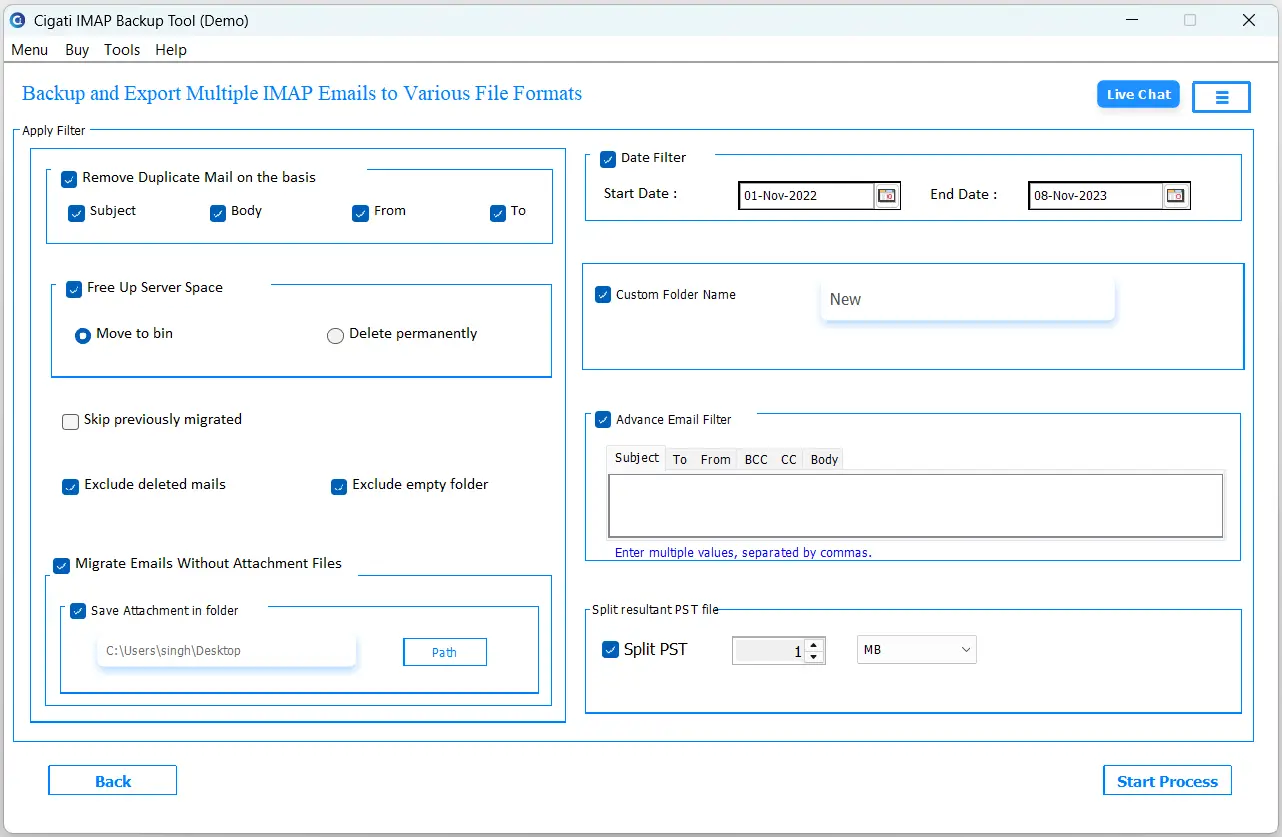
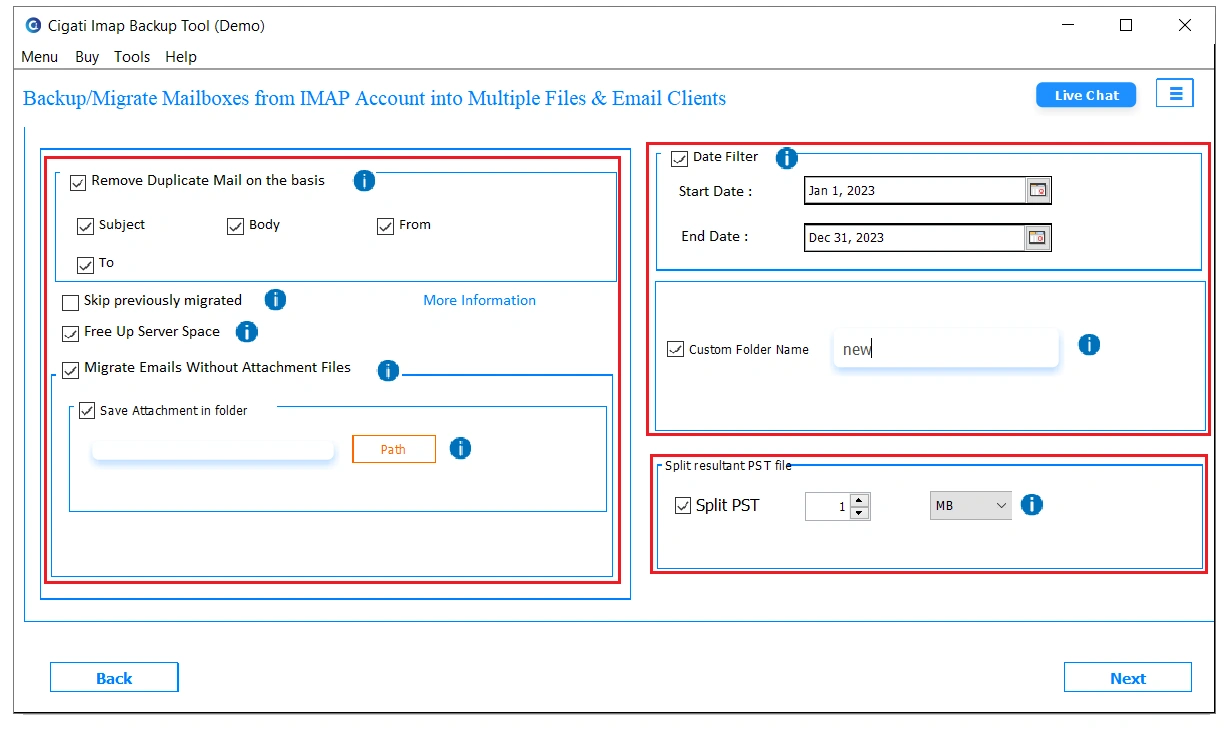
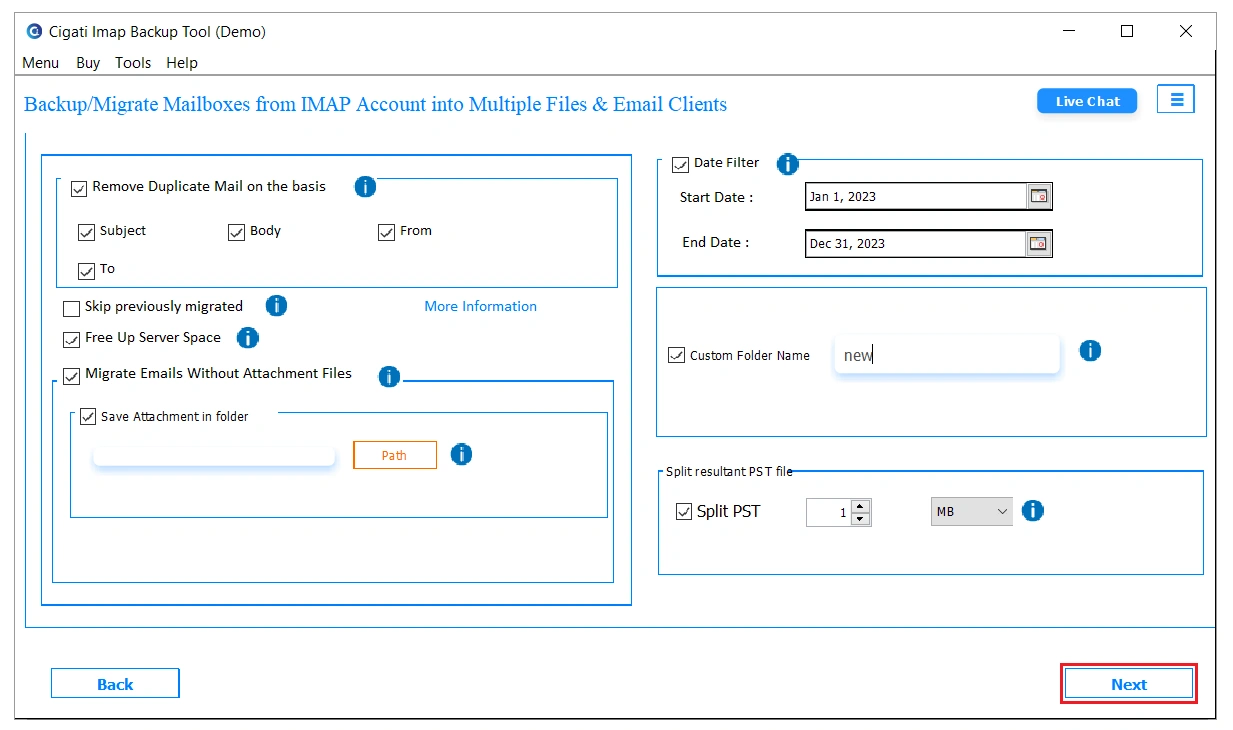
If you want to migrate emails selectively, the tool has multiple built-in features. This includes “Date Filter” and “Remove Duplicate Mails,” ensuring smooth and efficient email management. You can eliminate duplicate emails to declutter your mailbox or apply a specific date range to migrate only the emails you actually need. This ensures a clean, precise, and organized email transfer without moving unnecessary data.
The Cigati IMAP Backup Tool gives you full control over how you handle email attachments during migration. It includes an advanced feature, “Migrate or Backup Emails Without Attachment Files.” Simply select this option to skip attachments or deselect it if you want to include them. Additionally, you can save attachments separately or even export them as PDFs, helping you keep your backup files lightweight and corruption-free.
It's most common among users to migrate IMAP data to Outlook. Therefore, this tool also facilitates to backup IMAP emails to PST, without letting PST corruption take place. It offers a feature to split output PST files into multiple smaller PSTs, which prevents creating large PST files. Simply select the “Split Resultant PST” option and save IMAP emails into multiple PSTs, and securely import them to MS Outlook.
Once you are done migrating IMAP mailbox data securely, you would like to free up server space for more storage. The Cigati IMAP Mail Backup Tool has a built-in option, “Free Up Server Space,” to do this simultaneously. Select this option and the software ensures all data from the server is deleted permanently after conversion/migration is successful. No more manual hassle to delete data.
For all Windows OS users, this tool is universal. This means, no matter which version you use, old or latest, the software is capable to backup IMAP emails across all of them. Hence, it is highly compatible across Windows 11 as well as older versions like Windows 8, 7, and more. Moreover, the processing speed remains equivalent across all of them if technical requirements are fulfilled.
Try and trust the process! With the free demo tool, you can evaluate all the features discussed till now and be sure it meets your expectations. The demo version allows you to backup 50 emails per folder only to make testing smooth. Additionally, it provides all features of the tool similar to an enterprise licence. Cigati highly recommends its users to use it before purchasing for a better user experience.
Technical Specification
| Software Name: | Cigati IMAP Backup Tool |
| Version Support: | Windows 11 & below versions |
| Size: | 336 MB |
| Version: | 25.07 |
| License: | S/A/T/E |
| Download Link: | Download |
Processor:
Hard Disk:
Memory:
Operating System:
Trial Limitation:
Try it for free today! Cigati IMAP Backup Tool trial software is for the evaluation of its features before purchasing. It has all the built-in functionalities similar to licensed ones; however, it limits backup. You can backup/migrate only 50 emails per folder for testing.
FAQ:
Comparison Between
| Product Features | Free Version | Full Version |
|---|---|---|
| Export IMAP mailbox data into PST, EML, MBOX, MSG, and more email formats. | Export 50 Emails per Folder | |
| Save emails locally into PDF, DOC, CSV, etc. for future-proof | Export 50 Emails per Folder | |
| Migrate IMAP emails to another IMAP account, as well as Office 365, G Suite, etc. | Export 50 Emails per Folder | |
| Batch mode supports backup/migration of data from multiple IMAP accounts at once | ||
| Preview feature to open and see data (emails, metadata, and attachments) inside the mailbox | ||
| Remove Duplicate Mails Feature | ||
| Date Range Filter for Selective Email Migration | ||
| Migrate or Backup IMAP Emails With/Without Attachments | ||
| Split Resultant PST File | ||
| Custom Folder Name | ||
| Save Backup at a Desired Location | ||
| 24*7 Tech Support & 100% Secure | ||
| Windows OS Compatible Software | ||
| Download and Purchase | Download | Purchase |
FAQ